
Starting or growing a blog in 2026 remains one of the smartest ways to position yourself as an authority, build your brand, and grow your small business or solopreneur venture. However, creating consistent, high-quality content that drives traffic and leads takes the right blogging tools.
Building a successful blog can be time-consuming, especially if you want to write engaging posts, optimize for search engines, and repurpose content effectively. That’s why these 20 best blogging tools are essential in 2026 and beyond.
AI tools have become incredibly helpful (I use and am affiliated with several, including RightBlogger for writing and ideation, FlexClip for turning posts into videos, and Thumbs.ai for professional images). They speed up workflows and spark ideas when you’re stuck.
But here’s what I’ve learned after 30+ years in digital marketing and content creation: authentic, real content still outperforms. Use tools to support your unique voice and expertise, not to replace it.
The best results come from a hybrid approach: AI for efficiency combined with your personal insights, experience, and genuine advice that small business owners and solopreneurs actually need.
Estimated reading time: 16 minutes
Table of Contents
Key Tools: Best Blogging Tools for 2026
- AI + Authentic Hybrid Wins: Tools like RightBlogger, Fliki, and Thumbs.ai speed up creation, but your real voice and experience still drive the best engagement.
- Essential Core Tools : Prioritize WordPress + Yoast, Wordfence for security, reliable hosting (ScalaHosting), and analytics (Google + Bing Webmaster Tools).
- Repurposing Power: Use FlexClip and similar tools to turn a single blog post into videos, Shorts, and social media content.
- SEO & Visibility: Monitor AI Overviews with Bing Webmaster Tools and focus on internal linking (Link Whisper) + thumbnails.
- Start Simple: Pick 3–5 tools that solve your biggest pain points first; consistency beats trying everything at once.
Why Tools?
Blogging tools streamline your workflow, improve SEO, automate repetitive tasks, and help you repurpose content across platforms. With the right mix, you can produce professional posts faster while maintaining the authentic edge that builds trust and drives results.
There are many options available; the key is selecting tools that fit your style and business goals. Here are my updated 20 favorite blogging tools for WordPress users and beyond (plus a bonus for finding content ideas). These are the ones that have helped me grow Inspire To Thrive.
1. The Right Bloggers’ Versatile Tool
This writing tool will help you write better and faster. Not only for your blog but for your social media posts, reply as an authority, feature, and create ads.
Do you know that feeling when you get writer’s block? Your writing pad or your computer is blank, and you cannot think of where to begin. This tool is definitely for you!
However, not only do they offer you writing tools, but they also offer social media, sales, and seo tools all in one with over 90 tools today.
You can see why it’s one of my favorite blogging tools of all time in the video below.
2. Link Whisper For Internal Linking
Link Whisper makes blogging a breeze. This internal linking tool scans your content, suggests relevant links, and inserts them with one click.
No more hunting for anchor text – Link Whisper does the heavy lifting. It’s a massive time-saver that boosts SEO by effortlessly adding smart internal links.
Link Whisper’s intuitive interface lets you review and tweak suggestions before publishing. Streamline your workflow and watch your rankings rise with this must-have blogging tool.
I don’t know why I waited years to use this tool. It’s been a huge timesaver for me, and I’m sure it will be for you.

3. Google Analytics – A Must For Your Blogging Tools Collection
Building a successful blog means monitoring your progress and making adjustments as needed. In other words, you need to look at analytics to see how your blog is performing.
Free and intuitive, Google Analytics is the easiest way to track traffic to your blog, including real-time data for each individual post. It provides insights such as time spent on a page, bounce rate, traffic source, and daily visitors.
Now, I visit my Google Analytics account monthly to see how things are working and what needs tweaking, and I recommend you do the same.
👉 It is, of course, FREE to use.
4. Grammarly For Editing
Checking over grammar can feel like a luxury nobody has time for, but it’s a necessary evil for creating good content. Luckily, Grammarly will do the dirty work for you!
Paste your text into the editor, and the platform will tell you exactly what’s wrong with it.
While that may not sound like the most encouraging experience, it will help you to improve your writing and tighten up your posts. Recently, I downloaded the Chrome extension for Grammarly and love it.
I even went with their premium edition last year. I’m infamous for typos, and this tool can find most of them.
5. Uptime Monitor – Know When Your Site Goes Down
An uptime monitor continuously checks if your blog is online and accessible. It pings your site at regular intervals from various locations worldwide.
If your blog doesn’t respond within a set time, the monitor registers it as down. It alerts you immediately via email, SMS, or other notification channels.
This way, you’re instantly aware of any outages or performance issues, allowing you to quickly troubleshoot and minimize the impact of downtime on your visitors and revenue.
7. Gamma AI for Carousel Posts
Gamma AI for Carousel Posts (and much more!) quickly became my go-to for building eye-catching carousel posts on Instagram and Pinterest. I like how easy it is to shape a flow of ideas into swipeable slides that look sharp and professional right on LinkedIn, without spending hours on design tweaks.
The platform is user-friendly, making it easy to adjust layouts or add visuals for each slide. When I want to share the same content as individual stories, Gamma AI slices and sizes each image for me, so I can repurpose my posts in just a few clicks.
👉 If you want to make your social media content work harder for you, learn more about the Gamma AI app features and benefits.

View the post above on Instagram.
8. Thumbsai. (AI Thumbnail & Blog Image Generator)
Create professional, click-worthy thumbnails and custom images for your blog posts in seconds with AI.
This tool lets you generate eye-catching visuals from text prompts, upload your own elements (like Stella photos!), and customize for different platforms. It’s ideal for consistent branding without hiring a designer or mastering Canva/Photoshop.
Thumbnails are crucial for click-through rates on YouTube, Pinterest, and blog posts. I’ve seen great results with it for my content: quick, on-brand, and performant. Pair it with your authentic photos for a real-life touch that outperforms purely AI-generated visuals.
👉 Try it for FREE with 20 credits with my affiliate link: https://www.thumbs.ai/?ref=INSPIRE
9. WordPress Plugins
The most popular CMS (Content Management System) out there, WordPress, is a must-have when starting your blog.
Not only can it house all your content, but it also supports a number of useful plugins (some listed below) to add cool features to your site without any code.
You can select from a wide range of templates to create your posts. Then use their analytics to determine how well your blog is performing on any given day, month, or year.
And, if you already have a website, you can easily add it to WordPress.
10. Keywords Everywhere
Before you begin writing posts, you need to conduct keyword research in your niche to identify the topics your audience is searching for. Keywords Everywhere is a great (free!) tool to help you do just that.
This browser add-on is exactly what it sounds like – a way to track the search volume for keywords, well, everywhere.
It gives you an automatic list of search volume, CPC (cost per click), and data for competing keywords across all the main sites you use, including Google, YouTube, and Bing.
11. Wordfence – The One Plugin That Protects Everything Else You Install
WordPress is powerful, but every plugin, theme, and login form you add creates a potential entry point for hackers. Wordfence is the security plugin I trust on Inspire To Thrive (and recommend to other bloggers) because it actually protects the whole site.
The free version already gives you solid basics: a firewall, malware scanner, login security, and two-factor authentication. Most serious site owners upgrade to Wordfence Premium for the real-time firewall rules and malware signatures. Those updates arrive immediately instead of after a 30-day delay — the exact reason I run Premium on my own sites.
It’s the quiet workhorse that lets you install the rest of the tools on this list without constantly worrying about security.
12. Feedly – A Must-Have Blogging Tool
This RSS feed is a great way to see what your competitors are writing about. It allows you to organize topics (“feeds”) by category and discover new blogs that you may not have known about in your niche.
You can either sign up to Feedly for free and create a limited number of feeds, or opt for a paid plan if you want to go all-out on your blog hunt.
13. Answer the Public – A Visualization Blogging Tool
Are you a visual learner? If yes, you’re going to love this tool.
AnswerThePublic is a search query data visualization tool. In plain English, that means you can search for a topic and instantly get a visual “map” of all the questions, prepositions, and lists that exist related to your topic.
This gives you a hint into the kinds of questions your audience is asking and ensures you have a bank of relevant topics to write about.
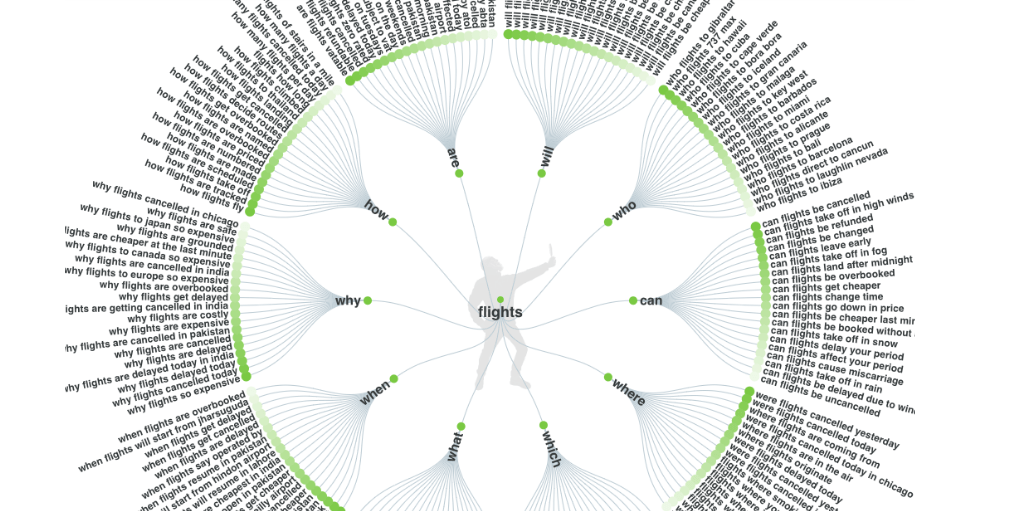
And if maps aren’t your thing, you can view the queries as a list, with each one broken down by the number of searches for that query.
14. Ground News – Check Your Media Bias
When linking to news in your blog posts, it’s easy to unknowingly favor one side of the story. That’s where Ground News comes in.
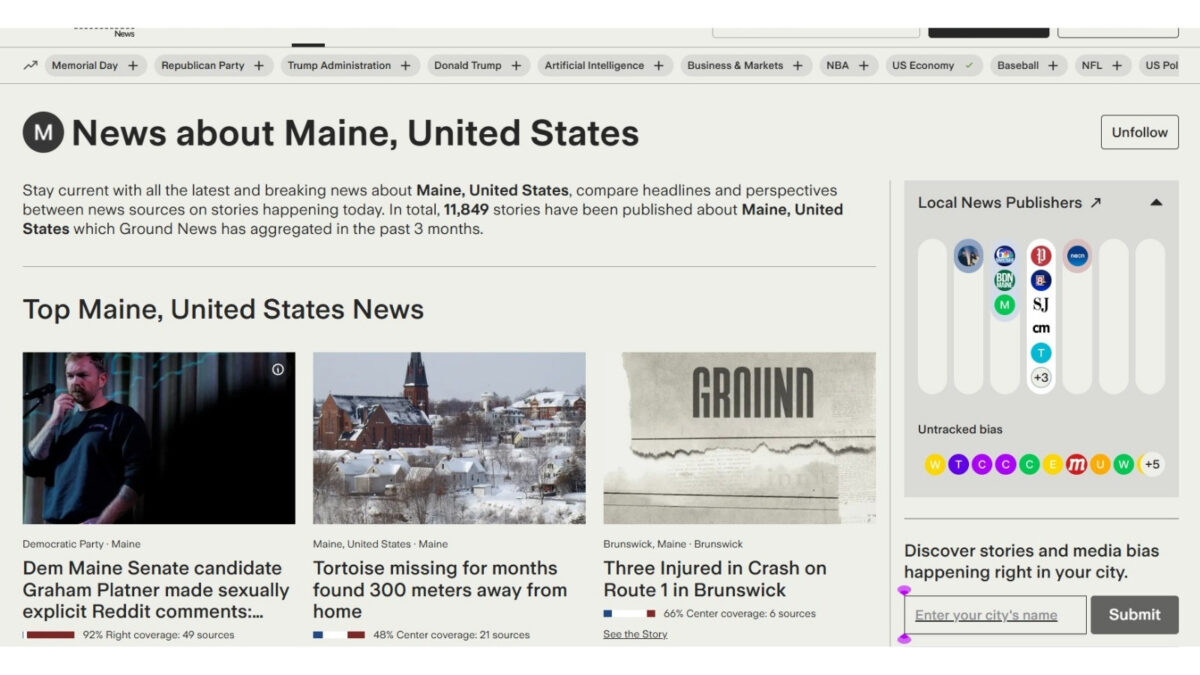
This tool compares how different media outlets report the same topic, helping you spot bias or blind spots. Analyzing coverage across the political spectrum- left, center, and right- ensures you’re providing balanced perspectives.
Just input a link or search a headline, and you’ll see coverage breakdowns and bias ratings instantly. Using it before publishing builds credibility with your audience and shows you value accuracy over spin.
It’s a quick step that can make a huge difference.
15. Yoast SEO Plugin
Remember those WordPress plugins we talked about earlier? Meet Yoast SEO, a plugin that helps optimize each blog post you write for search engines.
It provides a number of features that should ultimately help your blog rank when people search for terms related to what you write about, driving traffic to your blog.
Aside from being simple to install, the plugin tells you when your posts are readable and helps you write optimized meta descriptions. Plus, you can create the perfect URL for each post.
Yoast SEO Premium has made it so easy for me to write posts with SEO in mind here. (I do have Rank Math on other blogs, and it’s a toss-up between the two!)
I can write up a post, and Yoast will grade it at the bottom. They will even highlight what needs to be fixed. However, you don’t always need all green buttons. It is just a guide, a nice guide for those who don’t like doing SEO.
16. Live Chat for Your Blog
Want to set your blog apart from everyone else’s? You may want to consider adding Live Chat.
While not the most critical element of a blog, giving your readers a chat option will make them feel like your content is more accessible because they can “talk” with you about it at any time.
Also, the chat option is pretty easy to add to your blog, allowing you to customize it however you want. One blogger who recently added a live chat is Donna Merrill, who just retired.
This is on my radar for the future; stay tuned!
17. HubSpot’s Free Email Marketing Tools
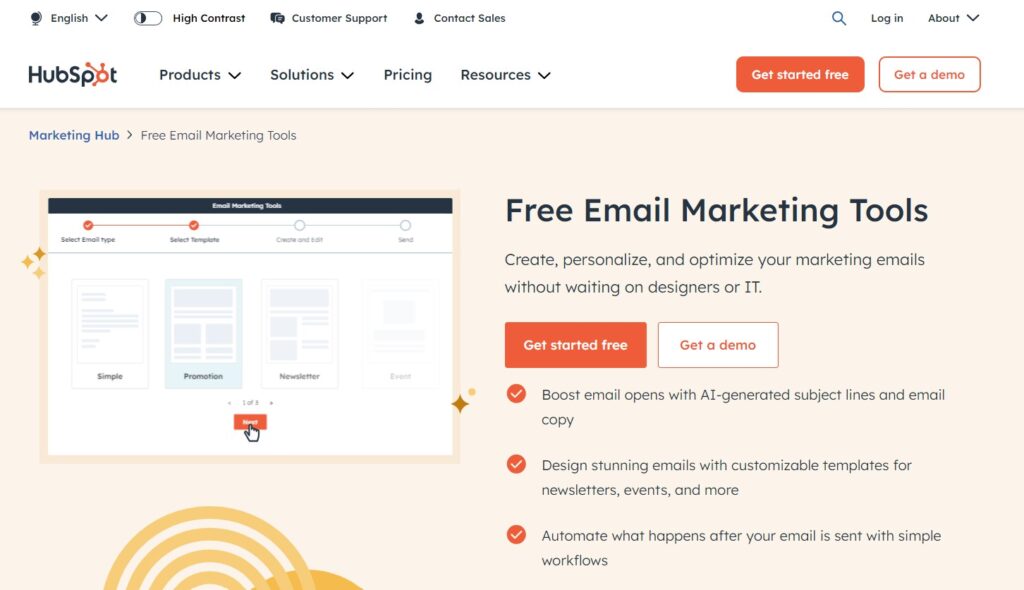
HubSpot’s email software tools are part of its comprehensive marketing platform, built to help small businesses leverage the full power of email marketing to grow.
However, HubSpot’s email marketing toolset has a user-friendly interface and helps users craft visually appealing emails using drag-and-drop editors and pre-designed templates.
I like the drag-and-drop feature a lot.
It’s because I (and you) don’t need to know any complicated code to create a well-designed email that gets opened and converts.
HubSpot also lets you test and compare your email campaigns using the built-in A/B testing capabilities. Using this feature, you can optimize email performance and track open rates, click-through rates, and conversions.
This is valuable data you need to make better campaigns in the future. And the best part is that you won’t need an expensive dedicated analytics tool to get this valuable customer information. So with HubSpot, you save a little bit of money as well.
You can also segment your contact lists for targeted messaging and set up automated email workflows to nurture leads. It’s become one of my favorite blogging tools today.
CRM Integration
Finally, integration with HubSpot’s CRM enables personalized content based on customer data, further improving conversion rates.
HubSpot’s free email tools are, in my opinion, a must for any blogger looking to capture visitors’ email addresses to market to them later.
And even if you aren’t that into email marketing, you should still use the free tools HubSpot offers because they cost you nothing, and over time you will build a decent email list to market your courses or affiliate products.
18. FlexClip (Video Repurposing & Shorts Creator)
Turn long-form content into engaging Shorts and videos fast, perfect for repurposing blog posts into YouTube/TikTok/Instagram content.
With AI-powered features like auto-captions, natural text-to-speech voices, templates, and simple drag-and-drop editing, you can repurpose a single piece of content into multiple video assets without spending hours on complex software. It’s perfect for solopreneurs and small business bloggers who want to expand their reach on video platforms.
I’ve found it saves a massive amount of time, especially when creating Shorts from my how-to guides or case studies. The results drive traffic back to the blog and perform well in terms of engagement.
👉 If video repurposing is on your to-do list, FlexClip makes it practical and fast in 2026.
Read my review here: https://inspiretothrive.com/flex-clip-video-editor/
19. ScalaHosting: Reliable Hosting for Your Growing Blog
When it comes to hosting, ScalaHosting stands out as one of the best options for small business bloggers and solopreneurs in 2026. Their managed cloud VPS and WordPress-optimized plans deliver excellent speed, security, and scalability without the usual headaches of traditional shared hosting.
With their custom SPanel control panel (easier than cPanel for many users), free website migration, LiteSpeed servers, daily backups, and strong AI-powered security features, your site stays fast and protected as traffic grows.
I’ve found it especially valuable for WordPress sites because it offers dedicated resources at affordable prices, reliable performance during traffic spikes, and responsive support, all of which are critical when your blog starts generating real leads and sales.
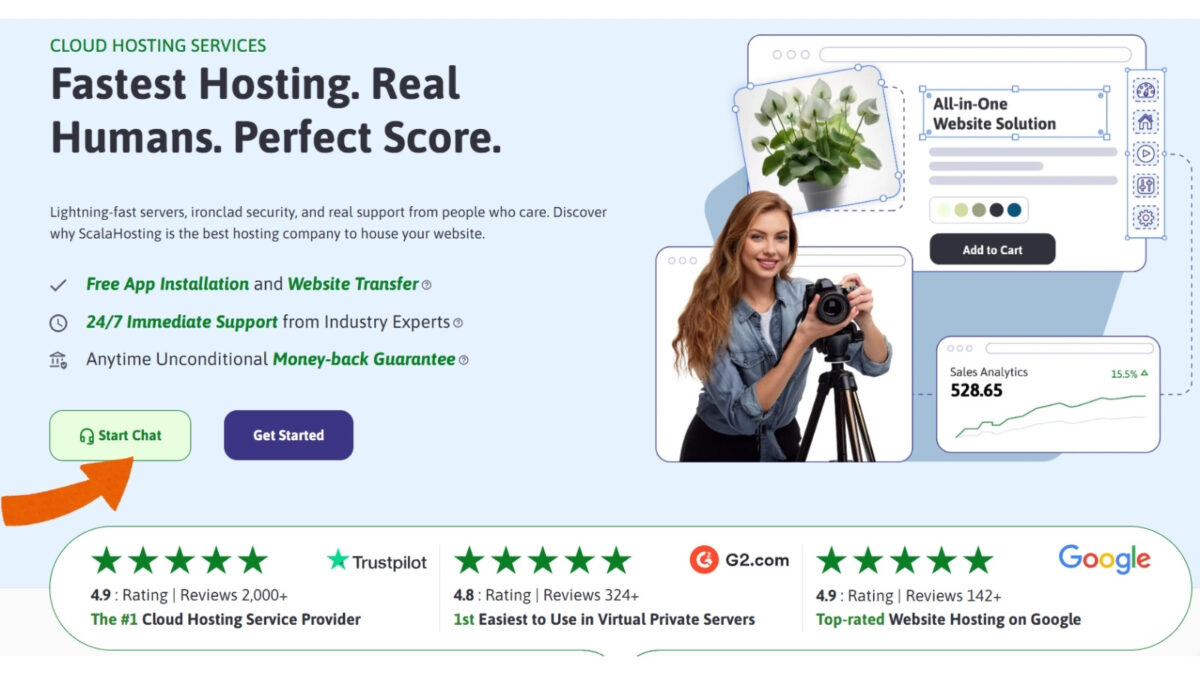
Whether you’re launching a new site or upgrading from basic hosting, ScalaHosting gives you the power and peace of mind to focus on content and business growth instead of technical issues. Get it today with my affiliate link: https://www.scalahosting.com/#inspire
20. Bing Webmaster Tools – Track AI Overviews & Search Performance
In 2026, Bing Webmaster Tools will become an essential free resource for bloggers who want to stay ahead of search trends. Not only does it provide valuable insights into how your pages perform in Bing search results, but it now prominently shows AI Overviews, the summarized answers Bing’s AI generates for user queries.
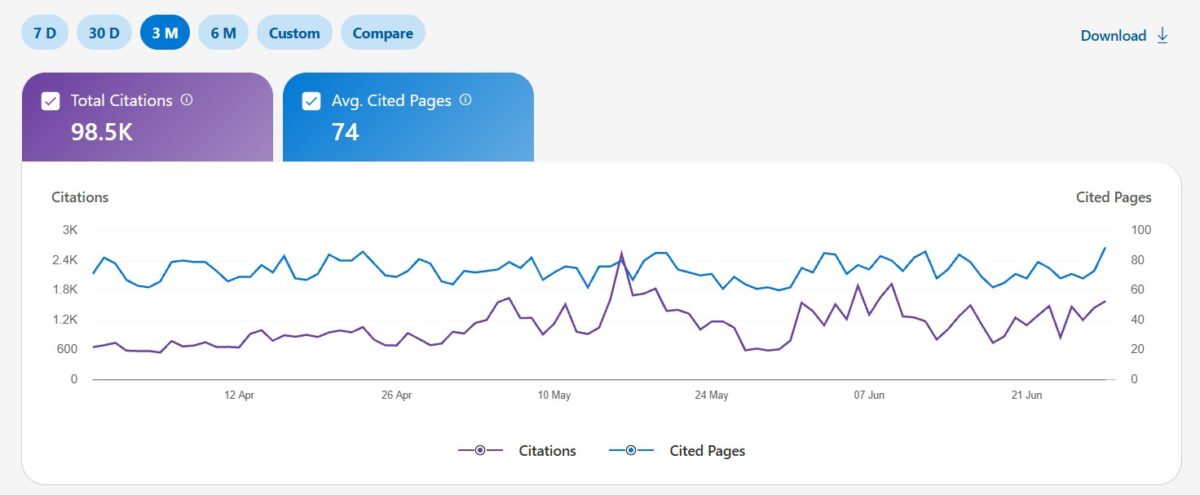
This lets you see exactly how your content is being represented (or cited) in AI responses, helping you optimize for visibility and traffic from both traditional results and AI-driven search.
With features like keyword tracking, crawl statistics, backlink data, and performance reports, it’s a smart complement to Google tools. I check it regularly to monitor how my posts appear in AI overviews and make quick adjustments that improve overall discoverability.
👉 If you’re serious about SEO in the AI era, adding Bing Webmaster Tools to your toolkit is a must.
Conclusion: 20 Best Blogging Tools You Need
These 20 blogging tools can make your life easier and your content more effective. From powerful SEO software to simple image editors, each tool serves a purpose. Whether you’re writing, promoting, or analyzing, the right tools save you time and help you grow.
Try some out, see what fits your workflow, and build a system that works for you. (Most come with FREE trials!) Blogging doesn’t have to be overwhelming when you’ve got the right support in place.
There are many blogging tools you can use to make your blog stand out today.
Of course, I update them here on Inspire to Thrive more often than ever before. If you have a blog tool you love, leave it in the comments below! 👇
Frequently Asked Questions
Start with WordPress, Grammarly, Rank Math (or Yoast), and a reliable host like ScalaHosting. Add one AI tool, such as RightBlogger, as you grow.
No. Many free or freemium options (Google Analytics, Bing Webmaster Tools, Keywords Everywhere) deliver excellent results. Invest in paid tools only when they solve a specific bottleneck.
AI excels at speeding up drafting, ideas, and repurposing, but authentic, experience-based content still performs best. Use AI as a helper, not a replacement.
Focus on your biggest need: writing (RightBlogger/Grammarly), SEO (Rank Math), or visuals/video (Thumbs.ai or FlexClip).
Disclosure: This Inspire To Thrive blog post contains affiliate links. I may earn a commission from qualifying purchases at no extra cost to you. Some sections were drafted with AI tools and carefully reviewed/edited by me.

- Instagram SEO Tips to Help Bloggers Get Discovered - October 12, 2026
- Ground News Pricing: Are Pro, Premium, and Vantage Packages Worth It? - October 11, 2026
- Instagram Repost Feature: What Happens When You Share? - October 11, 2026
Enjoy this content? Help me show up more often in Google by adding Inspire To Thrive as a Preferred Source:




Hey Lisa,
We’re living in a time now when SEO, is at the forefront of a successful blog. SEMRush is a tool that is specific to finding profitable keywords.
Most significant thing about this tool, which makes people addict – it can be used by any number of sites. From my prospective, the fact that thousands of bloggers and marketers all around the world are using SEMRush every single day and it always adds value to productivity level.
Eventually, thanks for exploring these tools in details.
With best wishes,
Amar Kumar
Hi Lisa,
I was just searched and stumbled upon this blog.
First I want to say that it’s one of the articles every blogger should read. These are the basic tools which can give huge advantages on the road of blogging. If I talk about myself, I found Keywords Everywhere is really effective. The way how this extension show related searches queries and along with CPC, I would say, everyone, should use it. Besides that, Google Analytics is also very great to analyze website performance.
I haven’t tried CoSchedule Headline Analyzer yet, as you added it in a list, I will surely give it a try.
Thank you for sharing.
Trisha
Hi Trisha, glad you found it organically. Thank you. Do you use the Ubersuggest tool for your keywords? I find it easy to use that tool. I love that headliner tool and there are several more out there as well. You are most welcome and have a nice day Trisha.
Great list! Thank you for sharing this, very informative and helpful!
You are welcome Kassel. Welcome to Inspire To Thrive. Which of these did you like the most? Thanks for coming by.
WordPress. WordPress. WordPress. Do not even bother without WordPress. Dot org of course. Listen to Lisa guys. She knows. Far away, WordPress dot org is #1 for all bloggers in the tools department. And it is not even close. Super post!
Hi Ryan, are you sure about WordPress. Did you use any other platforms over the years to blog? I think I remember you on blogger when I first started with it almost a decade ago. Thanks for coming by and have a great day Ryan.
Hi Lisa,
These 20 blogging tools are a must have. Using WordPress is a must do in order to have a good working blog. One of my favorites mentioned here is Yoast. I really don’t know what I would do without it. It tells me where I need to focus more weather it be headlines or content. I love it.
BTW Thanks so much for the mention. Since I’ve put my live chatter pal on my blog I have noticed more opt-ins and a bit more conversions. Yippie!
-Donna
Hi Donna, Have you used anything but WordPress? I’m helping a client with Shopify and it’s pretty good! Liking the project a lot. But yes, WordPress for blogging is a must today. I love Yoast as well! Good to know about the live chat feature. I’ve been toying with the idea on and off. You got me thinking again Donna! Thanks for coming by with your valuable input on this one. Have a great day! Hoping you are not getting the rain like we are now.
BTW: What happened to your photo? I think it’s the email you are using – doesn’t have a gravatar.
Thanks for sharing Lisa.
Since I started using KEW, my blogging income and ranking went up. I love it so much.
What I love most about that Chrome extensive tool called, Keyword Everywhere is its ability to show me keywords with high CPC that I can target to get more advertisers to my blog.
You’ve done a good job here.
Emenike
Hi Emenike, Nice to see you back here. Great to know how KEW is working for you! How long have you been using it for? Thanks for the input and have a great rest of the weekend!
Thank you so much your post is very helpful to me.
Hi Lisa
This is really awesome post for me. I have installed “Keywords Everywhere” in my mozilla firefox browser. It is a great plugin. I am trying to use Hemingway App! But I think it has no free version. If there is some free version Please share the link I should be very thankful to you. I have followed and bookmarked this awesome article. Now in Pakistan 2:30 of mid night and I have spent 90 Minute extra from my time due to such awesome article from your side. thanks for sharing
Hello Lisa,
Great Tools you have listed here. SEMrush is a Complete SEO tool. It is costly but it worth every single penny. You can easily keep a close eye on your competitor’s keywords and it also helps you to find out some high CTR keywords. I am using Pinterest to promote my blog posts and results are very Good. Thanks for sharing this awesome list.
Regards,
Vishwajeet
Hi Vishwajeet, Thank you. Good to know about SEMrush’s paid program. Something to have in my future bucket list here. I love Pinterest and have been doing better with it with Tailwind. Are you part of Tailwind? I could send you a FREE invite if you like! Thanks for coming by and have a great new week.
No, Lisa, I haven’t tried Tailwind. I would be happy if you need me a free invite.
Hi Vishwajeet, I just emailed you an invite. I hope you like it! Let me know if you have any questions using it.
Lisa: Do you have a link to the video to gif tool? Do you celebrate the (inter)national tea day?!
I do Martin, https://giphy.com/explore/images Do check it out. I haven’t celebrated it but I do drink tea from time to time.
Hello Lisa, Thanks for such informative content. But for traffic reasons/ keyword research, I have a preference for Ahrefs over SEMrush. Furthermore, all other tips are essential. Thanks once more.
Hi Matt, what do you prefer about Ahrefs over SEMrush? I’d love to know. Welcome to Inspire To Thrive. Have a wonderful weekend.
All wonderful tools Lisa,
I use some, but I wish to use more. Especially those that can help me automate things. These are priceless and I’m seriously lagging behind on automation. Oh well, just another thing to learn…
Hi Nikoka, what kind of tool are you looking for to automate what? I’m always looking at new ones, I’d love one for video to make it easier to edit videos. Thanks for coming by and have a wonderful weekend Nikola.
I’d like to master automating of social sharing, and all major social media at once. So I set it up, and it runs on it’s own in the background.
I tried using Hootsuite for scheduling tweets, but it takes me forever to schedule for just one day only, let alone for a week or a whole month..
I guess I just need more practice..
Hi Nikola, I love Agorapulse for that and the Buffer is really good for a single account. Have you tried either of them? For scheduling out longer I do prefer Agorapulse. And you can use video in posts with Agorapulse with Instagram. I love how you can label your tweets and generate reports with Agorapulse.
Hi Lisa,
You have complied a list of the best tools in the market that all bloggers must have in their blogging toolbox. Google doc, Coschedule headline analyzer, Yoast SEO, and a couple others are my daily blogging companions. These tools helps to make life as a blogger a lot easier.
Thanks for sharing!
Thank you Moss. Isn’t it amazing how these tools have become part of our daily lives? How do you decide when to add a new tool to your companions Moss? Have a wonderful weekend.
Hi Lisa,
Whenever my existing tool is no longer functioning well correctly, such as my former site theme that was showing parts of my blog content while the other half get hidden away from the reader. Or, I come across a new tool, read the review, and it fascinates me. I will run a test on it to see how well it works.
For example, I got to know about “Textoptimizer” from reading an article by Enstine Muki. When I put it to test, it was terrific how it works-showing tons relevant keywords to boost your SEO and Google rankings. I was blown away and added it to my toolbox.
Hi Moss, I love running those tests as well. I have to check out that Text Optimizer, do you like it better than Ubersuggest by Neil Patel? Thanks for coming by on this one Moss and have a great day!
Lisa, it is great to see all of these in one place. I think this will become a classic post that I will come read over and over. I love the Yoast tool for writing analysis. And I use Grammarly. But I’ve never heard of the Hemingway application before. I’m looking at that right now!
Thank you Hamilton. Have you tried click to tweet? That is another one of my all time favorites besides Yoast. I may add some bonus ones to this list as well. Stay tuned! Thanks for coming by and take care!
Hi Lisa,
Some really great tools here. I use quite a few of them like ConvertKit, Google Analytics, Grammarly, Hemingway App, etc. As bloggers, they can do so much for us.
Thanks so much for mentioning Blogging Wizard, btw – much appreciated!
Hi Adam, thank you. How do you like ConvertKit? That’s one I’ve always thought about but haven’t changed yet…. You are right, there are so many tools out there to test and try! You are most welcome. Do have a great day and rest of the week. I appreciate your coming by with your input on this piece Adam.
Sure thing, Lisa. I’m really liking ConvertKit. It’s missing some of the features that the likes of ActiveCampaign have, but the way it handles content upgrades saves a lot of hassle. And the interface is really easy to get to grips with. Thank you, you too! Sure thing.
Hi Lisa,
I am new to blogging so I was only using Keyword Planner & Buzzsumo but now Definitely gonna try these tools especially (Feedly & Hemingway app) to Boost my growth.
cheers,
Hi Karan, how long have you been blogging for? I’ve used a lot of tools throughout the years and am always interested in trying new ones along the way. Thanks for coming by and have a great day. Let me know which ones you try and like the most.
I already use Grammarly but I find it doesn’t correct sentence structure properly. I will definitely try the Hemingway App.
Thanks, Lisa
Hi William, welcome to Inspire To Thrive. I’ve found that too! Yes, do let me know how you like it. Thanks for coming by and have a great day.