You don’t need film school, a big budget, or a complicated editing suite to create professional videos.
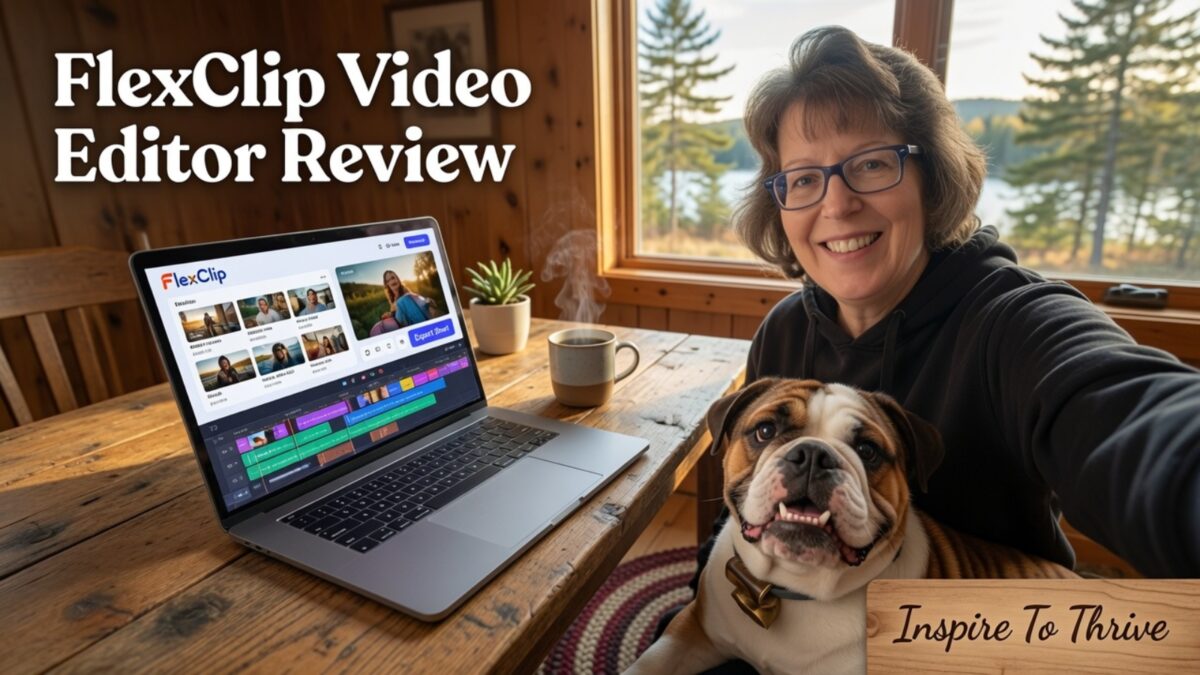
The FlexClip video editor gets out of your way so you can finish a polished project before your coffee gets cold. It’s intuitive, fast, and built for busy creators like us who need high-quality content without the steep learning curve.
I’ve been using it for Inspire To Thrive and client work to turn long-form videos into Shorts and blog posts into quick videos in minutes. Here’s an example of a long-form video I created from a blog post, complete with my intro and ending.
Estimated reading time: 9 minutes
Table of Contents
Key Facts
- FlexClip is designed for speed and efficiency, allowing users to create polished videos without advanced editing skills or complex software.
- The platform features an intuitive, drag-and-drop interface and a wide library of professional templates that eliminate the need to start projects from scratch.
- Cloud-based accessibility and integrated AI tools streamline the production process, making it ideal for busy content creators who need to maintain a consistent posting schedule.
- Users can easily customize videos with voiceovers, royalty-free music, captions, and brand assets, ensuring a professional look across all social media platforms.
Why The FlexClip Video Editor Feels Easy From The Moment You Start
First impressions matter. The FlexClip video editor feels approachable within seconds, which is half the battle for novice video editors just getting started with their content journey. You can tell right away it is built for speed and efficiency.
A user-friendly interface that does not overwhelm you
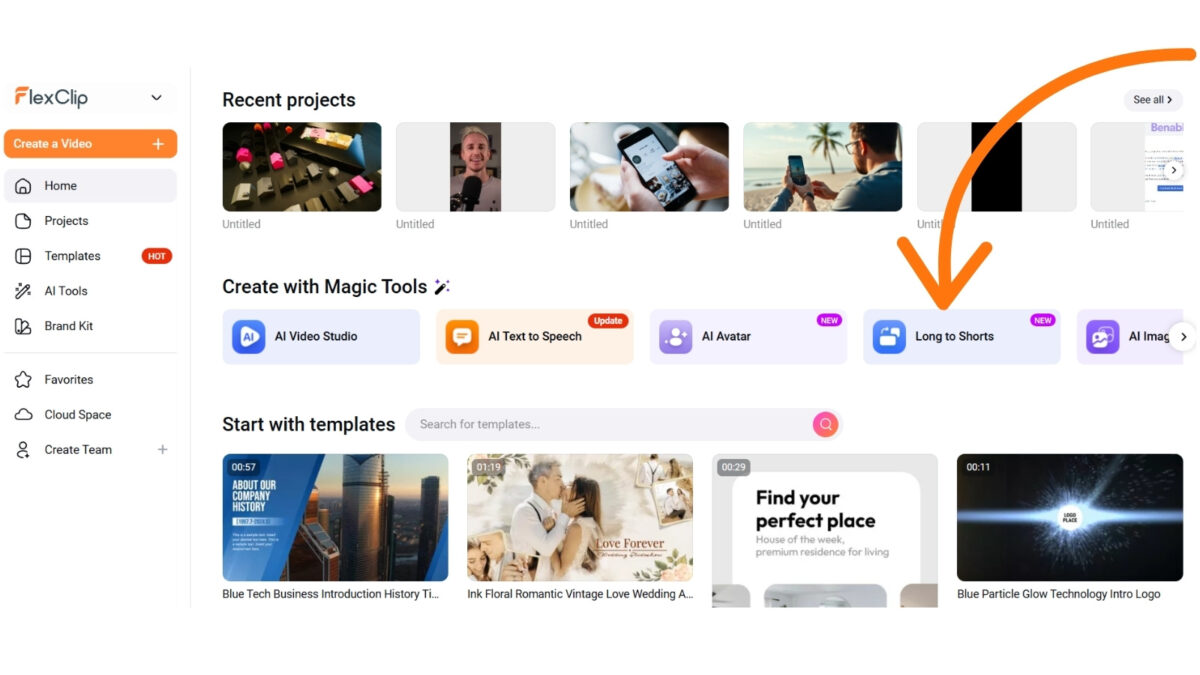
Open the dashboard, and you won’t be buried in tiny icons or jargon-heavy panels. The user-friendly interface features a clean, intuitive layout with a clear preview window and main tools easy to spot. Because it uses a drag-and-drop interface, you can upload media, place clips on the timeline, and see changes instantly.
It feels less like learning complex software and more like arranging pieces on a desk. Nothing is hidden, and that lowers the stress fast.
Blank timelines can stop you cold, but professional video templates fix that problem immediately.
You can choose a layout for a promo, slideshow, event post, or short ad, then simply replace the sample media with your own video clips. You pick a starting point and shape it instead of building every scene by hand.
That cuts the guesswork and helps you focus on the message instead of the structure. If you have compared easy video-editing software options, you already know that not every tool gives you that kind of head start.
To expand your creative reach, the platform also offers a vast library of royalty-free videos and high-quality clips you can add to any project.
Here are a few key features that make this tool a top choice:
- Cloud-based platform for accessible editing anywhere
- Extensive collection of stock assets for quick project enhancement
- Intuitive video templates for various social media needs
- Powerful AI video tools to automate tedious tasks
Editing tools that keep the process simple
Once you are inside a project, the common edits stay simple. You can trim clips, split scenes, add text, drop in music, and make quick adjustments without digging through deep menus.
Small wins add up fast when changes take only seconds. That keeps your attention on your storytelling, not on which button does what. For a busy creator, that level of simplicity is a true relief.
Below is a short form video I made from a clip of an interview I had with Ryan Robinson from the Right Blogger.
What The FlexClip Video Editor Can Do For Your Content
Easy is nice, but useful is better. The FlexClip video editor helps you make videos people can watch, understand, and remember. That matters if your content has a job to do.
Create videos for social media, ads, and promotions
You can use this online video editor for short-form social media content, product highlights, sale announcements, and professional marketing videos. It works well for Instagram Reels, Facebook Reels, YouTube, LinkedIn, and Pinterest video pins.
You can build quick promo videos for a launch, a flash sale, or a weekly reminder by utilizing a wide range of video templates without turning it into a half-day project.
If you want to test it with your own clips, try FlexClip and build a promo in one sitting.
Turn photos, clips, and text into polished stories
Not every video starts with perfect footage. Sometimes you have phone photos from the garden, a few quick clips, a screenshot, and a headline.
FlexClip helps you turn that mix into a connected recap, tutorial, announcement, or brand story. Last week I turned a handful of garden photos and quick clips of Stella (our Victorian Bulldog and official Inspire To Thrive mascot) into a fun 30-second Reel in under 10 minutes.
This online video editor also features helpful AI tools that simplify the creation process. You can use AI text-to-speech for professional narration, add dynamic text animations to keep viewers engaged, or use the built-in screen recorder for tutorials.
It’s incredibly useful for bloggers, service providers, and solopreneurs who want to repurpose what they already have without spending hours learning complex software.
Add voice, music, captions, and brand touches
The final details can make a basic video feel complete. You can add a professional voiceover, royalty-free music, captions, a logo, and brand colors without turning the whole project into a chore.
Just like I keep Stella’s cheerful personality consistent across Inspire To Thrive, you can lock in your own brand colors, fonts, and logo so every video feels instantly recognizable.
Because many social media users watch without sound, the platform’s captioning tools are essential. You can pull from a library of professional video templates to maintain a consistent look, and when you’re finished, export your project in high resolutions like 1080p and 4K so your content looks sharp on every device.
How You Can Use FlexClip To Save Time and Stay Consistent
Speed matters when video is part of your weekly routine rather than a one-time experiment. This is where the FlexClip video editor starts to pay off, as it is exceptionally easy to use.
When you are juggling marketing, client work, and admin tasks, finding an easy-to-use tool is vital to maintaining your momentum.
Make repeat content without starting over
If you publish weekly tips, monthly offers, product updates, or recurring social posts, you do not want to rebuild each video from scratch. Reusable formats and a familiar workflow make that process much faster.
You can duplicate what worked, swap in fresh media, and keep the same pace. Because it is a cloud-based platform, you can quickly access your previous projects and a vast library of stock assets to speed up your production.
This is a much better way to work when you are short on time. You can hear that same complaint in this Reddit discussion on r/VideoEditing, where users share how complex tools often come with a steep learning curve that slows them down.
Keep your videos on brand across platforms
Consistency saves time too. When you use the same logo, colors, fonts, and overall style across all videos, your content feels cohesive wherever you share it. That helps people recognize your posts faster.
For small businesses, that steady look builds trust. It also saves you from making design choices from scratch every single time, which is one of the quickest ways to burn out.
By eliminating a difficult learning curve, you can focus on your brand identity and spend less time fighting with your tools.
Frequently Asked Questions
Yes, FlexClip is specifically designed to be approachable for novices. Its drag-and-drop interface and pre-built templates eliminate the complexity of traditional editing software, allowing you to create professional content immediately.
Absolutely. The platform is highly effective for producing social media content, product promos, and brand stories. It offers features such as captioning, branding tools, and high-resolution exports to help your content stand out on platforms like Instagram, YouTube, and LinkedIn.
Yes, the platform provides an extensive library of royalty-free stock videos and high-quality clips that you can integrate directly into your projects. This feature helps you enhance your videos without needing to source your own professional footage.
FlexClip Pricing Plans (as of June 2026)
FlexClip offers a generous Free plan plus two paid tiers. You can start completely free and upgrade later as your needs grow.
| Plan | Monthly (Billed Annually) | Best For | Key Limits & Features |
|---|---|---|---|
| Free | $0 | Beginners testing the waters | 720p exports, max 12 projects, 10-min videos, watermark on exports |
| Plus (Most Popular) | $11.99 (was $19.99) | Busy solopreneurs & small businesses | 1080p exports, no watermark, unlimited projects, Brand Kit, 30GB cloud storage |
| Business | $19.99 (was $29.99) | Higher volume creators & teams | 4K exports, unlimited stock assets, 100GB+ storage, more AI credits |
Annual billing saves up to $120 compared to monthly. All paid plans include the Brand Kit (perfect for keeping your videos on-brand like we do with Stella).
My recommendation: Start with the Free plan or the Plus plan. I’ve been happy with Plus for efficiently turning long-form content into Shorts.

Final Thoughts
You do not need a complex, professional video editing suite to publish solid content. You need a platform that lets you move from idea to finished post without getting stuck, and the FlexClip video editor is the best fit.
It keeps the core features easy to use, providing enough power to make your clips look polished while helping you post more often with less stress. This tool is a perfect starting point for novice video editors who want to avoid the steep learning curve of traditional video creation software.
If video creation has felt more difficult than it should be, the FlexClip video editor is worth a look. Whether you explore the free version or take advantage of a trial, this simple tool can be the reason you finally hit publish.
If video creation has felt overwhelming, give FlexClip a try. Start with their free plan or take advantage of the trial; it might become your new go-to tool just like it did for me after years with Fliki AI.
Ready to create more polished videos with less stress?
Disclosure: This Inspire To Thrive blog post contains affiliate links. I may earn a commission from qualifying purchases at no extra cost to you. Some sections were drafted with AI tools and carefully reviewed/edited by me.

- What’s the Real Secret to Successful Affiliate Marketing? - October 10, 2026
- Why Blogging Websites Need Blogging Networks to Thrive - October 10, 2026
- Mastering a Content Gap Analysis with AI: A Step-by-Step Guide - October 9, 2026
Enjoy this content? Help me show up more often in Google by adding Inspire To Thrive as a Preferred Source: