
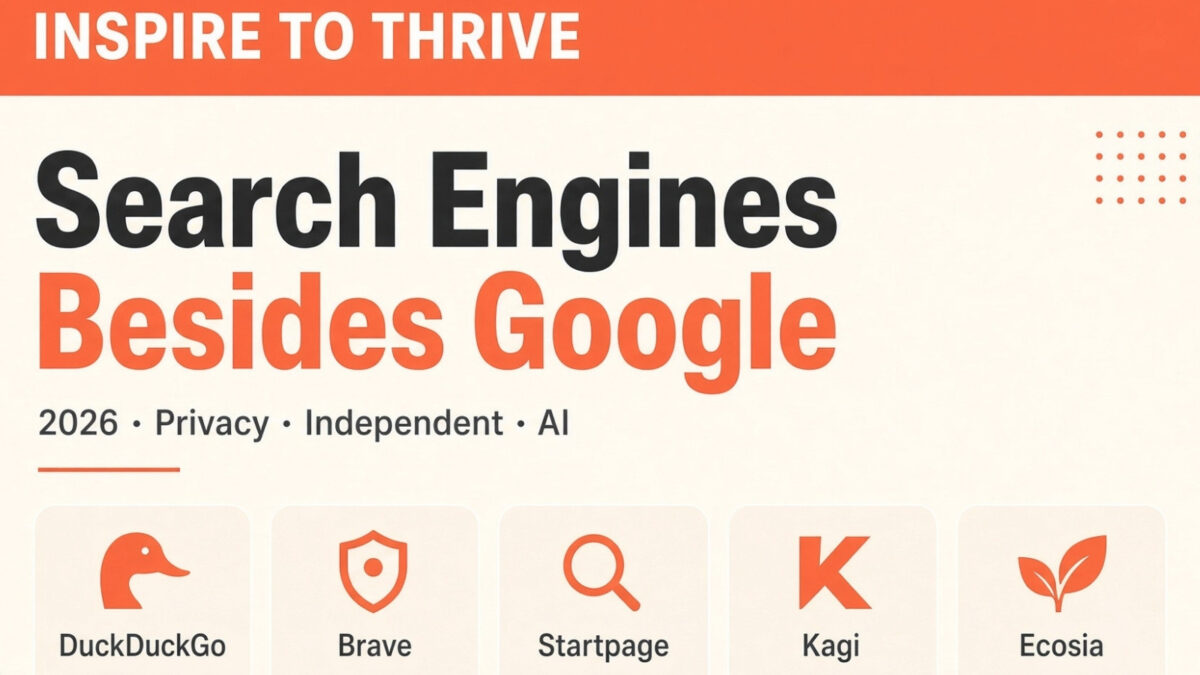
Google is still the dominant search engine, but it is far from the only option. Many people and small businesses now look to search engines besides Google for privacy, less tracking, cleaner results, or simply a second opinion when researching competitors and content ideas.
While reviewing analytics for Inspire To Thrive over the years, I regularly see traffic from DuckDuckGo, Bing, Ecosia, Startpage, and others. These non-Google search engines can surface different results, reduce personalized noise, and give you a clearer view of what is ranking outside the Google bubble.
Below you’ll find a practical list of the best alternatives in 2026, updated market-share numbers, and a quick comparison so you can choose based on what matters most to you: privacy, eco impact, independent results, or everyday usability.
Estimated reading time: 14 minutes
Table of Contents
Key Takeaways on Search Engines
- A browser opens the web; a search engine finds pages. Google still has about 91% of search, but Bing, DuckDuckGo, and others have enough traffic to ignore at your own risk.
- For everyday private search, use DuckDuckGo or Startpage. Startpage is the closest to Google results without the tracking.
- For results that are not just Google or Bing in disguise, use Brave Search or Mojeek. Add Kagi if you will pay for ad-free research.
- Ecosia, Swisscows, Yep, and Qwant cover eco, family-filter, publisher-revenue, and European privacy needs. Use Perplexity (and similar AI tools) for sourced briefs — then verify before you publish.
- Check your brand and 3 money keywords on Bing, DuckDuckGo, and Brave once a quarter, and keep the site in Bing Webmaster Tools.
Current Search Engine Market Share (Sept 2026)
Google still holds the vast majority of searches worldwide, but its share has been slowly declining from the 90%+ peak of earlier years. Here are the latest figures from StatCounter:
| Search Engine | Worldwide Share (September 2026) |
|---|---|
| 90% | |
| Bing | 5% |
| Yahoo | 1.38% |
| Yandex | 1.3% |
| DuckDuckGo | 0.8% |
| Baidu | 0.6% |
Source: StatCounter Global Stats
Even small percentages represent millions of searches. For small business owners and solopreneurs, the practical takeaway is simple: ranking only in Google means you are invisible to a meaningful slice of people who deliberately use other engines.
Checking how your site appears on Bing, DuckDuckGo, or Perplexity is an easy way to gain a competitive advantage most people ignore.
Quick Comparison: Best Non-Google Search Engines in 2026
| Search engine | Best for | Results source | Privacy | Notes for small businesses |
|---|---|---|---|---|
| DuckDuckGo | Everyday private search | Mostly Bing + own | Strong — no personal tracking | Clean results, Bing shortcuts, good for research |
| Startpage | Google-style results without tracking | Google (anonymized) | Excellent | Closest to Google without the data trail |
| Brave Search | Independent index + privacy | Own index | Strong | Different SERPs; pairs with Brave browser |
| Kagi | Paid, ad-free power search | Own + selected sources | Strong | Worth it if you research daily and want control |
| Mojeek | Fully independent index | Own crawler | Strong | Smaller index, useful second opinion |
| Ecosia | Eco-conscious searching | Mostly Bing | Good | Plants trees with ad revenue |
| Swisscows | Family-friendly + privacy | Bing + filters | Strong (Swiss law) | Default family filter, clean layout |
| Yep | Supporting creators | Own index | Good | Revenue share with publishers |
| Qwant | European privacy option | Own + partners | Strong | No tracking profiles |
| Perplexity | Cited AI answers | Live web + AI | Moderate | Fast research with sources — verify before you publish |
How to use this table: Pick one daily engine (DuckDuckGo, Startpage, or Brave) and one research engine (Bing/Brave, Kagi, or Perplexity). Check how your own pages look outside Google at least once a quarter.
What is the Difference Between a Browser and a Search Engine?
A browser is your access to the internet, and a search engine lets you search it once you have access. You have to use a browser to get to a search engine.
Quick Picks by Goal
- Best for privacy: DuckDuckGo
- Google-like results without tracking: Startpage
- Eco-focused: Ecosia
- Family-friendly default filter: Swisscows
Google Remains the Biggest Search Engine
Google is still by far the dominant search engine, holding roughly 90% of worldwide search as of September 2026 (StatCounter). While that number remains extremely high, it has slowly declined from the 90%+ peak it held for many years.
Other engines have made modest gains:
- Bing sits at about 5%
- Yahoo is around 1.3%
- Yandex is near 0.8%
- DuckDuckGo is at roughly 0.8%
Even small percentage points represent millions of searches. For small business owners, this means some of your potential audience is already using non-Google search engines, and checking how your site appears on those platforms can reveal opportunities most people miss.
Source: StatCounter Global Stats – Search Engine Market Share
DuckDuckGo For Search
DuckDuckGo is a smart pick for search if you value privacy and clarity. It does not track you, and it avoids personalized results that follow you around the web.
You get a clean results page, fewer ads, and fast answers. For research and competitor checks, that clarity helps you judge content on merit. The Bang shortcuts save time by letting you jump to sites like Amazon, YouTube, or Wikipedia.
Maps and directions are available in Apple Maps, which is accurate and easy to use. There is no retargeting, so your queries do not feed ad profiles.
For small business owners, it means focused research, less noise, and more control. Want a private default for client work and daily browsing? Check out DuckDuckGo.
StartPage Privacy
Startpage is a private search engine that pulls Google results without tracking you. It doesn’t log your IP or search history, and it blocks third-party trackers.
Anonymous View lets you open sites through a proxy, so pages can’t fingerprint you as easily. It offers a URL generator to save settings without cookies, plus POST searches to hide queries in your browser history.
The company is based in the Netherlands and complies with GDPR. For small business owners and agencies, it means cleaner research, fewer retargeting ads, and less noise.
Add the Startpage extension, set it as your default, and keep client work and content ideas out of data profiles. Want a quick test? Run a few searches, then browse without ad trails.
Ecosia – Another Search Engine Besides Google
Now, if you are into saving trees and the planet, this alternative search engine to Google is for you.
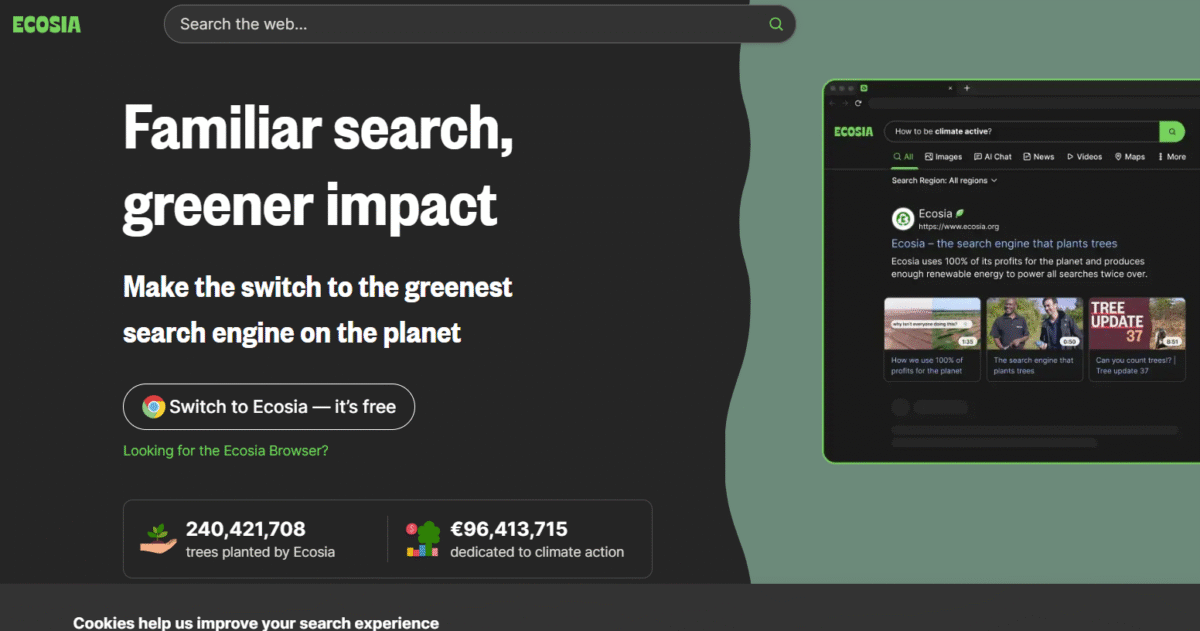
Ecosia is a private search engine that funds tree planting. It taps Bing results, so relevance stays solid for most queries. Ad clicks pay for tree work, with monthly reports.
The company runs on green energy and does not sell your data. For marketers, results often match Bing, which is useful for second checks and ideas. Use it to compare non-Google search results and cut search bias.
Add the browser add-on or mobile app, then watch their impact dashboard. Learn more at https://www.ecosia.org
Brave Search
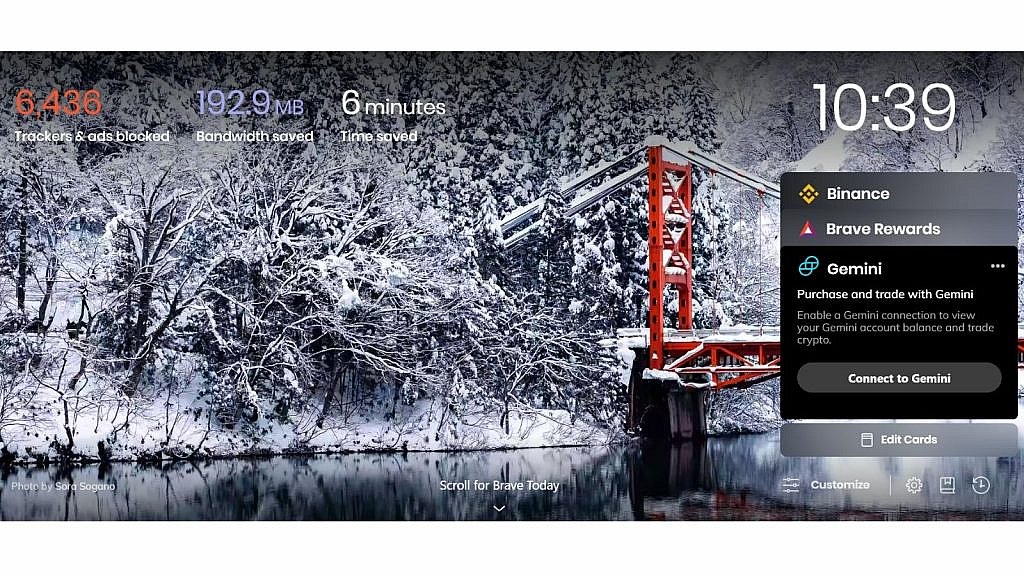
Brave Search is one of the few larger alternative search engines that runs on its own independent index instead of just pulling results from Google or Bing. This makes it a stronger non-Google option when you want different results.
It focuses heavily on privacy: no tracking profiles, no selling of search data, and built-in protections against trackers. You can use Brave Search in any browser, but it pairs especially well with Brave.
Why it’s useful for small businesses:
- Independent results that often differ from Google
- Strong privacy (helpful when researching competitors or client work)
- Clean interface with fewer distractions
You can set Brave Search as your default in most browsers, or just use it at search.brave.com when you want a second opinion.
Swiss Cows Alternative
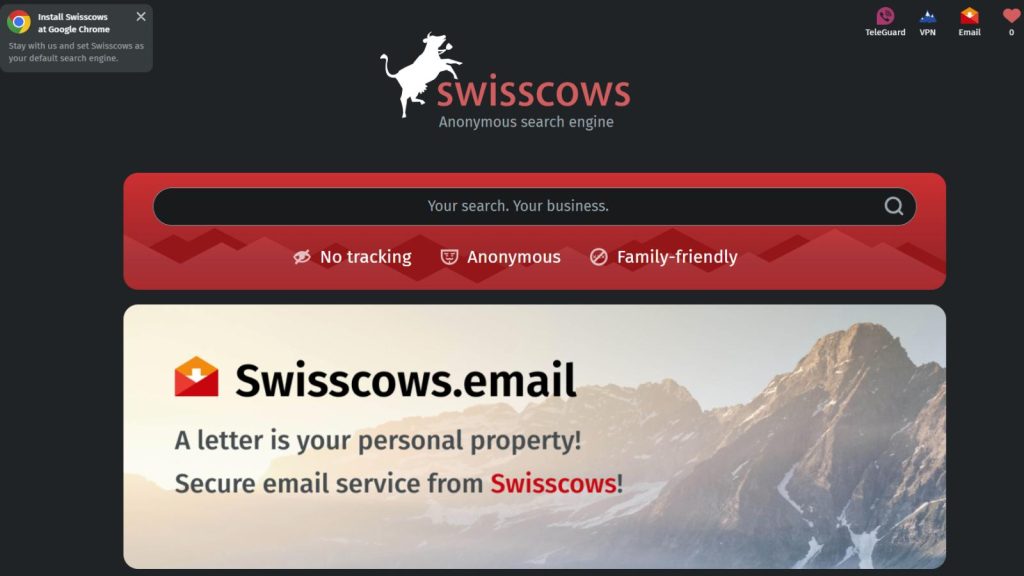
Swisscows is a privacy-first alternative search engine based in Switzerland. It does not track queries, store IPs, or build profiles.
Results draw on Bing, then add semantic filters and a clean layout. A built-in family filter blocks adult content by default. Servers sit in Swiss data centers, protected by strict privacy laws.
For marketers, it helps with unbiased research without ads stalking you later. You get web, image, and video search, plus quick answer boxes. It runs fast, uses simple operators, and has no clutter.
Try it for competitor and content research when you want true privacy. They do have ads on the site to support the search engine. However, they do not store your data, and no search history is built up on their platform.
Different Search Engines – Other Countries
Baidu
Baidu is a Chinese search engine that functions similarly to Google. However, Baidu is primarily used in China and caters to the Chinese language and market, whereas Google is widely used globally and supports multiple languages.
Baidu also offers services such as Baidu Baike (similar to Wikipedia) and Baidu Maps. Google has a more extensive global reach and a wider range of products and services.
However, Baidu dominates the Chinese search engine market due to government regulations and its focus on the Chinese language and user preferences.
Yandex
Yandex is a Russian multinational corporation that operates the largest search engine in Russia, with a market share of over 60%. It also offers a wide range of services, including maps, news, and email. While Yandex is similar to Google in many ways, such as offering search capabilities, it has several distinct features.
For instance, Yandex places a strong emphasis on understanding and serving the needs of Russian-speaking users, and its search algorithms are tailored to the specific nuances of the Russian language and culture.
Additionally, Yandex has its own advertising platform and business directory, providing unique opportunities for businesses targeting the Russian market.
Despite these differences, Yandex and Google share many common features and functionalities, making them both significant players in the global search engine market.
Qwant Search Engine
Qwant is a privacy-first search engine from France. It doesn’t track you or build ad profiles.
Results come from Qwant’s own index and trusted partners to cover the web. It shows ads, but without personal targeting.
Tools include Qwant Maps and Qwant Junior, useful for family and local lookups. For small businesses, it offers clean, neutral results that can surface fresh content without heavy personalization.
Kagi: Paid Search Without Ads
Kagi is the option I recommend when someone says they are tired of ads, AI clutter, and ranking games. It is a paid search engine. Plans start around $5/month for a set number of searches, with a higher plan for unlimited use.
You get an ad-free results page, controls over what to boost or block, and optional AI. That matters for client research and content planning because you are not fighting sponsored slots for attention.
Best for: solopreneurs and SEOs who search all day and will pay for a cleaner workflow.
Tradeoff: no free daily-driver plan. Try it for a week of keyword and competitor checks before you subscribe.
Start here: kagi.com
Mojeek: A Truly Independent Index
Most “Google alternatives” still lean on Bing or Google under the hood. Mojeek does not. It is a UK-based engine with its own crawler and index.
The index is smaller than Google or Bing, so some tail queries look thin. That is also the point. You see a different slice of the web, which is useful when you want to know whether your topic only exists inside Google’s bubble.
Best for: privacy plus independence, and a sanity check on what ranks when Big Tech indexes are removed.
Tradeoff: fewer instant answers and a simpler results page.
Try it at mojeek.com
AI Search Tools (Use These Differently Than Classic Search)
AI search is not a drop-in Google replacement. These tools summarize and cite. They are strongest for research, outlines, and “what are people asking?” checks — not for seeing your exact blue-link rankings.
- Perplexity — Best cited answers for messy research questions. Use it to gather sources, then open the actual pages before you write.
- ChatGPT Search — Useful if you already work in ChatGPT and want live web results inside the same chat.
- Grok — Stronger when you need recent social/X context. Treat it as a supplement, not your only source.
- You.com — Handy when you want to switch result types (web, research, social) in one interface.
My simple rule for small business owners: use a privacy or independent engine for daily search, and an AI tool when you need a fast brief. Then verify anything you will publish.
Legacy and meta-search options (short list)
A few older names still come up in this topic, so here is the honest status in 2026:
- Ask.com — Shut down in May 2026. Do not recommend it.
- Dogpile — Meta-search that blends other engines. Fine for a quick second look, not a daily default.
- Lycos and AOL Search — Still online in limited form. Results usually track Bing/Yahoo. Not worth switching to unless you already live in those products.
If your goal is better research or less tracking, skip these and use the table above.
How to check your site outside Google
Ranking only in Google hides a real slice of searchers. A 30-minute quarterly check is enough:
- Search your brand and 3 money keywords on Bing, DuckDuckGo, and Brave.
- Note title/description differences. Those engines often show a different snippet than Google.
- Confirm the site is in Bing Webmaster Tools and that the sitemap is current. DuckDuckGo and Ecosia lean on Bing data, so Bing health helps more than one engine.
- For AI tools, search a question your post should answer and see whether you are cited. That is a visibility check, not a ranking report.
How to switch your default search engine
- Chrome: three dots → Settings → Search engine → choose your default.
- Brave: Settings → Search engine → set the default for normal and private windows.
- Safari: Safari → Settings (or Preferences) → Search → pick the engine.
- Edge: Settings → Privacy, search, and services → Address bar and search.
Wrapping Up: Search Engines Besides Google Worth Using in 2026
You do not need to leave Google. You need a second opinion. For most small business owners, that means DuckDuckGo or Startpage for daily search, Bing/Brave for ranking checks, and Perplexity when you want a sourced brief. Review your own URLs on those engines a few times a year so you are not invisible outside one SERP.
Frequently Asked Questions About Search Engines Besides Google
A browser is software that opens websites (such as Brave, Chrome, or Edge). A search engine is the service you use inside a browser to find web pages (like Google, DuckDuckGo, or Startpage). In other words, you need a browser to use a search engine.
DuckDuckGo, Startpage, and Swisscows are strong privacy options mentioned in this article. They focus on reducing tracking, avoiding user profiles, and keeping search results cleaner. Startpage also pulls Google results while blocking tracking.
Startpage is described here as returning Google search results without logging your IP address or search history. It also blocks third-party trackers and offers Anonymous View, allowing you to open pages through a proxy for extra privacy.
Ecosia is a search engine that funds tree planting through ad revenue, and it runs on green energy. It pulls results mainly from Bing, so it can replace Google for many everyday searches, especially if you want a simple way to support environmental projects while browsing.
AI-powered search engines (such as Perplexity.ai, You.com, and Grok6, as listed in the article) aim to answer questions directly rather than just show a list of links. They use AI to better understand context and summarize results, reducing the need to open multiple pages.
Yes, as a free privacy default. Results still lean on Bing plus DuckDuckGo’s own layer. If you want a fully independent index, use Brave Search or Mojeek. If you want Google-like results without Google tracking, use Startpage.
Start with DuckDuckGo’s no-AI / links-first view, Startpage, or Mojeek. Kagi also lets you keep AI optional.
Yes, if you care about Bing, DuckDuckGo, Ecosia, and Yahoo-style results. Those often share infrastructure. Submitting the sitemap once is cheap insurance.
No. Use them to draft angles and collect sources. Use Google, Bing, and Brave to see what actually ranks and what snippets look like.
Disclosure: This Inspire To Thrive blog post contains affiliate links. I may earn a commission from qualifying purchases at no extra cost to you. Some sections were drafted with AI tools and carefully reviewed/edited by me.
Comments are from previous years; the post was fully updated in July 2026 👇

- Link Whisper Review: Best Plugin To Boost Your Internal Links - October 14, 2026
- FlexClip Video Editor Review: Easy-to-Use Tool for Consistent & Professional Videos - October 14, 2026
- Instagram SEO Tips to Help Bloggers Get Discovered - October 12, 2026
Enjoy this content? Help me show up more often in Google by adding Inspire To Thrive as a Preferred Source:

I’ve been using Ecosia more and more lately. The main thing it lacks is the equivalent of Google News. But it’s great for regular searches, including image searches. And I know that some of its revenue is planting trees, something I hold dear.
Hi David, great to know as I haven’t heard of many using that search engine before. That’s a great way to spend money by planting trees. We can all appreciate that David. Thanks for your input and have a great day.
I have been using multiple search engines for years (Mainly out of fun).
I love Qwant and I use Startpage daily.
And, yes, I do value my privacy.
Hi Renard, I don’t believe I’ve heard of Qwant. Thanks for the info. I will have to check that one out. Thanks for coming by and have a great day!
Hi Lisa,
This is great information. I see I need to change things up, so thank you for the suggestions. I use DuckDuckGo on my phone but have been hearing not-so-great things about it for a while now. I just hadn’t gotten around to finding an alternative until now. The biggest issue is Chrome is just so convenient. Probably only because it is what I am used to using.
I think I will check out Brave and Startpage on my phone for now and see how it goes.
SharlaAnn
Hi SharlaAnn. I’m so glad you found it informative. Yes, I had published this prior then updated it once I learned the latest about DuckDuckGo and the hashtag #duckduckgone LOL. I still use Chrome for some work but rely more on Brave and racking up the free points for crypto. I have Brave on my mobile and love the ease of bookmarking sites on it. It will be interesting to see how the search traffic goes going forward with these players in the market. Thanks for coming by and have a fabulous day SharlaAnn.
I’m seeing a few visits from DuckDuckGo and even more from Bing.com
Not that much as you can get from Big G., but still, something to worth considering.
How many visits are you getting from them, Lisa?
By the way, nice to see your new blog design.
Bing seems to gain market share quite a bit Lisa. I like that. I am for an abundant approach to search; different folks using different search engines dissolves fear-based, competitive practices used by the big ones like Google. Same approach applies to Facebook and Twitter regarding social media.
Ryan
Hi Ryan, Yes, it was amazing to see Google losing some of the market shares on search. I hear new ones may be on the horizon as well. You are correct, it’s like social media as well. Many leaving the old massive ones for newer less censored ones. Thanks for coming by and make it a great day there Ryan!
Hi Lisa,
Thanks for listing this information. I’ve only used DuckDuckGo and I realize I’m making the mistake of always using Chrome. Hmmm Time to make some changes and use other ways. I never wanted to please the Google Gods, but wrote content for others to help them out. That’s where my head was at. But now, after reading this, there has to be some tweaks I need to make. Thanks so much my friend,
-Donna
Hi Donna, you are most welcome. Yes, you have to make it a habit and that does take time! I’m glad you found it helpful and can make some tweaks along the way. Take care and I hope you can enjoy the nice weather today.
Hi Lisa,
Your blog article is useful because we are more focused on driving traffic from Google so much that marketers forget about other helpful sources of search traffic. In fact, a moment ago, I found out that I’m getting traffic from DuckDuckGo, Bing, Yahoo, and a few others. I can’t even remember their names. So, if marketers should concentrate on driving traffic from other search engines other than Google, we will see a significant increase in organic web traffic and leads.
Thank you for sharing!
Hi Moss, thank you. I’d agree that many don’t realize they are getting organic traffic from other search engines other than Google today. It’s a trend I’ve noticed for a while now. Do you use Bing webmaster tools Moss? That’s another with Microsoft Edge browser. Thanks for coming by and have a great weekend Moss!
Thanks for pointing out some options Lisa. I am attempting to reduce reliance on Google. I use DDG with Firefox on Linux, Google and Chrome on Android, and DDG and Safari on iOS. Firefox feels clunky and isn’t as stable on my phone for some reason. Having built in cross platform password and bookmark sync is very helpful. The built in web dev tools on Firefox and Chrome are handy at times, too.
Wow! Brave did it. Fast and smooth on iOS and syncing was easy. Thanks this helps a bunch.
Yay, I am so happy to hear that Eric. I have it on my Android as well. It does work well on mobile. So glad it worked for you too.
You are most welcome Eric. I know many are trying to do away with Google or at least their dependence solely on them. I have yet to change my email but have thought about that too. Thanks for coming by on this one Eric and have a great day!
It’s great to have options, Lisa! So glad you mentioned Brave because that is what I use. I do have to use Google Chrome for my work because there are so many helpful extensions needed. However, my personal, I use Brave. I don’t want to be tracked and I want to be secure! Startpage isn’t bad either, but still prefer Brave to it. Thanks for sharing these, Lisa! Passing it on!
Hi Bren, Yes, I love using Brave as my browser. I then use Startpage there to search. I have to check and see how many extensions are available on Brave compared to Chrome – excellent point Brenda. Thank you and enjoy the rest of your day!