
Have you ever wondered how to see deleted messages on Instagram, whether for personal reasons or as a concerned parent wanting to protect your child? Instagram messages can disappear for many reasons (accidental deletion, Vanish Mode, or the sender removing them), leaving important conversations lost.
While there’s no official “undelete” button, several safe and ethical methods exist. In this updated 2026 guide, I’ll cover the free built-in options first, then the most reliable third-party parental monitoring tools. Always prioritize consent and privacy; use these methods only on your own accounts or with your child’s knowledge for safety.
Estimated reading time: 15 minutes
Table of Contents
Key Deleted Messages Takeaway
- You usually cannot recover unsent or permanently deleted Instagram messages, since Instagram removes them from both accounts.
- You can sometimes see older deleted messages by requesting an Instagram data download and checking the “messages” files.
- You may recover messages by restoring a full phone backup, but this resets your device to an earlier state and deletes recent data.
- Third-party monitoring tools can log and show Instagram messages, including some deleted chats, but they must be used legally and with consent.
- Many “message recovery” apps are unsafe, can steal data, and may trigger Instagram account bans, so it’s safer to use official tools and strong privacy settings.
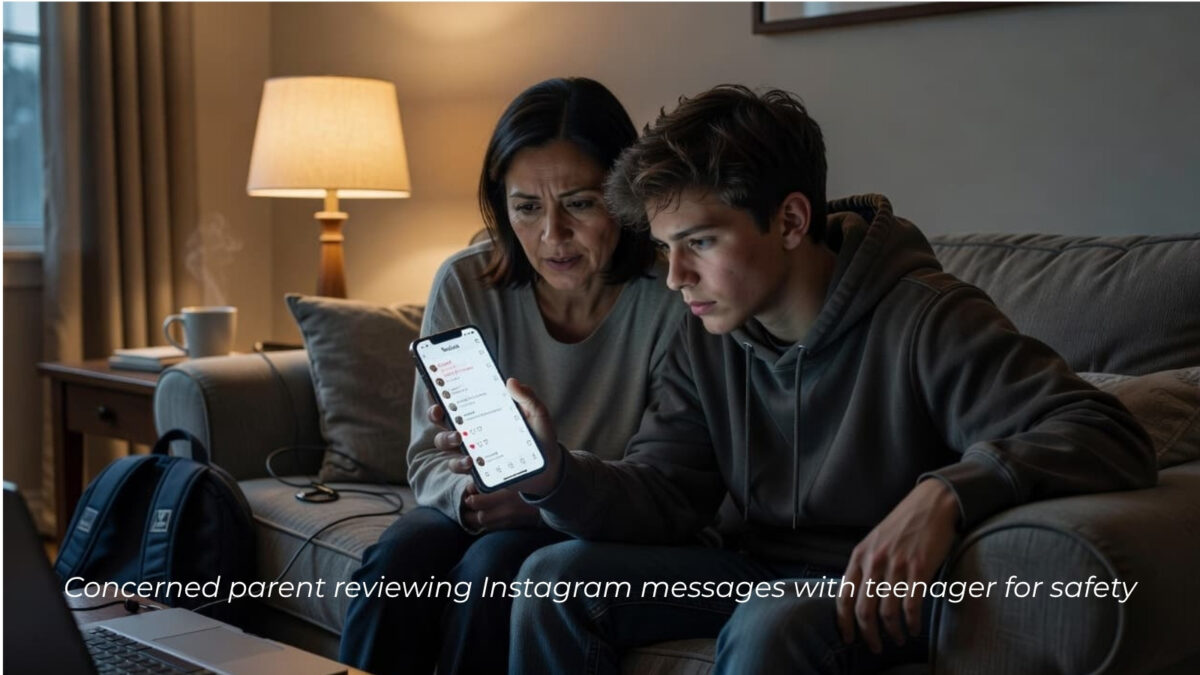
Understanding How Instagram Deleted Messages Work
Anyone curious about “how can I see deleted messages on Instagram” first needs to understand how Instagram’s Direct Messaging system really operates.
Instagram DMs, or Direct Messages, allow for private chats, media sharing, and more. When you delete a message within a DM, it feels like that chat is gone for good, but is it really?
Let’s break down what happens to messages you send or receive and why people are eager to recover deleted Instagram messages.
Are Deleted Instagram Messages Gone Forever?
When you delete a message on Instagram, it’s removed from your inbox. If you unsend a message, it vanishes from the chat for everyone involved.
According to Instagram’s data policies, once you unsend or permanently delete Instagram messages, the content is no longer accessible in your account or the recipient’s.
If you enabled Vanish Mode, any messages sent in that mode disappear after you leave the chat unless someone takes a screenshot. This feature is designed for privacy, but it means those messages cannot be recovered on Instagram servers once they are gone.
For details on how this works, check out the tips to Disable Vanish Mode on Instagram.
Important 2026 Update
Instagram rolled out expanded end-to-end encryption for Direct Messages. This makes recovering deleted or unsent messages significantly more difficult, in many cases, impossible with third-party tools.
For the latest details on what this means for parents and users, see my guide: Instagram DM Encryption Change in May 2026: What You Should Do.
Reasons People Want to Retrieve Instagram Deleted Messages
People look for ways to recover deleted Instagram messages for a variety of personal and professional reasons.
- Accidental Deletion: Maybe you swiped the wrong direction or hit ‘unsend’ by mistake and instantly regretted it.
- Relationship Concerns: Sometimes, users want to revisit conversations with friends, partners, or family members to clarify a chat or track what was actually said in an unstuck message
- Parental Monitoring: Parents who keep tabs on their children’s social media activity might need to recover deleted messages to understand what’s happening in their children’s Instagram lives.
- Business and Professional Needs: Entrepreneurs and companies often use Instagram for customer service, networking, or closing sales. For users who want to get the most from their direct messaging experience, exploring Instagram DM tips can help manage conversations.
Methods for Seeing Deleted Messages on Instagram
When asking, “How can I see deleted messages on Instagram?” most of us want to recover chats that matter, whether it’s lost info, a special moment, or something we wish we hadn’t wiped away.
If you want proof of old exchanges, oversight of your child’s Instagram, or even just an extra layer of security for your messages, there are a few hands-on ways.
Requesting Your Instagram Data Download: Step-by-step Guide
Instagram lets you request a full download of your account data, which may include copies of older messages. This method doesn’t usually retrieve messages that have been “unsent” or fully erased from Instagram’s servers.
However, it can bring back messages deleted from the app. Here’s how you do it:
- Open Instagram and tap your profile icon in the bottom right.
- Tap the hamburger menu (three lines) in the top-right corner, then tap Privacy Center.
- Scroll to Review Settings, then select Your Information. You can download it to your device or have it emailed.
- Enter your email address and choose the format (HTML or JSON).
- Tap Next, then enter your Instagram password to confirm.
- Instagram will process your request and send you a link once your file is ready (this can take a few hours up to a couple of days).
- Open the link from your email and download the data. Browse through the files labeled “messages” to check for old chats.
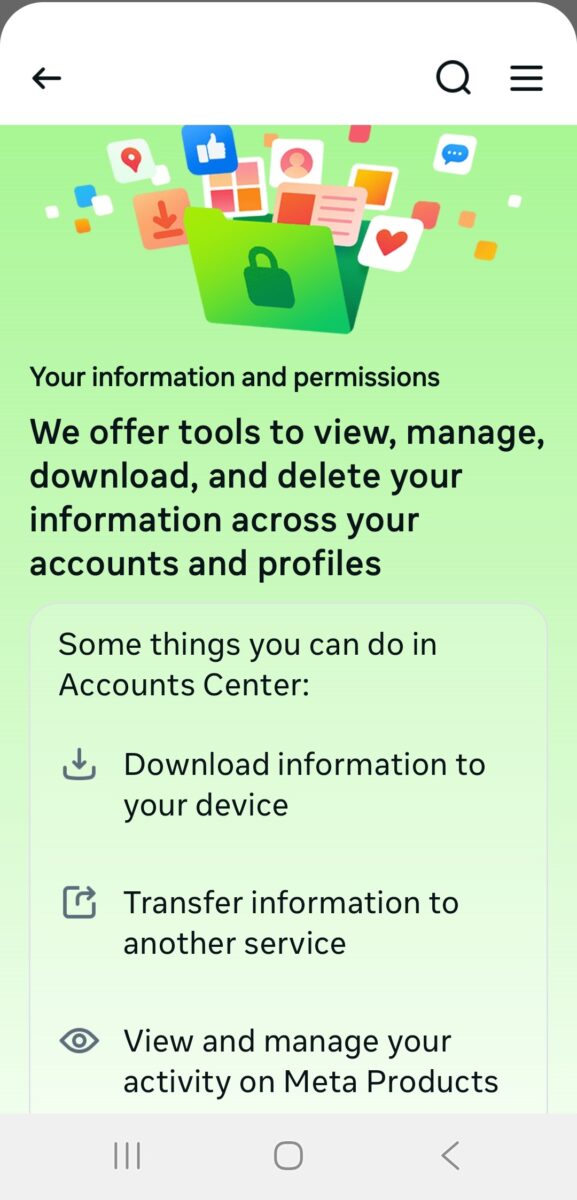
This method is free and directly supported by Instagram, so it’s safe, but remember it won’t recover messages permanently deleted or unsent before the backup request.
Using Third-Party Monitoring Tools
Many parents wonder how to monitor, recover, or view deleted Instagram messages for added peace of mind.
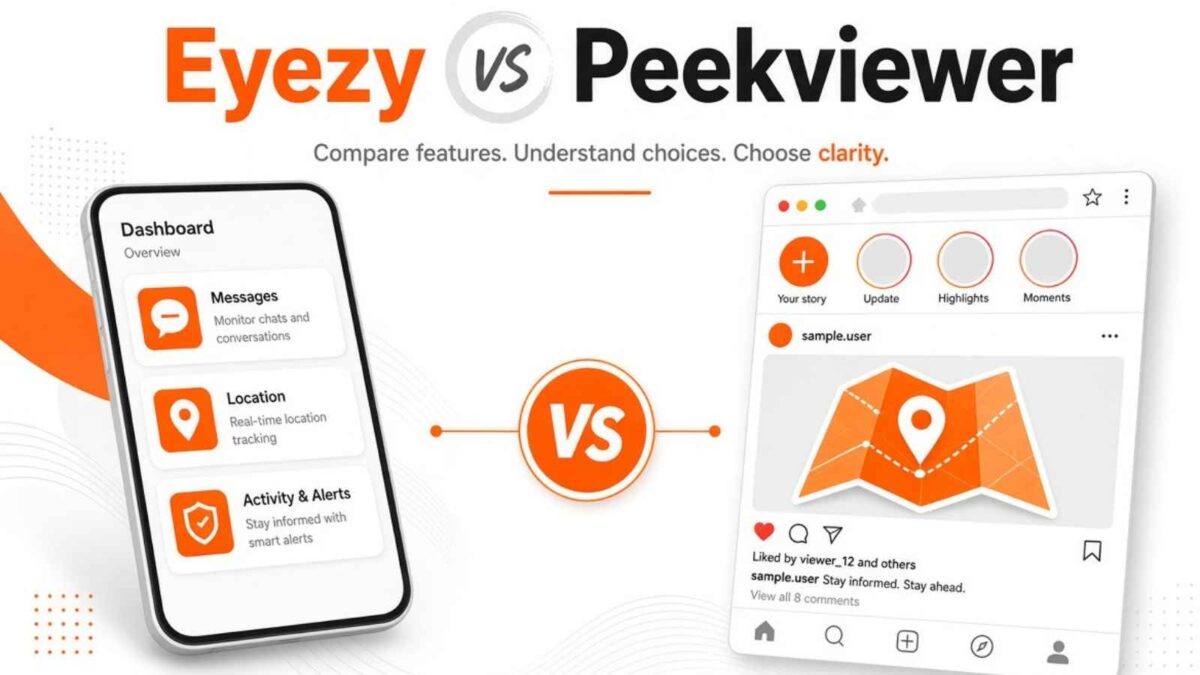
Popular options include mSpy, Peekviewer, or Bark. These tools work by syncing with the target device and logging app activity, allowing you to see deleted chats.
- Before using any third-party tool, always check its privacy policy and ensure it complies with local laws, especially regarding consent and the monitoring of minors.
- Choose well-known providers and avoid sketchy “free” tools that promise impossible results; they can be risky for your security.
Monitoring apps may offer broader insights, too, from message recovery to viewing who interacts with a profile.
Curious about understanding profile activity? You might find Instagram Profile Visitors helpful.
Optional Third-Party Monitoring Tools (For Legitimate Use Only)
mSpy
mSpy is a monitoring app that many parents use to view Instagram activity, including some deleted messages, by syncing with the target device. I tested mSpy in April 2026 and found it delivers detailed message logs and recovery insights once set up.
It requires a paid subscription and should only be used for legitimate parental supervision or business account management. For most users, the free official methods (data download and device backups) earlier in this guide remain the safest and most reliable options.
View current special pricing and features here with my affiliate link → mspy Coupons
Peekviewer
Peekviewer is a web-based tool some people use for quick, anonymous viewing of Instagram content, including messages. I tested Peekviewer in April 2026 and found it simple with no login required on my end. It can show recent posts, stories, and activity.
However, it cannot reliably recover deleted messages and works best for public or limited-access content. The free built-in Instagram methods in this guide are far more accurate and ethical than most other methods.
View current pricing and features here with my affiliate link → Peekviewer Pricing
Bark
Bark is a parental monitoring tool that alerts you to Instagram activity and can help surface some deleted messages through device syncing. I tested Bark in April 2026 and liked its focus on safety alerts and message insights for families.
It requires a subscription and is designed specifically for responsible parental use. It is not a full message recovery solution for general users. Start with the free official Instagram data download method first.
Check out Bark’s current features and pricing here: Bark
Eyezy
Eyezy is a monitoring app designed for parents or business owners who want detailed Instagram message insights, including some deleted ones. I re-tested Eyezy myself in April 2026 on a test device and confirmed it provides clear activity reports and logs.
It requires a paid subscription and should be used only for legitimate supervisory purposes. For everyday deleted message recovery, the free built-in methods earlier in this guide remain the best and safest choice.
View current features and pricing with my affiliate link here → Eyezy Pricing
Restoring Data from Device Backups
If you regularly back up your Android or iPhone, you might be able to restore deleted messages by rolling your device back to a saved point before you lost them. Here’s how to recover lost data:
- For iOS: If you back up your iPhone using iCloud or iTunes, you can restore the backup that includes your Instagram data. You’ll need to wipe and restore your phone from the backup.
- For Android Instagram Recovery: Using Google Drive or a manufacturer’s backup service, you might be able to restore an older backup, but the process also resets your device to a previous state.
- Limits: Restoring backups is a nuclear option—it deletes anything new since your last backup and only restores data present at the time of the backup.
Third-Party Apps to Recover Deleted Instagram Messages
Understanding the risks and privacy issues tied to Instagram is an important step for anyone asking, “How can I see deleted messages on Instagram?”
Whether you’re a regular user, a parent monitoring your child’s account, or a business owner dealing with customer interactions, Instagram’s handling of deleted content should not be overlooked.
Instagram’s Terms of Service and Deleted Data
Instagram spells out clear rules in its Terms of Service about what happens when you delete content, including messages.
According to Instagram’s policies, when you delete a message or conversation, it’s supposed to disappear from your view and from the recipient’s account.
Here’s what users should know:
- Deletion isn’t always instant: While removal occurs on your device and on Instagram’s end, cached data or backup servers may temporarily retain information until it’s fully wiped.
- No official recovery for unsent messages: Once you unsend a message, it gets deleted for both the sender and the receiver, and Instagram states it doesn’t provide access to these messages.
- User agreement: By having an Instagram account, you agree to the platform’s right to handle data as described in its policies. You also give up claims to recover permanently deleted messages through the official app.
- Privacy promises: Instagram designs its privacy model to guard user conversations from both hackers and unauthorized internal access.
If you are a parent, it’s worth learning more about whether Instagram is Safe for Kids to understand how the platform’s rules and policies affect your child’s experience.
Risks and Limitations of Third-Party Apps
Chasing deleted messages often leads users to third-party apps that promise to recover messages. These tools can sound like a quick fix if you’re desperate to see what was deleted.
But they come with real dangers:
- Security risks: Many apps that claim to recover deleted Instagram messages may actually steal your data, install malware, or harvest your login details.
- Account bans: Instagram’s rules block the use of unauthorized tools. Login attempts through these apps sometimes trigger Instagram’s fraud detection, which can suspend or permanently ban your account.
- Data privacy problems: You often need to share sensitive information with these apps. Some will save or misuse your private messages, photos, or even financial data without you knowing.
Here’s a quick guide to what to watch out for:
- Avoid apps that ask for your Instagram password outside of the Instagram site or app.
- Always check user reviews.
- Check the company’s reputation before trying any app to recover Instagram chat.
Kids and teens are more likely to fall for these schemes, which puts them at extra risk. Parents looking to keep children safe should focus on education and approved monitoring, not risky shortcuts.
For more helpful privacy pointers around your Instagram use, explore the Clear Instagram Cache Guide for ways to boost both safety and app speed.
Best Practices to Avoid Losing Instagram Messages
When you’re wondering, “How can I see deleted messages on Instagram?” the best move is not to lose those messages in the first place. It can be hard to recover deleted Instagram DMs.
- Bookmark critical chats: Use Instagram’s ‘flag’ or ‘star’ system (for business accounts) to pin important conversations at the top.
- Take timely screenshots: For irreplaceable info, a quick screenshot can serve as an emergency backup.
- Regular data downloads: Every few months, download your information from Instagram data as outlined earlier. This preserves copies of recent chats, photos, and shared files for future reference.
- Avoid Vanish Mode for key messages: While it’s fun for private banter, avoid it when conversations or agreements matter.
- Communicate clearly about unsending: If you’re talking with a friend or colleague, let them know if you plan to “unsend” a message so nobody misses key details.
- Resist risky third-party apps: Stick to trusted options for backups. For a look at monitoring apps from a user’s perspective, check out this detailed Glassagram review to understand the risks and results.
Enhancing Instagram Settings for Privacy:
Your Instagram privacy settings are your first line of defense against Instagram deleted messages, prying eyes, and uninvited disruptions.
- Set your account to private: Limit who can DM you by switching your profile to private. This ensures only approved followers send you messages.
- Review follower lists regularly: Go through your followers and remove any accounts you don’t recognize or trust.
- Control message requests: Go to Instagram Settings > Privacy > Messages and set message requests to only allow people you follow.
- Enable two-factor authentication to add an extra layer of security and prevent hacking and unauthorized logins.
- Clear app access: Revoke permission for third-party apps you don’t use, especially those that want your Instagram info.
Curious about managing who can see your social connections? Use this practical “To Thrive” guide, “How to Hide Followers on Instagram,” for step-by-step instructions.
An Example
My granddaughter’s parents first spotted a red flag when her Instagram notifications exploded with new message requests from strangers, so they sat with her, opened her inbox, and scrolled through every private message together.
They checked the Message Requests tab, looked at each profile, and quickly saw a pattern: fake names, no real photos, and pushy links. From there, they used Instagram’s tools very simply:
- They blocked every sketchy account.
- Reported the worst ones.
- Turned on stricter message controls so only people she follows could DM her.
They also showed her how to spot a spammer, such as someone asking for personal info, offering gifts, or pushing her to click a link. Now she knows to bring anything odd to them right away, and they do a quick weekly check of her DMs, which keeps spammers out and helps her feel safer online.
Best Tools to View Deleted Instagram Messages in 2026
For parents who need reliable access to deleted chats, third-party parental monitoring tools are the most effective solution. They log activity in the background and can often recover or show deleted Instagram messages.
| Tool | Best For | Key Instagram Features | Starting Price |
|---|---|---|---|
| mSpy | Full monitoring | Deleted message history, screenshots, and chat logs | ~$11–12/mo |
| Eyezy | Stealth mode | Social Spotlight, deleted chats & media | ~$8–20/mo |
| uMobix | Real-time access | Message recovery, activity reports | ~$11–12/mo |
| Bark | AI safety alerts | Flags risky conversations | ~$14/mo |
Ethical Reminder: Only use these tools on devices you own or have explicit permission to monitor (such as your child’s phone). Combine them with open family conversations for the best results.
For a broader view of parental monitoring, see my main Inspire To Thrive guide: How Parents Monitor Children’s Social Media Safely.
Conclusion: Recover Deleted Instagram Messages
Trying to figure out how to see deleted messages on Instagram often leads to a reality check. Most deleted or unsent messages cannot be recovered directly from the Instagram server.
The safest options are to request your Instagram data from Instagram support or through a trusted third-party app.
Tools like a third-party app are designed for responsible supervision, and you can get a close look at their real-world results in this Inspire To Thrive Eyezy Review and Features.
As Instagram privacy settings develop, focus on using official app features before using a third-party app to see deleted messages on Instagram.
Disclosure: This Inspire To Thrive blog post contains affiliate links. I may earn a commission from qualifying purchases at no extra cost to you. Some sections were drafted with AI tools and carefully reviewed/edited by me.
Frequently Asked Questions About Deleted Instagram Messages
Instagram does not offer a built-in “trash” or “recently deleted” folder for Direct Messages. Once you delete or unsend a message in the app, you cannot simply restore it from your inbox. Some older deleted messages may still appear in a data download file or device backup, but you cannot bring them back inside the Instagram chat itself.
The most reliable method is to request a data download from Instagram. When you ask Instagram to send your account data, you receive a file that can include copies of older messages that were deleted from the app but still stored on Instagram’s servers at the time of the request. This method is free, supported by Instagram, and safer than using risky third-party recovery apps.
Unsent messages usually do not show up in Instagram data downloads. When you unsend a message, Instagram removes it from both your account and the recipient’s account. Instagram also says it does not provide access to unsent messages. Phone backups might only help if the message was still visible when you created the backup.
Many apps that claim to recover deleted Instagram messages are unsafe. Some collect your login details, install malware, or misuse your personal data. These tools can also trigger Instagram’s security checks, leading to temporary account locks or permanent account bans. If you use any monitoring or tracking tool, choose a well-known provider, read privacy policies, and stay within local laws and consent rules.
Parents who want to monitor Instagram should focus on legal and transparent methods. Options include using reputable parental control or monitoring tools, reviewing the child’s device with the child’s consent, and setting clear rules for social media use. It also helps to adjust Instagram privacy settings, limit who can send DMs, and have open conversations about Vanish Mode, message requests, and deleting chats.
In May 2026, Instagram introduced end-to-end encryption for Direct Messages. This makes deleted and unsent messages much harder (often impossible) to recover, even with monitoring tools. For a complete breakdown of the change and what it means for you, read my updated guide: Instagram DM Encryption Change in May 2026: What You Should Do.
Disclosure: This Inspire To Thrive blog post contains affiliate links. I may earn a commission from qualifying purchases at no extra cost to you. Some sections were drafted with AI tools and carefully reviewed/edited by me.

- Best Instagram Story Viewers in 2026: Free Tools + Honest Limits - October 22, 2026
- Which Instagram Monitoring App Wins? EyeZy vs Peekviewer - October 20, 2026
- How to Use Social Media for the Best Black Friday Deals of 2026 - October 19, 2026
Enjoy this content? Help me show up more often in Google by adding Inspire To Thrive as a Preferred Source:


Fantastic insights in this article! I especially appreciate the focus on leveraging technology to make smarter decisions. In a similar vein, at Enviro Finance Tech, we specialize in intelligent environmental technologies that help finance and insurance professionals manage risk in real-time. It’s exciting to see more discussions around tools that empower faster, more accurate, and efficient decision-making across industries. Thanks for sharing!”
Manoj