Your Instagram URL is https://www.instagram.com/yourusername. That is your Instagram web address too.
Replace yourusername with your exact Instagram username. Do not add the @ symbol. That is the same address people type in a browser, paste in an email signature, or put on a business card.
In the next few minutes, you will copy that link from the app or desktop, use the QR code, fix the mistakes that break it, and put it where clients already look.
Estimated reading time: 8 minutes
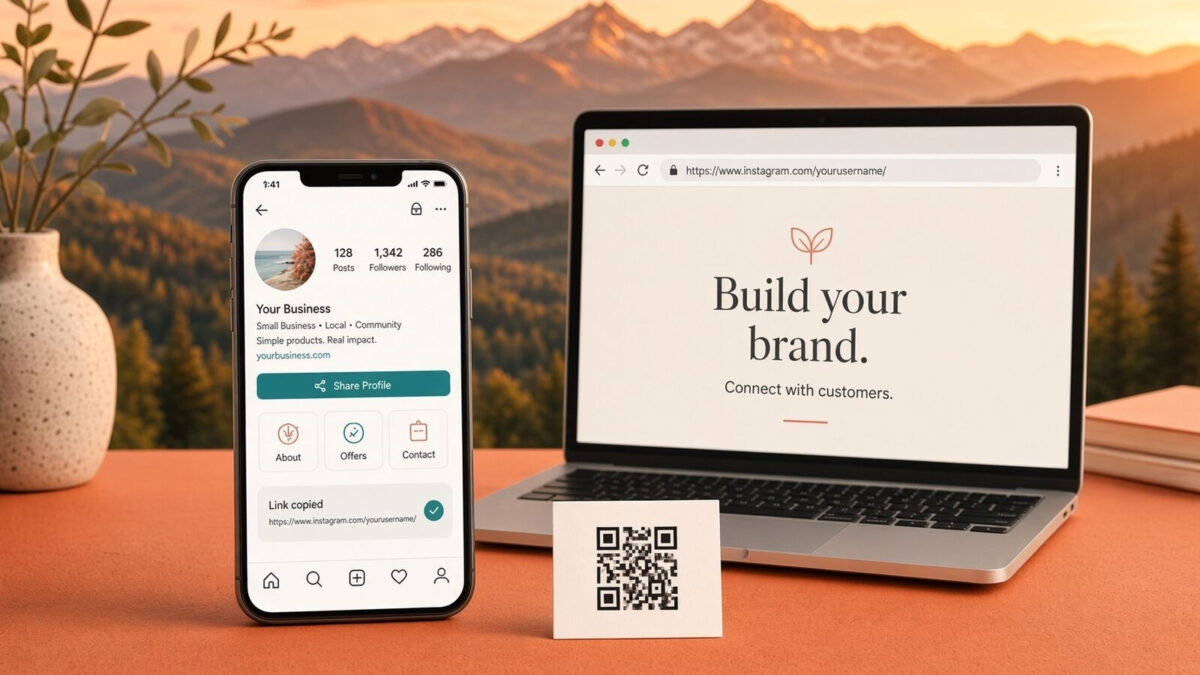
Table of Contents
Key Takeaways – Instagram URL
- Your Instagram web address follows the pattern instagram.com/username/
- To find your Instagram URL, share your profile from the app or copy it from the address bar on the desktop.
- Avoid common mistakes like adding ‘@’ at the start or misspelling your username.
- Share your Instagram link effectively by placing it in your website header, email signatures, and social bios.
- The format for the Instagram URL has not changed in 2026, so you can rely on it being consistent.
What Is My Instagram URL, and What Does It Look Like?
Every public or private Instagram profile uses the same pattern:
https://www.instagram.com/ + your exact username
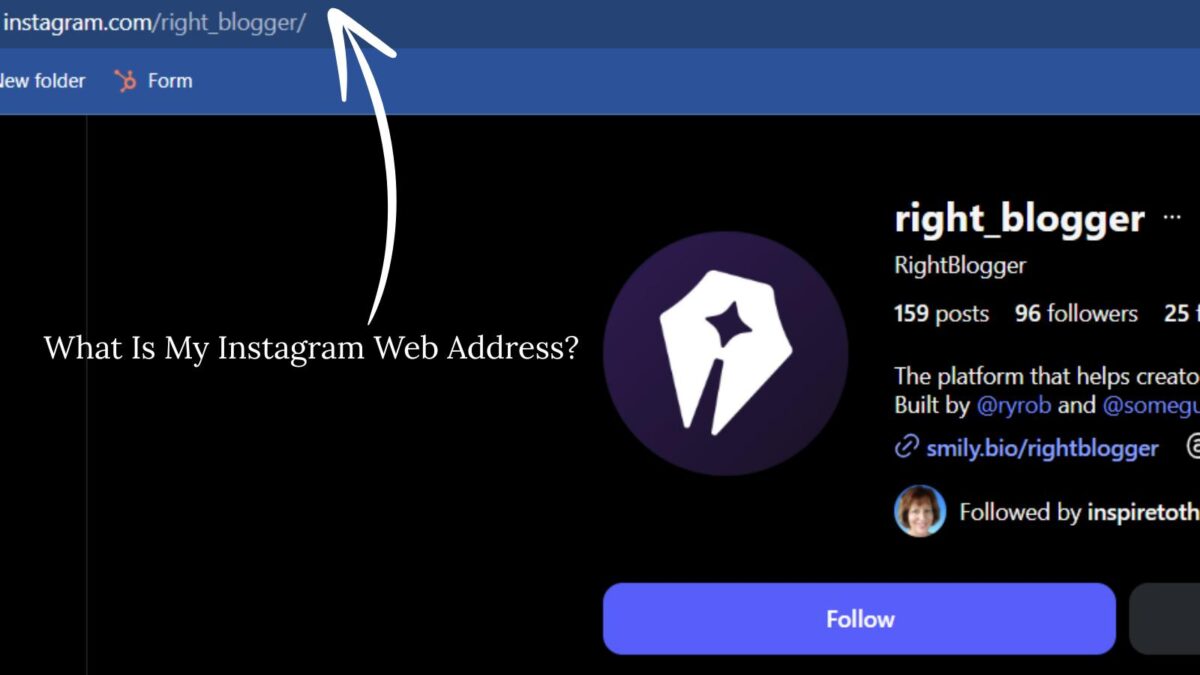
Example: if the username is right_blogger, the profile link is:
https://www.instagram.com/right_blogger
A trailing slash is optional. Both of these work:
- https://www.instagram.com/right_blogger
- https://www.instagram.com/right_blogger/
Use https, not http. Browsers usually upgrade http anyway, but https is the version you should share.
Username, display name, handle, and the @ symbol
These four terms get mixed up, and that is how most broken links start.
| Term | What it is | In the URL? |
|---|---|---|
| Username/handle | The unique name at the top of your profile | Yes |
| Display name | The larger name under the photo (can have spaces and capitals) | No |
| @mention | How you tag someone inside Instagram | No. Drop the @ |
Instagram usernames can be 1–30 characters. Allowed characters are letters, numbers, periods (.), and underscores (_). No spaces, no hyphens, no emoji. A username cannot start or end with a period, and two periods in a row are not allowed.
Usernames are not case sensitive. Right_Blogger and right_blogger open the same profile. Instagram stores the handle in lowercase.
How to Copy Your Instagram Profile Link in the App
The same path works on iPhone and Android. Labels can shift slightly by app version, so look for Share Profile, Copy Profile URL, or Copy link.
- Open Instagram and tap your profile photo (bottom right).
- Tap Share Profile. On some versions, this sits next to Edit profile. On others, it is under the three-line menu or the share icon.
- Tap Copy Profile URL or Copy link.
- Paste the link into Notes, a message, or a browser and open it once to confirm it is yours.
If you do not see Share Profile, open the three-line menu on your profile and look for QR code or Share. The QR screen usually includes a copy-link option as well.
That is faster than typing the URL by hand, and it avoids typos.
How to Find Your Instagram URL on a Computer
- Open a browser and go to instagram.com.
- Log in and open your profile.
- Click the address bar at the top of the window (not the Instagram search box).
- Copy the full URL.
- Paste it into a note or a private/incognito window and load it once.
Copying from the address bar is the cleanest desktop method because you are taking the exact page Instagram already opened.
How to Use Your Instagram QR Code
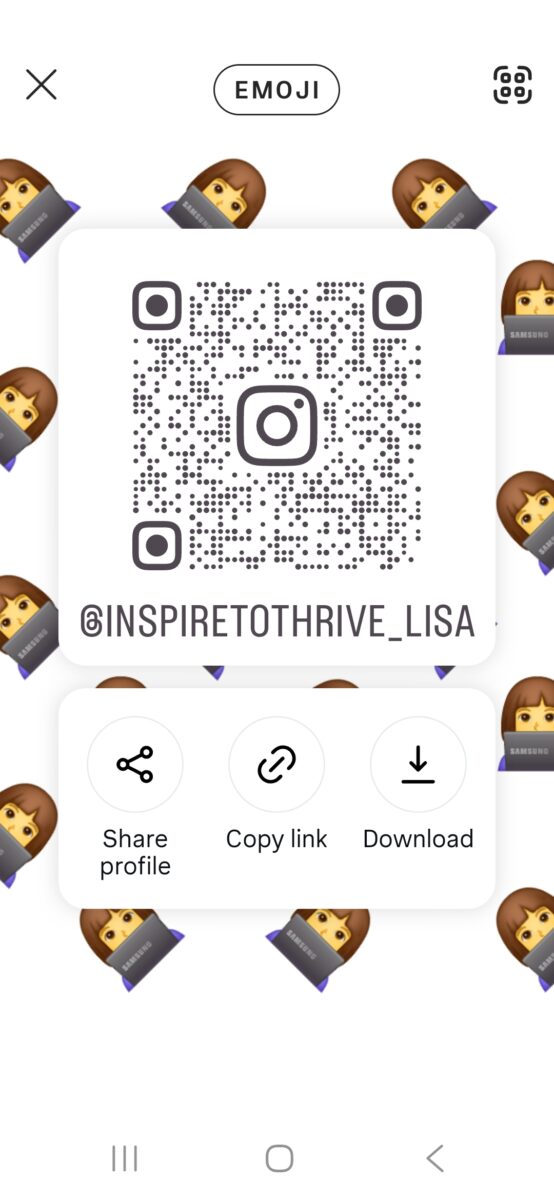
Instagram’s profile QR code points to the same URL as your web address. It is useful when someone is standing in front of you and does not want to type a handle.
- Open your profile in the app.
- Open Share Profile or the QR code option in the profile menu.
- Save the image or share it.
- Add it to business cards, flyers, event signs, printed proposals, or a store counter.
If you later change your username, generate a fresh QR code. The old image will still try to open the old URL.
How to Build the Link Manually
Use this only if Share Profile is missing.
- Open your profile and copy the username at the top of the screen. Do not copy the display name.
- Remove the @ if you copied it.
- Build: https://www.instagram.com/yourusername/
- Test it in a browser.
Example: username @sample.creator becomes https://www.instagram.com/sample.creator/.
Why Is My Instagram URL Not Working?
Work through this list before you assume the account is gone.
- You added @ in front of the username.
- You used the display name instead of the username.
- There is a typo, extra space, or leftover punctuation at the end of the URL.
- You copied a shortened or tracked link that got cut off.
- You are still using an old username after a name change.
- The account is private, so people who do not follow it cannot see posts.
- The account is deactivated or suspended.
- Age or regional limits hide some content even when the URL is correct.
A private account still has a real profile URL. The link is not broken just because a non-follower cannot see the feed.
Test every new link in a private browser window before you print it or put it on a website.
What Happens When You Change Your Instagram Username?
Your Instagram URL changes when the username changes. The old address will not keep forwarding to you forever, and someone else can claim the old handle.
Update the link everywhere it already lives:
- Website header, footer, About, and Contact pages.
- Email signature.
- Other social bios.
- Link-in-bio tools.
- Business cards and printed flyers.
- Client proposals and invoices.
- QR codes.
This matters most for small businesses and creators who put Instagram on marketing materials.
Where to Share Your Instagram Profile Link
Finding the URL only helps if people can click it.
Put it where your audience already looks:
- Website header or footer.
- About or Contact page.
- Email signature.
- Other social media bios.
- Business cards and event materials.
- Client proposals and invoices.
- A link-in-bio page.
If you want to know which campaign sent the click, use a link-in-bio tool or add simple UTM tags to a campaign version of the link. Test any shortened link before you share it. A broken short link is worse than a long clean one.
Related reading on this site:
- How to write an Instagram bio,
- Instagram SEO tips.
- Instagram lead generation.
- What Linktree is used for.
- Instagram basics for beginners.
- What you can do with a private Instagram account.
Need the link to actually bring profile visits? Add it to your site, email signature, and Instagram bio, then use these Instagram lead-generation tips.
Copy It, Place It, Test It
Your Instagram web address is https://www.instagram.com/yourusername/. Copy it from Share Profile or from the desktop address bar, then put it in two places your audience already uses: Your website and your email signature are a strong start.
Open the link in a private browser window so you know it works before anyone else clicks it.
Do you know how to use your Instagram URL to it’s potential now? I’d love to know more in the comments below. 👇
Frequently Asked Questions About Instagram URLs
https://www.instagram.com/yourusername/. Swap in your exact username, with no @.
It looks like a normal web address: instagram.com, a slash, then the username.
No. @ is for mentions inside the app.
The username is the unique handle in the URL. The display name can include spaces and capitals and does not belong in the link.
Yes. Open your profile, tap Share Profile, then Copy Profile URL or Copy link.
Same steps on both. Profile → Share Profile → Copy Profile URL. Then paste and test it.
Open your profile in a browser and copy the full address from the address bar.
Yes. The QR code opens the same profile URL.
No. With or without the final slash, both work.
Use https.
No.
Letters, numbers, periods, and underscores. No spaces. Max 30 characters.
Yes. Update every place the old link appears.
They can open the profile page. They will not see posts unless they follow the account (or you approve the request).
Use a link-in-bio tool or a tagged campaign link, and test it before you publish.
Disclosure: This Inspire To Thrive blog post contains affiliate links. I may earn a commission from qualifying purchases at no extra cost to you. Some sections were drafted with AI tools and carefully reviewed/edited by me.
Enjoy this content? Help me show up more often in Google by adding Inspire To Thrive as a Preferred Source: