Want more control over who sees your posts and stories on social media? If you have asked yourself, “When do you need a private Instagram account?”, this Inspire To Thrive guide is for you.
Below are 7 clear signs to help you decide fast, with quick tips to lock down your private account without stress.
Estimated reading time: 7 minutes
Table of Contents
Key Takeaways for Private Instagram Accounts
- A private Instagram account makes sense when you need more control over who can view your posts, Stories, and follower list.
- Common signs include harassment, spam follow requests, unwanted DMs, or posting content that reveals your location, home, or children.
- Going private can also help during job searches, rebranding, or any time you want to separate personal content from public visibility.
- To set up a private account well, switch on account privacy, review followers, limit tags and mentions, and turn off location-sharing habits.
- A private account improves control, but it does not make Instagram fully risk-free, so sensitive content still needs extra care.
The 7 Signs You’ll Know It’s Time
- Dealing with a stalker
- You are a teacher, coach, or community leader
- You share things about your kids or home location
- You get waves of bots
- Job hunting
- Rebranding and you need a reset
- Prefer a small circle of friends and family
4 Signs You Need a Private Instagram Account
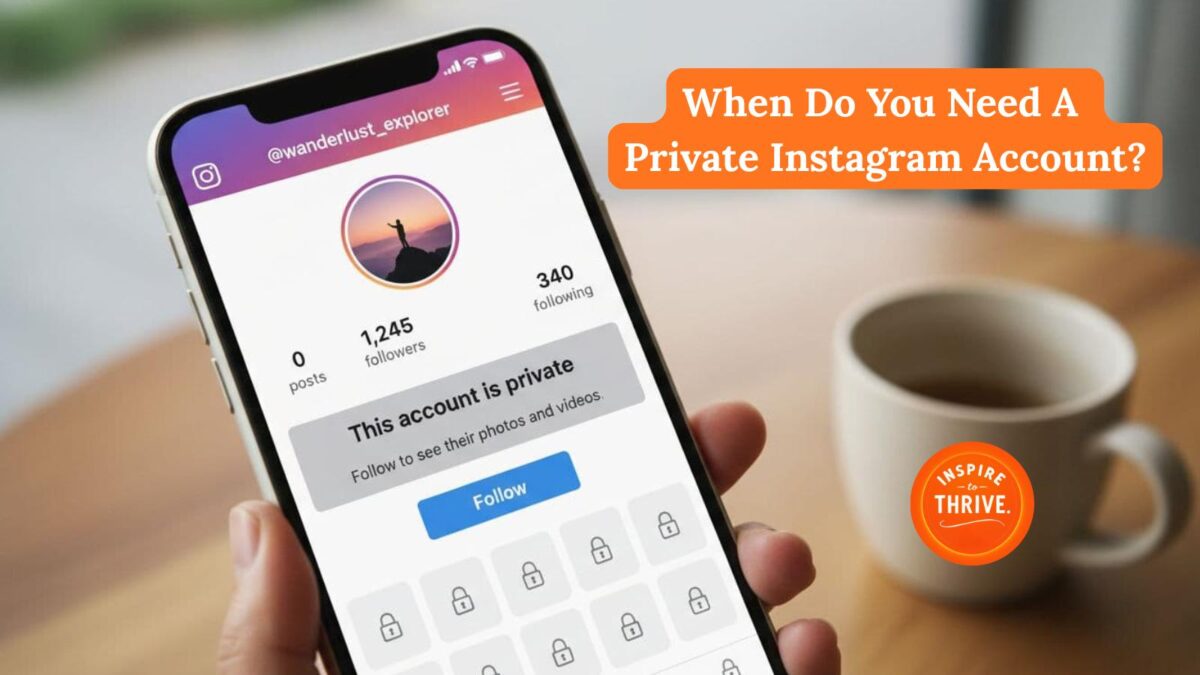
1. You are dealing with a stalker or harassment
Going private slows unwanted viewers and puts you back in control. You approve every follow request to weed out trolls, so creeps stay out.
This also reduces the risk of content stealing. Block and report offenders, turn off location, and avoid posting real-time check-ins.
Privacy isn’t perfect, so learn common ways to view private Instagram accounts anonymously.
2. When a Private Instagram Account Helps at Work
A private account helps protect your privacy and draws a clear line between your personal life and your professional public account or role. Many schools and youth groups encourage tighter privacy to protect minors.
Fewer public posts means fewer screenshots, less gossip, and fewer blurred boundaries.
3. You share kids, your home, or your living location
Geotags in geographic tag feeds, school logos in hashtag feeds, and daily routines can reveal more than you think. Remove location tags, post your day after the fact, and use Close Friends for sensitive moments.
Keep birthdays, addresses, and schedules off your profile.
4. You get waves of bot follows or creepy DMs
Private accounts reduce spam by requiring new followers to be approved. Turn off message requests from non-followers and review new requests weekly.
A simple cleanup habit keeps your feed calm.
3 More Signs You Need a Private Instagram for Work and Reputation
5. You are job hunting, or if your field is sensitive
Potential employers check social media profiles during the hiring process. A private Instagram account helps hide your personal activity and reduces the risk that old posts will hurt your chances.
Keep a clean public profile or run a separate professional public account for networking.
6. You are rebranding and want a clean reset
Going private controls content visibility, allowing you to curate quietly. Archive old posts, remove outdated Highlights, and update your bio first.
Reveal your new look for brand promotion when it is ready, not while you are testing.
7. You prefer a small circle and do not need growth
For personal users who prefer a small circle and do not need to grow their audience, a private Instagram account offers a strong sense of exclusivity. If you do not aim to grow your audience or boost your reach, it reduces pressure and FOMO.
Post for friends only to limit content reach and engagement to your followers, and enjoy the mental health boost that comes with fewer eyes.

Note that this setup has limited capacity for Instagram ads compared to public profiles.
How to Make Instagram Private
Turn on Private and Tweak Key Privacy Controls
Here is the path to take your business or creator account on Instagram to private:
- Profile
- Menu
- Settings
- Privacy
- Account Privacy
- Private
This is the process for enabling the private account setting.
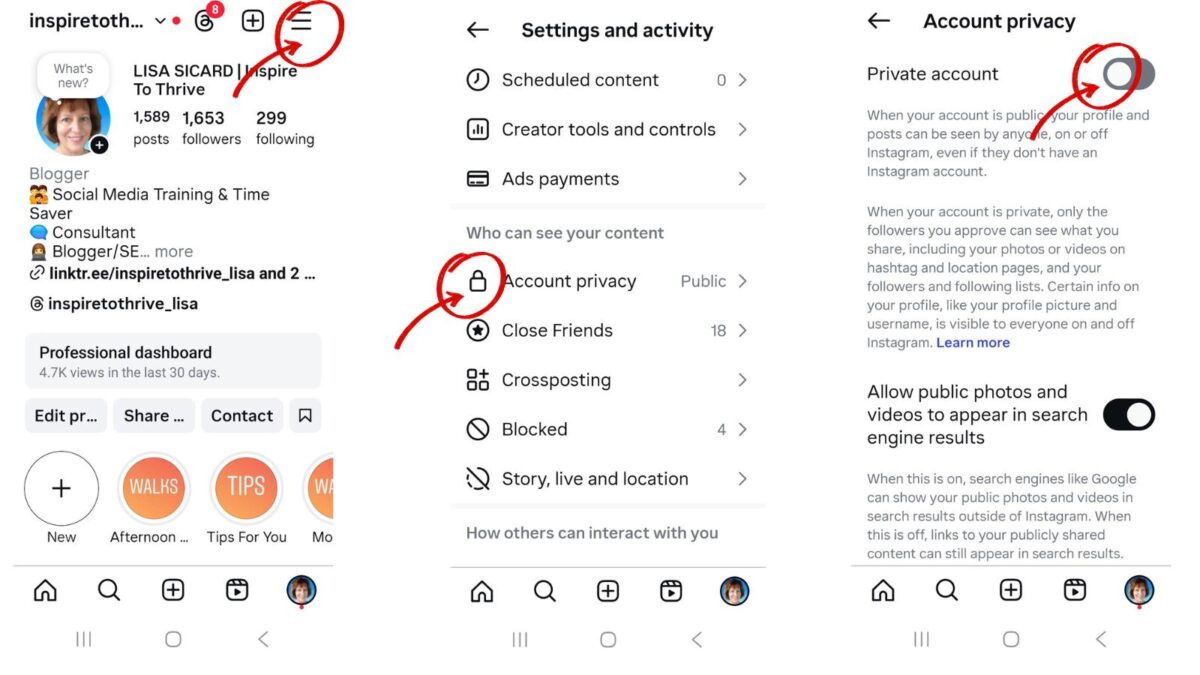
Also, turn off Activity Status and limit who can DM you. Due to content-embedding issues, these additional controls are essential to stronger privacy protections.
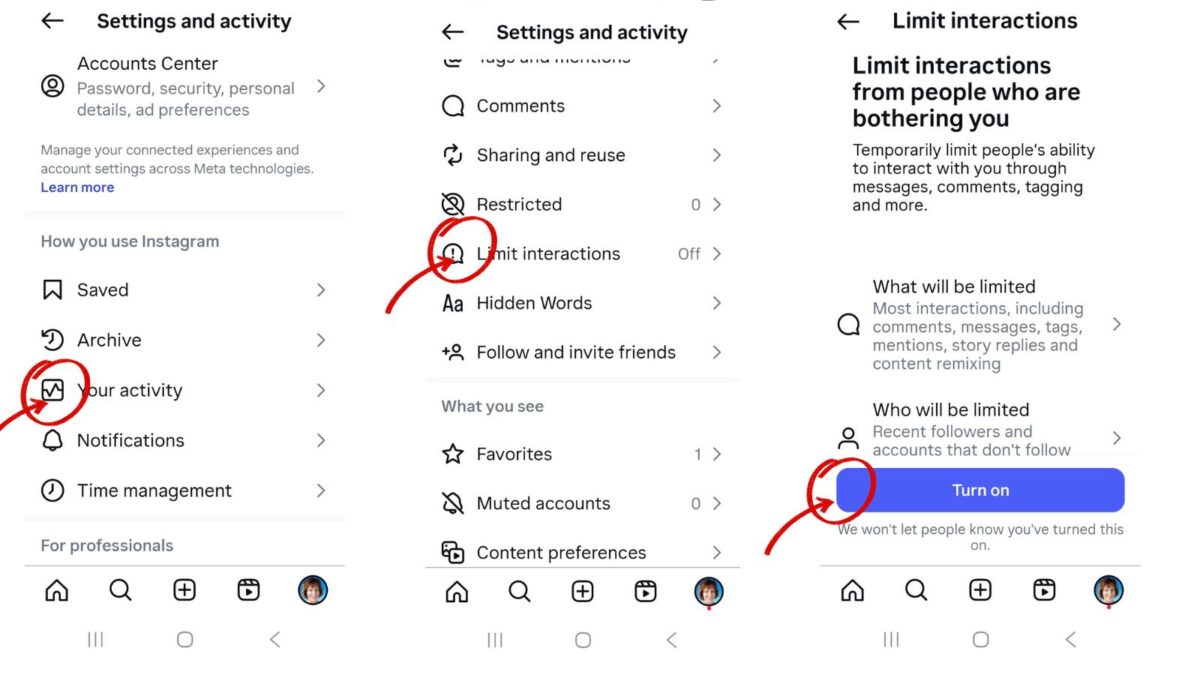
These quick steps boost control within minutes and help secure your private account. To learn more about what others can or can’t see, read this Instagram privacy settings overview.
Clean Up Followers and Pending Requests
Remove unwanted followers you do not know. Approve follower requests in batches and review monthly.
People you remove are not notified, so feel free to trim from your Instagram account.
Control Tags, Mentions, and Story Sharing
Require manual review of tags. Limit mentions to Followers or No one. Stop others from resharing your posts to their stories.
Keep a Public Landing Option If You Are a Creator
Use a simple public account or a link in a bio page that explains how to request access. You stay discoverable while your main profile stays private.
This balance helps maintain reach and visibility for content creators.
Conclusion: Why and When You May Need A Private Instagram Account
If two or more signs fit, switch from public to private by choosing private now. Here is a quick checklist for your private account:
- Approve followers
- Limit DMs
- Review tags
- Remove location
- Clean your follower list monthly
Take five minutes to review your settings today when you need a private Instagram account. You will gain control, protect your image to avoid losing opportunities, and post with more confidence.
However, I do have one warning for you: Even private accounts can sometimes be accessed through 3rd-party tools or during a company data breach. So always be careful about what you post online, as you never know what could go wrong.
Disclosure: This post contains affiliate links. I may earn a commission from qualifying purchases at no extra cost to you. Some sections were drafted with AI tools and carefully reviewed/edited by me.
Frequently Asked Questions About Private Instagram Accounts
You should make your Instagram account private when you want more control over who sees your content. This is especially helpful if you’re dealing with harassment, spam, creepy DMs, job-search concerns, or posts that reveal personal details.
A private account improves safety by letting you approve followers before they see your posts and Stories. It also reduces random spam access, although it does not fully eliminate the risk of screenshots, leaks, or third-party data issues.
For many job seekers, a private account helps reduce the chance that old or casual posts affect hiring decisions. It also gives you time to clean up your profile or maintain a separate public account for professional networking.
Creators can still use a private account, but it limits discovery, reach, and growth. A better option is to keep a simple public profile or use a link-in-bio page as a public entry point while keeping the main account private.
After switching to private, review followers, turn off Activity Status, limit message requests, manage tags and mentions, and avoid real-time location posts. These settings give you more control and make the privacy change more effective.

- Best Instagram Story Viewers in 2026: Free Tools + Honest Limits - October 22, 2026
- Which Instagram Monitoring App Wins? EyeZy vs Peekviewer - October 20, 2026
- How to Use Social Media for the Best Black Friday Deals of 2026 - October 19, 2026
Enjoy this content? Help me show up more often in Google by adding Inspire To Thrive as a Preferred Source: