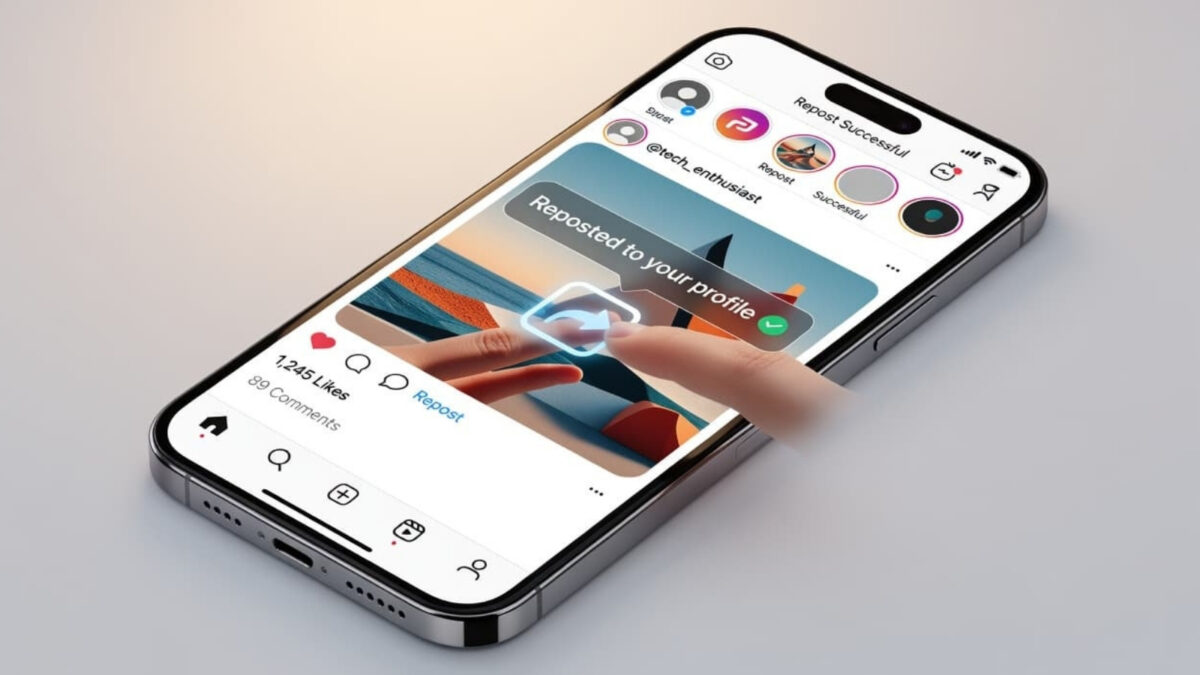
The Instagram repost feature lets you share public posts and Reels directly to your profile with automatic credit to the original creator. The feature credits the original creator and adds the content to a Reposts tab on your profile. It may also be recommended to your followers, though this isn’t guaranteed.
The button doesn’t appear on every account yet, and it only works on public content that the creator allows reposts of. Below is the exact process for reposting, removing a repost, and controlling who can repost your own content.
I first looked for the repost option on desktop and couldn’t find it. It turns out the feature is only available in the Instagram mobile app. When I checked a client account with the button, the process was straightforward.
Estimated reading time: 13 minutes
Table of Contents
Meaningful Experiences
- Official Integration: The Instagram repost feature allows users to share public Reels and feed posts directly, creating a linked version of the content that automatically attributes the content to the original creator.
- Streamlined Content: Reposting is an efficient way to maintain an active account presence, allowing users to share valuable niche content without having to create every post from scratch.
- Curated Identity: By sharing content that aligns with your specific values or business niche, you build trust with your audience and curate your profile as a reliable source of information.
- Strategic Engagement: Reposts function best when treated as personalized recommendations, especially when you include a note to provide context, which adds value and encourages interaction from your followers.
How I Found The Repost Feature
I found it by accident using Instagram on my desktop. For over a year, I tried to find it on mobile and realized it wasn’t available, either because I have an Android or due to a glitch. As you can see on my Inspire To Thrive Facebook page below, it took me 2 years to get my code from Meta to log in on desktop.
Lesson: Never give up when using Meta products!
How to Repost on Instagram (Step by Step)
The native Repost feature works on public posts and Reels in the Instagram app (it is not available on desktop). You will only see the option if the original creator allows reposts.
- Open the Instagram app and find a public post or Reel you want to share.
- Look for the Repost icon (two arrows forming a loop). It usually sits between the comment and share buttons.
- Tap Repost.
- (Optional) Add a short note in the thought bubble that appears so your followers know why you’re sharing it.
- Tap Save or Repost to confirm.
The repost is credited to the original creator and appears in the Reposts tab on your profile. Instagram may also show it in your followers’ feeds, but this is not guaranteed.
Note: You cannot repost a repost. The feature only works on the original public post or Reel.
If you are working on creating reels, see my updated guide to reel creation.
How to Remove a Repost
You can remove a repost without deleting the original post.
- Open the reposted content and tap the Repost icon again to undo it, or
- Go to your profile, tap the Reposts tab (the two-arrow icon next to Posts and Reels), find the item, and remove it from there.
Removing a repost takes it off your profile and stops it from being recommended in feeds. It does not delete the original creator’s post.
Understanding How the Instagram Repost Feature Works
This Instagram feature includes an official repost option that allows users to share content seamlessly. If your account has access to this tool, you can simply tap the repost button to share public Reels and feed posts directly through the platform.
When you choose to repost content, you may also have the option to add a note to provide context, and Instagram then shares that material in a way that is clearly tied to your account without turning it into a duplicate of the original upload.
This distinction is important because you are not copying the post or claiming it as your own. Instead, you are re-sharing it through a built-in system designed for transparency.
👉 According to the Instagram Help Center, your followers will see the shared content in their feeds, and these posts can appear in a specific area on your profile.
What gets shared, and what stays linked to the original creator
When you share a post, the original creator retains full ownership of their work. Their username, the post itself, and all associated metadata remain intact.
Think of it like passing along a recommendation rather than moving someone else’s furniture into your house. You are pointing your audience toward something worth seeing. Instagram keeps the source attached, which ensures the creator receives proper credit and context.
This functionality is a significant benefit for users who want to share a helpful video, a smart tip, or a humorous update without needing to take a screenshot, download, or remove the source from the file. It is a cleaner method of sharing that respects the work of the person who made it.
Where your repost shows up on Instagram
A repost can appear in several locations across the app. Your audience may see it in their main feed, and the platform may organize your activity into a separate tab on your profile so people can find what you have shared later.
This dedicated repost tab matters more than it might initially seem. For bloggers, creators, or small business owners, it provides a curated trail of recommendations. For casual users, it helps you keep track of what you have shared without mixing those items into your own original grid posts.
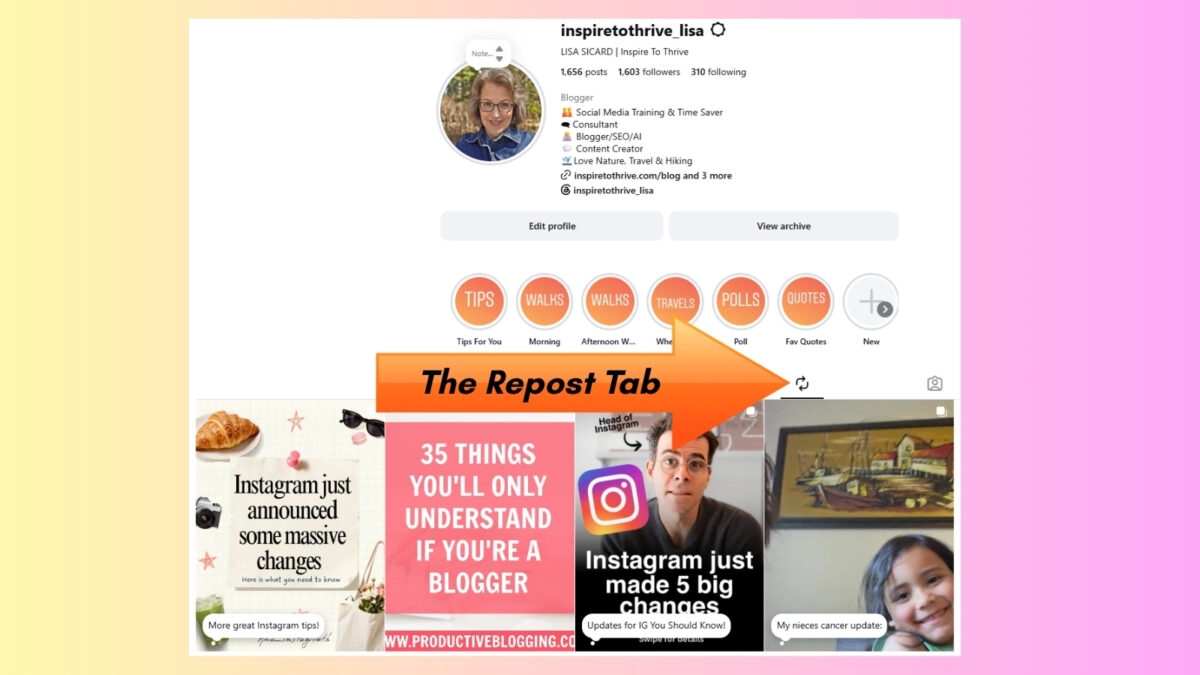
Ultimately, when you choose to share a post, Instagram creates a linked version rather than a fresh upload from scratch. Your audience sees exactly what you shared, and the original creator remains front and center.
➡️ To see my complete reposts, follow my Instagram account: https://www.instagram.com/inspiretothrive_lisa/reposts/
How the Instagram Repost Feature Drives Engagement and Reach
Not every day is a make-a-brand-new-post kind of day. Sometimes you are busy, low on ideas, or in the middle of writing a blog post, handling clients, or running a social media account. Reposting is an efficient way to stay active, allowing you to reach a wider audience without the pressure of creating content from scratch.
This feature is valuable for regular users and those managing a business profile alike. It offers a lighter way to maintain your presence. You can keep your account moving, share something useful, and stay part of the conversation.
Meta mentioned in its announcement about new Instagram features that reposts can be recommended to friends and followers. That gives your shared post a better chance to travel beyond a quiet profile tab and into real visibility.
Reposts can help content travel further, but they work best when paired with other Instagram strategies. You may also want to read how to build a traffic pipeline from Instagram to your blog or store.
How reposts can help you support other creators and build trust
A good repost says something about you. It shows what you pay attention to, what you value, and what you think your audience should see.
If you repost useful public content in your niche, your account starts to feel more curated. By sharing content that resonates with your values, you provide social proof to your audience that your feed is a reliable source of information. You are not only talking at people; you are also bringing them good ideas, humor, or smart advice from others.
A repost should feel like a recommendation, not a shortcut.
That difference is where trust lives. When your followers see you share strong content from other people, with credit attached, they learn that your account is worth checking because you filter the noise for them.
Why bloggers and small businesses may find reposts useful
If you run a blog or a local business, reposts can fill those awkward gaps between original posts. Maybe your next article isn’t ready, your new Reel is still in draft, or you simply want to stay visible without posting fluff.
A repost can handle that nicely. You can highlight an industry tip, reshare a public post from a partner, or point followers to a creator whose take lines up with your own. Because this content can be recommended to followers who might not have seen the original, it keeps your feed activity going and gives your audience something worth engaging with while you work on your next original piece.
It also helps with content discovery. People who follow you may discover a creator, brand, or idea they would otherwise have missed. That makes your account more useful, and useful accounts tend to get remembered.
What You Can and Cannot Do with the Instagram Repost Feature
This is where expectations matter. The official repost tool is helpful, but it has limits. It is not a universal share-anything button, and it does not turn private content public. Keep in mind that this feature is strictly for public accounts, as private posts remain protected from being shared beyond their intended audience.
Right now, Instagram’s official reposting is for public feed posts and public Reels. If the original content is not eligible, you may not see the repost option at all. When you use this tool, the original poster receives full credit through a direct link to their post.
It also helps to separate how you repost content from other sharing methods people already know.
| Method | What happens | Who gets credit |
|---|---|---|
| Official repost | Instagram links your share to the original post or Reel | The original creator |
| Share to Story | You place the post in a Story format | The original creator |
| New upload | You post your own content from scratch | You |
The big takeaway is simple. Reposting is a built-in share with attribution. It is not the same as making a new post.
Why the feature feels easy on desktop but is mainly a mobile app tool
If you have seen repost-like actions on desktop and then struggled to find the same thing on your phone, you are not imagining the mismatch. Instagram often changes its interface, and web features do not always align with the mobile version of the platform.
The official repost flow is designed specifically for the Instagram app experience. Instagram also showed the feature in its repost launch reel, which lines up with how app-first features usually roll out. So yes, desktop can make sharing feel simple in some situations. But the built-in repost button, the note option, and the profile repost tab are tied much more closely to your mobile device.
Common limits you should know before you try to repost
A few limits catch people off guard.
- First, not every account has the feature yet. Rollouts can take time, and some users will need an app update before the option appears. Tip: Try clearing your Instagram cache.
- Second, only public content qualifies. That keeps private posts from being pushed into a wider audience.
- Third, placement may shift as Instagram updates the software. Buttons move, and tabs change, so if the feature seems missing, check the current app interface before assuming Instagram removed it.
- Finally, if you decide you no longer want a shared item on your profile, you can delete a repost at any time. Simply tap the three-dot menu on the shared item and select the delete option to remove it from your feed.
The feature is real, and once it lands on your account, it is easier to use than most of the workarounds people relied on before.
How To Use Reposts in a Way That Helps Your Audience
The easiest way to get value from reposting is to stop thinking of it as filler. A random repost feels random. A well-chosen repost feels like a useful signal.
That applies whether you post for fun or for business. The goal is not to share more. The goal is to share better.
Pick reposts that fit your niche and your followers’ interests
The best reposts make sense the second your audience sees them. If you post about blogging, reshare a public post with a smart writing tip. By incorporating high-quality user-generated content into your feed, you provide value that feels authentic to your brand. If your account is about local business, share a public Reel with a good customer service idea.
➡️ If you are more lifestyle-focused, repost something your followers would love to share with friends.
Relevance is what makes the feature work. When the post matches your niche, your followers are more likely to stop, watch, react, and remember that your account brings them content that fits. Keep in mind that sharing and reuse settings chosen by the original creator determine whether a post is available for you to share.
When you do share, your followers may see your update in their Friends tab, which helps keep your community engaged. You do not need to repost often. You need to repost with a reason.
Add your own voice so the repost feels personal
If Instagram lets you add a note, use it. That small comment can turn a passive share into a thoughtful one.
Your note can be simple. You might tell followers why you shared it, what point stands out, or how it connects to something you have been talking about. A few words can do the job: “This is a smart reminder for bloggers,” “Watch the last tip,” or “This explains what many people miss.”
You can see my example below:
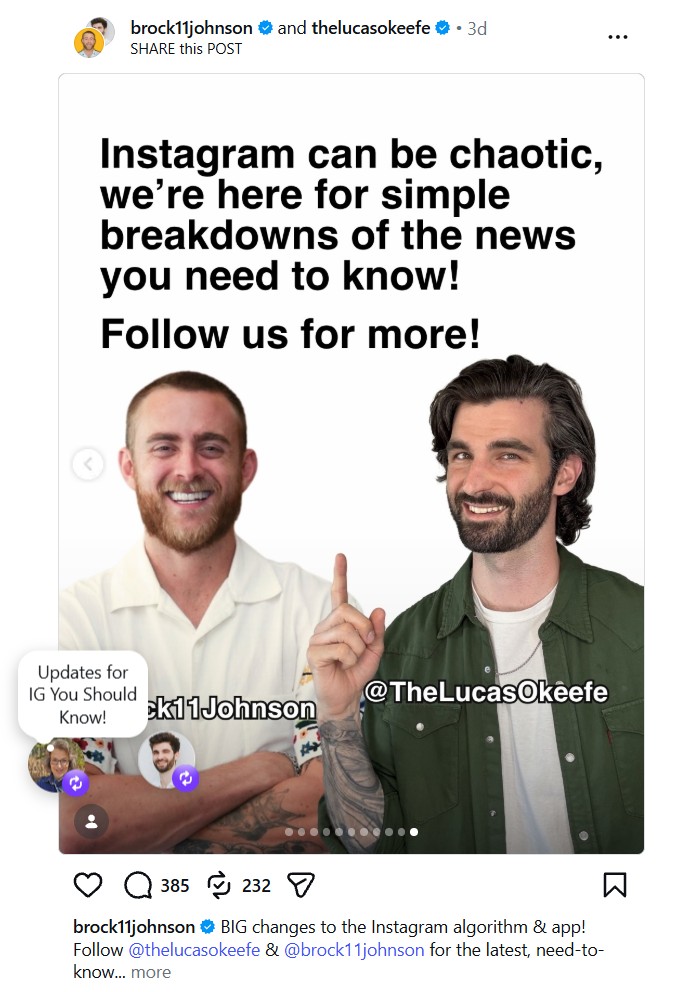
That extra context makes your repost feel like part of your account, not an accidental detour. It also helps your audience know what to pay attention to, which makes the share more useful and more personal.
Frequently Asked Questions
Open a public post or Reel in the Instagram app, tap the two-arrow Repost icon, add an optional note, and save. The repost appears in the Reposts tab on your profile and may show in followers’ feeds.
It sits under the post or Reel (usually between the comment and share icons). You will only see it on eligible public content.
Tap the Repost icon again on the content, or go to your profile, open the Reposts tab, and remove it from there. This does not delete the original post.
Yes. Go to Settings and activity → Sharing and reuse and turn off the option that allows others to repost your posts and Reels.
No. You can only repost the original public post or Reel.
Comments on a repost often arrive as direct messages rather than appearing under the post like normal comments.
Want more Instagram tips? See my posts on Instagram Saves and Instagram Highlights.
Conclusion: The Instagram Repost Feature
When you repost on Instagram, you are sharing public content through the platform’s own system rather than creating a brand-new post from scratch. Your followers may see that repost in their feeds; it can appear in a dedicated Reposts tab on your profile, and the original creator always maintains proper credit.
Much like using the Instagram map to find local hotspots or utilizing location sharing to meet up with friends, this feature is just another way to engage with the community.
This is why the feature matters for your social strategy. It saves time, helps you stay visible, and lets you support other accounts without muddying the record of who produced the content.
If you switch between desktop and mobile, the varying interface might cause some confusion at first. However, once the feature is active in your app, the idea is simple: repost when the content fits your audience and adds something worth passing along.
Always remember to prioritize value for your followers every time you share.
Disclosure: This Inspire To Thrive blog post contains affiliate links. I may earn a commission from qualifying purchases at no extra cost to you. Some sections were drafted with AI tools and carefully reviewed/edited by me.

- Ground News Pricing: Are Pro, Premium, and Vantage Packages Worth It? - October 11, 2026
- Instagram Repost Feature: What Happens When You Share? - October 11, 2026
- What’s the Real Secret to Successful Affiliate Marketing? - October 10, 2026
Enjoy this content? Help me show up more often in Google by adding Inspire To Thrive as a Preferred Source: