
Instagram remains one of the top platforms for discovery and marketing, but you don’t always need an account to browse public content. Many people want to search Instagram without an account for competitor research, inspiration, or simple curiosity.
In this Inspire To Thrive updated guide, you’ll learn what works in 2026, practical step-by-step methods, limitations, and safety tips, especially useful for small business owners and creators.
Estimated reading time: 7 minutes
Table of Contents
Key Takeaways
- You can view many public Instagram profiles and posts without an account using direct URLs or Google.
- Access is inconsistent: Instagram often shows login prompts and limits access to search, comments, and Stories.
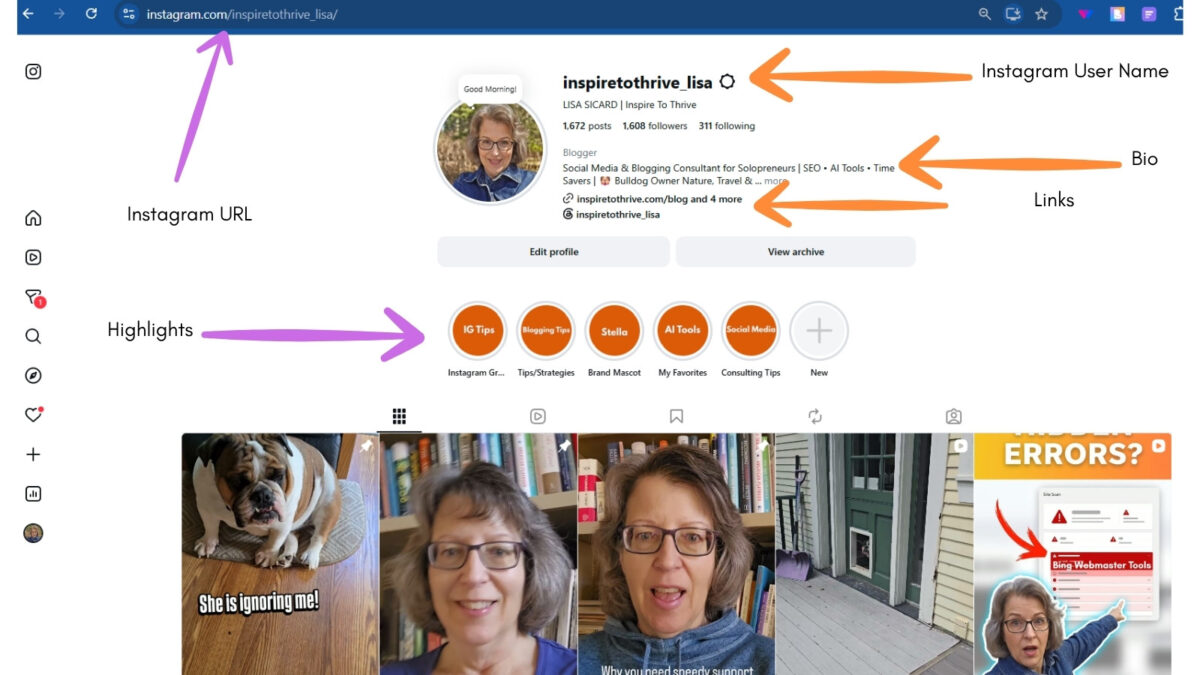
- Direct profile URLs (e.g., instagram.com/username/) are the most reliable method.
- Private profiles, liking, commenting, and following require an Instagram account.
- Third-party viewers can help with public content but carry privacy and reliability risks.
- These methods are great for small business competitor research and inspiration.
- For full features and better results, create a free account.
What You Can and Cannot Do Without Logging In
Instagram frequently restricts logged-out browsing with login prompts. Here’s a clear overview:
| Activity | Possible Without Account? | Notes |
|---|---|---|
| Open a known public profile | Sometimes | Best with a direct URL |
| View public posts & Reels | Sometimes | Inconsistent access |
| Read comments | Sometimes | Varies by post |
| Search inside Instagram | Usually no | Use direct URLs or Google |
| Public hashtags & locations | Sometimes | Direct URLs are often better |
| View Stories | Usually no | Third-party options inconsistent |
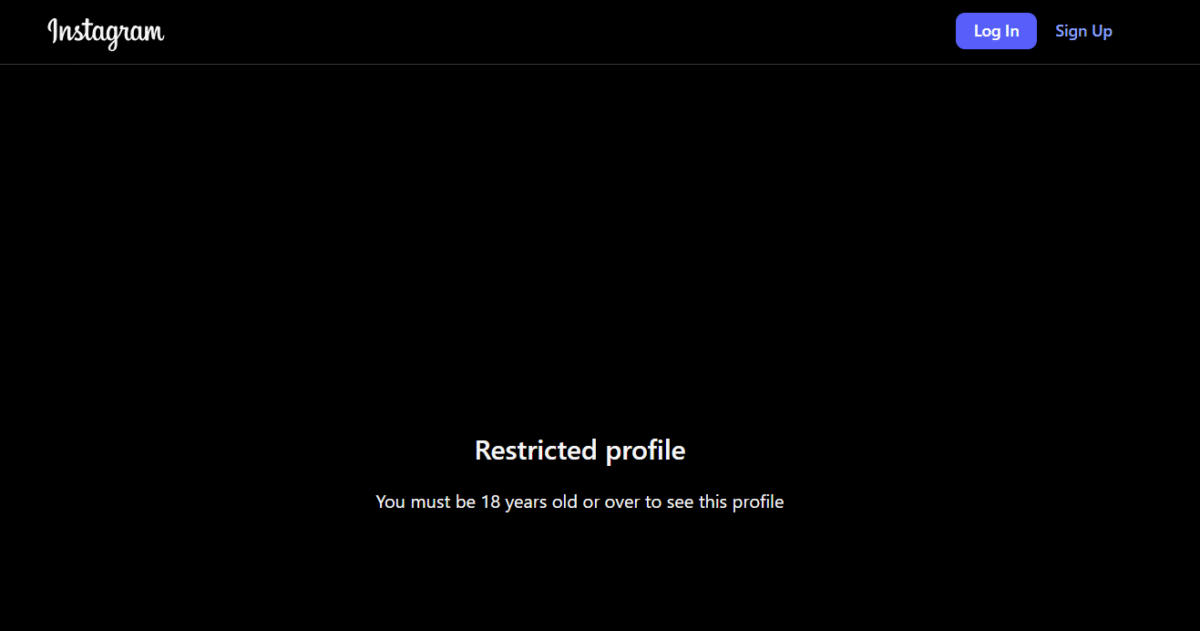
| View private profiles | No | Requires follow approval |
| Like, comment, follow, or DM | No | Login required |
Tested July 2026: Results can change quickly.
Method 1: Open a Public Profile with Direct URL (Recommended First Step)
- Open your browser in a private/incognito window.
- Type the exact profile URL: https://www.instagram.com/username/
- If a login prompt appears, close it. Some public content may still load.
- Click individual posts or Reels to view more details.
Tip: Usernames must be exact (display names are different). This method works best for known profiles.
Method 2: Use Google to Find Instagram Content
Google often indexes public Instagram pages:
- site:instagram.com “username”
- site:instagram.com “brand name”
- site:instagram.com/p/ “topic” (for posts)
- site:instagram.com/reel/ “keyword”
Click promising results and try the direct URL. Note that Google results may be outdated, and opening the page could still prompt you to log in.
Method 3: Public Hashtags and Locations
- Hashtag example: https://www.instagram.com/explore/tags/yourhashtag/ (remove the # symbol)
- Location pages can sometimes be accessed via direct links or Google searches.
Access is not always reliable without logging in.
Viewing Posts, Reels, and Comments
Public posts and Reels may open via direct links. Comments sometimes appear on fully loaded posts, but you cannot reply, like, or interact. Visibility depends on the post, browser, and Instagram’s current rules.
Can You View Instagram Stories Without an Account?
Stories expire after 24 hours (unless saved as Highlights). Direct viewing usually requires a login. Third-party tools offer limited and inconsistent access; use them cautiously.
Private Instagram Profiles
You cannot view private posts, Stories, Reels, or follower-only content without permission. The legitimate way is to create an account and send a follow request. Avoid any sites claiming to bypass private profiles; they are unreliable and risky.
See also: How to View Private Instagram Accounts.
Third-Party Instagram Viewers – Pros, Cons, and Risks
Some tools, like Imginn, allow browsing and downloading public content without logging in. They can be helpful for quick checks but come with limitations:
- Services may stop working, show ads, or collect data.
- Never enter your Instagram password or personal information.
- Avoid tools promising private account access.
- Always respect copyright and creator permissions.
For most users, direct URLs and Google are safer starting points.
Privacy Considerations
Browsing without an account means no activity is tied to an Instagram profile. However, your browser, device, and ISP can still track activity. A private window helps but does not guarantee full anonymity.
Public content remains searchable by others.
Tips for Small Businesses and Competitor Research
These methods are especially useful for Instagram marketing:
- Review public bios, website links, and content styles.
- Observe posting themes, Reels formats, and visible engagement.
- Monitor public hashtags and locations your audience uses.
- Gather ideas without building a personalized feed.
Related: How to Create Instagram Reels and Instagram Reel Length Tips.
Troubleshooting Login Prompts
- Try a different browser or device.
- Clear the cache or use private mode.
- Accept that some content now requires an account for reliable access.
If Instagram is down in your area, check here.
Useful Tool: Peekviewer
If you want a quick way to browse public Instagram content without logging in, Peekviewer is one option worth testing. It allows you to view public profiles and posts anonymously. As with any third-party tool, use it responsibly, never share your login credentials, and be aware that availability and features can change.
I’ve used similar tools for research and will continue testing them for my readers.
Final Thoughts
You can view many public Instagram profiles, posts, and Reels without an account using direct URLs and Google. However, expect limitations, especially around search, Stories, and interaction. For full features and better research, creating a free account is often worth it.
Always prioritize privacy, ethics, and respect for content creators. Have you searched for an Instagram account lately? I’d love to hear about it in the comments below. 👇
FAQs: Searching Instagram Without An Account
Yes, you can view many public profiles and posts using direct URLs or Google. However, a full search inside Instagram usually requires logging in, and access is inconsistent.
Go to https://www.instagram.com/username/ in a private browser window (replace username with the exact handle). Close any login prompt if it appears.
Sometimes. Public posts and Reels may load, and comments can appear on some posts, but visibility varies, and you cannot interact with them.
Usually not reliably. Stories are short-lived, and direct access typically requires login. Third-party tools are inconsistent.
No. Private content requires the owner’s approval via a follow request. Avoid sites claiming to bypass this.
Use them cautiously for public content only. Never enter your Instagram password. Choose reputable tools, expect ads or changes, and be aware of privacy risks.
Use direct profile URLs and Google searches to review public bios, posts, Reels, hashtags, and content styles. For deeper insights, create a business account.
No. It prevents tied account activity on Instagram, but browser tracking, cookies, and your ISP can still see your activity.
Close the prompt and try again. If access is blocked, the content may now require an account. Test on different browsers or devices.
Create one when you need to follow profiles, like/comment, view Stories consistently, send DMs, or access full business analytics.

Disclosure: This Inspire To Thrive blog post contains affiliate links. I may earn a commission from qualifying purchases at no extra cost to you. Some sections were drafted with AI tools and carefully reviewed/edited by me.
Comments are from previous years; the post was fully updated in July 2026 👇
Enjoy this content? Help me show up more often in Google by adding Inspire To Thrive as a Preferred Source:



This is a game-changer for privacy-conscious users. Your method for searching Instagram without an account is a much-needed solution. It’s like a backdoor to accessing content without sacrificing anonymity. Thanks for sharing this valuable insight!
Hi Aadiv, you are most welcome. I’m glad you found it a valuable insight for Instagram searching. Have a great day.
Not bad at all. Instagram seems to be one of the few sites that offers some functions even if you do not sign up for an account. The other heavies seem to push you to sign up before you can do much of anything. Excellent blog post.
Hi Ryan, yes, it does. Maybe that’s why it draws a lot of traffic. Of course, they all want you to sign up and now even pay to be on these big social networks. Thanks for coming by Ryan!
Hi, Lisa,
I never thought of searching on Instagram without an account or not logging in.
Even though I have a registered account, sometimes, I may not be logged in to Instagram on the browser, and just wanted to check on something, these are good tips.
Thanks for sharing.
Hi Shamsudeen, you are very welcome. Yes, not everyone is signed in either all the time, great point. Thanks for coming by and have a great day!