
Meta settlement Instagram news can make the Instagram platform feel suddenly risky. The smarter response is to review how you and your audience actually use Instagram, then make a few steady adjustments.
Meta settlement Instagram coverage often mixes lawsuit claims with final terms. An Instagram lawsuit and a settlement are not the same thing.
Allegations, court findings, and final settlement terms can differ. Meta has denied wrongdoing. The practical step is to check the latest court documents, Meta updates, and Instagram policy notices rather than react to every viral claim.
The smart response is calm and practical, not panic.
Estimated reading time: 7 minutes
Table of Contents
What We Know:
- Meta settlement Instagram terms can affect disclosures, data practices, advertising tools, and youth-related product settings.
- Parents should review Teen Accounts, parental controls, and privacy settings.
- Small businesses and creators should rely less on any single platform’s data and keep records outside Instagram.
- Strong account security still protects families, creators, and brands. Verify updates through official sources.
What the Meta Settlement on Instagram Could Change for Users and Brands
Meta settlement Instagram agreements may cover claims about privacy, data collection, targeted ads, consent, or youth safety features. Exact changes will appear in the final court documents, in-app notices, and updated privacy language.
For parents
Meta settlement Instagram news is a good reminder to review public profiles, location sharing, direct messages, contact syncing, and recommendation settings. Use Teen Accounts and parental controls as tools, not as a substitute for regular conversations about screen time and content.
For marketers and creators
Meta settlement Instagram outcomes may bring updates to consent notices, targeting options, retargeting, reporting, or audience insights. Keep campaign records and build relationships you control; email lists, website traffic, and customer feedback provide a clearer picture than a single platform dashboard.

How to Adjust Your Instagram Strategy After the Meta Settlement
Don’t collect personal information you don’t need. Review your bio links, connected apps, account permissions, recovery email, and privacy language. The Instagram lawsuit makes this privacy check especially important.
Reducing reliance on patterns associated with social media addiction is a practical strategy, not a diagnosis. Turn on two-factor authentication and keep business records outside Instagram.
Family accounts on Instagram
For family accounts, avoid posting a child’s school, daily route, team schedule, or real-time location. The Instagram lawsuit underscores why minimizing exposure matters. Clear boundaries can reduce reliance on social media addiction patterns and protect time from infinite scroll.
Review Teen Accounts and parental controls alongside age-appropriate limits and direct conversations. Discuss how social media addiction can affect routines without using labels or shame.
The settlement adds teen time limits and stronger parental tools, but Instagram’s current filters still matter for parents and brand accounts. Use this walkthrough to filter explicit content on Instagram in Explore, DMs, and comments.
👉 The same privacy lesson from the Instagram lawsuit applies to casual Stories, since a quick photo can reveal more than you intended.
Instagram Content Plan After the Meta Settlement
A safer content plan can still get attention: share educational Reels, answer community questions, show a product demonstration, and use a clear call to action. Choose useful content over addictive features designed only to prolong viewing.
You don’t need a child’s identity or private routine to make content feel real.
Build an audience you can reach beyond Instagram
Invite followers to a helpful newsletter, guide, or website resource. The Instagram lawsuit is one reason to build channels you can reach directly. Don’t use pressure, misleading claims, or auto-added email forms. Get proper consent before adding anyone to a marketing list.
Search traffic and email subscribers give you more stable reach. They also reduce reliance on patterns associated with social media addiction and infinite scroll.
👉 These channels make it easier to measure clicks, leads, and sales without having to guess what one algorithm did this week.
Safer Content & Ads After the Meta Settlement on Instagram
Get consent before sharing customer names, testimonials, photos, videos, or user-generated content. Be extra careful when minors appear. Review campaigns with the Instagram lawsuit in mind, especially those involving sensitive data.
👉 Label sponsored posts clearly and review brand partners before you promote them.
If you use a parental monitoring option such as PeekViewer, use it only where lawful and with clear family expectations. Monitoring tools don’t replace trust or direct communication.
Instagram Safety Steps Every Family and Business Should Review
Safety reviews protect more than privacy. Reviewing settings helps families and businesses respond to changes discussed in an Instagram lawsuit. They can also reduce exposure to content linked to social media addiction without diagnosing anyone.
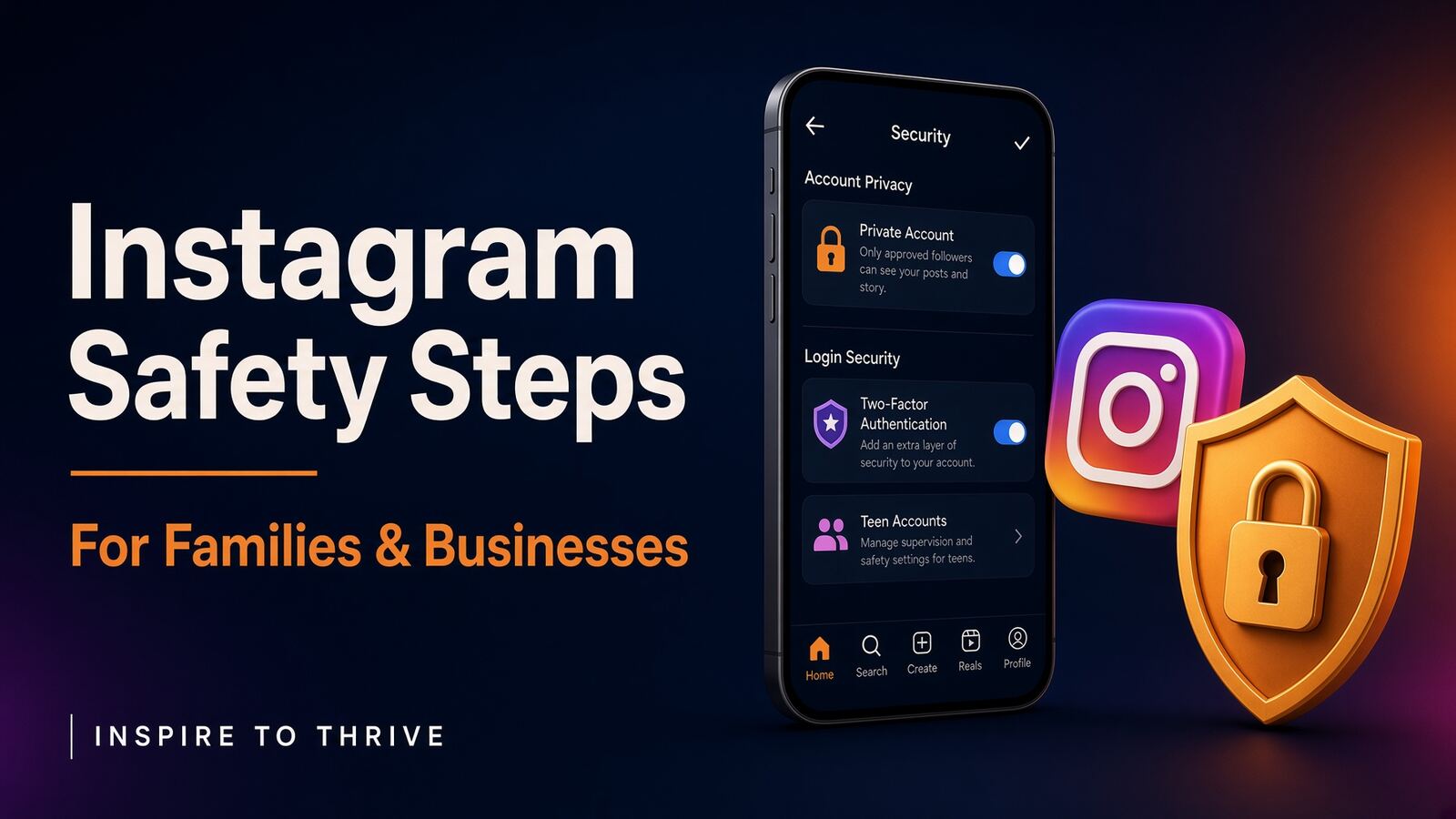
- Set personal accounts to private, use unique passwords, and enable two-factor authentication.
- Review login activity, connected apps, message controls, comment settings, and Hidden Words.
- Block and report suspicious accounts. Never trust urgent DMs asking for passwords or payment.
- Parents: review Teen Accounts, parental controls, and official age-related notices.
- Businesses: remove former employees, limit account access, update recovery details, and save important content and customer records.
How to tell whether an Instagram safety change is real
Check Meta’s newsroom, Instagram Help Center, court records, government notices, and trusted legal reporting when following an Instagram lawsuit. Meta also posts its response to teen safety.
References to internal research should be traced to the original filing or reliable reporting. Viral claims about social media addiction aren’t verified evidence, and legal news may change as courts review new information.
Don’t click a settlement link sent through a DM. Never pay a fee for a supposed payout or share your password. Check the date, source, and exact wording first.
Frequently Asked Questions
No. A settlement alone does not prove every feature is unsafe. Review privacy settings, account security, content exposure, and family boundaries.
That depends on age, maturity, and family rules. Review settings together and talk openly about how the app is used.
It could affect consent notices, targeting, measurement, or data access. Keep campaign records and maintain your website and email list.
Most tools may remain available, but reports can change. Track results with website analytics, sales records, subscriber growth, and customer feedback instead of treating Instagram metrics as the whole story.
Official court records, government announcements, Meta updates, and the Instagram help center. Avoid relying on viral posts.
A Steady Approach Beats Panic
The best Instagram strategy for 2026 is thoughtful use, not abandonment. Reduce engagement loops that can contribute to social media addiction, collect less data, protect your account, disclose partnerships, and create content that helps people.
For parents and businesses, boundaries support healthier use, reduce social media addiction, and protect off-platform relationships. Verify official updates first, then schedule regular privacy and marketing reviews.
Have you noticed anything different on your Instagram page yet from the Meta settlement? I’d love to hear about in the comments below. 👇
Note: Many of the Meta settlement terms also apply to Facebook. This post focuses on Instagram because that’s where most young people are active today, and it’s the platform most small businesses and creators use for content and advertising.
Disclosure: This Inspire To Thrive blog post contains affiliate links. I may earn a commission from qualifying purchases at no extra cost to you. Some sections were drafted with AI tools and carefully reviewed/edited by me.

- Social Media Lead Generation: Strategies for Success in 2026 - October 27, 2026
- How to Reset Your Facebook Feed in 2026 (No Magic Button) - October 27, 2026
- Website Bounce Rate: What It Means in 2026 (and How to Improve It) - October 26, 2026
Enjoy this content? Help me show up more often in Google by adding Inspire To Thrive as a Preferred Source:



My big takeaway from your post is to rely less on Instagram or any marketing channel and more on our blogs. We own these sites. We can easily do things ethically. Being transparent is simple; put the ball in your reader’s court. Let them decide versus making decisions for them. This is usually why social media sites get into hot water. Trickery is common in those circles.
As for using IG, creating truly helpful content with a slow and steady approach wins. Excellent guidance. Stick to the basics. Be authentic through all interactions. Have fun. Make it about service and you will be A-OK.
Yes. The blog is the one place we actually own. Social can send people over, but it can also change the rules overnight. I’d rather put the full story, the disclosures, and the next step on a page I control and let the reader decide.
That’s why I keep coming back to helpful, slow content on Instagram too. No tricks. Just useful posts, real replies, and a clear path back to the site. Service first usually ages better than whatever the algorithm rewards this week, since the algorithm is ever-changing.
Glad that landed. Thanks for reading it that way Ryan.