Have you marked dozens, or even hundreds, of posts as important in Yoast or Rank Math? That Yoast cornerstone content mistake can make it harder to keep your true best resources front and center.
The Yoast SEO plugin’s cornerstone setting is an organizational signal, not a ranking feature. It won’t directly increase blog traffic, but the checkbox helps identify the resources that should guide readers through your blog.
Estimated reading time: 9 minutes
Table of Contents
Key Takeaways
- Cornerstone content in Yoast and pillar content in Rank Math are organizational labels, not direct Google ranking factors.
- Keep your cornerstone content list focused, generally 5% or less of your total posts, to make true priority pages easier to maintain and promote.
- Choose broad, useful hub topics based on relevance, performance, search intent, site structure, and overall content strategy.
- Use natural internal links from related posts to your priority pages, but don’t treat link quantity or backlinks as the only measure of importance.
- Review your cornerstone content regularly as your blog grows, tracking internal links, backlinks, updates, and blog traffic over time.
Cornerstone and Pillar Labels Are Not Ranking Buttons
In the Yoast SEO plugin, cornerstone content identifies your site’s strongest, most important articles. Rank Math calls the same idea pillar content. The best cornerstone content is a broad article, such as an ultimate guide, that serves as a hub for related posts.
As Yoast explains in its cornerstone content guide, these are the pages you want readers and search engines to find most easily. That priority should fit your broader content strategy and search engine optimization goals.
What the label does not do:
- It doesn’t automatically push a post higher in Google. Yoast SEO Premium suggestions don’t turn the label into a ranking button.
- It doesn’t mean a focus keyword is the right priority or that a post targets valuable search terms. It doesn’t automatically increase blog traffic.
- It doesn’t replace authoritative content, internal links, or backlinks, and it isn’t one of Google’s ranking factors.
Marking everything as important makes it hard for your actual priority posts to stand out.

Keep Cornerstone Content Under 5%
The simple rule is to keep cornerstone content to 5% or less of your posts. Treat this as a prioritization guideline, not a rigid Google requirement. You manage this setting in the Yoast SEO plugin, but the percentage should guide your priorities.
A small group of durable resources is more useful than a long list of outdated posts, helping your evergreen content stay useful. This guideline reflects importance and topic coverage, not simply the number of backlinks.
If your blog has 100 blog posts, aim for fewer than five. A site with nearly 600 posts may only need five pillar posts. Even a blog with 700 or 800 posts may only need seven or so.
Keep Your List Focused
A focused list is easier to maintain and keeps your site structure clear.
On Inspire to Thrive, there were around 800 posts, and more than 100 were once marked as cornerstone content. That was far too many. The list has been reduced to eight, making it easier to review blog traffic, with a goal of cutting it to seven.
At Small Biz Tipster, which uses Rank Math, there were 7 pillar posts out of almost 600 articles. That may also be trimmed down to five. Comparing both sites while reviewing blog traffic shows that priorities can vary, without suggesting one approach will rank better.

Pick Broad Topics, Then Build Around Them
A post about X, formerly Twitter, can still be useful and important, but the Yoast SEO plugin’s label should support, not replace, editorial judgment. It may be a secondary resource under the broader social media topic rather than a top-level cornerstone content page.
Think of cornerstone content as the main hub for a topic. A detailed social media ultimate guide could cover platforms, marketing methods, and ways to use social media for business. It can target broad search terms, while supporting blog posts that address long-tail keywords.
When choosing which posts stay on your shortlist, consider usefulness, relevance, and performance. Choose topics that fit your content strategy, SEO strategy, and site structure:
- Check page views, reader comments, and blog traffic.
- Review keyword research to assess whether the post ranks for relevant searches and drives organic traffic.
- See if it supports a major category on your blog.
- Look in Ahrefs for backlinks pointing to that page and assess its link authority.
Backlinks are one piece of the decision, not the entire decision. Relevant backlinks can support a page’s authority, but backlinks alone don’t determine its place as a hub. A post should also be useful to readers, fit your blog’s direction, and help grow blog traffic.
Link Related Posts Back to Your Priority Pages
Once you identify your pillar posts, mark selected priority pages as cornerstone content. Build an internal linking structure around them. Every social media post can point readers toward the main social media guide when it fits naturally. Related blog posts about X can also link to a more detailed X resource.
This is internal linking, and it helps readers find the next useful post without having to search around your site. They also help search engines understand your site structure and the relationships between topics. Unlike backlinks, which come from other sites, these links connect pages within your own site and can keep blog traffic moving.
Add links for the reader, not because you feel you need a certain number. Use descriptive, natural anchor text so readers know what to expect. One link in a paragraph often works. A longer paragraph may need two. Short paragraphs may not need one at all.
Space Your Links Out
Don’t crowd links together, either. Many readers visit from a phone, and links placed too close together can be frustrating to tap. A clear layout also gives blog traffic a smoother path through your content.
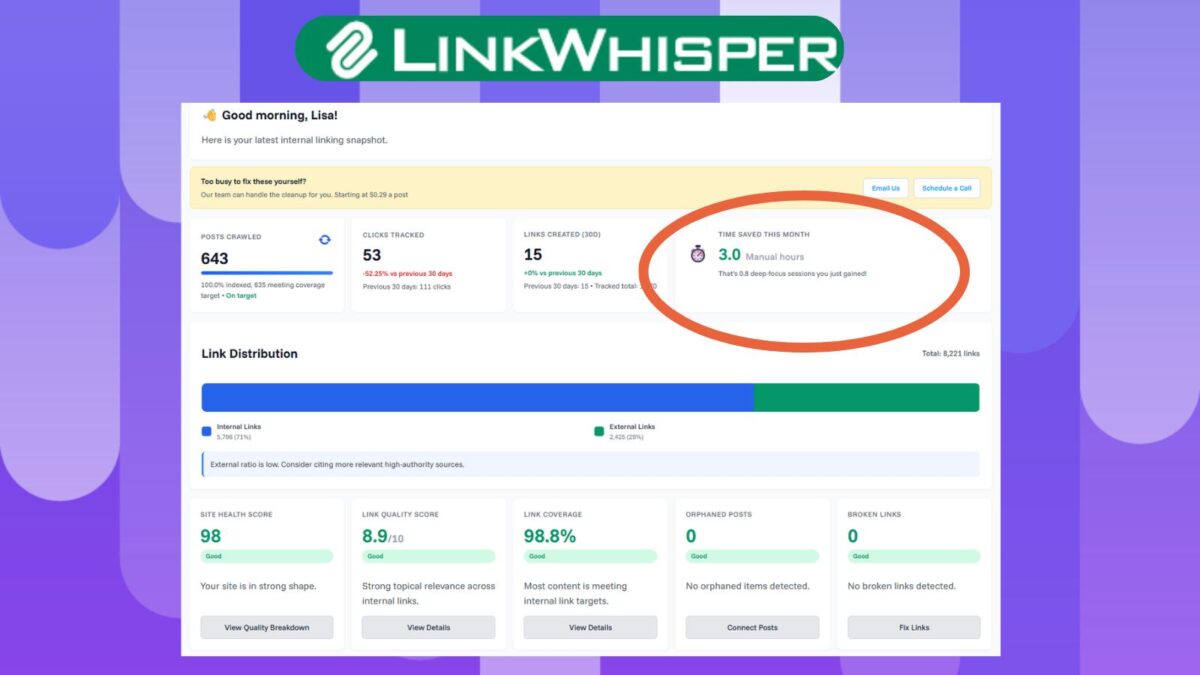
Rank Math’s pillar content linking guidance explains how to prioritize cornerstone content in internal link suggestions. The Yoast SEO plugin and Yoast SEO Premium offer related suggestions, while Link Whisper’s text link counter can help you review internal links. Internal links and backlinks serve different purposes, so don’t treat them as interchangeable.
For a closer look at the features in both plugins, see this Rank Math vs. Yoast SEO comparison.
Track Your Cornerstone Posts as Your Blog Grows
Keep a simple spreadsheet of selected cornerstone or pillar content pages. Add the main category, related articles, internal links, anchor text, backlinks, and review date for each page. This inventory supports your content strategy and helps maintain a clear site structure.
Link Whisper’s text link counter measures the number of links pointing to a particular article. The Yoast SEO plugin can surface relevant opportunities, while Yoast SEO Premium can suggest links for your review. It doesn’t automatically fix your site’s organization.
If a pillar post has few links, use keyword research and the value of evergreen content to assess older blog posts. Add a link only when it genuinely helps.
Record the text link counter result over time and note notable backlinks, but don’t treat quantity as the only selection criterion. Compare blog traffic before and after relevant updates, and then monitor it during periodic SEO strategy reviews.
Also, be upfront with readers. Clearly label affiliate links. If AI helped create or update content, use a disclosure tag when appropriate. The same transparency may be needed when sharing AI-generated images on social media.
Frequently Asked Questions
The most common mistake is marking too many posts as cornerstone content. When dozens or hundreds of articles receive the label, your true priority pages become harder to identify and maintain.
No. The Yoast cornerstone content setting is an organizational signal, not a direct Google ranking factor. It helps you identify important pages and plan your internal linking structure, but it cannot replace useful content, relevant keywords, internal links, or backlinks.
A practical guideline is to keep cornerstone content at 5% or less of your total posts. The right number depends on your site’s topics and content strategy, but a small, focused group is usually easier to maintain than a long list.
A strong cornerstone page is usually a broad, detailed, evergreen resource that serves as a hub for related posts. It should be useful to readers, support an important topic or category, align with your SEO strategy, and offer opportunities for natural internal linking.
Use a simple inventory to track each priority page’s category, related articles, internal links, backlinks, anchor text, and review date. Reassess the list as your blog grows, and use blog traffic, search performance, relevance, and reader value, not backlinks alone, to guide your decisions.
Final Thoughts on Cornerstone Content
Your best posts shouldn’t get lost in a huge list of “important” content. Keep a small priority set instead, and link relevant blog posts back to those pages. Review the set as your blog grows, using the text link counter to check connections and monitor blog traffic. Treat backlinks as one contextual signal, not a standalone success metric.
A focused group of cornerstone content gives readers a clearer path through your blog and helps search engines discover priority pages. Whether you use the Yoast SEO plugin or Rank Math, clear priorities matter more than marking every article important. This focused system can support healthier blog traffic over time.
Did you have too many blog posts marked as cornerstone or pillar content on your blog? I’d love to hear about it in the comments below. 👇
Disclosure: This Inspire To Thrive blog post contains affiliate links. I may earn a commission from qualifying purchases at no extra cost to you. Some sections were drafted with AI tools and carefully reviewed/edited by me.

- Which Instagram Monitoring App Wins? EyeZy vs Peekviewer - October 20, 2026
- How to Use Social Media for the Best Black Friday Deals of 2026 - October 19, 2026
- How to Identify and Prioritize Your Money Pages (And Why I Just Updated Mine in Link Whisper) - October 19, 2026
Enjoy this content? Help me show up more often in Google by adding Inspire To Thrive as a Preferred Source: