
If your blog traffic has dropped, it can feel like someone turned off the lights. One week you have steady clicks and affiliate sales; the next week everything slows down. That stress is real when your income depends on consistent pageviews and that’s exactly where pillar content can help.
Pillar content is a broad, helpful resource that covers a main topic and links to smaller pages that answer related questions. In a wider content strategy, content pillars are the main themes your brand returns to across blog posts, social media, email, and video.
Here’s the quick distinction most people need:
- Content pillars = the main themes a brand creates content around
- Pillar page = a central, comprehensive page about one broad topic
- Topic cluster = the group of supporting pages linked to that pillar page
- Social media content pillar = a recurring subject used to plan posts across platforms
A strong pillar page acts like a content hub. It gives readers the big picture and then points them to the detailed answers they need. When you build it well, it helps search engines and AI systems understand your site, and it gives readers a clear reason to keep exploring.
This Inspire To Thrive guide shows you exactly how to create (or improve) a pillar content strategy that supports SEO, traffic, leads, and social content, without overcomplicating the process.
Estimated reading time: 10 minutes
This is the content-strategy hub in the Start Here guides. Social, SEO recovery, and how to write a post that ranks are in the same set: Start Here.
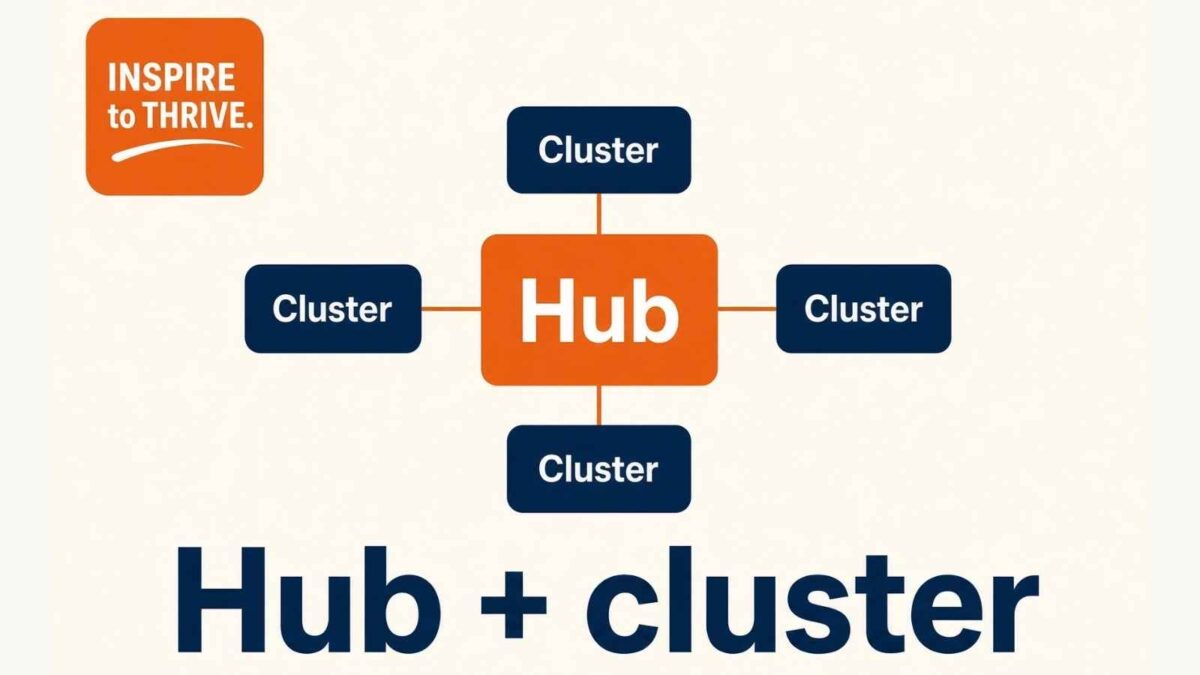
Table of Contents
What Pillar Content Is (and What It Is Not)
Pillar content is your blog’s “home base” for a topic. Think of it like a content hub at a busy airport. Flights (your smaller blog posts in topic clusters) come and go, but the hub keeps everything organized and easy to follow.
A good pillar page does three jobs at once.
- First, it teaches the big topic in a way that feels complete.
- Next, it points readers to the next best step with internal links to related posts.
- Finally, it shows search systems that you cover the topic in a structured, connected way to build topical authority.
It also keeps people on your site longer. Instead of reading one recipe, one workout, or one money tip, they find a path. That path matters when your goal is steady traffic, not random spikes.
To make this feel real, picture a food blog. Your pillar page could be “Meal Prep for Beginners.” Inside, you’ll find coverage of containers, shopping lists, food safety, and basic plans.
Then you link out to focused blog posts like “Meal Prep Chicken Recipes” or “How to Meal Prep on $50 a Week.” Readers get a guide, plus options.
Comparison Table: Pillar Content vs Related Terms
| Content Type | Main Purpose | Typical Scope | Links To |
|---|---|---|---|
| Content Pillar | Organize a brand’s main themes | Broad editorial theme | Related formats and campaigns |
| Pillar Page | Cover one broad topic in depth | Comprehensive guide | Cluster posts |
| Cluster Post | Answer one focused question | Narrow topic | Pillar page + related posts |
| Category Page | Help visitors browse posts | List or archive | Posts in one category |
| Cornerstone Page | Highlight the site’s most important resource | Broad and authoritative | Supporting content |
A Complete Example for Small Businesses and Solopreneurs
Pillar topic: SEO for Small Businesses. Primary focus: “SEO for small business” or “small business SEO strategy.” Main search intent: Informational + commercial investigation
Supporting topics and formats:
| Supporting topic | Search intent | Suggested format |
|---|---|---|
| Keyword research for beginners | Informational | Tutorial + checklist |
| Technical SEO checklist | Informational | Checklist/audit guide |
| Local SEO basics | Informational + commercial | How-to guide + service page |
| Internal linking guide | Informational | Practical guide |
| SEO audit tutorial | Informational, or commercial investigation if it sells a template, tool, or service | Step-by-step + template |
| Content refresh process | Informational | Process post + calendar |
Pillar page: SEO for Small Businesses
- Keyword research for beginners.
- Technical SEO checklist.
- Local SEO basics.
- Internal linking guide.
- SEO audit tutorial.
- Content refresh process.
The pillar page links out to each supporting article. Every supporting article links back to the pillar with natural, descriptive anchor text. Related supporting articles should also link to one another when their topics overlap, such as the audit tutorial linking to the technical checklist.
👉 That three-way structure helps readers move to the next useful page, and it helps search engines see how the cluster fits together.
Why Pillar Content Helps Search Engines and Readers Understand Your Site
Search engines want clarity. AI overviews also want clarity. Both tend to prefer content that is organized, well-explained, and backed by real experience.
When you publish scattered posts with no central guide, your site can look random. Even if each post is good, the overall topic feels thin.
A pillar does not flip a ranking switch. Yoast cornerstone and Rank Math pillar labels do not either.
What helps is the structure: one broad guide, supporting posts that match real questions, and links that show how those pages belong together. That makes it easier for search engines to match your pages to search intent.

This also matters for your readers and user experience. People who feel supported stay longer.
- They click more pages.
- They sign up for your newsletter.
- They also trust your affiliate picks more because they can see you have done the work.
If you want a helpful refresher on writing pages that are clear and easy to rank, review this guide on on-page SEO and creating optimized content.
How pillars build trust signals that search engines and AI can understand
A pillar page is easier to understand because it has a clear shape that demonstrates topical relevance. Strong headings act like signposts. Short sections make the page easy to scan. Simple definitions help AI systems pull clean answers.
You do not need fancy tricks. You need proof that you know the topic and can explain it well.
Add practical trust builders like these:
- Clear H2 and H3 headings that match real questions
- Your own examples (what worked, what failed, what you learned)
- Screenshots when they help (tools, settings, results)
- An updated date when you refresh the guide
- A short author bio that fits the topic
- Sources, when you quote stats or make claims that need support
Also, write like you are helping one person. When your page feels honest and specific, it reads better. That helps humans and systems.
How pillar content protects your traffic and income long-term
Pillars help because they do not rely on a single trend. They target ongoing needs, the topics people search for all year. When you update them, they often continue to perform, even as smaller posts fade, while strong pillars attract natural backlinks.
This is where the income connection becomes real. A pillar page attracts new readers and then sends them to your money posts.
Over time, you can see results like:
- More newsletter signups, because readers want your full system
- Higher time on site, because the next link makes sense
- Better affiliate conversions, because trust grows through your guides
Sponsors like stability, too. When your traffic comes from a few strong pillars, it is easier to show consistent numbers. That can calm the nerves when other parts of the search change again.
Build Your First Pillar Content Strategy in One Afternoon
Here’s a realistic timeline you can follow:
- 20 minutes – Review Google Search Console, site search data, comments, and your top posts. Note the questions people keep asking.
- 20 minutes – Choose one pillar topic and define the main audience for it.
- 30 minutes – Group 6–10 supporting topics by search intent.
- 20 minutes – Check existing URLs for overlap, thin content, or missing internal links.
- 30 minutes – Create a simple outline for the pillar page and map the internal links.
- 15 minutes – Decide on the call to action and set a future update date.
Total time: About 2 hours 15 minutes if you stay focused.
You don’t need to write the full pillar page in one sitting. The goal of this afternoon is to decide the topic, map the cluster, and create a clear plan you can execute over the next few weeks.
Pick the right pillar topic (the one your readers keep asking about)
Start with what people already want from you. Your best pillar topic usually shows up in DMs, comments, and email replies.
Use these quick filters:
- High interest: people ask about it often
- Clear tie to income: it supports your affiliates, services, products, or landing pages
- Easy to break up: you can create 6 to 12 supporting posts
- Not too broad: “Health” is too wide; “Strength Training for Beginners at Home” is workable
A prompt that helps when you feel stuck: “What post would save you if your traffic dropped tomorrow?” Pick the topic that would bring in the most helpful, ready-to-act readers.
Then confirm with your data. Check your top posts, your Search Console queries, your site search box, and your common FAQs from comments. Also, evaluate search volume and keyword difficulty.
Write and link it so readers and crawlers can follow the path
Your pillar page should feel like a complete guide, not a wall of text. Cover the questions readers already ask. Do not add sections just to make it longer.
Use internal linking so your pillar links out to cluster posts, those cluster posts link back to the pillar, and related cluster posts link to each other. That path helps readers find the main guide again and move to the next useful page.
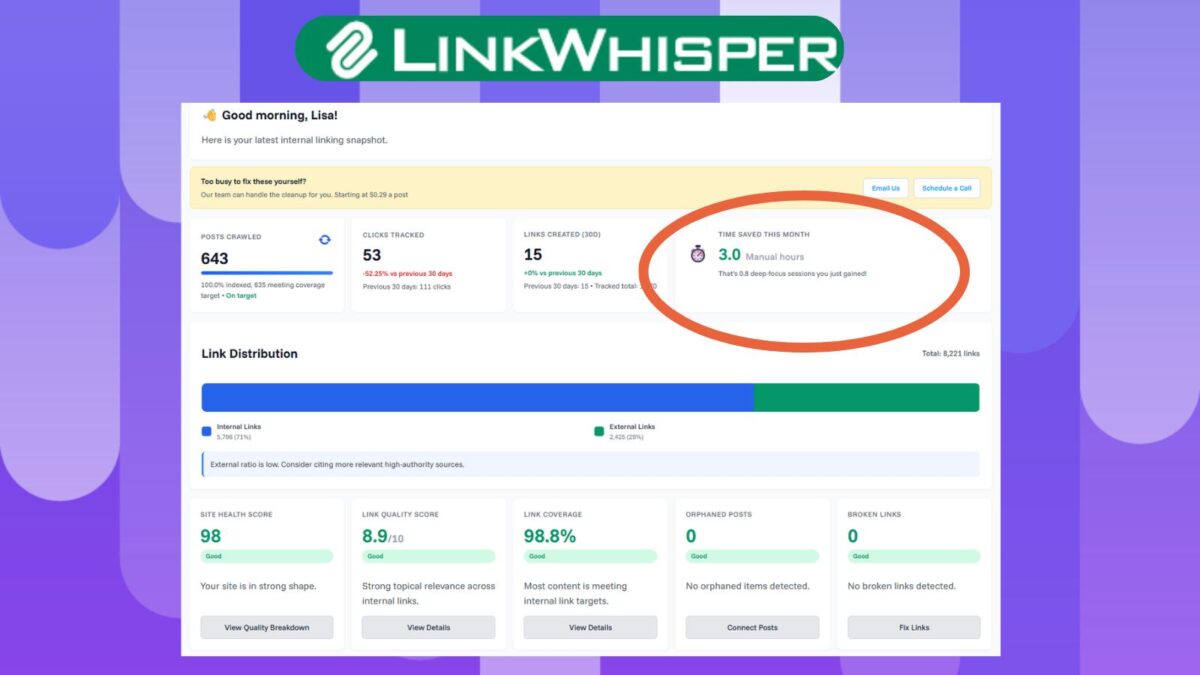
I use Link Whisper to find those links on Inspire To Thrive. It suggests related posts while you write, which is useful once a cluster has more than a few pages. Use code INSPIRE to save $15.
A simple layout works well, such as a resource pillar:
Start with a short intro that states who the guide is for. Then add a table of contents. After that, write sections with clear H2S, quick definitions, a short example, and a “next step” link to a supporting post.
Still, do not overlink. If every sentence has a link, it feels pushy. Instead, link when it truly helps the reader take the next step, with relevant anchor text.
Conclusion: A Pillar Content Strategy To Boost Your Posts
When traffic drops, you want something steady to build on. Pillar content gives you that foundation because it organizes your best ideas into topic clusters, supports AI-heavy search results, and guides readers to the pages that earn.
Keep it simple this week: pick one topic, map 6-10 supporting posts, and outline your pillar page. Then schedule your first update date before you hit publish. Consistency beats perfection, especially now.
Learn more about Link Whisper here in my Inspire To Thrive review: https://inspiretothrive.com/link-whisper-review/
Pillars work better when the posts themselves are strong, and the SEO basics are in place. See the other four guides: Start Here.
FAQ: Pillar Content
Pillar content is a comprehensive resource that covers a broad topic and links to related supporting pages (called a topic cluster). It helps organize your content and signals topical authority to search engines.
Content pillars are the main themes your brand focuses on. A pillar page is the actual long-form page that serves as the central hub for one of those themes.
Most small businesses do well with 3–6 main content pillars. Start with one strong pillar and expand only when you can properly support it with cluster content.
One pillar topic can become a long blog guide, a downloadable checklist, an email series, social posts, short videos, and even a webinar or consultation offer. The goal is to create once and repurpose thoughtfully.
They can still help. Clear structure and real coverage make the page easier to understand. That does not mean a pillar will be cited in an AI Overview.
Common mistakes include making the pillar too broad, creating thin cluster posts, using multiple URLs for the same intent, forgetting to link older content, and treating a category page as a pillar page.
Disclosure: This Inspire To Thrive blog post contains affiliate links. I may earn a commission from qualifying purchases at no extra cost to you. Some sections were drafted with AI tools and carefully reviewed/edited by me.

- How to Use Social Media for the Best Black Friday Deals of 2026 - October 19, 2026
- How to Identify and Prioritize Your Money Pages (And Why I Just Updated Mine in Link Whisper) - October 19, 2026
- How to Build a Strong Online Presence for Solopreneurs in 2026 (Without Spreading Yourself Thin) - October 17, 2026
Enjoy this content? Help me show up more often in Google by adding Inspire To Thrive as a Preferred Source:



Hi Lisa.
Pillar posts spread the word while establishing topical authority. The content proves that you know your stuff. The links spread your blogging presence deeper into your niche with each click. Win-win scenario because making readers happy positively influences your blogging bottom line.
Yes, don’t you love those win-wins for our content? I’m really trying to focus on my pillars as I’ve been ditching a lot of old, unrelated content on the website. So much has happened since 2014 that it is making clear sense to me now. Thanks for coming by, Ryan, and enjoy the rest of your day!