A TikTok viewer lets you watch public TikTok videos and profiles without logging in. TikTok is full of videos, trends, and profiles, but sometimes you want to watch without logging in or leaving a clear trail. Maybe you’re a teen who prefers more privacy, a parent checking what content is out there, or someone who simply doesn’t want an account tied to every view.
You can browse a lot of public TikTok content without signing in, using the official site while logged out, a private browser window, or a third-party viewer. These options have limits, though. No tool can open a private account, and “anonymous” does not mean completely invisible to TikTok or your internet provider.
This guide covers the practical ways to view public TikTok content more privately, what each method can and cannot do, the risks to watch for, and safer choices for parents.
Disclosure: This post contains affiliate links. I may earn a commission if you buy through them, at no extra cost to you. Free public viewers and device-level parental tools (such as uMobix or mSpy) serve different purposes; details below.
Estimated reading time: 12 minutes
Table of Contents
Key Takeaways
- An anonymous TikTok viewer is a tool or method that lets you watch public TikTok videos or view profiles without logging in.
- Incognito mode hides browsing activity on your device, but it does not hide your IP address from TikTok or your internet service provider.
- Third-party TikTok viewer websites can show public content without a login, but some pose risks like tracking, pop-ups, or malware.
- A VPN or proxy can mask your IP address and location, but free VPNs may log data and slow video playback.
- The safest approach is to avoid entering TikTok login details on third-party sites, use reputable privacy tools, and use parental controls for teens.
What Is A TikTok Viewer?
An anonymous TikTok viewer is any tool or method that allows you to watch TikTok content without logging in or appearing in the app’s analytics. Unlike regular viewing, which tracks your account activity and likes, anonymous viewing leaves no trace of your identity.
Common ways people use a TikTok viewer to stay anonymous include:
- Incognito or private browsing mode in web browsers
- Third-party websites that let you view TikTok videos online without a login
- VPNs or proxy servers to mask your internet address
This approach helps shield your identity from TikTok’s tracking, though each method has its own pros and cons.
Pros of anonymous TikTok viewing:
- Enhanced privacy and anonymity
- No personalized tracking or targeted ads
- No need to create an account or provide personal info
Cons to consider:
- Some tools might pose security risks
- You may miss out on personalized “For You” feed features
- Limited access to full TikTok functionality without logging in
Let’s take a closer look at the primary methods people use to find a TikTok viewer online.
Incognito and Private Browsing Modes
Most modern browsers offer a private or “incognito” mode. This mode prevents your computer from saving browsing history, cookies, or search data. It’s a simple way to avoid family members or others seeing your activity.
However, incognito mode only hides your searches and visited pages locally on your device. TikTok can still detect your IP address, meaning the platform may track your session details. So, your activity is not completely anonymous to TikTok.

Bottom line: Incognito mode hides your browsing from other users on the same device, but it doesn’t conceal your activity from TikTok or your internet service provider.
Best Third-Party TikTok Viewer Tools
There are several online tools and websites that let you view TikTok videos anonymously. By entering a TikTok username or video link, you can access public TikTok content without signing in.
These TikTok web viewer platforms serve as TikTok page viewers, allowing you to easily browse content.
However, there are some drawbacks to using third-party TikTok viewers:
- Unreliable performance: Some sites stop working or fail to load all TikTok videos.
- Privacy concerns: Certain tools collect user data or serve up pop-up ads, malware, or scams.
- Outdated content: Trending videos and creators may not be refreshed regularly.
TikTok’s Built-in Options for More Private Viewing
You don’t always need a third-party tool. TikTok has its own settings that control what other people can see about your activity.
TikTok Viewer Privacy Settings
Profile View History
This feature lets eligible accounts see which other accounts viewed their profile in the last 30 days. It is off by default, works only for users 16 and older with fewer than 5,000 followers, and is mutual; you only see people who also have it turned on, and they can see you if they have it on.
To keep your visits off other people’s lists:
- Open TikTok and go to your Profile.
- Tap the menu (three lines) → Settings and privacy → Privacy.
- Find Profile views (or Profile View History) and turn it off.
Post View History (available on some accounts) works the same way for recent videos. Turning it off has the same privacy effect.
Browse without an account
Open TikTok in a browser while logged out (or use a private/incognito window). Public videos and profiles load without linking the session to your personal account. This is the simplest way to watch public content without appearing in view lists. Note that TikTok can still see technical details such as your IP address.
Stories are different
If you are logged in, the person who posted a Story can see that you viewed it. Third-party viewers and logged-out browsing are the usual workarounds for public Stories, but reliability varies.
These official options are free and avoid the risks of third-party sites. They are limited to public content and do not hide you from TikTok itself.
Popular Ways To View Public TikTok Content Without Logging In
(Only public content is available. Private accounts stay private.)
| Tool / Method | Best for | Pros | Cons | Notes |
|---|---|---|---|---|
| TikTok web (logged out) | Everyday public viewing | Official, no extra site, free | Limited features, may prompt login | Safest baseline option |
| Urlebird | Casual profile & video browsing | Free, no account needed, long-running | Ads, occasional downtime | Public content only |
| TTViewer (or similar no-login viewers) | Quick public profile checks | Clean interface, no login | Features can change | Public data only |
| Countik | Recent stats + posts | Free engagement data | Not a full video browser | Useful for research |
| Private browser window/incognito | Hiding activity on a shared device | Free, built into every browser | Does not hide your IP from TikTok | Combine with logged-out viewing |
| Paid parental monitoring tools | Parents who need device-level oversight | Broader activity tracking on a phone you control | Requires installation on the device, paid | uMobix or mSpy — these are not TikTok viewers |
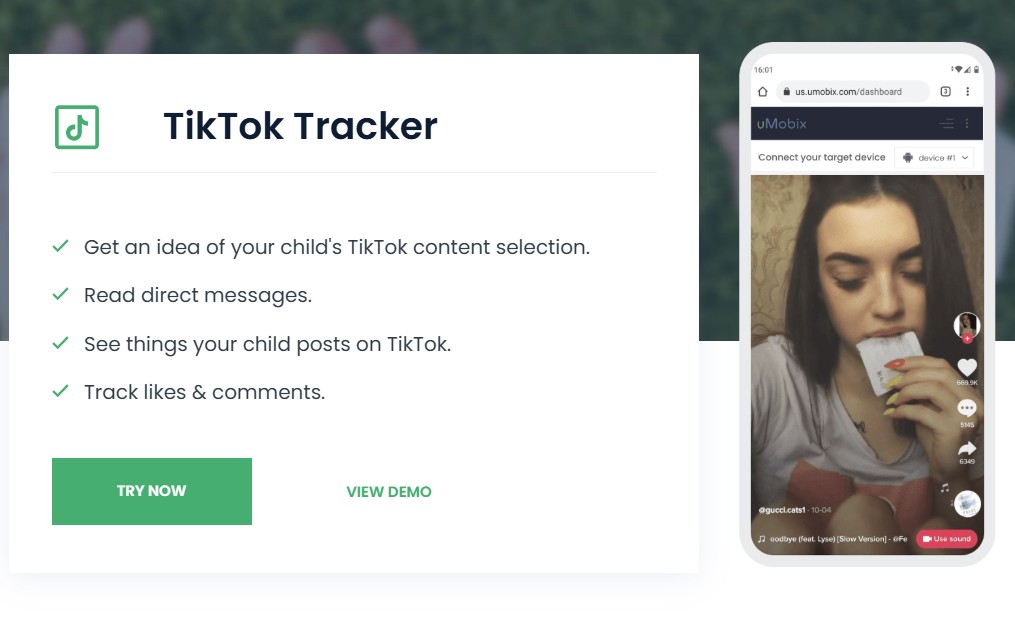
For parents who want more than public viewing, such as seeing activity on a phone you own, device monitoring tools like uMobix or mSpy are built for that purpose. They are not anonymous TikTok viewers and require proper setup and consent considerations. Free public viewers above are a separate, limited option.
👉 Pro tip: Never enter your real TikTok login credentials into any third-party TikTok viewer or downloader website.
Using VPNs and Proxy Servers
A VPN (virtual private network) or proxy server changes your IP address, making it appear as if you’re connecting from a different location. This adds a layer of privacy and can help you avoid being tracked.
Benefits of using a VPN with TikTok:
- Conceals your real location from TikTok and other sites
- Helps bypass geographic restrictions on TikTok content
Drawbacks to keep in mind:
- Free VPNs often have slow speeds and may log your activity anyway
- Streaming TikTok videos might become slower, especially on mobile devices
- Not all VPNs protect from malware or prevent data leaks
👉 If privacy is important, it’s best to use a paid, reputable VPN with clear no-logs policies and strong security features.
Impact on Users and Parents
Viewing TikTok content anonymously isn’t just about avoiding ads or nosy onlookers. It can influence the experience for teens, parents, and creators in several important ways.
Privacy Benefits for Teens
For many teens, using a privacy-focused tool like a TikTok profile viewer helps protect:
- Personal data: There’s no need to share an email or phone number.
- Habit tracking: TikTok can’t build a profile based on your likes or watches.
- Social pressure: Watch videos without friends or strangers seeing your activity.
Teens can still enjoy funny or helpful content without falling into the endless recommended rabbit hole. It’s similar to people-watching in public; observing without being noticed.
Risks of Unfiltered Content
Anonymous viewing can open the door to TikTok content that parents might prefer their children not to see.
- No content filters: Without a TikTok account or age verification, videos not suitable for all ages may appear.
- Harder for parents to monitor: Standard safety settings often don’t apply with anonymous browsing.
Parents should stay engaged in ongoing conversations about online safety. Think of it as teaching your child to look both ways before crossing the street; the same caution applies online.
Effect on Creators and Analytics
TikTok tracks who watches videos and for how long, but when people use a TikTok page viewer or TikTok profile viewer anonymously, these views might not be counted.
- Reduced engagement stats: Creators can’t track likes and comments or view TikTok profiles properly from anonymous viewers.
- Impact on sponsorships: Brands rely on accurate engagement data before partnering with creators.
This makes a real difference for anyone working to build an audience or earn a living on TikTok. Using the right tool to view TikTok content can offer privacy, but it also changes how creators receive feedback and reach their audience.
Safe TikTok Viewer Practices
Not every TikTok viewer offers the same level of privacy and security. Here’s how to enjoy more privacy while safely accessing public TikTok content, including TikTok photos, TikTok stories, and TikTok live video, without putting yourself or your family at risk.
Choose Trusted TikTok Viewer Tools
- Opt for reputable paid VPNs like NordVPN, ExpressVPN, or Surfshark that offer clear privacy policies to protect your data.
- When selecting a TikTok web viewer or any TikTok profile viewer, avoid free tools that seem untrustworthy or that require you to enter your TikTok username or login credentials. Legitimate TikTok viewer tools will never ask for this sensitive information.
- Look for HTTPS in the website URL to ensure your connection is encrypted when using any TikTok viewer tool.
- Choose a TikTok username viewer tool that lets you download TikTok videos, sounds, and photos in high quality, without a watermark when available.
- If you want to download content, choose trusted tools that offer safe ways to download TikTok stories or photos.
Set Up Parental Controls
- Explore TikTok’s built-in safety settings. You can set age restrictions, enable family pairing, and control screen time—all of which provide protection even if your child accesses TikTok stories or a TikTok live video anonymously.
- Use parental control tools (such as Bark, Unibox, Net Nanny, or Qustodio) alongside any anonymous TikTok viewer tool. These tools can identify risky behavior even when activity happens outside the TikTok app or when using a private TikTok account viewer, which is often less reliable or safe.
Educate Teens on Digital Footprint
- Remind your teens that browsing TikTok anonymously won’t guarantee complete invisibility online.
- Encourage critical thinking; ask what information apps or websites might collect even when a TikTok username or login isn’t provided.
- Share examples showing that a digital footprint, especially when interacting with public TikTok content, can last much longer than they expect.
Quick safety reminders:
- Never share personal details on unfamiliar or free TikTok viewer sites.
- Update passwords regularly when creating accounts on any platform.
- Avoid download links from sources you don’t trust, even if they promise features like downloading TikTok videos without a watermark or in high quality.
By following these tips and choosing the right tools, you can view TikTok content safely and responsibly anonymously.
Conclusion: TikTok Viewers – What to Consider Before Using
Anonymous TikTok viewers can help you watch public content without logging in, but they come with clear limits. No third-party tool can open a private account, and “anonymous” does not mean completely invisible to TikTok or your internet provider.
The safest approaches are to use TikTok’s own privacy settings (turning off Profile View History), browse logged out, or choose reputable public-only viewers.
For parents, free viewers are only a partial solution. Pair them with TikTok’s built-in controls and open conversations about digital footprints. If you need deeper visibility on a phone you own, device-level tools such as uMobix or mSpy serve a different purpose; they are not TikTok viewers.
A careful approach lets you stay more private without unnecessary risk. Stick to public content, avoid any site that asks for your TikTok password, and review your settings regularly.
Frequently Asked Questions About Anonymous TikTok Viewers
Yes. You can watch public TikTok videos without logging in using TikTok’s website, a private browser window, or a third-party TikTok viewer. This keeps the session from being linked to your account, though TikTok can still see technical data such as your IP address.
No. Private videos stay locked to approved followers. Any tool claiming it can unlock private TikTok accounts is a scam. Never enter your TikTok password on a third-party site.
Some are safer than others, but risks like aggressive ads, tracking, or shady downloads are common. Stick to known public-only tools and never enter your login credentials.
Turn off Profile View History (Profile → Menu → Settings and privacy → Privacy → Profile views) or browse while logged out. The feature is mutual and only available to accounts 16+ with fewer than 5,000 followers.
Disclosure: This Inspire To Thrive blog post may contain affiliate links. I may earn a commission from qualifying purchases at no extra cost to you. Some sections were drafted with AI tools and carefully reviewed/edited by me.
Enjoy this content? Help me show up more often in Google by adding Inspire To Thrive as a Preferred Source: