Are you wondering if your blog is getting traffic from AI Overviews in search and LLM chatbots, but you can’t find it anywhere in your reports? You’re not alone. Many bloggers suspected they were being mentioned in AI Overviews, but had no quick way to confirm until tools that track AI Overviews became available.
The good news is you can spot AI referral traffic in GA4 in minutes by changing one key view, then plotting the sources over time; these AI SEO strategies help you monitor trends month to month, contrasting AI-driven visits with traditional organic search traffic, and see if AI is starting to send you clicks.
In this Inspire To Thrive blog post, I’ll show you how to track your AI overviews. You can watch the video below for guidance.
Estimated reading time: 9 minutes
Table of Contents
Key Takeaways
- Many bloggers want to track AI Overviews but struggle to find relevant traffic in reports.
- You can easily track AI referral traffic in GA4 by adjusting the acquisition report settings.
- Visualize AI traffic trends over 12 months to identify growth patterns and sources, such as ChatGPT and Perplexity.
- Bing Webmaster Tools now provides additional tracking for AI Overviews traffic, allowing you to separate it from traditional clicks.
- Monitor trends monthly and set up recurring reports to maintain visibility on AI-driven visits.
Start in GA4: Where the AI Overview Traffic Hides
Google Analytics 4 is great at collecting data, but it doesn’t always make AI traffic obvious. Complement it with Google Search Console for more comprehensive data collection.
If you only look at broad channels, you can miss it because AI referrals may show up as small line items in referral traffic, or they may get lumped into values that do not look helpful at first glance.
To find it, adjust the report to scan referral sources quickly, then visualize them over the last 12 months.
If you want the bigger picture of how Google surfaces answers and citations to improve AI visibility, keep this page handy: Search Generative Experience for Bloggers. It explains what AI Overviews are and why tracking matters for combating click loss when users get answers directly in the AI interface.
The 5-Minute Setup to Track AI Overviews Traffic in GA4
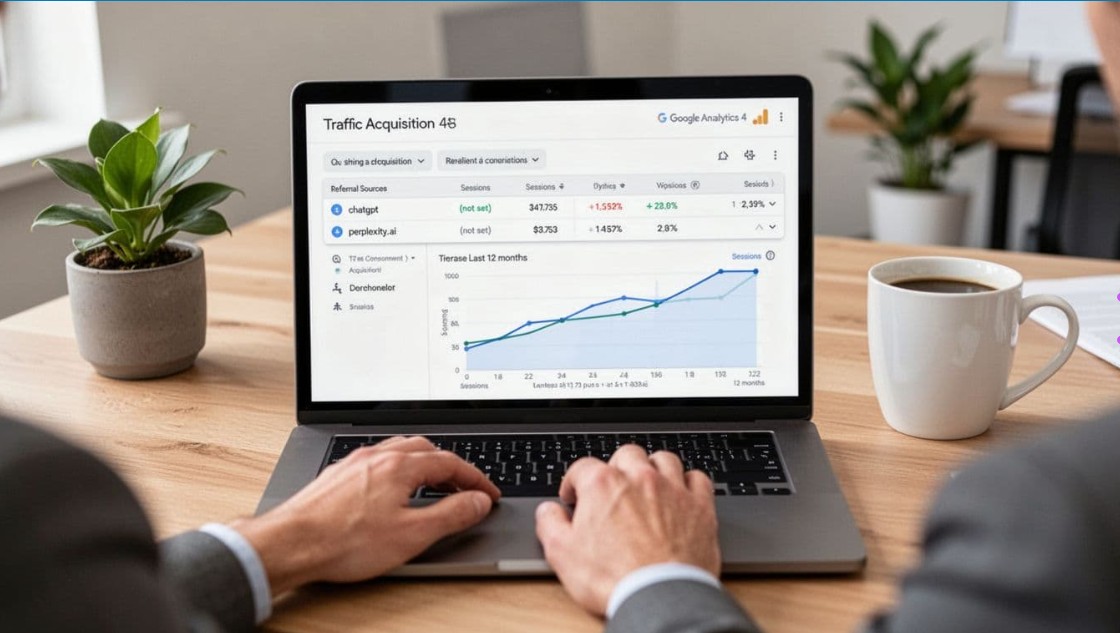
You can set this up quickly once you are inside the right acquisition report. The key is to change what GA4 shows in the table so you can find AI sources like ChatGPT and Perplexity without digging through unrelated rows.
Here is the process shown in the video of how to track AI overviews:
- Change the primary dimension, or session source, to Source/Medium.
- Increase the number of rows to 100 (so you can actually find smaller sources).
- Scan the list for AI referrers, such as:
- ChatGPT referrals
- Perplexity.ai
- entries labeled (not set) related to those sources
Or, for efficiency, apply a regex filter to catch multiple AI sources at once.
- Select the rows you find, then plot them, so GA4 charts them over time and reveals the landing pages where this traffic arrives.
- Set your date range to the last 12 months so you can see when AI traffic started and whether it is growing.
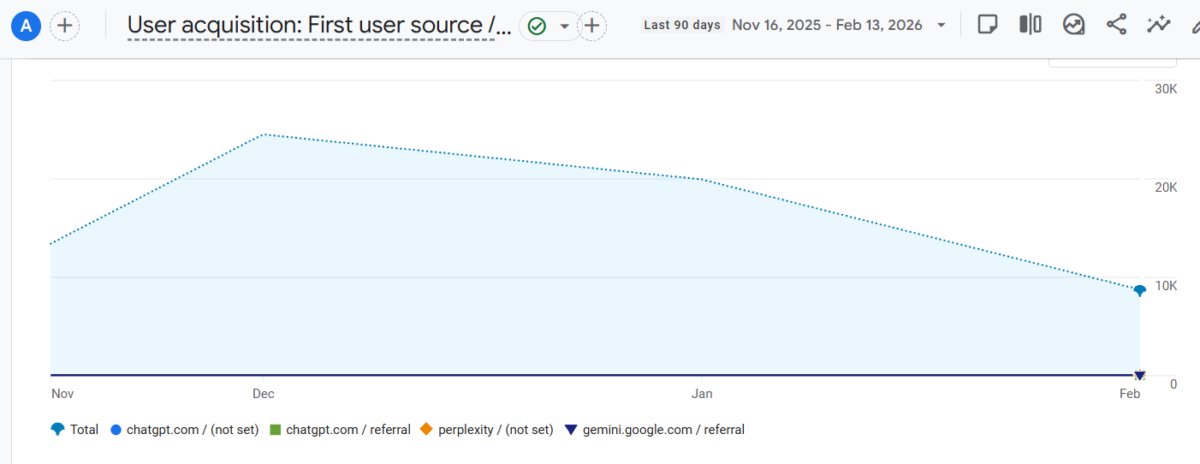
That plot is the real win. It turns a tiny, easy-to-miss traffic source into something you can monitor like any other channel.
If you change the number of rows (for example, from 100 to 250), GA4 may require you to reselect the rows you want to plot. Plan to set your row count first, then pick your AI sources.
What You Can Learn From the 12-Month Plot (and what you can’t)
Once you plot those AI sources, you will see a monthly trend line for each one. That makes it easy to answer questions like:
- Did AI traffic start recently, or has it been happening quietly for a while?
- Did one tool start sending visits before another?
- Are you seeing spikes that suggest a new brand mention, a citation, or a surge in visibility?
In the example shared, ChatGPT did not appear until May, while other sources, such as Gemini, appeared earlier. That is the kind of pattern you can only see when you chart it.
At the same time, there is an important limitation to this method: it doesn’t show you which keywords, pages, or posts drove AI visits, including the snippet text used in AI answers for informational queries.
You are only confirming that AI referrals exist and tracking their trends over time, unlike Google Search Console impressions, which reveal keyword-level search metrics.
A Simple Way to Monitor AI Overview Traffic Going Forward
Once you set this up, your goal is to keep it simple and repeatable. For building a recurring report, Looker Studio works great alongside GA4. Check the plot monthly, and write down what you see, especially if a new AI source appears or a trend changes.
Also, consider expanding your row limit to 250 if you have more traffic or a bigger site. To better categorize AI traffic, set up custom dimensions in GA4.
For advanced tracking, Google Tag Manager lets you use JavaScript variables to retrieve specific page data, including any URL fragment that some AI tools append to links. Just remember that changing the row count may require you to reselect and replot the sources.
For the broader strategy side of showing up in AI citations, bookmark Optimize for SGE and AI Overviews. It pairs well with this GA4 check because it connects visibility with action.
New Bing Webmaster Tools for Overviews
New Bing Webmaster Tools now let you track AI Overviews traffic, so you can separate it from classic search clicks and get a cleaner read on what’s driving results. That matters because AI answers can change where your link appears and how often people click it.
- In your performance reporting, look for any new AI Overview or similar AI-labeled entry, then compare it against your usual search metrics to spot shifts fast.
- Next, use it to answer practical questions you’ll actually act on: which pages earn AI-driven impressions, which queries trigger AI answers, and whether clicks rise or drop when an AI summary appears.
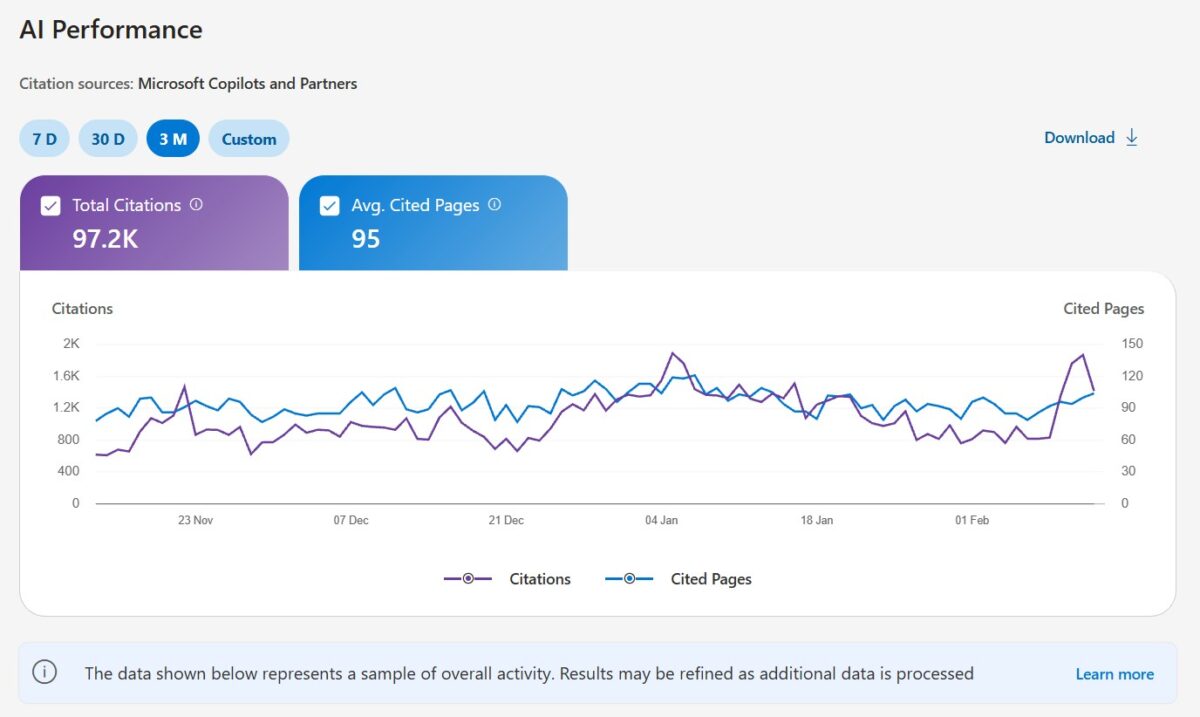
Also, tag the winners, then tighten those pages by adding clearer headings, placing direct answers near the top, and adding fresh supporting sources.
You can access the reports and tracking AI overviews by signing in at https://www.bing.com/webmasters/, checking the performance section, and exporting your data if you want to track trends week to week.
Conclusion: Tracking AI Overviews in Search to Your Blog or Website
You don’t need a complicated dashboard to track AI Overviews visibility, especially if your snippet text is featured in the AI summary. With one quick change to Source/medium, a higher row count, and a plotted chart, you can see whether ChatGPT and Perplexity are already sending you traffic and when it started.
Next, keep monitoring the 12-month trend for organic search traffic and click-through rate from AI citations, so you can spot growth early and respond faster. Pair this with a rank tracker to monitor keyword positions alongside GA4 traffic or Bing AI traffic.
Frequently Asked Questions About Tracking AI Overviews
AI Overviews are Google’s AI-generated summaries that can appear above standard organic results for some searches. They pull together information from multiple sources and often include links to websites that support the answer. If you run a blog, they matter because they can change how often people click through to your content.
You should track them because they can affect both visibility and click-through rates. Even when your site ranks well, an AI Overview may push traditional results farther down the page. At the same time, if your content is cited or linked in the overview, you may gain exposure in a new spot on the results page.
Google Search Console doesn’t currently provide a separate, clean report specifically for AI Overview traffic. Instead, that performance is generally folded into your regular search data, which makes it harder to isolate. Because of that, you often need to combine Search Console with manual checks or third-party SEO tools to get a clearer picture.
The simplest way is to search your target keywords manually and check whether Google shows an AI Overview for those queries. Then look for your brand, page title, or linked source within the summary. If you track many keywords, rank-tracking tools that monitor SERP features can save you a lot of time.
If you don’t track the keyword itself, you won’t know when an AI Overview starts showing up or when your page drops out of it.
Focus on the keywords that trigger AI Overviews, whether your site is cited in them, and how your impressions and clicks change over time. You should also watch the ranking position, because a page can lose clicks even if it still ranks well below the overview. For bloggers, the most useful view is side-by-side: keyword presence, AI Overview appearance, and traffic trend.
No, they don’t replace SEO, because Google still relies on web content to build many of those summaries and cite sources. Clear headings, helpful answers, strong on-page SEO, and trusted content still matter. In other words, tracking AI Overviews is now part of SEO, not a separate task.

Disclosure: This Inspire To Thrive blog post contains affiliate links. I may earn a commission from qualifying purchases at no extra cost to you. Some sections were drafted with AI tools and carefully reviewed/edited by me.

- How to Use Social Media for the Best Black Friday Deals of 2026 - October 19, 2026
- How to Identify and Prioritize Your Money Pages (And Why I Just Updated Mine in Link Whisper) - October 19, 2026
- How to Build a Strong Online Presence for Solopreneurs in 2026 (Without Spreading Yourself Thin) - October 17, 2026
Enjoy this content? Help me show up more often in Google by adding Inspire To Thrive as a Preferred Source: