Have you ever tried to visit your website, only to wonder, “Is it down or just me?” It’s a frustrating situation, especially for bloggers who rely on consistent performance. That’s where uptime monitoring tools, like Uptime Robot, come in.
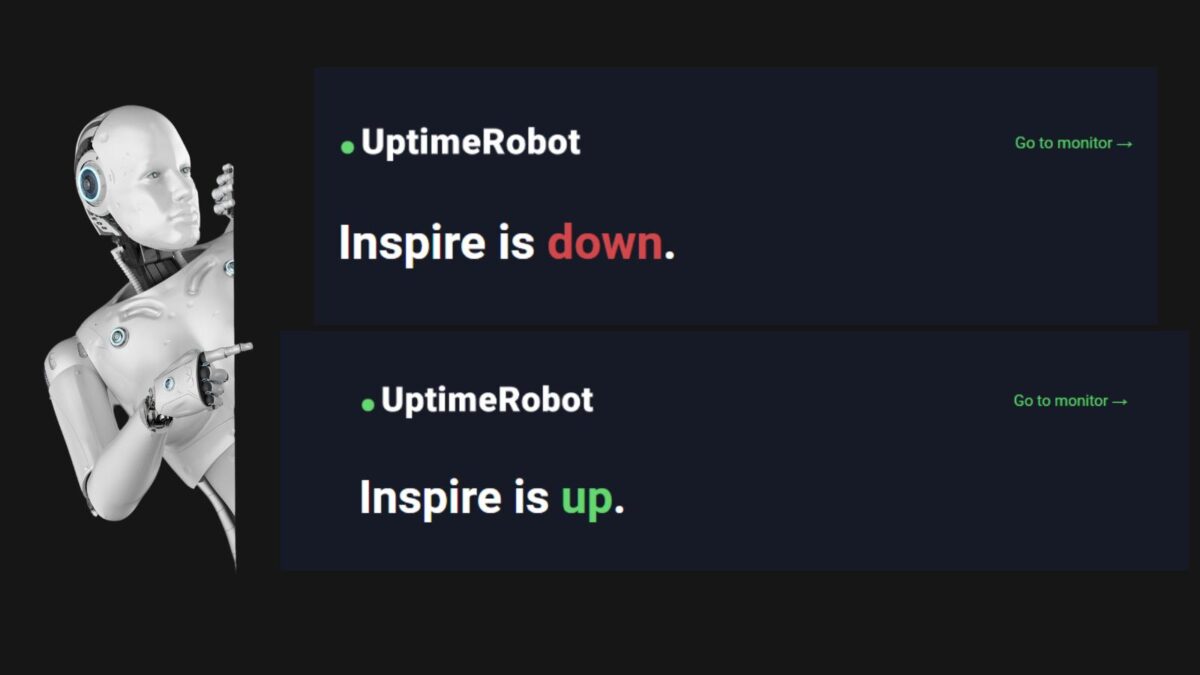
They keep you informed, helping you spot downtime instantly and act fast to keep things running smoothly. This morning, I got an email from the Uptime Robot that this site was down.
I was able to contact my host company and have it back up within 3 minutes. I’ve been using it for years and wanted to help you avoid losing money or time because your website is down.
Uptime Robot alerts you when your blog goes down or slows down, so you can fix it before you lose traffic and income.
Estimated reading time: 14 minutes
Table of Contents
Understanding Website Downtime
If you’ve ever tried accessing your website and found yourself staring at an error message, you’re not alone. Website downtime can frustrate users, hurt your reputation, and even impact your revenue.
Knowing what website downtime is and why it happens is the first step in addressing the issue and protecting your site.
Why This Matters For Bloggers
This downtime can make a huge difference for bloggers due to:
- Lost ad revenue.
- Missed affiliate clicks.
- Email signups failure.
- Broken brand trust.
- Comments or orders are not going through.
What is Website Downtime?
Website downtime refers to the period when your website is unavailable or inaccessible to users. Instead of loading as expected, visitors might encounter error pages, prolonged loading times, or no response at all.
When your site is down, potential customers can’t access your services or content, which can drive them to competitors.
For businesses, the stakes are even higher. Picture this: every second of downtime could mean missed sales, loss of trust, and a negative impact on your brand.
Even minor interruptions can push visitors away, especially in an online world where users expect everything to work instantly.
A website’s uptime—essentially, how often it’s available—is more than just a technical metric. It’s a direct reflection of your website’s reliability and, in many cases, your business’s credibility.
That’s why understanding downtime isn’t just a technical concern; it’s a business priority.
Common Question: Is Your Website Down or Just You?
A variety of factors can lead to downtime, and not all of them are within your control. Here are a few common reasons websites go down:
- Server Issues: Servers can fail due to overload, hardware failures, or issues with the hosting provider. If your site’s server isn’t functioning properly, your website will be unreachable.
- Software Bugs or Updates: Poorly written code or errors introduced during updates can disrupt websites. From plugins to security patches, even a small mistake can lead to an outage.
- DDoS Attacks: Distributed Denial-of-Service (DDoS) attacks flood your website with excessive traffic, overwhelming your server and rendering it unavailable to regular users. Cyberattacks like these are becoming increasingly common.
- Domain Name System (DNS) Failures: If your DNS records are misconfigured or your domain registrar experiences issues, users won’t be able to reach your site.
- Expired Hosting or Domain Registrations: Forgetting to renew your hosting plan or domain can leave your site offline until the issue is resolved.
Understanding these causes is essential. Whether it’s spotting a technical glitch or recognizing external attacks, identifying the root of the problem quickly can make all the difference in keeping your site up and accessible.
The Importance of Uptime Monitoring
If you own a website, constant availability isn’t just nice to have—it’s a necessity. When your site is down, visitors leave, and they rarely return. Uptime monitoring ensures you’re the first to know about issues, so you can act quickly and keep your website running smoothly.
Let’s look at why monitoring uptime matters and the long-term effects of ignoring it.
New: Alerts for Slow Response Time
A fresh ‘degraded’ status marks those in-between moments—not quite down, but not smooth either. You can spot patterns, see slowdowns before they turn into outages, and filter out connection issues that don’t affect actual loading performance.
UptimeRobot’s dashboard now shows:
- Trends over time. Watch for repeated slowdowns after traffic spikes or plugin changes.
- Filtered data. Remove random connection timeouts so your stats tell a clearer story.
- Better controls. Fine-tune what you track and see, all from one place.
Response time alerts help you catch slow hosting before it becomes downtime.
Benefits of Regular Monitoring with Uptime Robot
Why should you consistently monitor your website’s uptime? Here are the essential benefits:
- Proactive Issue Resolution: With uptime monitoring, you’re instantly alerted whenever your site goes down. You don’t have to wait for a customer to tell you something’s wrong. Knowing right away gives you the chance to solve the problem before it spirals into a disaster.
- Reduced Revenue Loss: For e-commerce websites, every minute of downtime can mean lost sales. Monitoring tools help you minimize disruptions and keep your business on track.
- Peace of Mind: Imagine knowing someone’s looking out for your site 24/7. Uptime monitoring acts like a security system. Whether you’re at your desk or asleep, you’ll be notified immediately if there’s a problem.
- Better User Experience: A reliable website keeps visitors happy. Monitoring helps you deliver smooth, uninterrupted access, building trust and encouraging repeat visits.
- Improved Relationships with Hosting Providers: Sometimes, downtime happens because of your web host. Uptime monitoring gives you data to share with your provider so you can address ongoing hosting issues.
- Stronger SEO Performance: Search engines notice when a site is down. Monitoring uptime means you can fix issues quickly, keeping your rankings intact.
With these benefits, monitoring isn’t just about fixing downtime; it’s about preventing it from damaging your brand and business in the first place.
Long-term Impact of Downtime of Your Website
Downtime isn’t just about losing a few visitors temporarily—it creates long-lasting damage that’s hard to repair:
- Tarnished Reputation: Imagine a customer trying to reach your site, only to find it down. A single bad experience can make them lose trust in your brand. Repeat those scenarios enough, and you’re looking at a damaged reputation that no marketing campaign can fix.
- Lower Search Engine Rankings: Search engines like Google favor websites with high uptime. If your site is frequently offline, you’ll see a drop in rankings. This can drastically cut your organic traffic, making it harder for new users to find you.
- Lost Revenue Opportunities: Whether you’re running an online store or monetizing an ad-supported blog, every second of downtime is money you’re leaving on the table. Do you really want potential customers to shop elsewhere because of preventable disruptions?
- Customer Frustration: People expect instant access to websites. If they can’t reach yours, they won’t stick around—they’ll move on to a competitor. Poor uptime can result in less patience from users and fewer return visits.
- Inefficient Operations: If your team spends too much time reacting to outages instead of improving the site, you’re losing productivity. Monitoring tools streamline this, alerting you before downtime becomes a costly distraction.
Downtime has a ripple effect that goes beyond those initial moments of frustration. Monitoring uptime ensures you reduce risk, protect your reputation, and keep your business moving forward.
Using Uptime Robot to Monitor Your Website
If you’ve ever been caught off guard by website downtime, you know the stress it brings. Uptime Robot is a simple yet powerful tool that keeps an eye on your website 24/7.
I’ve been using the FREE version for years to keep track when something goes wrong, as you know, things happen.
It lets you know the moment something goes wrong so you can take action quickly. Whether you’re running a small blog or a business website, having this kind of monitoring in place is a game-changer for maintaining reliability.
Setting Up Uptime Robot
Getting started with Uptime Robot is easy and doesn’t require technical expertise. You can set it up in just a few minutes. Here’s how:
- Sign Up for a Free Account: Head to the Uptime Robot website and create an account. Both free and premium plans are available. The free option is great for beginners.
- Log in to Your Dashboard: Once registered, log in to see the monitoring dashboard. This is where you’ll manage your website’s tracking.
- Add Your Website for Monitoring:
- Click the “Add New Monitor” button.
- Select the type of monitor (e.g., HTTP(s) for websites).
- Enter your website’s URL and give it a friendly name for easy identification.
- Set Monitoring Intervals: Free users default to 5-minute intervals, while paid plans offer shorter intervals.
- Configure Notifications: Choose how you’ll be alerted—email, SMS, Slack, or even push notifications. These settings ensure you never miss an update.
- Save and Enable the Monitor: Once saved, Uptime Robot starts watching your website immediately.
That’s it! You’re now equipped to detect downtime moments after they occur.
How Uptime Robot Works
Uptime Robot checks your website’s status at regular intervals. It uses simple but effective methods to ensure your site remains online:
- Ping Monitoring: Uptime Robot pings your website’s server to check its responsiveness. If the server doesn’t respond, it marks your site as “down.” Think of this like sending a virtual knock to confirm someone’s home.
- HTTP(s) Monitoring: This type of monitoring checks whether your site’s URL is reachable and verifies HTTP status codes. For example, is your site returning the expected “200 OK,” or is it showing an error like “404 Not Found”?
- Keyword Monitoring: For businesses that need greater precision, Uptime Robot can monitor specific keywords on your site to check whether key sections are loading correctly.
- Custom Ports: If your website uses a custom port (like for gaming servers or web apps), Uptime Robot can monitor that too.
- Alert Systems: When Uptime Robot detects an issue, it triggers an alert immediately. This ensures you’re notified as soon as downtime occurs, giving you valuable minutes to troubleshoot before visitors notice.
It’s the perfect balance of simplicity and tech-savvy functionality. You don’t need to be a developer to understand how it works.
Notifications and Reporting
What happens when your website goes down? Uptime Robot makes sure you’re not in the dark, thanks to its robust notification system:
- Instant Alerts: Get notifications through email, SMS, Telegram, Slack, Microsoft Teams, or via push notifications on your phone. This flexibility lets you pick what works best for you.
- Custom Schedules: Don’t want to be woken up by non-urgent alerts? You can set notification windows to suit your schedule.
- Error Details: Alerts include details about the detected issue, such as the error type and the time it occurred. This makes troubleshooting much easier.
In addition to real-time notifications, Uptime Robot offers reporting tools that help you track your site’s performance over time:
- Uptime Reports: These charts and logs show how often your site has been available. Track uptime percentages and identify patterns in downtime.
- Response Time Tracking: Understand how quickly your server responds to requests. Slow servers can signal bigger issues down the road.
- Exportable Data: Need to share performance metrics with a client or hosting provider? Reports can be downloaded or shared via a unique link.
With these features, Uptime Robot doesn’t just notify you—it empowers you with the insights needed to improve your website’s reliability.
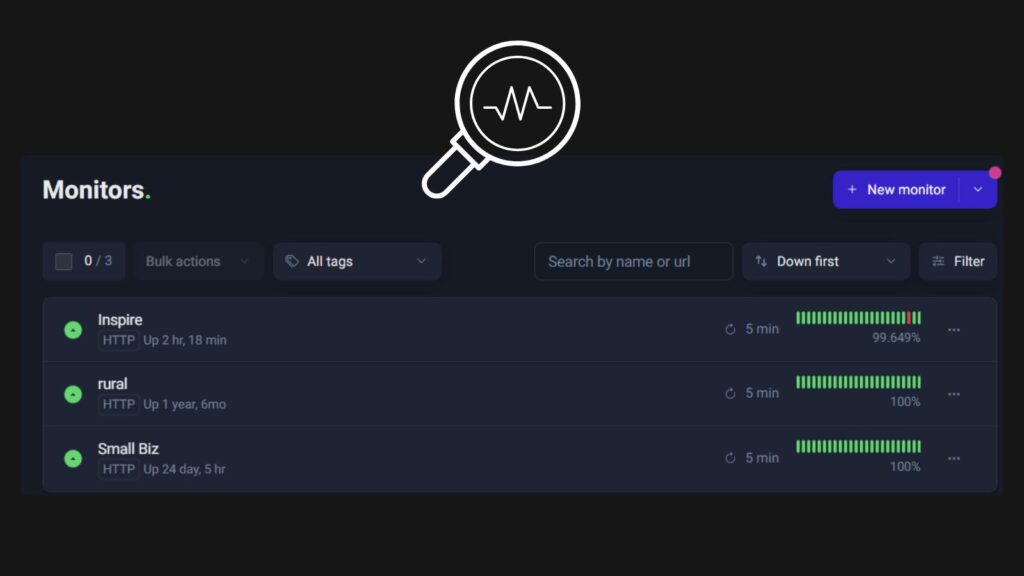
Troubleshooting Downtime with Uptime Robot
When your site goes offline, you can end up scrambling for answers. Uptime Robot simplifies issue identification, ensuring you’re ready to act quickly.
Its tools not only help you determine whether your site is down but also provide the insights you need to resolve problems efficiently.
Checking Global Uptime Status
Unsure if it’s your site or a larger issue? Uptime Robot can help determine whether the downtime is unique to your server or part of a widespread problem. You can access global uptime reports directly from the dashboard.
- Identify Regional Outages: If you suspect an issue beyond your control, Uptime Robot reports can show if users in specific locations are unable to access your site. For instance, the problem might only affect users in one country due to a regional ISP issue.
- Pinpoint Server-Side Problems: If the reports confirm users globally are experiencing the same downtime, it’s a server-side issue. This data is invaluable for conversations with your hosting provider.
- Use Past Reports for Pattern Analysis: Look at historical logs to identify recurring downtime. These logs make it easier to spot the difference between isolated incidents and consistent issues with your hosting or infrastructure.
Thanks to this global view, you’re no longer guessing whether an issue affects everyone or is just isolated to you. It’s like having a weather map for your website—clear, immediate, and actionable.
Understanding Alerts and Responses from Uptime Robot
When Uptime Robot sends you an alert, it provides key details about the issue. Here’s how to decode those notifications and use them to resolve your downtime quickly:
Common Alert Details to Look For:
- Type of Error: Did the alert mention a timeout, HTTP error, or DNS failure? Each point leads to a different cause. For example:
- A timeout might mean your server is overloaded or offline.
- HTTP errors, such as 500 (server error) or 404 (not found), indicate issues with web pages or server configuration.
- DNS failures can indicate problems with domain settings or your hosting provider.
- Timestamp: Know exactly when the problem started. This is useful for troubleshooting and comparing logs.
- Affected Monitor(s): If you’re monitoring multiple sites or pages, alerts specify what’s down.
Next Steps After Receiving an Alert:
- Check Your Server or Network:
- Log in to your hosting dashboard to see if the server is active.
- Run a traceroute or ping test with Uptime Robot or another diagnostic tool.
- Verify If It’s Just You:
Uptime Robot doesn’t just monitor your site—cross-check the situation. Access tools like “Is It Down Right Now” or double-check from a different connection or device. This confirms if the downtime is confined to your setup. - Contact Your Hosting Provider:
If the issue is server-related, reach out to your host’s support team armed with the details from Uptime Robot. Being specific helps them troubleshoot much faster. - Implement Immediate Fixes:
You might be able to resolve a plugin conflict, DNS misconfiguration, or reset a server from your hosting control panel. These quick solutions can halve downtime if you act fast.
Think of alerts as your first responders. They don’t just warn you of a fire—they also point you toward where it’s burning and how to put it out.
With Uptime Robot, you gain both insight and the ability to take immediate action, saving time and keeping your reputation intact.
Uptime Robot Alternatives
If you want to keep your site up and running, you need the right tools to catch downtime fast. Uptime Robot is a popular choice, but it’s not your only option. Some users want more detail, faster alerts, or extra features, and that’s where alternatives step in. Here are a few standout picks:
- StatusCake: Delivers unlimited tests and quick alerts right to your inbox or phone. It checks from many locations, which helps spot local outages.
- Pingdom: Offers detailed reports, uptime tracking, and real user monitoring. It’s easy to use but packs in a lot of features for growth-focused businesses.
- Freshping: Lets you monitor up to 50 URLs for free and sends instant push alerts. Plus, it includes SSL checks to catch problems early.
- Site24x7: Goes beyond uptime, checking sites, servers, and even cloud apps. It’s a strong pick for teams who want all-in-one monitoring.
Each of these Uptime Robot alternatives offers free and paid plans, so there’s room for most budgets. Keeping your site online starts with the right monitoring—don’t let downtime catch you off guard.
Conclusion: Ending the Question: Is Your Website Down or Just You?
Website downtime can harm your reputation, frustrate visitors, and cost you money. Knowing if it’s “website down or just me” is crucial, and tools like Uptime Robot make monitoring simple and effective.
By staying informed with instant alerts and actionable data, you’re prepared to address downtime before it becomes a bigger issue. I can’t imagine not having this tool to monitor my other blogs and client websites.
In the last incident, Uptime Robot ended up whitelisting a user agent in my .htaccess file to avoid a similar incident in the future.
Don’t leave your site’s reliability to chance. Start monitoring today with Uptime Robot (SAVE 30% OFF now) and keep your website—and your business—running smoothly.
Frequently Asked Questions About Uptime Robot for Website Uptime Monitoring
Uptime Robot is a website monitoring tool that checks if your site is reachable on a schedule. If it detects downtime or a problem, it sends an alert so you can respond right away.
Bloggers lose money and momentum when a site goes down, because readers bounce, ad impressions drop, and affiliate links stop converting. Monitoring also protects your reputation; readers remember a broken site and may not come back.
The free plan typically checks every 5 minutes, while paid plans offer shorter intervals. Faster checks can reduce how long a site stays down before you see the alert.
First, confirm the issue with the alert details (error type and timestamp), then check your host dashboard to see if the server is up. Next, contact your host with the Uptime Robot data, because clear timestamps and error codes speed up support.
Yes. It can track HTTP status codes, response time trends, and other signals that point to slowdowns before they become outages. It can also monitor for keywords on a page when you need a deeper check than basic uptime.

- X Influencers: How to Find and Connect with Key Players in Your Niche (Formerly Twitter) - March 29, 2026
- How To Get Facebook Reviews: 10 Strategies For Your Page - March 26, 2026
- Top Blogging Categories To Have On Your Blog For Better SEO - March 24, 2026