
If you want more customers to trust your business, Facebook reviews are one of the fastest ways to build credibility. In this Inspire To Thrive guide, you’ll discover 10 practical strategies to get more authentic reviews, respond professionally, and turn feedback into growth for your business in 2026.
Ready to grow your Facebook reviews? Start by enabling reviews on your page today (instructions below) →
Estimated reading time: 11 minutes
Table of Contents
Key Takeaways for Receiving Reviews on Facebook
- Facebook reviews help small businesses build trust, collect customer feedback, and improve visibility in both Facebook search and Google search results.
- To get more Facebook reviews, first enable reviews on your Facebook Page, then ask customers directly with a simple link and clear instructions.
- Businesses should respond to every review, both positive and negative, because replies show trust, professionalism, and active customer care.
- Facebook allows businesses to ask for honest reviews, but it does not allow incentives for positive reviews or fake review activity.
- The best long-term way to earn more Facebook reviews is to deliver great service, follow up after a purchase, and make it easy to leave a review.

What Are the Benefits of Facebook Reviews for Small Businesses?
Before discussing the strategies, let’s first understand why online reviews are so important.
- Build Trust. Positive reviews from satisfied users can build trust with potential customers. It shows that your business has a good reputation and provides excellent products or services.
- Increase Visibility. Reviews on platforms like Facebook can boost your business’s visibility as they often appear in search engine results.
- Improve SEO. Reviews can also improve your search engine rankings as they are considered a form of user-generated content, which is highly valued by search engines.
- Customer Feedback. Online reviews provide valuable customer feedback, allowing you to identify areas for improvement and make necessary changes.
What Are the Official Guidelines for Facebook Reviews?
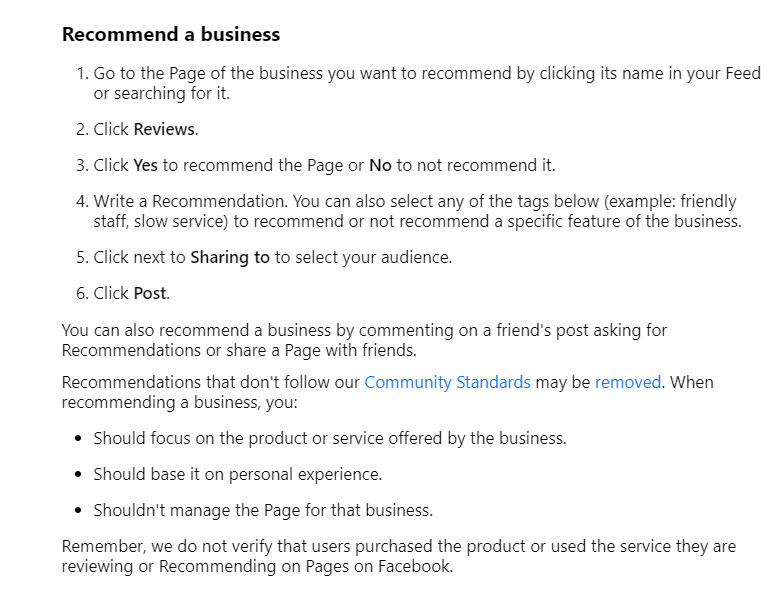
When it comes to managing reviews on your business’s Facebook page, there are some official guidelines that you should be aware of:
- Facebook continues to prioritize authentic, honest reviews in 2026; incentivized or fake reviews can still result in penalties.
- Moderation. You can moderate the reviews on your page by hiding or deleting them if they violate Facebook’s Community Standards.
- Reporting Fake Reviews. If you believe a review is fake or spam, you can report it to Facebook for review.
- Responding to Reviews. You can respond publicly or privately to reviews on your page, depending on the nature of the feedback.
- Asking Customers for Reviews. While you can’t incentivize customers to leave positive reviews, you may ask them for honest feedback.
Remember that recommendations that don’t follow Facebook’s community standards may be removed, so make sure to familiarize yourself with them before managing your reviews.
The key points are:
- Authenticity
- Safety
- Privacy
- Dignity
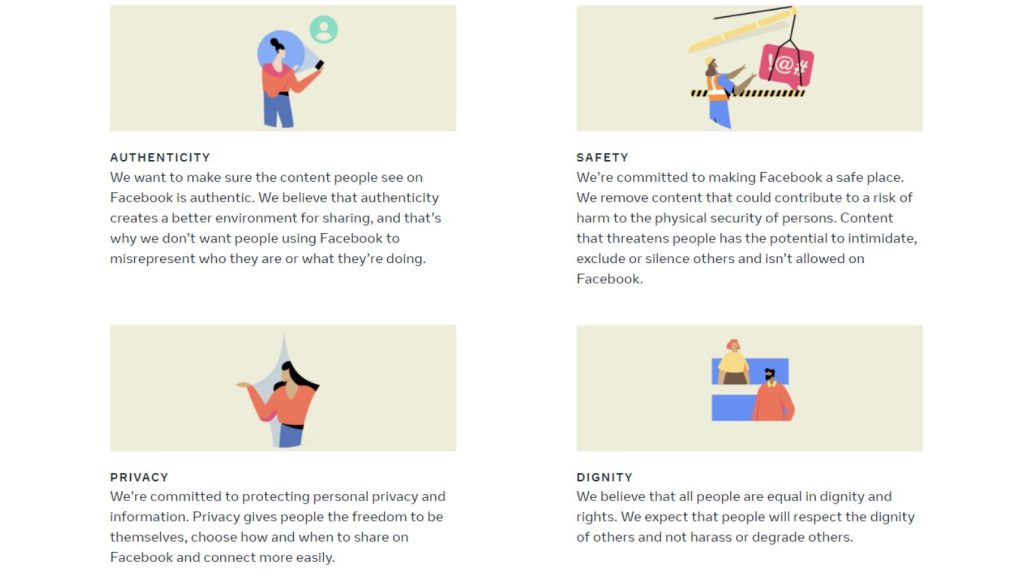
Treat all users, including those leaving negative reviews, with respect and dignity.
Avoid attacking or belittling them in your responses and focus on resolving any issues they may have.
What Are the 10 Best Strategies to Get More Facebook Reviews in 2026?
Now that you understand the importance of online reviews and the guidelines for managing them on Facebook, let’s look at the ten practical strategies to get more Facebook reviews for your business page.
How Do You Turn On Reviews on Your Facebook Page?
First things first.
- Before you can get reviews, make sure they are enabled on your page.
- To do this, go to your profile and choose the page you want to check.
- Select the correct fan page and then click “Settings & Privacy“:
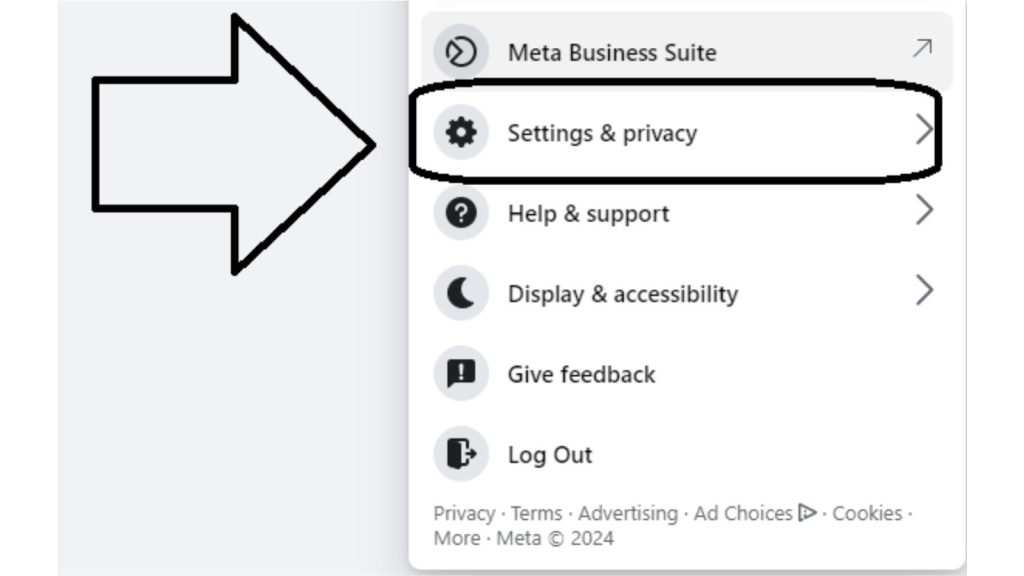
Now, your Facebook fan page is ready to receive reviews!
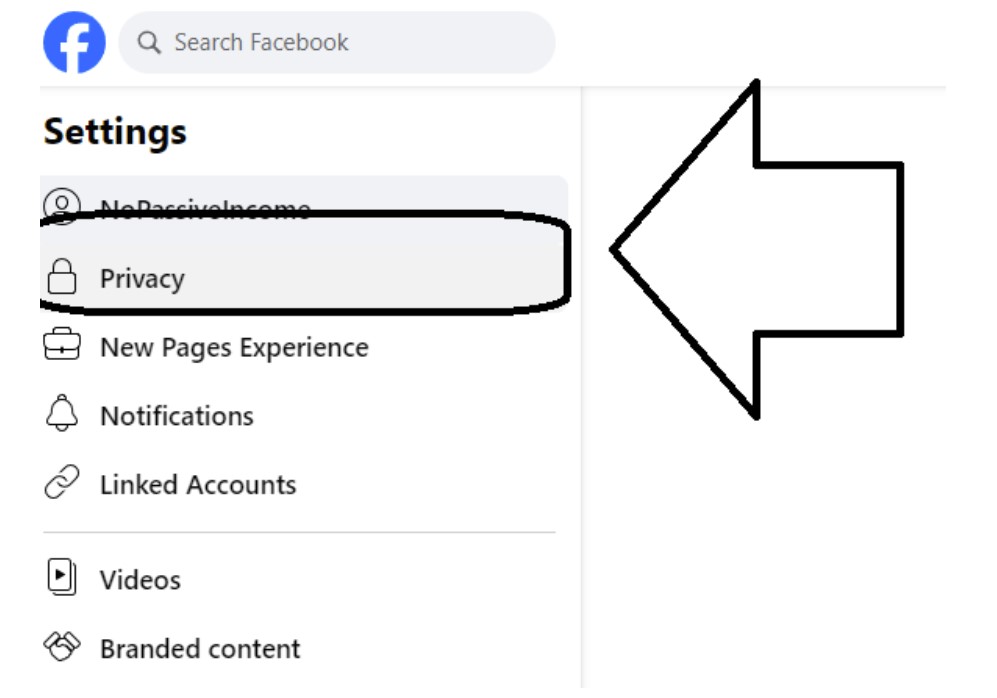
- Next, click “Settings“:
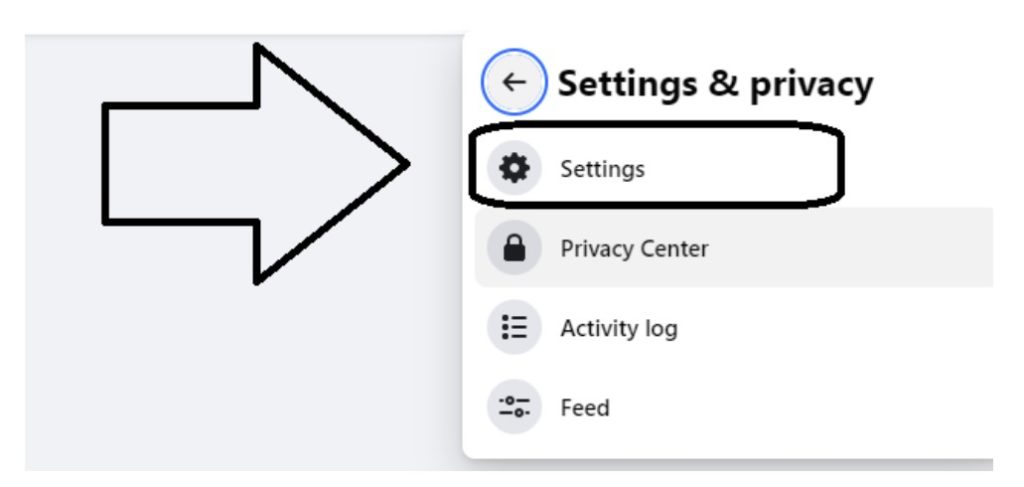
- On the next page, click “Privacy” in the left menu:
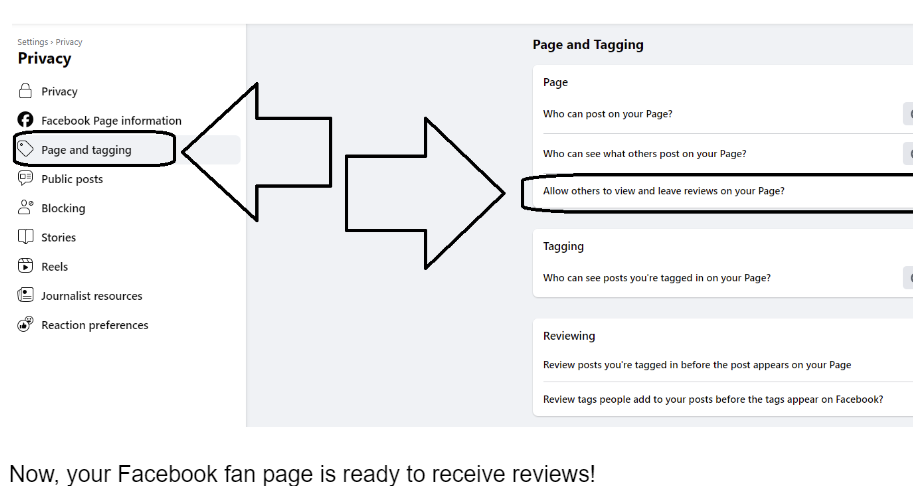
- The last step is to click on “Page and Tagging“,
- to finally see the option called “Allow others to view and leave reviews on your Page?“
Make sure the tagging is on:
How Can You Encourage Customers to Leave Facebook Reviews?
Sometimes, all you need to do is ask.
Don’t be afraid to reach out to your customers and politely request them to leave a review on your Facebook page. You can do this through:
- Email marketing.
- Social media posts.
- In-store signage.
When reaching out, make writing a review as simple as possible by providing a direct link to your page or instructions on how to navigate there.
A good template you can use to request reviews is:
Hello John
We hope you had a great experience with our product/service. We would love to hear your thoughts and feedback on our Facebook page.
It will only take a few minutes, and your review will help us improve our services for future customers. I appreciate your support!
Of course, make sure to thank customers who have already left reviews and let them know their feedback is valuable to your business.
Why Should You Respond to Every Facebook Review (and How)?
Not only should you encourage customers to leave reviews, but you should also respond to them.
Acknowledge both positive and negative reviews and thank the reviewers for taking the time to share their experiences.
This shows that you care about your customers’ opinions and are willing to address any concerns they may have. It also gives potential customers a positive image of your brand, knowing that you value and engage with feedback.
For example, you can respond to a positive review by saying:
Thank you [Reviewer’s Name] for your kind words and support. We are happy to hear that you had a great experience with us.
For negative reviews, try to address the issue and offer solutions or, if necessary, an apology.
For example, you can respond to a negative review by saying:
We apologize for any inconvenience caused, John. Please send us a direct message so we can further assist you with this issue.
Remember to keep your tone professional and respectful, and maintain Facebook’s community standards.
How Can Sharing Positive Reviews Help You Get More?
Sharing positive reviews on your social media platforms is an effective way to promote your brand and encourage others to leave reviews.
You can also take screenshots of positive reviews and share them on platforms like Instagram or X, along with a link to your Facebook page, so that people can leave their own reviews.
This also shows appreciation for customers who took the time to share their positive experiences.
They may be more inclined to leave another review in the future or share your brand with their network, leading to more reviews.
How Does Great Customer Service Lead to More Facebook Reviews?
Customer service is a key factor in getting positive reviews.
Make sure to provide top-notch customer service to every customer, whether it’s through:
- Fast shipping.
- Easy returns.
- Excellent communication.
If customers have a great experience with your business, they are more likely to leave a positive review and recommend your brand to others.
How Does Regular Engagement Help You Get More Reviews?
Engaging with your audience regularly not only helps build a relationship with them but also reminds them to leave a review.
You can do this by:
- Responding to comments and messages.
- Posting interesting content.
- Running promotions or giveaways.
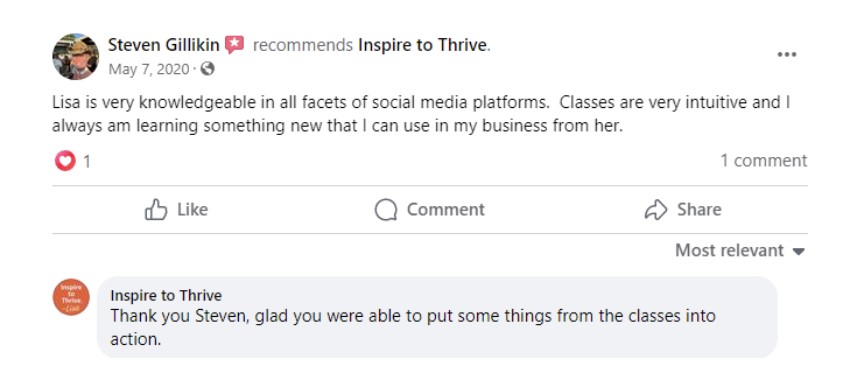
When customers see your brand actively engaging with its audience, they may feel more inclined to leave a review, knowing their feedback will be valued and acknowledged.
For example, you can post a poll or ask for suggestions on your Facebook page and include a call to action to leave a review.
Can Facebook Ads Help You Get More Reviews?
Facebook ads can be a powerful tool in promoting your page and getting more reviews.
You can create an ad specifically targeting people who have recently engaged with your brand or visited your website, encouraging them to leave a review.
By reaching out to those already familiar with your brand, you may be more likely to prompt them to leave a review.
To create a targeted ad, go to the Ads Manager and select the objective “Get More Page Likes” or “Engagement”.

From there, you can specify your target audience and budget.
How Do Facebook Check-ins Help Generate More Reviews?
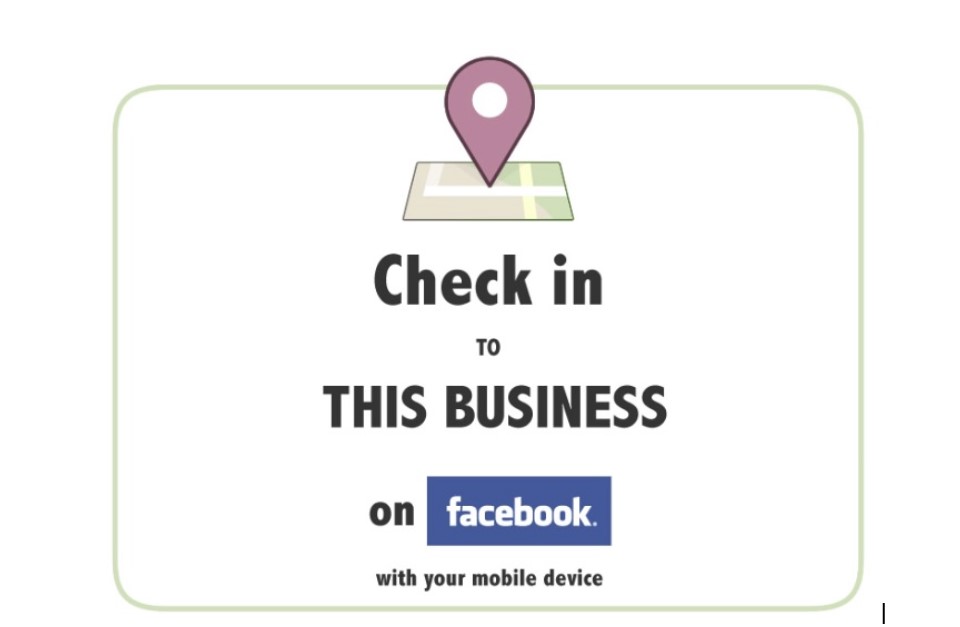
Another way to increase reviews is to encourage customers to check in at your business on Facebook.
This not only promotes your page but also makes it easier for customers to leave a review directly from the check-in.
You can offer incentives, such as discounts or freebies, to customers who check in and leave a review, further motivating them to do so.
Should You Add Facebook Reviews to Your Website?
If you have a business website, make sure to add the reviews tab to your Facebook page.
This way, potential customers can easily see your overall rating and read individual reviews without leaving your website.
It also makes it easier for them to leave a review while they are already browsing your site.
How to Leave a How Do You Leave a Review on Someone Else’s Facebook Page?
Not only should you try to generate Facebook reviews for your page, but you should also leave reviews for other businesses you have purchased from or done business with.
Here’s how to leave a Facebook review:
- First, log in to your Facebook account and visit the business page you want to review. Scroll down until you see the Reviews section.
- Click on the stars to select your rating. A box will pop up asking you to describe your experience.
- Write a detailed review, being as specific as possible about what you liked or didn’t like. You can also upload photos to support your review.
- Once you’re done, click “Post” to publish your review publicly on that page.
Frequently Asked Questions About Facebook Reviews for Businesses
Facebook reviews help small businesses build trust with new customers. They also give people quick proof of service quality, customer experience, and brand reputation. In addition, reviews can appear when people search for a business on Google, which gives them extra visibility beyond Facebook itself.
Start by turning reviews on in your Facebook Page settings. Then ask happy customers for honest feedback through email, follow-up messages, social posts, or in-store prompts. It also helps to share a direct review link, respond to existing reviews, and stay active on your page so customers see that their feedback matters.
Yes, they can. The article notes that Facebook reviews may appear on Google when people search for your business. Because of that, Facebook reviews can support both reputation and search visibility, especially for local businesses and bloggers building brand trust online.
The safest recommendation is no. The article states that Facebook does not allow incentivized positive reviews, and businesses should ask for honest feedback instead. To keep the content accurate and trustworthy, the article should remove or revise any suggestion that directly links discounts, freebies, or rewards to review requests.
Yes, always respond in a calm and professional way. A reply shows that you take feedback seriously and want to fix problems. When possible, acknowledge the issue, apologize if needed, and move the conversation to direct messages for support. That approach can protect trust and show future customers that you handle concerns respectfully.
Final Words
Getting reviews on Facebook is an essential aspect of building a strong online presence and establishing trust with your audience.
By implementing these strategies, you can encourage more reviews and improve your overall review rating on Facebook.
Remember to always respond to reviews, whether positive or negative, professionally and respectfully. This shows that you value customer feedback, leading to stronger customer relationships and more positive reviews in the future.
📌 A great user experience leads to great reviews, so prioritize excellent customer service at all times.
Disclosure: This Inspire To Thrive blog post contains affiliate links. I may earn a commission from qualifying purchases at no extra cost to you. Some sections were drafted with AI tools and carefully reviewed/edited by me.

- Instagram SEO Tips to Help Bloggers Get Discovered - October 12, 2026
- Ground News Pricing: Are Pro, Premium, and Vantage Packages Worth It? - October 11, 2026
- Instagram Repost Feature: What Happens When You Share? - October 11, 2026
Enjoy this content? Help me show up more often in Google by adding Inspire To Thrive as a Preferred Source:




Great article! Your article about how to get a Facebook review is stunning. You explain them very well. I have read your article and I want to add a Facebook review but do not have enough time to do so, recently I discovered nerdpapers they helped me complete my assignment because it’s a very heavy burden on me to do so so now I have enough to do these Facebook reviews thanks!
Hi there Nerd Writer, thanks for coming by and welcome to Inspire To Thrive. It’s easy to implement the reviews for your own page for Nerd Writers, good luck!
All good tips Lisa. Engaging your Facebook Fans – and followers in general – regularly influences them to organically publish glowing reviews because they luv ya and wish to express it. Genuinely, it is kinda easy to score these types of reviews since you mainly need to care about the well-being of your tribe, listen to them and show up to respond. Smart post my friend.
Ryan
Thanks Ryan. Of course it’s best to engage with folks on the social networks unless they are spamming you.Appreciate your coming by and taking the time to comment Ryan. Have a great day!