
Updated April 10, 2026: This Inspire To Thrive guide has been refreshed for better clarity and usefulness. I removed the promotional banners, updated the Eyezy testing notes with April 2026 results, and strengthened the ethical guidance around monitoring tools.
Most people don’t wake up looking for how to view a private account on Instagram anonymously for fun. They’re often trying to solve a real problem.
- A digital marketer seeking insights into competitors’ social media marketing strategies.
- A parent or guardian who is trying to understand what their child or ward is exposed to on Instagram.
- Journalists who are trying to find information for their report.
- And then, there is the everyday human looking out of curiosity.
It’s often uncomfortable to admit or ask someone, which is why many will quietly search for how to view Instagram private accounts anonymously and hope for a straight answer.
But that’s where the frustration starts for these marketers, parents, and researchers.
Most resources either overcomplicate the problem or dance around solutions, making it difficult for searchers to choose a reliable, safe one.
I understand these frustrations, which is why I conducted my research and tested both traditional methods and tools to identify the safest ways you can view these private profiles on Instagram anonymously.
I’ll cover:
- The different traditional methods and the anonymous viewing tools
- Where each falls short
- When to choose either a traditional method or a tool to view locked Instagram accounts.
- But most importantly, I’ll help you understand which options fit different situations – research, parental monitoring, investigation, and curiosity.
My goal is to help you adopt an approach with confidence, rather than through unnecessary trial and error that wastes your money, time, and energy. Ready to try it?
But first, here is the table of contents, key takeaways, and my explanation of what ‘private’ really means on Instagram.
Estimated reading time: 31 minutes
Table of Contents
Key Takeaways
- In 2026, you’re not alone: Looking for how to view a private Instagram account safely has become a typical search query since Instagram introduced private accounts. Different people look for ways to view these locked accounts for different legitimate reasons.
- Start with traditional methods first: Follow requests, mutual connections, third-party accounts, and online research often give some insight.
- Instagram private account viewer apps make things easier, faster, and you stay anonymous: Eyezy, Peekviewer, Inflact, DolphinRadar, and UpGrow each serve different purposes, from anonymous viewing to ongoing monitoring and strategic analysis.
- Pick your approach based on your goal: One-off checks, long-term monitoring, research, or strategy insights all require different tools and levels of effort. The approaches or tools you adopt should match your goals.
- Consistency beats shortcuts: Using the right method or tool over time provides the insights you actually need, not just access to posts.
- Safety and legality matter: Stick to reputable tools and avoid anything that promises full private access, as it usually leads to problems.
- Insight is the goal, not hacking: The purpose of viewing private IG accounts is context, research, trends, and informed decisions, not spying.
What does Private Mean in an Instagram Context?
There is a lot of confusion about how to view private Instagram accounts anonymously, mostly from people who don’t understand Instagram’s privacy settings and assume “private” means “invisible.”
Here’s how I love to think about it.
When an account is private, Instagram primarily limits who can see content on the profile.
That means, if you’re not approved as a follower, you can’t see the private account’s posts, stories, reels, highlights, or see the list of who is following them or who they’re following.
However, you can still see the private account’s username, profile photo, bio, number of posts, followers, and following, and any external links in the bio.
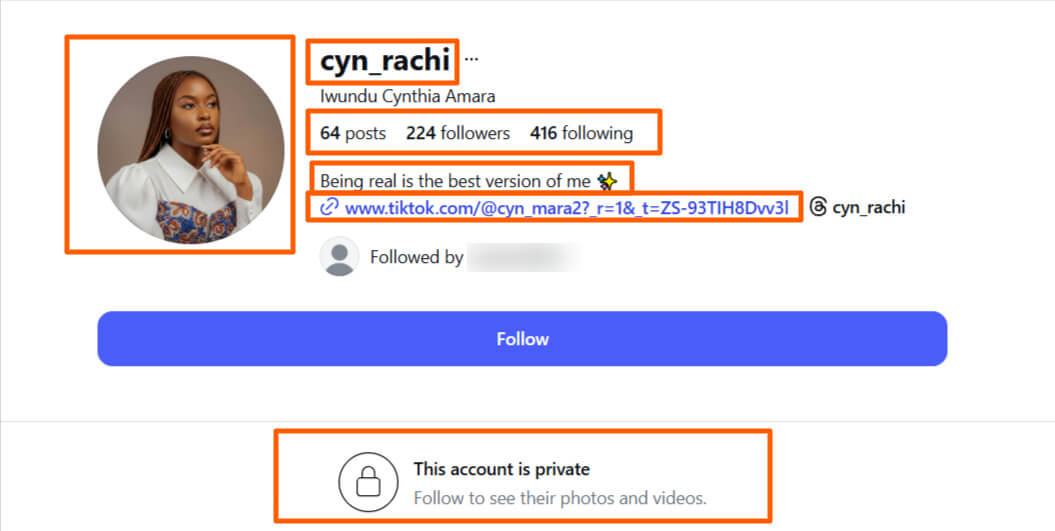
Note: This distinction matters because a private account is only locked, but not erased from the internet.
Access to information behind a private account and the extent to which you can gain access depends on where and how you’re looking.
Most of the confusion about how to view private Instagram accounts stems from the assumption that viewing always means having full access to the account.
No. It’s not hacking. You only see content through indirect sources.
Once you understand this, you’ll understand why traditional methods work up to a point and why private Instagram viewer tools exist in the first place.
Traditional Ways to View Private Instagram Accounts Anonymously and Safely
Before I ever touched any tool, I tested the most straightforward options first. A lot of people skip these too quickly, but sometimes they’re all you need.
So, think of this section as the ‘do this before anything else’ phase.
View Profiles by Sending a Follow Request
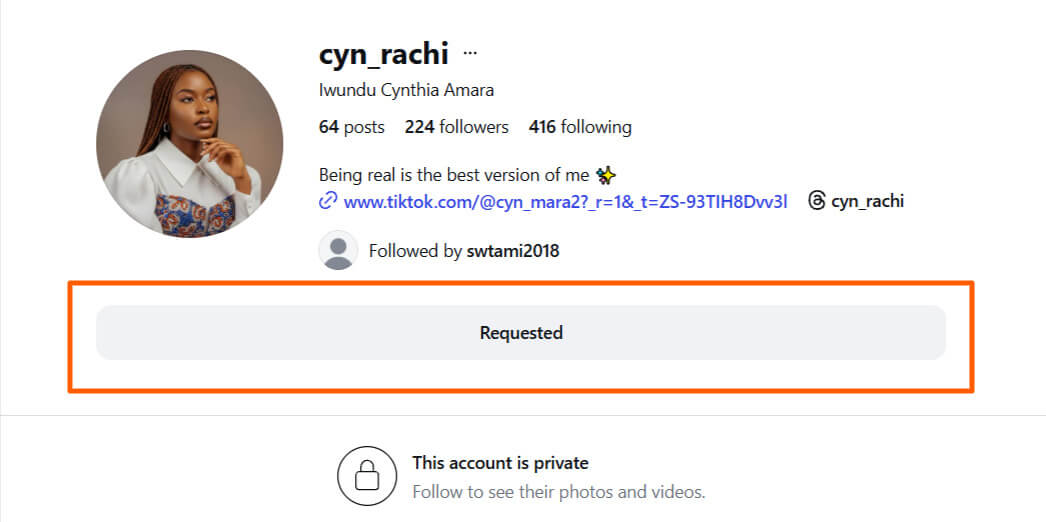
This is the simplest route, but I understand it’s not as easy as it sounds.
I’m imagining sending a follow request to my competitor right now. You know how that can be.
But if it’s an option for you, you’ll find out that sending a follow request works more often than you’d expect, especially if your profile doesn’t look random or empty.
I’ve had follow requests accepted just because my profile clearly communicated who I was and why I might reasonably be viewing their content.
People approve accounts that look like real humans or brands, and not a random anonymous profile on Instagram.
Your bio, profile photo, and recent posts matter.
Small details, but they make a big difference.
When Sending a Follow Request Works
- When your profile looks real and active
- When you share mutual interests or connections
- When your intent doesn’t feel suspicious
- When you’re comfortable with them knowing you want to view their Instagram profile.
When Sending a Follow Request Might not Work
- Your account is new or empty
- They don’t know you personally.
- You’re trying to stay completely anonymous
- The person is highly selective about who they accept.
Viewing a Private Instagram Account Using a Third-Party Account
This is one of the oldest methods of viewing locked Instagram accounts, and honestly, it still works when done calmly and intentionally.
Viewing a private Instagram account through a third-party account comes down to two practical paths.
- Opening a new Instagram account.
- Using a friend or family member’s account.
The first option, opening a new Instagram account, is straightforward: create the account, set it up like a real person (photo, bio, a few posts), send a follow request to the private profile, and wait.
If the request is accepted, you can then view the locked account normally.
This method takes patience. The profile has to look believable, and acceptance isn’t guaranteed.
But when it works, it’s one of the most direct ways to view private Instagram accounts without relying on tools.
This method is easier now that you can use multiple Instagram accounts on a single device and switch between them.
- Click on the Hamburger sign on the top right (phone) or the bottom left (PC)
- Scroll to the bottom to see Add/Switch Accounts
- Add or switch account
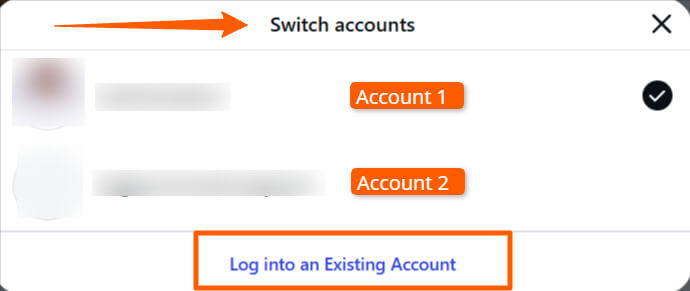
The second option, using a friend’s or family member’s account, is often faster, especially if that account is already established and trustworthy.
In this case, the third-party account sends the following request, gets accepted, and then you view the private profile through that account.
I’ve found this works best when the account already has mutuals or a genuine connection to the person behind the private profile.
Both approaches rely on the same principle: permission through acceptance.
When to View a Private Instagram Account Using a Third-Party Account
This method is best when:
- You want full access to posts and stories.
- You’re okay waiting for approval.
It’s not the fastest route, and it’s not guaranteed.
But it’s simple, clean, and still one of the most reliable ways to view private Instagram accounts without using tools.
Viewing via Mutual Connections and Indirect Access
Sometimes, you don’t need direct access to understand what’s happening on a private account. Mutual followers can provide visibility to accounts in indirect ways.
Here is how mutual followers can give you visibility.
People often share posts, tag private accounts, and reference content in captions or stories.
Seek out mutual connections and check if they’ve shared the private account’s posts, tagged or are tagged in their posts, or have referenced their posts in captions or stories.
You’d be surprised how much insight you can gather from this method without ever trying to open the private profile itself.
The biggest challenge here is that you don’t control what you can access.
What you can Realistically Learn from the Mutual Connection Method includes;
- Who they interact with
- The type of content they post
- Their general tone and interests
It’s not much access, but it’s something.
The Limits of this Mutual Connection Method;
You won’t get:
- Full timelines
- Full stories
- Deep details.
This method gives you clues, not clarity.
Viewing via Google, Other Social Media Platforms, and Blog Mentions
Okay, this is where things start to get interesting.
If you’re serious about viewing a person’s private Instagram account, this is one of the most successful traditional methods.
It’s successful because private accounts still leave public footprints elsewhere.
- People reuse usernames.
- They post the same photos on multiple platforms.
- Their posts get tagged/embedded in blogs, forums, or public posts.
You can put on your research hat and seek them out with a Google search or on other platforms where you can get access to their profiles – Facebook, X (former Twitter), TikTok, etc.
What You Can See via Research
You can find:
- Their account on other social media platforms
- Old posts from when the account was public
- Mentions in comments or articles
- Screenshots or reposts
If you’re tech and research-savvy and want to stick to this method of viewing locked Instagram profiles, you can check out the OSINT-style framework.
This is particularly helpful for background research, brand monitoring, and understanding an entity’s digital presence.
It’s highly suitable for journalists.
The Limitations of Manual Methods of Viewing Private Instagram Accounts
To be honest, at some point, these traditional manual approaches to viewing locked accounts on Instagram stop being enough.
They’re helpful for surface-level insight, but they’re not built for:
- Ongoing visibility
- Deeper investigation
- Structured market research
And that’s where Instagram private account viewer apps come in — not as shortcuts, but as the next layer of access when manual methods can’t give you what you want.
In the next section, I’ll walk you through some of the safest and most reliable tools for viewing private Instagram accounts anonymously.
Proven Tools for Viewing Private Instagram Accounts
Once I realized traditional methods could only get me so far, I started testing tools to add to my ever-growing list of must-have Instagram tools.
If you’ve tried any or all of these traditional methods and didn’t meet your research goals, then you understand what I’m talking about.
I’ve narrowed down a handful of tools that actually deliver results responsibly, efficiently, and safely.
I’m sharing my firsthand experience so you can decide what fits your situation.
I’ll start with Eyezy, which I’ve found especially useful for parents or anyone needing ongoing monitoring of their business accounts.
1. Eyezy (Best for Parental Monitoring of Instagram Accounts)
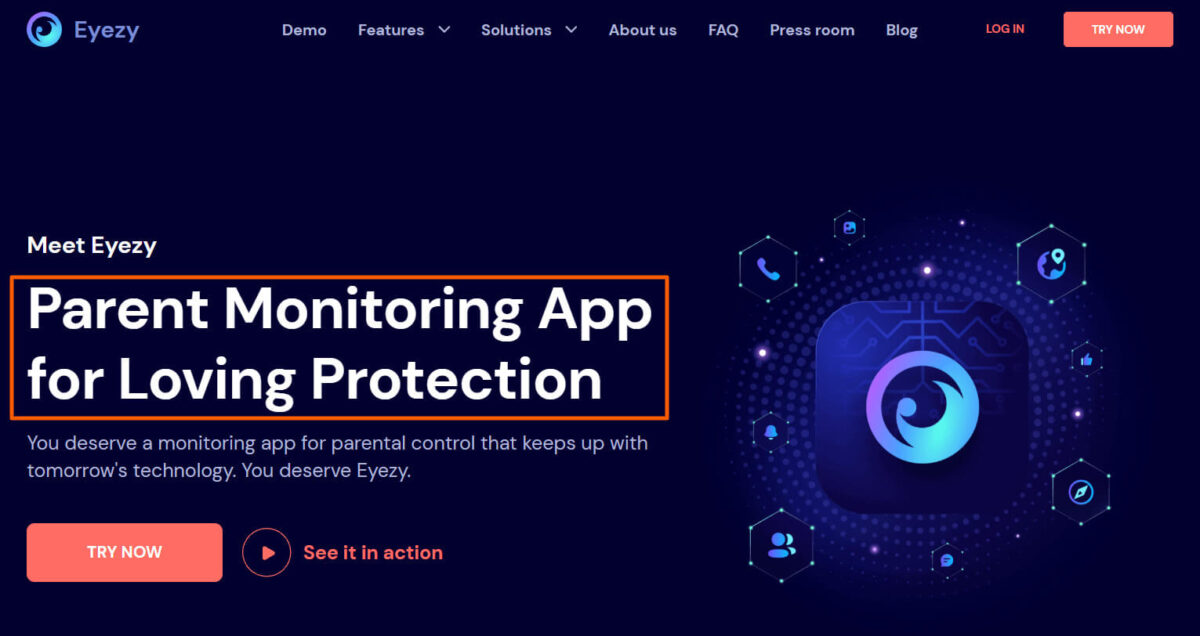
Eyezy is an Instagram viewing, parental control, and monitoring app that helps parents keep track of their children’s daily digital activities.
Eyezy has an above-average TrustScore rating on Trustpilot, with about 681 reviews as of the last time I updated this content. They replied to 97% of their Trustpilot reviews and replied within a week.
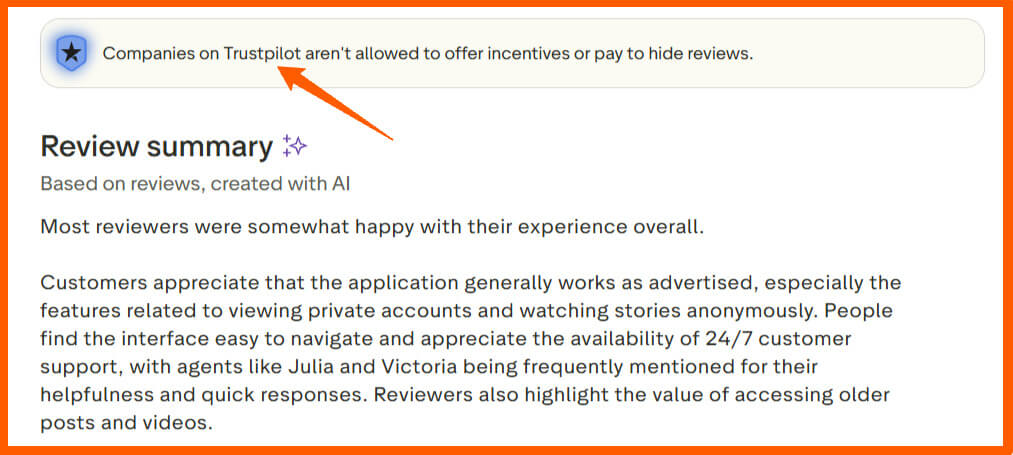
And most of their reviews are positive.
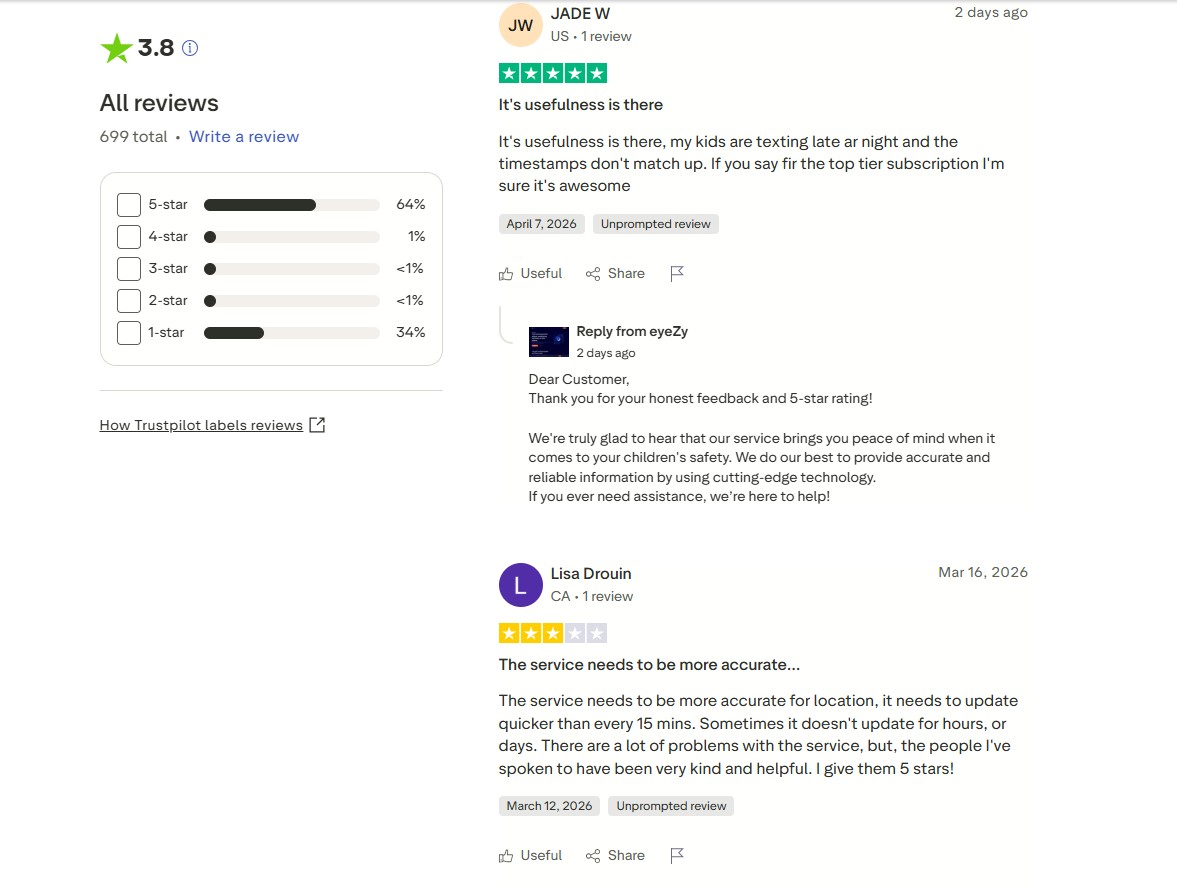
An app like this would’ve been most helpful to me if it were available when my boys were teenagers.
It would’ve been easier to keep track of their Instagram activities, including likes, recent subscriptions, stories, and even direct messages.
There’s a lot you can do with the app. You can read my detailed Eyezy guide for more.
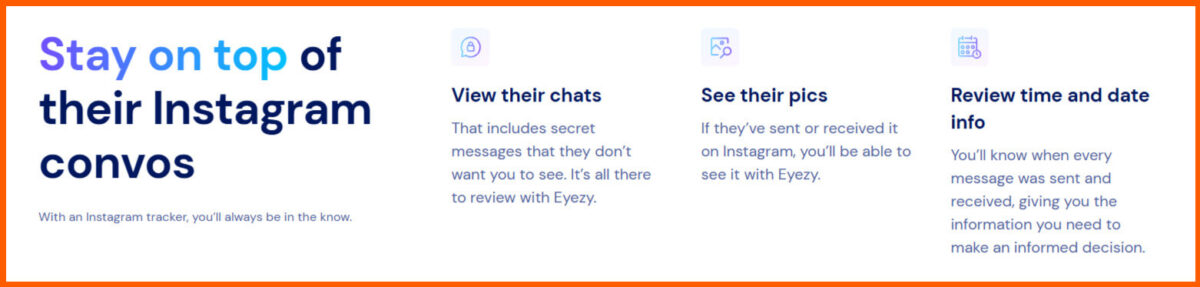
What Eyezy Actually Does Well
Eyezy isn’t just about Instagram; it’s designed to monitor activity across apps, with Instagram as a key focus.
With Eyezy, you can:
- See Instagram messages, reels, stories, highlights, and posts in near real-time
- Track app usage and interactions
- Get notifications for new activity
It gives you consistent insight into what they’re up to on Instagram.
How Eyezy Approaches Instagram Monitoring
Eyezy works by syncing with the target device (ideal for minors, business owners, or your own devices).
Once connected, it aggregates data from the target device into a dashboard that’s easy to segment and navigate.
I personally appreciate that it separates Instagram activity from everything else, so I don’t drown in irrelevant notifications.
How to Use Eyezy to View Instagram Accounts
- Install Eyezy on the device you want to monitor.
- Connect the device to your Eyezy account.
- Use the dashboard to check posts, stories, messages, and activity history.
- Set alerts for specific activity if ongoing monitoring is needed.
I found it especially effective for keeping an eye on messaging patterns without constant manual checks.
Note: If the target device has Vanish Mode turned on. You might have to switch off the Instagram Vanish Mode to see all direct message conversations.
Best Use Cases of Eyezy
- Parents tracking child activity
- Guardians monitoring the ward’s account interactions
- Business owners keeping an eye on their business’s Instagram account activity
- Ongoing, structured oversight of social media behavior.
Why You Should Use Eyezy (Pros)
- Works continuously in the background
- Easy-to-read dashboard
- Can track multiple types of activity, not just Instagram
Why People Shy Away from Eyezy (Cons)
- Requires installation on the target device
- It’s not free. You pay a token for access.
Trade-offs
- It doesn’t give you instant, full-profile access; rather, it provides safe, consistent monitoring. For me, the reliability over time outweighs the lack of ‘click-and-see everything now.’
When I’d Use Eyezy and When I Wouldn’t
I’d use Eyezy for:
- Children’s accounts
- Employees or team accounts you’re authorized to monitor
- Long-term tracking where context matters
I wouldn’t use it for:
- One-off curiosity
- Accounts you don’t have permission to track.
Other Useful Features of Eyezy Beyond Viewing Private Instagram Profiles
Eyezy also tracks:
- App usage
- Calls and texts
- Location history
- Other social apps like WhatsApp, TikTok, and Snapchat
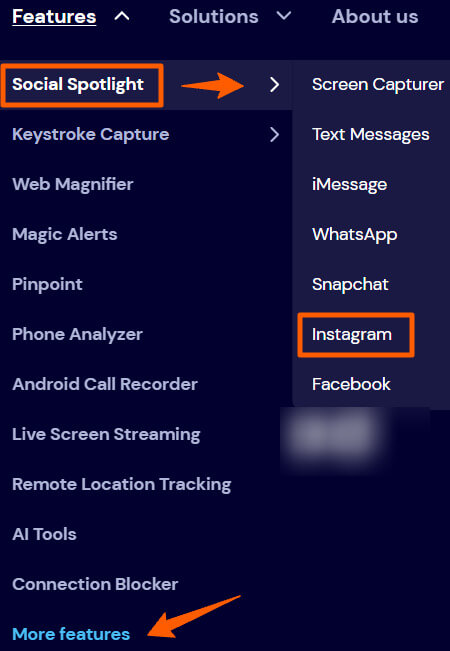
In my experience, these extras make it more than just an Instagram tool; it’s a small dashboard for overall digital oversight.
Need a monitoring tool for legitimate reasons? Eyezy is one option I’ve personally tested and still recommend for parents or business owners. View my full review and current pricing here → https://track.bzfrs.co/aff_c?offer_id=85&aff_id=14196&url_id=1651
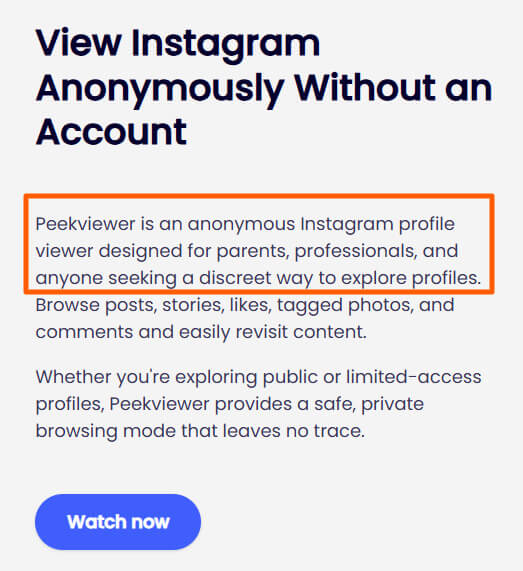
2. Peekviewer – Formerly Glassagram (Best for Viewing Private Instagram Accounts)
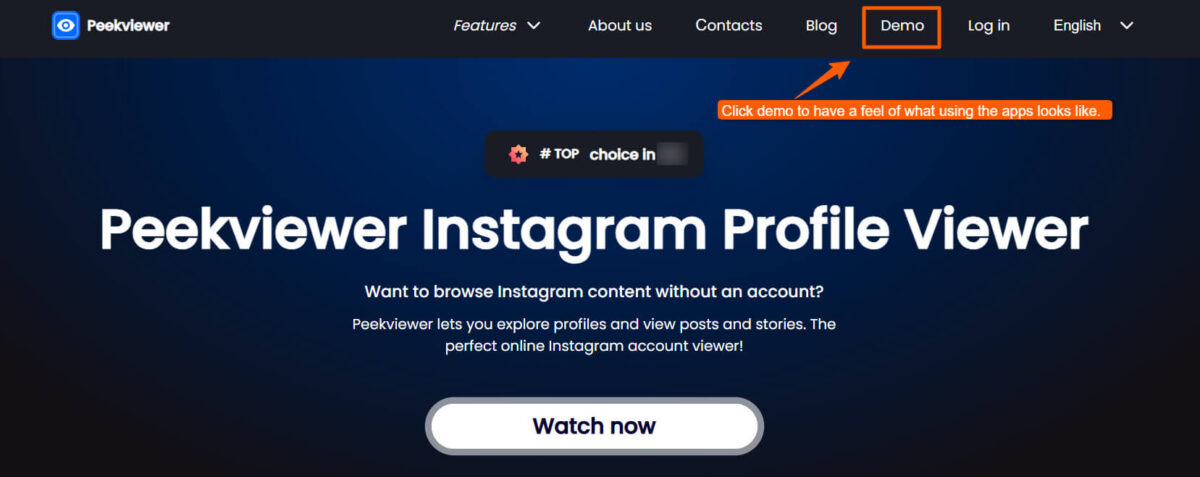
Peekviewer is a simple web-based tool for quick, one-time anonymous viewing of private Instagram profiles without installing anything. I tested it in April 2026 and found it fast and easy — no login required on my end. It displays profile photos, recent posts, stories, and highlights directly in the browser.
It works best for occasional checks, but results can vary by privacy settings. For anything deeper, the manual methods earlier in this guide are still the safest and free option
This was a game-changer in my testing because it’s focused, simple, and doesn’t require the account owner’s device.
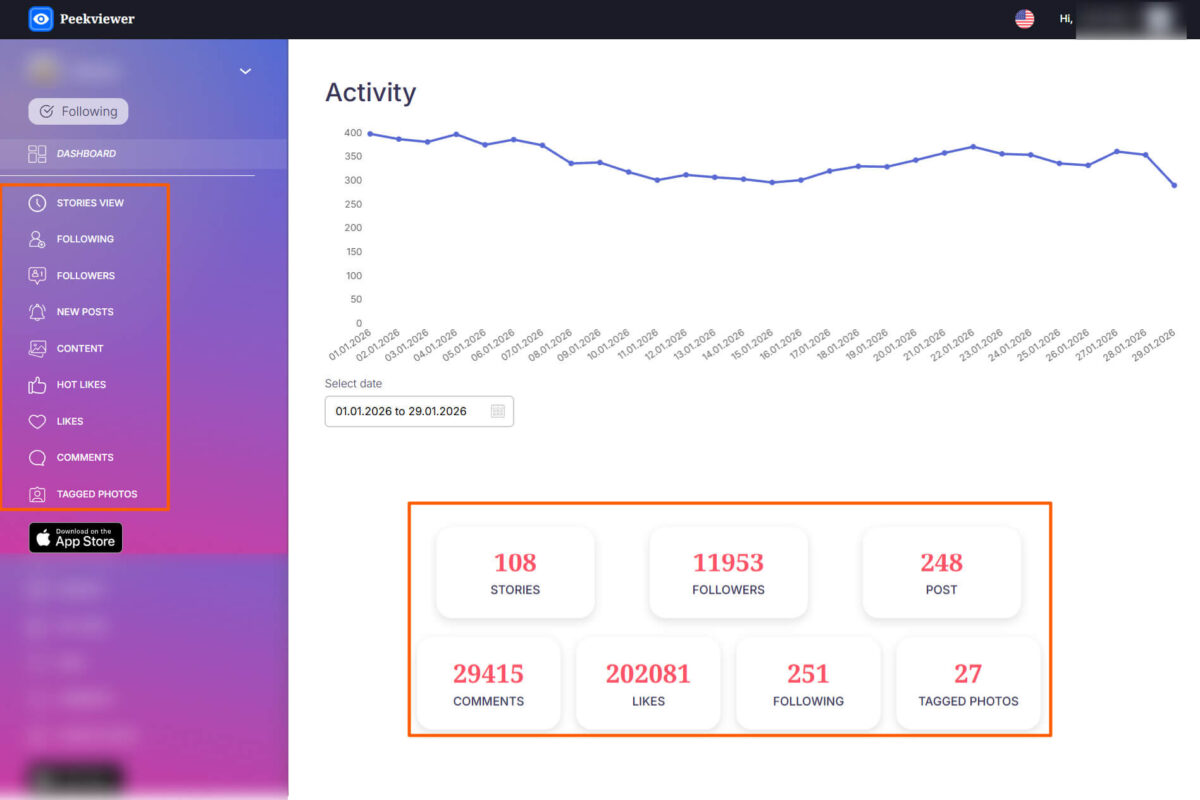
Visit the Peekviewer website and click the ‘Demo Tab’ in the menu bar to get a practical feel of what using the app is like. You’ll just love how smooth the experience is.
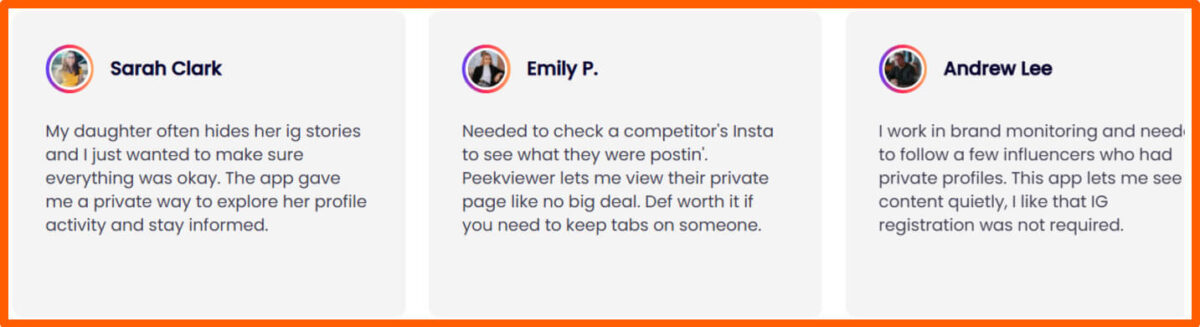
Peekviewer has an above-average TrustScore rating on Trustpilot, with about 378 reviews as of the last time I updated this content. They replied to 99% of their Trustpilot reviews and replied within 48 hours.
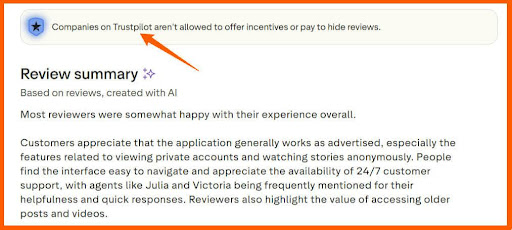
It has positive reviews showing how you can use it both for parental monitoring, influencer or market research, competitor analysis, and more.
What Makes Peekviewer Different from Other Instagram Viewer Apps
- Unlike broader monitoring tools, Peekviewer is designed just for Instagram.
- It gives you visibility into content without going through complicated setups or installing apps on someone else’s device.
- It’s straightforward and user-friendly, which is why I often recommend it for one-off or ongoing Instagram checks.
Let me explain something real quick here.
What You Should Know About Peekviewer’s No-Login Viewing
Peekviewer doesn’t require you to log in to Instagram. What it does is access publicly available content that Instagram itself exposes indirectly.
In other words, you can see posts, highlights, or tagged content that the account shares with their network, even if they blocked you or Instagram suspended your account.
This was surprising to me at first.
I thought it would be all or nothing, but the visibility I had gave me real insights. These can be especially helpful for research or brand monitoring.
What Content Peekviewer Can and Can’t Show You
Peekviewer can show you:
- Publicly tagged posts
- Highlights and stories that are indirectly shared
- Engagement patterns and interactions that leave traces
Peekviewer can’t show you:
Peekviewer is about accessing available content, not cracking Instagram’s private layers, and that’s exactly what makes it safe and reliable.
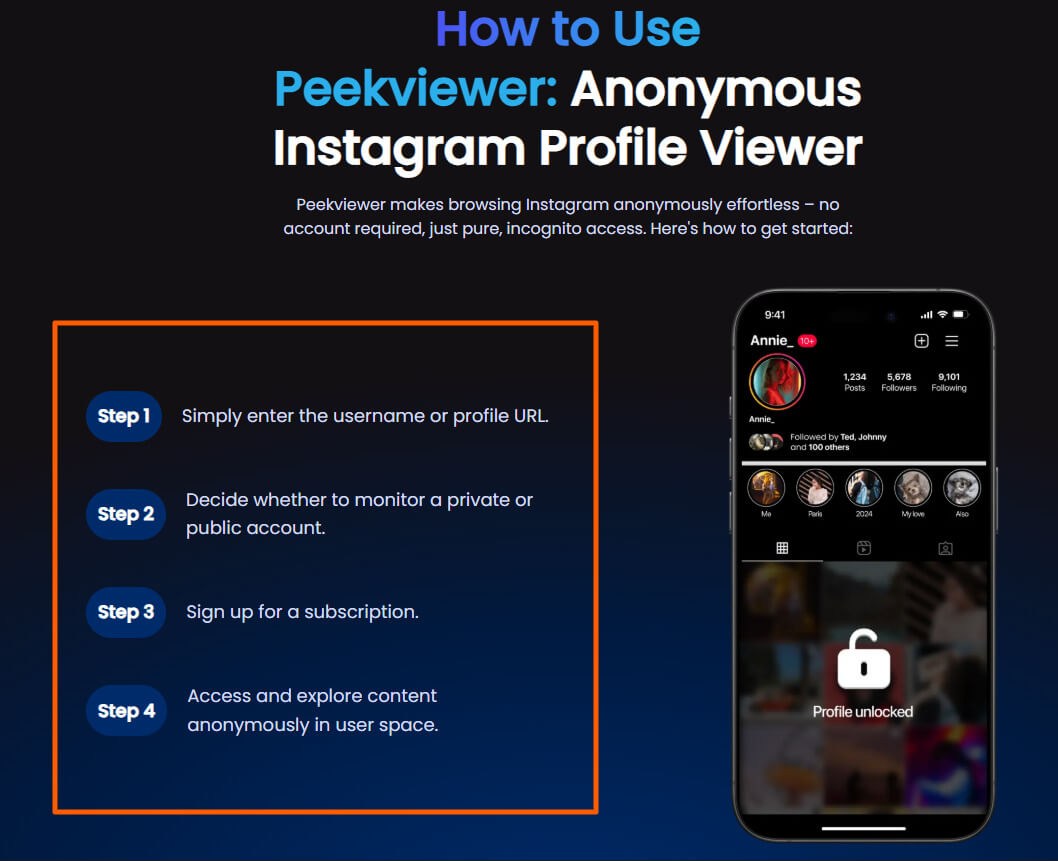
How to Use Peekviewer to View Instagram Accounts
- Go to the Peekviewer site or app.
- Enter the username of the private account you want to check.
- Sign up for a subscription package.
- Explore the dashboard — posts, highlights, and tagged content are organized for quick review.
- Save or export any insights if needed for research or reporting.
It’s fast, lightweight, and doesn’t require constant attention once you know what you’re looking for.
Why You Should Use Peekviewer (Pros)
- No login required
- Focused solely on Instagram
- Fast and easy to use
- Good for one-off checks or short-term monitoring
Why People Shy Away from Peekviewer (Cons)
- Doesn’t give 100% access
- Some content might be missed if it hasn’t left any public traces
- Limited to Instagram only.
Trade-offs
- Peekviewer doesn’t give you full, direct access to the account, but it offers speed, simplicity, and safety. It’s ideal when you need insights quickly without touching the target account or device.
Best Situations for Using Peekviewer
- Researching competitors’ content strategies
- Checking on your child/ward’s Instagram activities anonymously
- Checking engagement patterns for influencers
- One-off monitoring where installing a tool or sending a follow-up request isn’t practical.
Other Peekviewer Features besides Private Instagram Account Viewing
Peekviewer also lets you see:
- Trends in posts over time
- Content that the account has been tagged in
- Public interactions that provide context for strategy or research
Peekviewer is one of the first tools I’d turn to for quick, actionable insights without a long setup. This extensive Peekviewer review explains how the tool can help you view private Instagram accounts.
Need a monitoring tool for legitimate reasons? Peekviewer is another option I’ve personally tested and still recommend for parents or business owners. View my current pricing here → https://umobix.go2cloud.org/aff_c?offer_id=36&aff_id=1773
3. Inflact
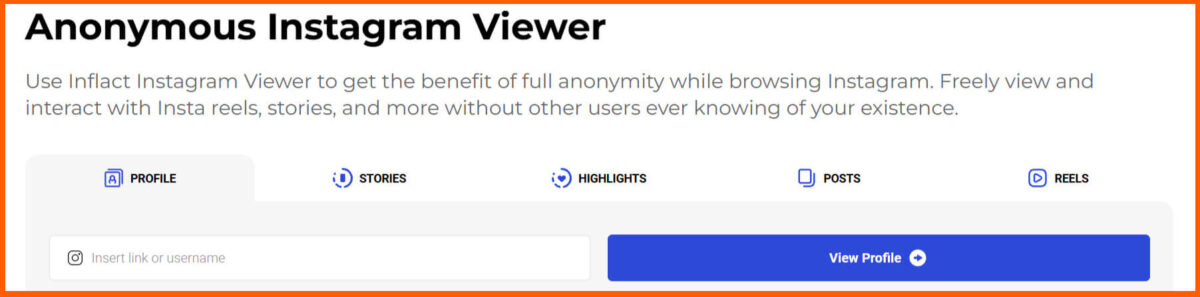
Inflact offers an anonymous private Instagram viewer plus light growth tools. I re-tested it in April 2026 and liked how quickly it loaded private accounts without needing to follow them. It shows posts, stories, and reels cleanly.
It’s a good balance if you want viewing plus optional engagement features, but it requires a subscription. For simple one-time viewing, start with the manual follow-request method higher up in this guide.
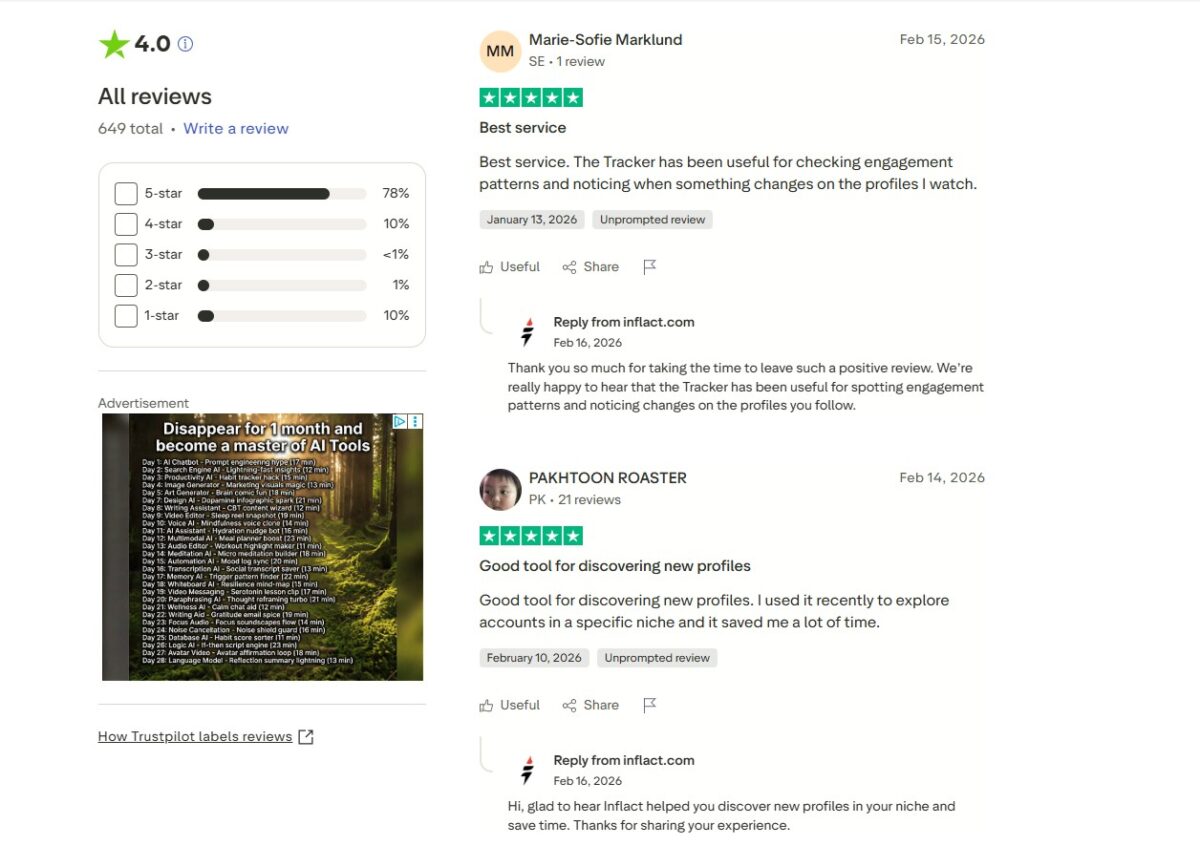
Inflact has an above-average TrustScore rating on Trustpilot, with about 641 reviews as of the last time I updated this content. They responded to 100% of their Trustpilot reviews within 48 hours.
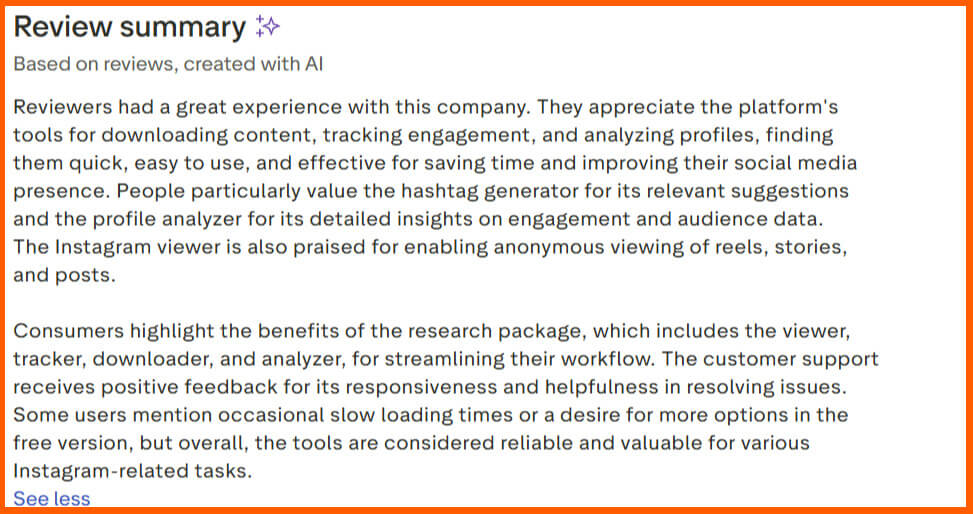
A good number of their reviews are encouraging and positive.
I found Inflact especially useful when I needed structured data, trends, and content context, not just individual posts.
Let me explain.
Inflact’s Real Strengths and Limits
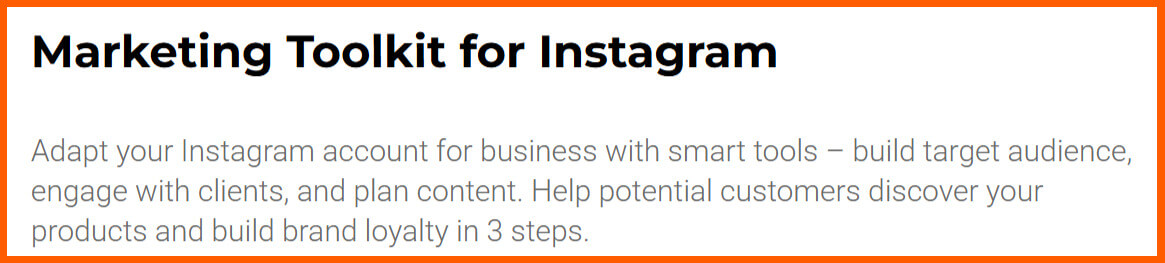
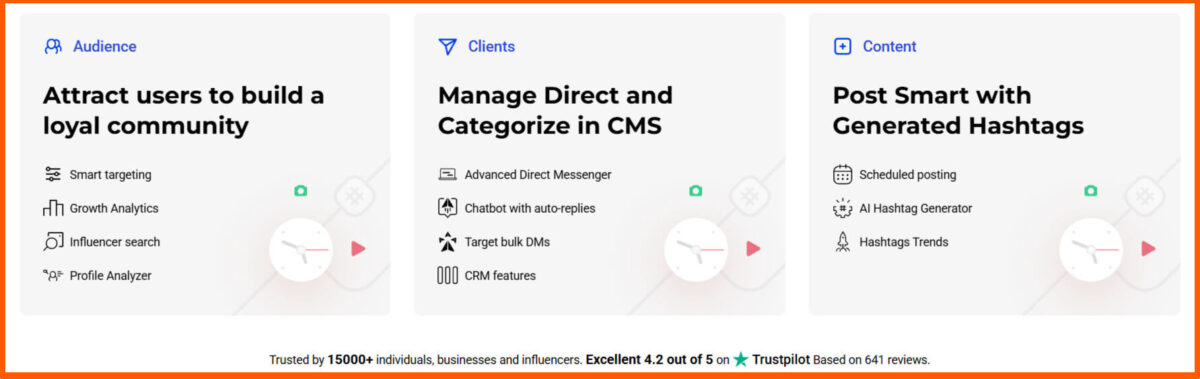
Inflact isn’t just an Instagram viewer. It’s a full Instagram marketing toolkit, a smart tool that can help you understand your target audience, engage with clients, and plan content.
Its real strength lies in organizing and analyzing content, which makes it perfect for marketers, researchers, or anyone tracking Instagram trends.
Mind you, it doesn’t give instant access to everything an account posts in real-time.
That’s not its core focus; it’s about insight, pattern detection, and access to content that’s easy to access, just like every account viewer app.
How Inflact Fits Into Your Instagram Research Tasks
Inflact became a go-to when I wanted to:
- Monitor accounts without sending follow requests
- Investigate competitor content strategies
- Track influencer engagement
- Identify trending hashtags and topics
- Remain anonymous while browsing Instagram
Inflact gives you the bigger picture, not just one post at a time.
How to Use Inflact to View Instagram Accounts
- Sign up on Inflact and log in to the dashboard.
- Enter the account’s username in the search tool.
- Explore their posts, tags, and engagement metrics.
- Export data or save insights to inform research, reporting, or strategy.
The setup takes a few minutes, but once it’s running, it’s a huge time-saver for anyone doing ongoing research.
Why You Should Use Inflact (Pros)
- Good for structured research and analysis
- Can track multiple accounts at once
- Provides metrics and insights, not just content
- Works well for both short-term and ongoing monitoring
Why People Shy Away from Inflact (Cons)
- Limited access to private accounts
- Slightly more complex than Peekviewer or Eyezy
- You pay a token subscription fee to use it.
Trade-offs
- It’s not the simplest tool to use; however, you gain long-term insight and data organization. For me, Inflact is worth it when I want context and patterns, not just a single post.
When to Use Inflact and When Not to Use It
I use Inflact when:
- I need to analyze multiple accounts for trends
- I’m doing competitor research for a brand
- I want historical context and metrics.
I skip it when:
- I only need a quick peek at one account
- I want something lightweight and simple.
Other Inflact Features Marketers Actually Use
- Hashtag research and analysis
- Audience engagement tracking
- Post scheduling and automation
- Exporting reports for presentations or client updates.
Inflact became my go-to tool when I needed Instagram research that goes beyond just seeing posts. It turns Instagram account visibility into actionable insights I can use to make decisions.
Need a monitoring tool for legitimate reasons? Eyezy is one option I’ve personally tested and still recommend for parents or business owners. View my current pricing here → https://inflact.com/4872d763b8/
4. DolphinRadar
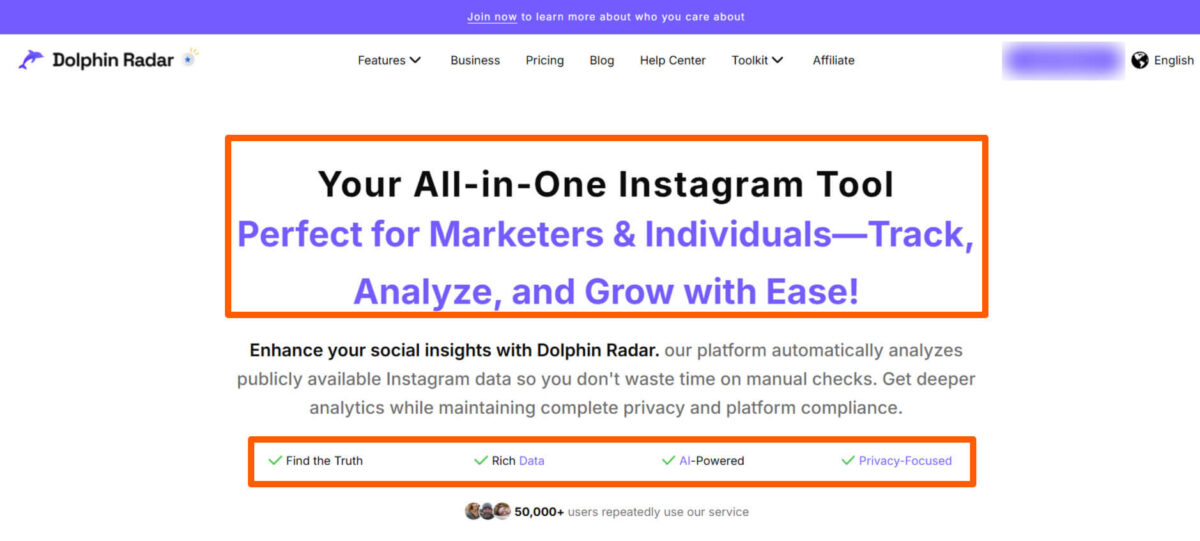
DolphinRadar is a straightforward web tool for anonymous Instagram profile and story viewing. During my April 2026 test, it loaded private accounts quickly, with no installation required, and provided clean overviews of posts and highlights.
It’s ideal for no-frills, one-time checks. Like the others, it should only be used ethically and works best alongside the safer manual methods I shared earlier.
It stood out because it’s built for users who want ongoing visibility without spending time learning the platform.
What DolphinRadar Focuses On
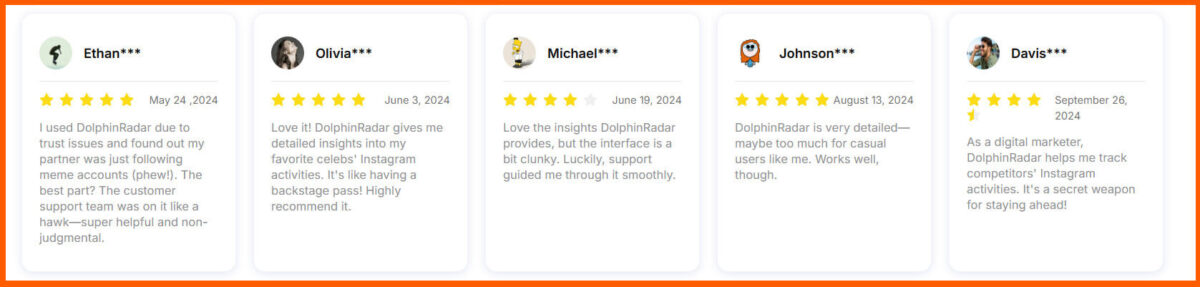
DolphinRadar is designed to track activity and engagement patterns on Instagram accounts.
Unlike tools that focus on raw content access, it gives you a sense of what’s happening on an account in near real-time — posts, stories, follower changes, and interactions.
This is useful when you need continuous, insightful monitoring but don’t want to dig manually every day. They can help you decide when to post on Instagram, how to approach hashtag use, and how to use IG features more effectively.
The Kind of Users DolphinRadar is Built For
- Parents who want consistent insight into teen accounts
- Marketers keeping tabs on competitors or influencers
- Researchers tracking engagement trends
- Anyone doing ongoing Instagram monitoring without manually checking.
How to Use DolphinRadar to View Instagram Accounts
- Sign up and log in to DolphinRadar.
- Enter the username of the account you want to track privately.
- The dashboard shows activity patterns, posts, Story updates, and follower interactions.
- Set alerts or notifications to keep track of new activity.
I personally liked that the dashboard is clean, and it shows trends at a glance instead of overwhelming me with every tiny detail.
Why You Should Use DolphinRadar(Pros)
- Continuous monitoring over time
- Clear visualization of activity patterns
- Alerts for new posts or updates
- Easy to use for non-technical users
Why People Shy Away from DolphinRadar(Cons)
- Doesn’t give access to Instagram private DMs
- You pay a token subscription fee for ongoing monitoring
- Instagram-only focus
Trade-offs
- It doesn’t give you instant, full-profile access, but it does give you a structured, long-term view of account activity. I found this trade-off worthwhile when I needed consistency without having to constantly check manually.
Practical Scenarios Where Dolphine Shines
- Tracking an influencer’s posting schedule for competitive research
- Monitoring a teen’s activity over weeks or months
- Understanding engagement trends without sending follow requests
Other DolphinRadar Functionalities Beyond Instagram Viewing
While viewing Instagram profiles privately is its core function, DolphinRadar also lets you:
- See historical follower growth
- Track post frequency trends
- Get alerts for specific activity patterns
- And a whole lot of other functions.

DolphinRadar fits perfectly when you want ongoing insight. It’s not about seeing everything instantly, but about efficiently staying up to date on a private account’s activities.
Need a monitoring tool for legitimate reasons? Dolphin Radar is another option I’ve personally tested and still recommend for parents or business owners. View my current pricing here → https://www.dolphinradar.com/?via=lisa
5. UpGrow
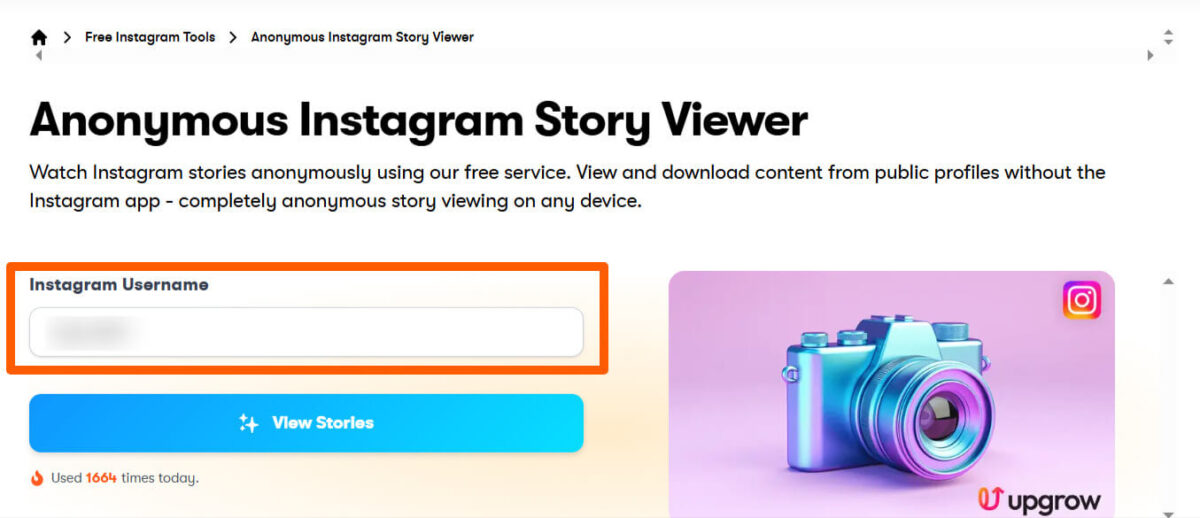
UpGrow combines private account viewing with Instagram growth services. I tested it in April 2026 and found the viewer fast and professional, letting you browse profiles while also offering targeted follower tools if needed.
It works well for business owners who want both viewing and growth in one place, but it requires a paid plan. For pure one-time private viewing, the manual methods at the top of this guide remain the best free choice.
What drew me to it was its different approach to Instagram monitoring. It’s less about viewing Instagram accounts anonymously and more about growth, access, and visibility on the Platform.
UpGrow has an above-average TrustScore rating on Trustpilot, with about 3200 reviews as of the last time I updated this content. They replied to 87% of their Trustpilot reviews and replied within one week.
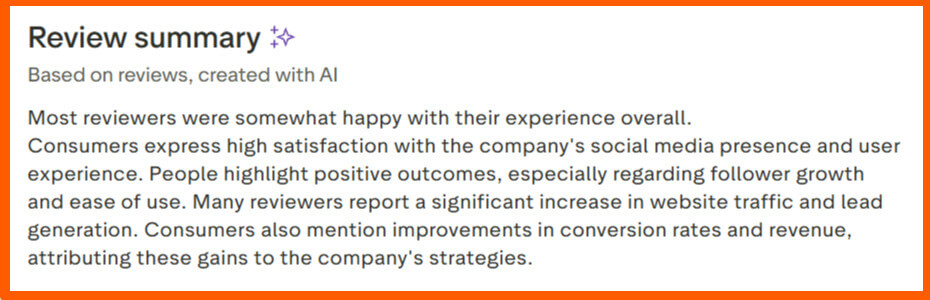
I’ll say UpGrow it as a hybrid tool for Instagram: part research assistant, part content tracker, part Instagram growth tool.
I’ll show you what I mean.
Why UpGrow Is Different from Viewer Tools
Unlike Eyezy or Peekviewer, UpGrow doesn’t focus solely on viewing stories anonymously or monitoring a device.
UpGrow is designed for people who want to understand an account’s behavior in the context of audience growth, engagement, and strategy.
It’s especially useful for analyzing competitors or influencers, and can also help if you want to gain Instagram followers or track spam comments and followers.
It’s like a complete Instagram toolkit for content creation, growth hacks, analytics and tracking, and account security.
It has everything; a must-have Instagram tool for every Instagram user.
UpGrow gives you insight into:
- When accounts post and how frequently
- Engagement metrics for each post
- Follower growth trends
- Public interactions and reach patterns
It’s not a tool for viewing DMs or fully private posts, but it can give you access to public and semi-private accounts, allowing you to view their activity and turn it into actionable Instagram insights.
How to Use UpGrow to View Instagram Accounts
- Sign up and log in to UpGrow.
- Add the Instagram username(s) you want to track.
- Explore the dashboard for activity, engagement, and growth trends.
- Use the insights to guide research, marketing strategy, or competitor analysis.
UpGrow works best when you’re tracking multiple accounts over time and want a snapshot of how activity translates to growth.
Why You Should Use UpGrow (Pros)
- UpGrow is focused on engagement and growth insights
- Works well for both single accounts and multiple accounts
- Provides clear analytics and trends
- Easy-to-read dashboard
Why People Shy Away from UpGrow (Cons)
- Doesn’t show full private content
- Instagram-focused
- You pay a token subscription fee for the solution.
Trade-offs
- UpGrow doesn’t give you full direct visibility, but you gain contextual understanding of accounts, their reach, and how they interact with their audience. For me, that trade-off is worth it when your goal isn’t just seeing posts, but understanding behavior and strategy.
When it Makes Sense to Use UpGrow
- Competitor research for marketing or brand strategy
- Tracking influencers for collaborations
- Understanding posting patterns and engagement trends
- Long-term monitoring where insights are more valuable than raw content
Other Things You Can Do with UpGrow Beyond Viewing Accounts
UpGrow also helps with:
- Analytics-driven content planning
- Identifying high-performing posts or topics
- Tracking audience growth for strategic campaigns
UpGrow is the tool I reach for when I want more than just what’s posted; I want insight that informs strategy, growth, and decision-making.
Need a monitoring tool for legitimate reasons? UpGrow is last option I’ve personally tested and still recommend for parents or business owners.
Table Comparing all Tools for Viewing Private Instagram Accounts
This table summarizes what each tool does, mode of access, when it makes sense to use it, and the key trade-offs.
Think of it as a quick, scannable overview to help you decide which one to try.
Makes it easy for you to see which tool fits which scenario: whether you want quick insight, ongoing monitoring, structured research, or strategic growth analysis.
| Tool | Login Required | Type of Access | Best For | Instagram-Only vs Multi-Purpose | Key Limitation |
| Eyezy | Yes | Device monitoring, posts, messages | Parents, business owners, and ongoing monitoring | Multi-purpose | Needs device installation |
| Peekviewer | No | Public traces, tagged posts, and highlights | One-off checks, quick research | Instagram-only | Doesn’t show fully private posts |
| Inflact | Yes | Structured research, trends, tags | Marketers, analysts | Instagram-focused toolkit | Slightly complex. |
| DolphinRadar | Yes | Activity patterns, posts, follower changes | Ongoing monitoring, parents, business owners, marketers | Instagram-only | No access to DMs or fully private content |
| UpGrow | Yes | Engagement metrics, growth trends, visibility | Marketing strategy, influencer tracking | Instagram-focused toolkit | No full private content access |
When You Should Use Tools To View Private Accounts on Instagram and When You Shouldn’t
After using both traditional methods and tools extensively, I realized there’s a clear point when using manual approaches stops being efficient, and a tool becomes the smarter move.
Think about it this way:
Sending follow requests, checking mutual connections, or searching Google can give you some visibility, but these approaches take time, don’t offer anonymity, and provide limited depth of insight.
If you only need a quick peek or context about a single account, traditional methods might be enough.
Tools become necessary when you want more than just a one-off glance.
- I reach for Eyezy or DolphinRadar when I need ongoing monitoring, like keeping tabs on teen accounts or tracking a competitor’s activity over weeks.
- Peekviewer is my go-to for quick checks when I don’t want to log in or deal with complicated setups.
- Inflact and UpGrow are the tools I rely on when I’m analyzing patterns, engagement trends, or strategies across multiple accounts.
Without these tools, I could spend hours or even days piecing together information that I could have within minutes.
I’ve found that the key is knowing why you need the tool in the first place.
Choosing a tool without understanding your purpose is the biggest mistake people make. You end up paying for features you don’t use, or worse, missing the insight you actually need.
- If your goal is casual curiosity, a full-featured monitoring tool might feel overkill. Peekviewer should work for you.
- But if your goal is research, strategic insights, or consistent monitoring, these tools save you time and give you anonymity and clarity you simply can’t get manually.
Overall, start with manual methods, but switch to tools when anonymity, speed, consistency, and depth matter.
That’s the balance I’ve found works best, and it’s the approach I recommend to anyone trying to see private Instagram accounts anonymously.
Risks, Misconceptions, and What to Avoid When Looking for Ways to View Private Instagram Accounts
Most issues around viewing private Instagram accounts anonymously don’t come from the tools themselves. They come from misunderstanding how Instagram works or using the wrong approach.
One common misconception is assuming that every method or tool gives the same kind of access.
Each option is built for a specific purpose — quick checks, ongoing monitoring, research, or strategy.
When people expect a tool to do something it wasn’t designed for, that’s when frustration sets in. Another thing I’ve learned is that doing too much, too fast, can work against you.
Repeated follow requests, aggressive actions, or constantly switching methods can draw attention and slow things down.
Choosing one clear approach and sticking with it works far better than trying everything at once.
The simplest way to stay on track is this:
- Match the method to your goal.
- Use traditional options when they’re enough. Use tools when anonymity, consistency, depth, or time savings matter.
When you’re clear on why you’re doing it, you’ll see that viewing accounts on Instagram privately is a smooth task.
Frequently Asked Questions (FAQs) on How to View Private Instagram Accounts
Here’s a quick set of questions I’m most often asked by people trying to understand how to view private Instagram accounts, answered based on my own testing and experience.
Yes. Tools like Eyezy and Peekviewer let you see a private account’s posts, tagged content, and highlights without sending a follow request. Manual methods can also give partial context through mutual connections or public mentions.
No. The tools I discussed do not alert the account owner when you’re viewing their Instagram content indirectly or through analytics dashboards.
In my experience, Peekviewer, Inflact, DolphinRadar, and UpGrow are the cleanest options for marketers who want to view Instagram accounts anonymously. They give insights without requiring many invasive or risky actions, and they integrate well into research workflows.
– Avoid any tool promising 100% access to viewing of private Instagram content. These are usually scams or illegal.
– Also, avoid repeated aggressive follow attempts or using tools outside their intended use.
Yes. Most tools have limits based on subscription tiers. For manual methods, the limits are mostly determined by how many accounts you can track efficiently.
Yes. If you stick to reputable tools and use them responsibly. From my testing, these tools are reliable and low-risk when used correctly.
Yes, partially. Tools like Peekviewer can show publicly available or indirectly accessible content, but fully private content still requires approved access or device-based monitoring like Eyezy.
Yes. The tools I’ve tested (Eyezy, Peekviewer, Inflact, DolphinRadar, UpGrow) fall into this category. Each has its own method and focus, so choosing the right one depends on your goal.
Concluding Thoughts on How to View Private Instagram Accounts Anonymously
Viewing private Instagram accounts anonymously isn’t about shortcuts or hacks but about purpose, approach, and tools that fit the situation.
I’ve tested traditional methods, sent follow requests, traced public activity, and explored every top tool in this guide.
Each one has its place, and each one works best when you know what you’re trying to achieve.
The process always follows a simple pattern: traditional methods first, tools second.
The real goal shouldn’t be just seeing posts. It should be about understanding context, spotting trends, and making informed decisions.
Key Takeaway: Whether you’re researching competitors, monitoring accounts over time, or analyzing engagement for strategy, know your goal, pick the right approach, and use the right tools.
Do that, and viewing private Instagram accounts anonymously becomes straightforward.
Disclosure: This Inspire To Thrive blog post contains affiliate links. I may earn a commission from qualifying purchases at no extra cost to you. Some sections were drafted with AI tools and carefully reviewed/edited by me.





Hey Lisa,
Your post about how to follow private Instagram accounts was really insightful and helpful. I’m not very active on Instagram lately, but when I do follow someone, I definitely want to know more about them before hitting the “follow” button. Privacy is important, but transparency is equally important for building trust and a genuine connection.
Your tips and tricks for bypassing the privacy barriers of private accounts were really clever and I’m definitely going to keep them in mind next time I come across a private account I want to follow. I appreciate the time and effort you put into researching and sharing these solutions with us.
Overall, great work and keep the helpful content coming!
Hi Matthew, thank you and welcome to Inspire To Thrive. I hope these tips help you to realize what others can see on your profile if you ever decide you need a private one too. It works both ways. I recently learned the (new 5) bio links now on Instagram show to all users whether private or not. Have a great day!
Good to know Lisa. I’ve been inactive on Instagram for a bit but if I follow anyone I need to know more about them. Privates never got a follow because I need transparency. You listed a few clever ways to get around this problem. Excellent post guys.
Thanks, Ryan, I rarely follow private accounts myself. It seems a little ironic to me to be on social media and want to be private at the same time. Thanks for coming by on this one Ryan – have a great rest of your weekend!
Hi Lisa,
Great tips for someone who want to “spy” on private IG accounts. I am not much of a stalker, so I think I will stay away.
Lisa – Loving the new look of your website!!
Thank you, Praveen for the comment on the website redesign. I’m excited about it, my techie Mayura did a fabulous job with it. It took some time but the traffic has started coming right back up. I always forget what a big project a redesign can be. Have a great day!
Hi Lisa,
Your guide is valuable and timely for users who may want to follow someone but hit a dead end. For instance, before I follow other Instagram users, I visit their profiles to ensure what they’re doing is relevant. But sometimes, I get a “this profile is private” notification and quickly hit the back button without considering how to view those profiles. So, your tutorial is a helpful resource since it makes it easier to view private accounts on the site.
Thanks for sharing!
Thank you Moss, I’m glad you found it valuable. That notification can stop you for a while. But now you know how you can still move along to find them. Thanks for coming by and have a great day.
Hello Lisa,
Instagram is becoming popular these days and people use it aggressively. You have shared very helpful tips to view private Instagram accounts. I am sure that this article will help me a lot.
Regards,
Vishwajeet Kumar
Hi Vishwajeet, yes Christopher did a fabulous job with this post about using Instagram and the ability to view private Instagram accounts. It seems that there are a lot of private accounts these days. Thank you for coming by and sharing this one Vishwajeet. Have a great day!
Hi Lisa,
I have never tried to find private Instagram accounts. yet, thanks for sharing this information quite helpful.