If you’re reading this in late October or November and thinking, “I meant to do holiday SEO back in September,” you’re not alone.
So let’s answer the question honestly: is it too late for holiday SEO? The good news is that some holiday SEO work still pays off even this late.
For brand-new pages, mostly yes. For the pages you already have, no. And that difference is what this whole post is about.
Here’s the calendar we’re working with this year:
- Thanksgiving: Thursday, Nov 26
- Black Friday: Friday, Nov 27
- Small Business Saturday: Saturday, Nov 28
- Cyber Monday: Monday, Nov 30
That’s roughly three to four weeks. Not enough time to build something new and expect it to rank, but plenty of time to make what you already have work harder.
Estimated reading time: 9 minutes
Table of Contents
The Honest Answer: Work with What Google Already Knows
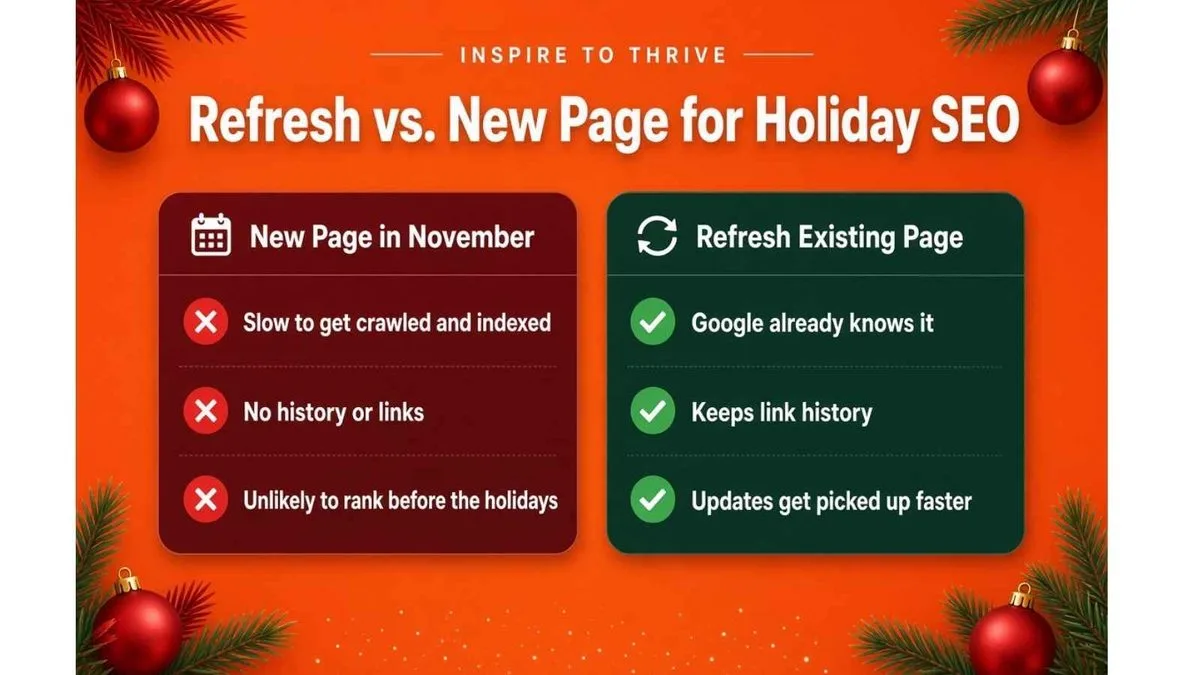
A new page has to be discovered, crawled, indexed, and then earn its spot in the results. Google says plainly in its documentation that crawling can take anywhere from a few days to a few weeks, and that requesting a crawl doesn’t guarantee a page will appear in search at all.
Getting indexed is just step one. Ranking well usually takes longer.
Why Holiday SEO Still Works on Existing Pages
Pages that are already indexed and already get some traffic (and maybe a few links) are a different story. Google knows about them, so your updates will be picked up the next time it crawls.
So the November rule is simple: improve existing pages instead of launching new ones.
Check out my updated post on using social media for Black Friday deals.
Here’s a simple holiday SEO strategy you can finish before Thanksgiving.
Do This Now: November Quick Wins for Holiday SEO
1. Refresh last year’s gift guide or holiday page (don’t start a new URL)
If you made a holiday page or gift guide last year, update it. Don’t publish a new one at a new address.
Google has recommended this for years. On its best practices for Black Friday and Cyber Monday pages, it suggests using a single, recurring URL for a recurring event, such as /sale/black-friday instead of /sale/2020/black-friday.
The page keeps whatever history and links it has built up over time.
What a refresh looks like:
- Replace discontinued products with current ones.
- Update prices, offers, and shipping or pickup deadlines.
- Change any mention of last year to 2026.
- Replace old photos where appropriate.
- Make sure every link and “buy” button still works.
If last year’s URL has the year in it (like /gift-guide-2025), don’t rush to change it now. Update the content where it is and put the URL question on your January list. More on that below.
For example, I keep updating the same Black Friday deals guide at inspiretothrive.com/best-black-friday-deals instead of creating a new page each year. It already has history with Google, so the 2026 updates can get picked up faster than a brand-new URL would.
2. Add internal links from your busiest pages to your holiday page
This is one of the most underrated quick wins. Google’s own Black Friday guidance suggests linking to your sale pages from your home page (or a similar page), so both visitors and Google can find them more quickly.
Open your analytics or the Performance report in Google Search Console and find your top few pages. Then add a clear, descriptive link from each one to your holiday page. “Shop our holiday gift guide” beats “click here” every time.
Good places for these links:
- Your home page (a simple banner or a line near the top).
- Your most popular blog posts.
- Your main product or service category pages.
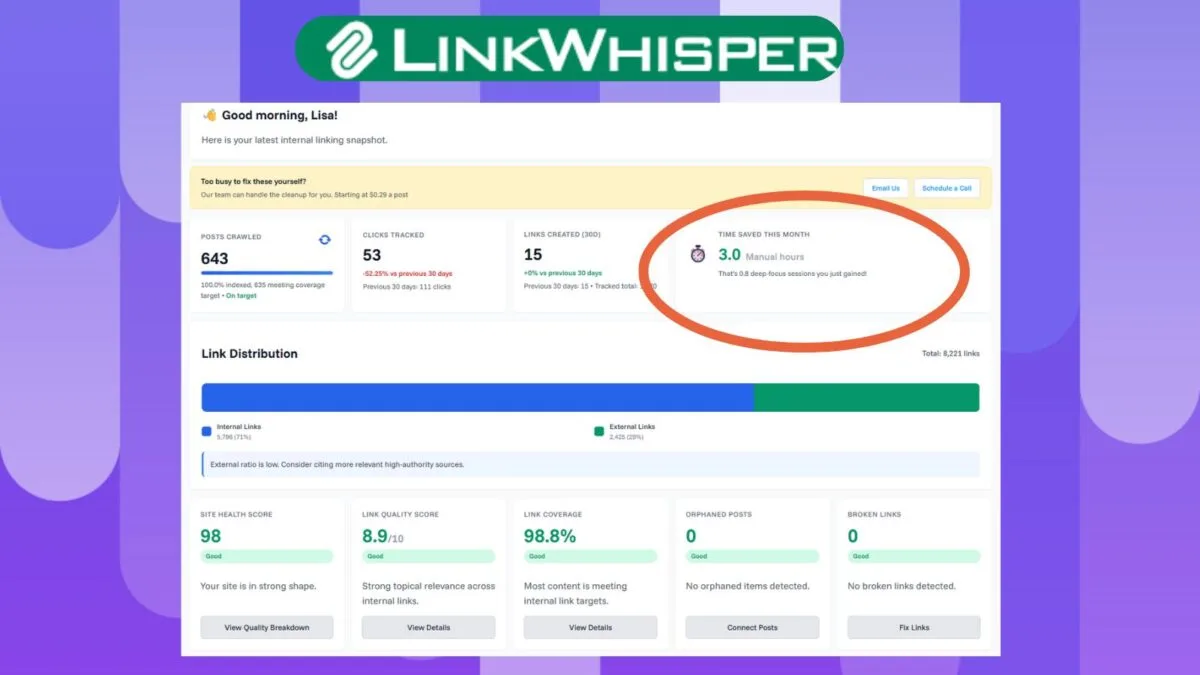
👉 Tip: Use Link Whisper to quickly do this for your entire website.
3. Update titles and meta descriptions with the year and the offer
Shoppers want to know your page is current. Add the year and the actual offer to your title and meta description. For example: “Holiday Gift Guide 2026 | Free Local Pickup Through Dec 23.”
One honest caveat: Google doesn’t always use your title or meta description exactly as written. It may generate its own title link or pull the snippet from your page content.
That’s another reason to put the year and the offer near the top of the page itself, not just in the tags.
4. Update your Google Business Profile
If you have a physical location or serve a local area, this might be the most valuable thing on the whole list, and it doesn’t touch your website at all.
- Set special hours. Google Business Profile lets you add special hours for holidays without changing your regular hours. Google also suggests confirming your hours for official holidays even if they’re the same as usual, so customers know they’re accurate. Do this for Thanksgiving, Black Friday, and Small Business Saturday.
- Create an Offer post. Business Profile posts come in three types: Updates, Offers, and Events. An Offer needs a title and dates; you can also add a coupon code, a link, and terms. You can also schedule posts ahead of time, which is handy for a busy week.
- Post an Event if you’re hosting an in-store open house or a Small Business Saturday event.
[Your example: what you’d post on your own (or a client’s) Business Profile for Small Business Saturday.]
Read how to check your Google reviews here.
5. Add a short holiday FAQ to your holiday page
Think about the questions people actually ask you this time of year:
- What’s the last day to order for delivery before the holidays?
- Do you offer gift cards or gift wrapping?
- What are your holiday hours?
- What’s your return or exchange policy on gifts?
Answer them right on your holiday page in plain language. It helps shoppers decide, and it means fewer repeat questions in your inbox.
A quick note if you’ve read older SEO advice about FAQ markup: Google stopped showing FAQ rich results in Search in May 2026. So add your FAQ for your customers, not in hopes of getting a special search listing.
6. Check your mobile speed and experience
Open your holiday page on your own phone and go through it like a customer. Does it load reasonably fast? Are the buttons easy to tap? Does checkout or your contact form actually work?
For a more technical look, check the Core Web Vitals report in Search Console or run the page through PageSpeed Insights.
Keep the fixes low-risk right now: compress oversized images, remove a pop-up that covers the entire screen, and disable plugins you’re not using. Save the bigger performance work for January.
7. Request indexing in Google Search Console
Once you’ve updated a key page, you can ask Google to recrawl it. In Search Console, paste the URL into the URL Inspection tool and select Request indexing. It’s worth knowing how this actually works:
- You need to be an owner or full user of the Search Console property.
- There’s a quota for individual URL requests, so save it for your most important pages.
- Requesting the same URL repeatedly won’t get it crawled any faster.
- It still isn’t a guarantee. Crawling can take a few days to a few weeks.
While you’re there, check whether the page is indexed and whether anything (like an accidental “noindex” setting) is blocking it.
Holiday SEO Timeline: Week by Week
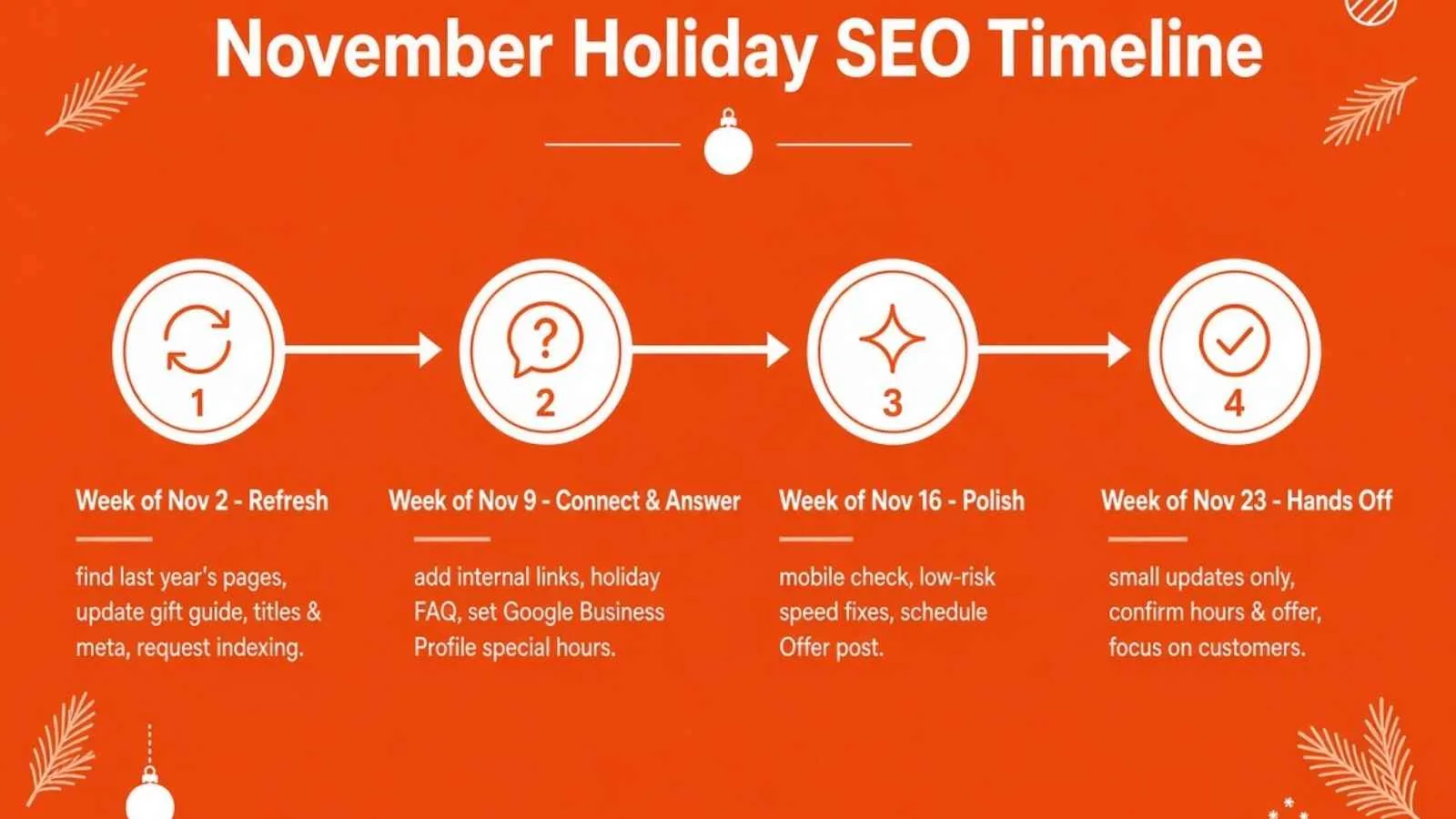
Week of Nov 2: Find and refresh – Find last year’s holiday pages and your top-traffic pages, then refresh your gift guide or holiday page content. Lastly, update the titles and meta descriptions to include 2026 and your offer. Be sure to request indexing for the refreshed page(s). See my example here: Best Black Friday Specials.
Week of Nov 9: Connect and answer – Add internal links from your home page and top pages – Add the holiday FAQ section – Set Google Business Profile special hours for Nov 26–28.
Week of Nov 16: Polish – Do the mobile check and make the low-risk speed fixes. Then create (or schedule) your Business Profile Offer post. Lastly, check URL Inspection to see whether your updates have been picked up.
Week of Nov 23 (Thanksgiving week): Hands off – Small text and price updates only – Confirm your holiday hours and offer post are showing. Make sure your checkout, forms, and links all work. Then Small Business Saturday (Nov 28): focus on your customers, not your website.
Don’t forget Cyber Monday on Nov 30. If you’re running a separate online offer, update that same holiday page instead of creating a new one.
Leave This For January
These are worth doing, just not in your busiest season.
Site redesigns
A redesign can change your layouts, speed, internal links, and sometimes URLs all at once. If something breaks, you want it to happen in a slow month.
URL changes or site migrations
That includes changing URLs, switching domains, or moving to a new platform. Google’s own site move guidance says to expect temporary ranking fluctuations and suggests timing a move for when your traffic is lower. For most retail and gift businesses, that’s not November.
Big new content clusters
Planning a set of new posts around a topic is a great long-term project. But new pages need time to get indexed and earn rankings, so start them in January if you want them working for you next holiday season.
Link building campaigns
Earning links through partnerships, guest posts, or PR takes time to set up and longer to pay off. Plan it now and start in the new year.
Anything risky during peak season
New plugins, theme updates, checkout changes, or “let’s just try this” experiments. If it could take your site down or break your checkout, it can wait.
Now, it’s not the time to change your hosting. I had a client that once did this, and it cost them weeks of sales at the worst time.
FAQS: Holiday SEO Tips
For new pages, mostly yes. For pages Google already knows, no, you can still improve them before Thanksgiving.
No. Update last year’s page instead so it keeps its existing history and links.
Refresh an existing holiday or gift guide page, add internal links from your top pages, and update your Google Business Profile hours and offer.
No. Google largely stopped showing FAQ rich results in 2026. Add the FAQ for readers, not for special search features.
The Bottom Line
It’s not too late for holiday SEO. It’s just too late for big holiday SEO projects. Focus on the pages Google already knows about, make them current and easy to find, update your Business Profile, and then step away from the website and serve your customers.
Then in January, while it’s quiet, make next year’s holiday page your first project.
Which of these are you tackling this month? Let me know in the comments below.
And if your Google Business Profile needs some work first, start here: https://inspiretothrive.com/how-to-use-google-my-business/
Disclosure: This Inspire To Thrive blog post contains affiliate links. I may earn a commission from qualifying purchases at no extra cost to you. Some sections were drafted with AI tools and carefully reviewed/edited by me.

- Is It Too Late for Holiday SEO? What Still Works in November - October 25, 2026
- Is Benable Legit? My Honest Benable Review & Earnings Proof - October 24, 2026
- Instagram Privacy Settings: What Others Can and Can’t See - October 24, 2026
Enjoy this content? Help me show up more often in Google by adding Inspire To Thrive as a Preferred Source: