
If you’ve ever wondered whether you can delete boards on Pinterest, the answer is yes, and it’s often one of the smartest moves you can make for your account.
Deleting a board isn’t just Pinterest housekeeping. It can dramatically shift how your audience perceives your brand, how focused and professional your profile feels, and how effectively your content drives traffic.
The secret is knowing which boards are quietly holding you back and which ones are still delivering real value.
In today’s Inspire To Thrive’s post, I’m sharing exactly how to evaluate and delete boards on Pinterest, plus what I learned from doing it myself with the results.
Estimated reading time: 10 minutes
Table of Contents
Key Takeaways of Pinterest Boards
- Declutter for Better Performance: Removing outdated or off-topic boards helps Pinterest’s algorithm better understand your niche, potentially improving your content’s visibility.
- Archive as a Safer Alternative: If you are hesitant to permanently lose content or traffic, archiving a board hides it from public view while keeping the pins intact.
- Think Like a Search Engine: Because Pinterest functions as a visual search engine, keeping your profile focused on specific, relevant categories is essential for attracting your target audience.
- Review Before Deleting: Always check your analytics before hitting delete; even inactive-looking boards may still serve as passive traffic drivers that support your overall account goals.
Can You Delete Boards on Pinterest? What Happens Next
Your board and its pins disappear from public view
When you choose to delete a board on Pinterest, it is removed from your profile immediately. Other users can no longer browse it, see the pins, or save content from that board to their account.
If you have decided it is time to clean up your profile, you can delete a board using these steps:
On desktop: Click your profile picture to go to your profile, navigate to the Saved tab, click the board you want to remove, select the ellipsis icon, and choose Edit board. Scroll down to find the delete option.
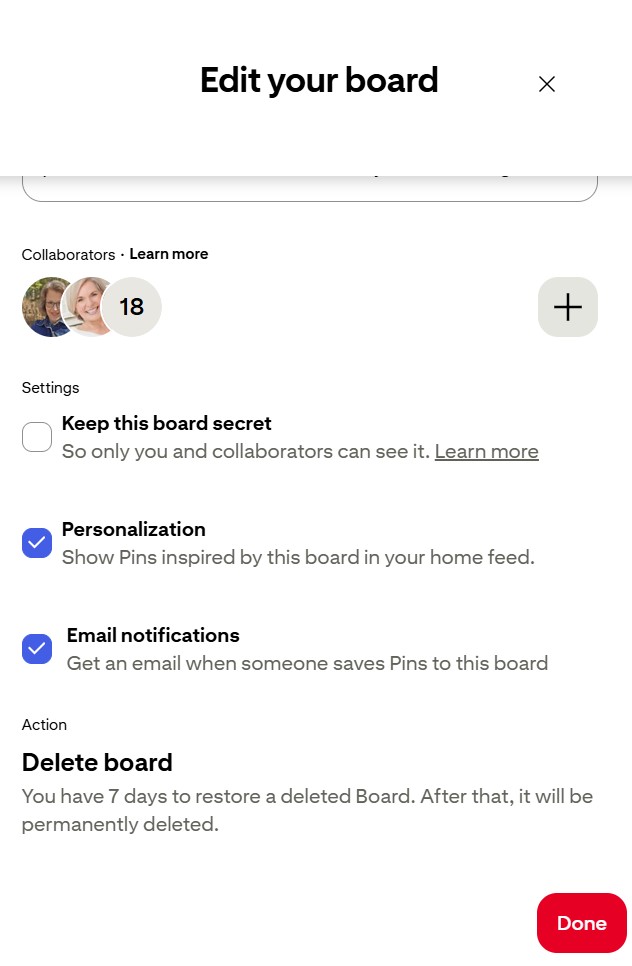
On the Pinterest mobile app: Tap your profile picture to reach your profile, tap the Saved tab, open the board, tap the ellipsis icon, select Edit board, and then choose the delete option.
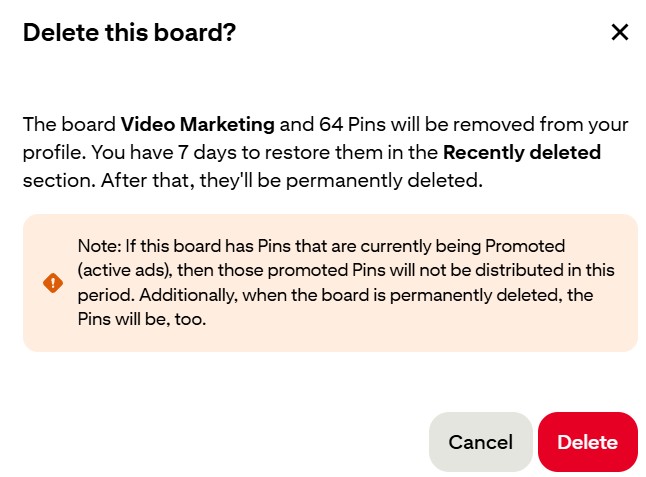
I found the desktop Pinterest much easier and quicker to work with!
If you are not ready for a permanent change, you can choose to archive your board instead. When you archive your board, it is hidden from your public profile without being erased, which is a safer alternative if you want to declutter your page.
Delete only when you are sure. While there is a recently deleted folder where you may be able to restore a board for a short window, usually around 7 days, you should not count on recovering your content once the process is finalized.
Why impressions, engagement, and clicks can change
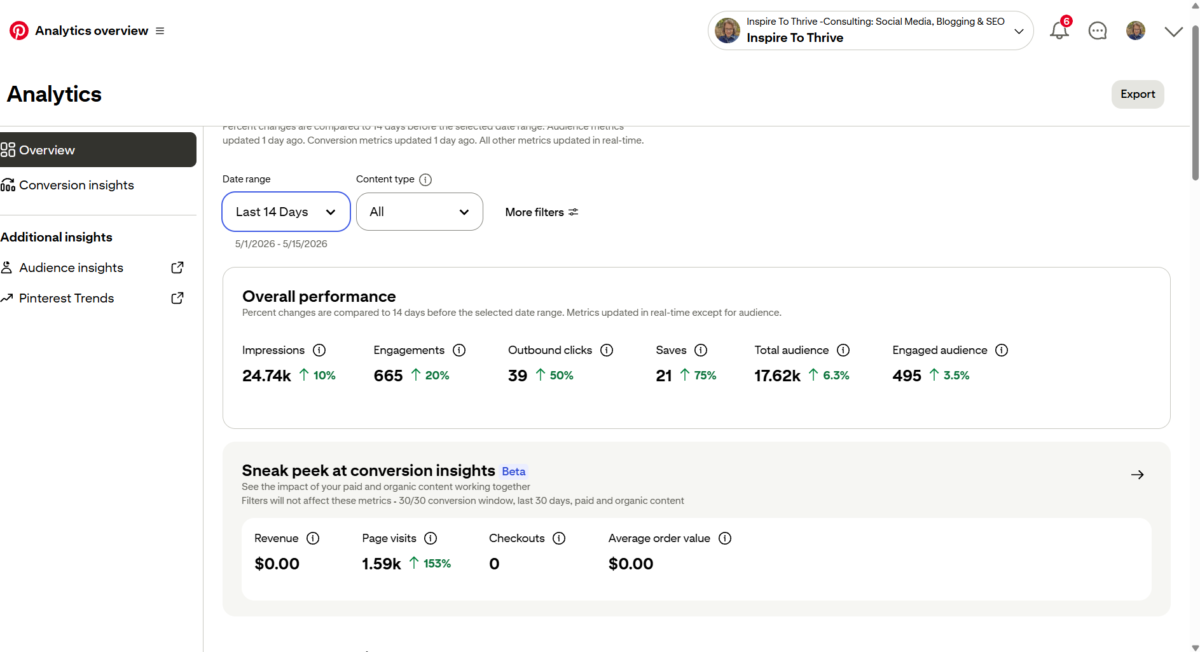
Deleting a board can remove a source of traffic. If that board still receives impressions, saves, or clicks, those engagement numbers will likely drop after it is gone.
- The impact depends on the performance of the specific board.
- A stale board with no activity may change almost nothing for your account.
- On the other hand, an older board can still show up in Pinterest search results.
- Before you decide to delete a board, remember that even inactive boards may continue driving visits to your site.
If you are worried about losing that steady flow of traffic, it is often better to archive your board rather than removing it entirely. As noted in many of Inspire To Thrive’s Pinterest guides, old boards often act as passive traffic drivers long after you stop actively managing them.
Can Deleting Weak Pinterest Boards Improve Your Pinterest Account?
A tighter niche makes your profile easier for Pinterest to understand
Pinterest works best when your account has a clear topic. If you run a business account about blogging, but half your boards are random recipes, holiday crafts, and old decor ideas, your profile sends mixed signals.
- This is particularly important if you are undergoing a rebranding, as you want your current audience to recognize your updated focus immediately.
- That matters because Pinterest tries to match boards and pins to search intent. Off-topic boards can blur your theme and make it harder for the platform to know who should see your content.
- A smaller set of well-matched boards often gives your Pinterest account a stronger identity.
As explained in board optimization advice from Oraya Studios, removing or hiding boards that do not fit your niche can make your profile easier to categorize.
Cleaner boards can lead to stronger engagement signals
Engagement on Pinterest is simple at heart. People save what fits, click what solves a problem, and ignore what feels random.
When your boards are tightly grouped by topic, users are more likely to provide positive engagement signals. A focused board about marketing tips has a better shot at getting saves than a catch-all board stuffed with unrelated pins.
Over time, greater relevance can lead to better impressions and clicks. That does not mean deletion creates instant growth. It means a cleaner account gives your best content a better chance to perform.
Deleting bad boards can make your top content stand out more
Visitors judge your public profile fast. If they land on your page and see too many weak boards, they may miss the ones that matter most.
Removing clutter helps your best boards get attention first. That is useful for bloggers, creators, and small businesses that want profile visits to turn into clicks.
A tighter board lineup makes your Pinterest account feel more current, which builds trust with your audience. In other words, deleting weak boards is less about loss and more about focus.
Which Pinterest Boards Are Worth Deleting and Which Ones Should Stay
Signs that a board is probably hurting your account
Some boards are easy to spot. They are off-topic, nearly empty, outdated, or full of pins that no longer match your niche. Others look harmless but haven’t earned a save, click, or impression in months.
- These boards often add clutter without adding value. A group board you joined years ago might fit this category. So might a personal-interest board sit on a business profile, or an old product board for items you no longer sell.
- If you have personal content that doesn’t fit your current brand aesthetic, you can move it to a secret board instead of deleting it entirely.
- If a board doesn’t support your current goals, it deserves a hard look. Use Pinterest analytics to identify this unwanted content; if a board brings nothing useful to your strategy, removing it may help more than keeping it.
While you can select pins to bulk delete or mass delete within a board, remember that you must remove entire boards individually through the edit board menu.
Signs a board still deserves a place on your profile
Keep boards that still work. If a board gets steady impressions, saves, clicks, or sends visitors to your site, it still has a job and helps provide value to your followers.
Evergreen boards often belong here. Seasonal boards can stay too, especially if they come alive each year. A holiday planning board may look quiet in May, but pick up again in October.
➡️ Boards tied to your services, blog categories, or top offers also deserve protection.
A real cleanup should be selective, not ruthless. The goal is not to own fewer boards. The goal is to keep the right ones.
That same idea shows up in this article on organizing Pinterest boards for growth, which shares how removing weak boards can help stronger content get more traction.
How Pinterest is Becoming More Like a Search Engine
Pinterest is no longer just a social platform. Today, people use it as a powerful visual search engine to discover ideas, products, tutorials, and answers. What Pinterest users do:
- Type specific keywords into the search bar.
- Scan the results.
- Click on the content that best matches their intent.
Because of this, board quality is far more important than your total board count. Your board titles, descriptions, and the relevance of your individual pins help Pinterest determine exactly what your account is about.
You can try this tool below to create better titles and descriptions for your pins, so your pin can be found more easily in search.
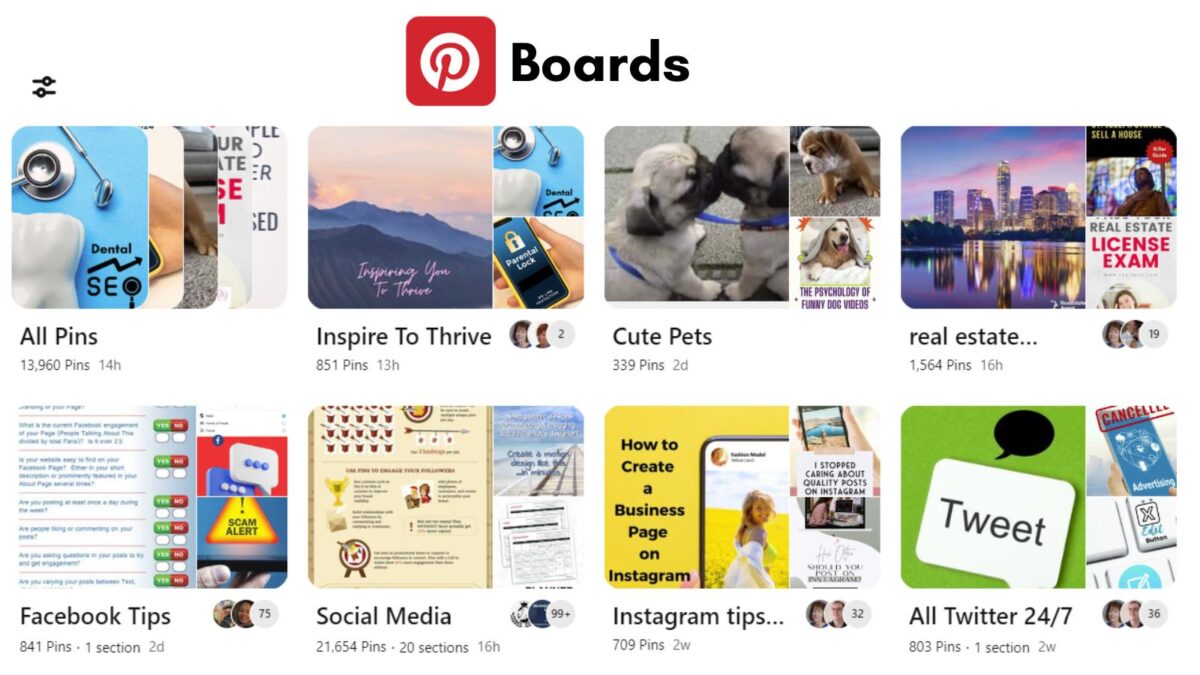
Optimize Your Boards for Search
To optimize your profile, treat your boards as search categories. This requires you to regularly use the edit board tool to refine your titles and descriptions.
While you can always select pins to move or reorganize them, deleting low-quality boards is a more effective way to ensure your content aligns with search relevance and Pinterest community guidelines.
If you ever have trouble finding your content, remember you can use the filter icon to quickly navigate your saved items. By keeping only the boards that match your niche and user intent, you provide the search engine with a clear signal of your expertise.
➡️ Cutting the boards that confuse this picture is the best way to grow your reach.
FAQ’s: Can You Delete Boards on Pinterest and Why You Should
Pinterest provides a limited window, typically around 7 days, to restore a recently deleted board. However, this is not guaranteed, so you should treat any board deletion as permanent and back up any essential content beforehand.
Deleting a board permanently removes it and its pins from your public profile and the platform. Archiving a board hides it from your public profile and stops new pins from being added, but the board and its content remain saved in your account for future reference or reactivation.
It depends on the performance of the boards you remove. If a board is driving significant impressions or clicks to your website, deleting it will likely cause a drop in those metrics, which is why archiving is often recommended when you are unsure of its impact.
You should prioritize deleting boards that are off-topic, empty, or consistently show zero engagement in your Pinterest analytics. Focus on keeping boards aligned with your current brand identity and providing clear value to your target audience.
Final Thoughts on Deleting Pinterest Boards
Ultimately, you can delete boards on Pinterest to refine your Pinterest footprint and improve the overall quality of your Pinterest account. Weak, off-topic, or outdated boards often drag down your profile visibility, effectively hiding your strongest content from potential followers.
By using the trash can icon to remove irrelevant boards, you provide the Pinterest algorithm with a much clearer signal regarding your specific niche. Remember that choosing to delete forever is permanent, so ensure you have saved any valuable pins elsewhere before finalizing your cleanup.
Before you commit to these changes, review each board with performance and purpose in mind. By curating your space, you make it significantly easier for users to find, save, and click your best material.
If you have been wondering whether you can delete boards on Pinterest, the answer is yes. A more focused profile is usually the best way to grow on Pinterest today!
Disclosure: This Inspire To Thrive blog post contains affiliate links. I may earn a commission from qualifying purchases at no extra cost to you. Some sections were drafted with AI tools and carefully reviewed/edited by me.

- How to Be a More Productive Blogger (and Avoid Burnout) in 6 Steps - September 13, 2026
- How to Add Instagram Story Captions in 2026 - September 12, 2026
- Elevate Earnings via Affiliate Marketing Details In Various Fields - September 12, 2026
Enjoy this content? Help me show up more often in Google by adding Inspire To Thrive as a Preferred Source:



Framing a Pinterest board like a search engine makes sense.
As for deleting a board, your point is well taken. Low quality or cluttered boards hurt your account more than helping it. Deleting low quality blog posts or blog content all over the place boosts search traffic by sending a clear signal to Google.
Pin one topic. Pin only high quality content. Build your boards on these fundamentals. Delete each one that does not satiate these fundamentals.
Hi Ryan, yes. It’s like the social media sites turned into blogs with a niche focus and trimming the non-niche items helps one to gain visibility. Thanks for your input and have a great day.