
UX/UI design decisions now directly impact your SEO rankings more than ever in 2026. Google’s Core Web Vitals, especially Interaction to Next Paint (INP), reward fast, intuitive, and frustration-free websites.
Did you know that poor page experience can cause users to abandon your site in seconds, and Google penalizes you for it in the search results?
Every $1 invested in UX still delivers massive ROI, but today the focus is on real-user metrics that Google measures directly.

Table of Contents
The Importance of UX/UI for SEO in 2026
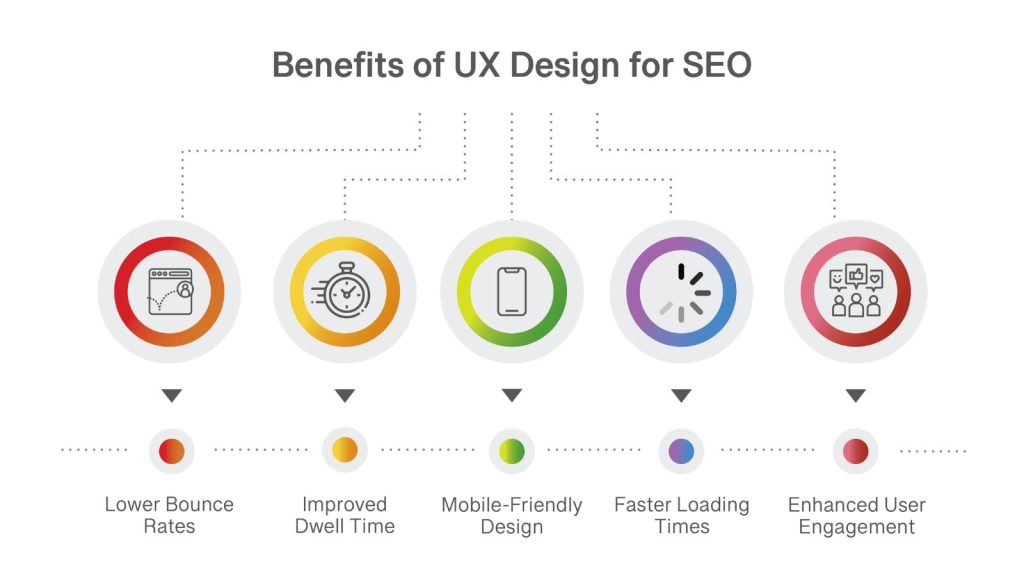
In 2026, UX/UI design is no longer just a nice-to-have; it’s a direct ranking factor. Google’s algorithm now heavily rewards websites that deliver an excellent page experience and penalizes those that don’t. With the continued emphasis on Core Web Vitals (especially Interaction to Next Paint – INP), your site’s design decisions directly influence how Google evaluates user satisfaction, speed, and stability.
A beautiful, intuitive interface keeps visitors engaged longer, reduces bounce rates, and increases time on page, all strong behavioral signals that Google uses to determine content quality. Poor UX/UI, on the other hand, leads to high frustration, quick exits, and lower rankings.
➡️ In short, great UX/UI design decisions have become one of the most powerful (and often overlooked) SEO strategies available today.
UX Design Elements That Impact SEO in 2026
In 2026, UX/UI design decisions are powerful ranking signals. Google’s algorithm evaluates real user experience through Core Web Vitals, engagement metrics, and page experience signals. Every design choice, from layout to interactivity, can either boost or hurt your rankings.
Here are the key UX/UI elements that directly influence SEO performance:
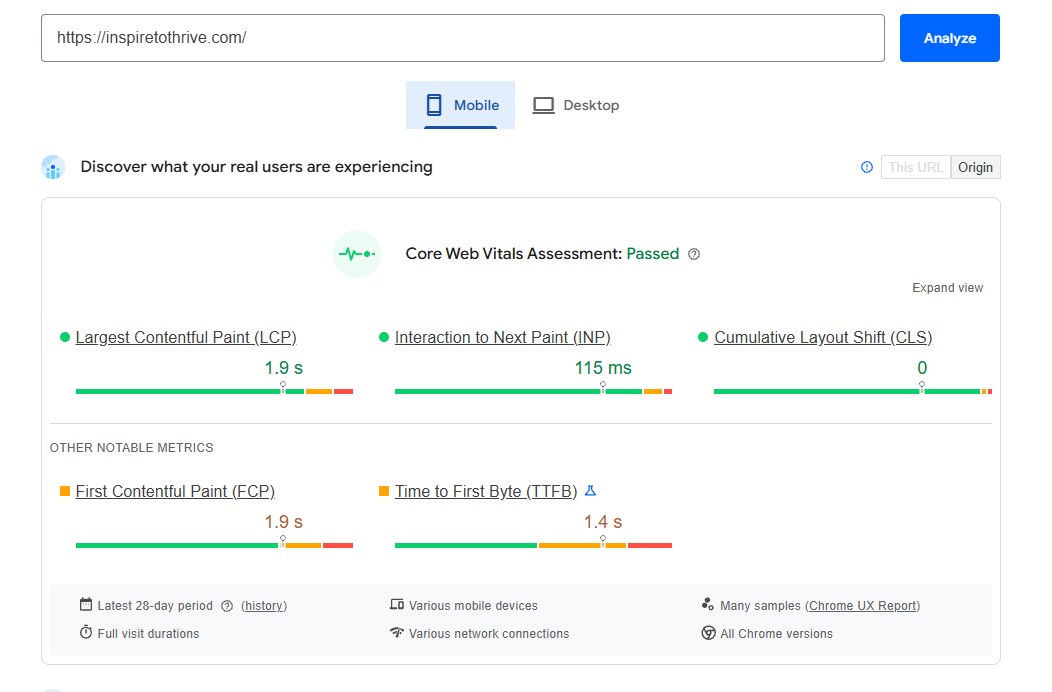
1. Page Speed & Core Web Vitals Fast, responsive websites rank better. Google’s Core Web Vitals remain a major ranking factor, with special emphasis on Interaction to Next Paint (INP).
| Metric | What It Measures | Good Threshold (2026) |
|---|---|---|
| LCP | Loading speed of main content | ≤ 2.5 seconds |
| INP | Responsiveness to clicks/taps | ≤ 200ms (ideally < 150ms) |
| CLS | Visual stability | ≤ 0.1 |
Poor performance here increases bounce rates and lowers rankings, especially after the 2025–2026 core updates.
2. Mobile-First & Responsive Design Google uses mobile-first indexing. Your site must deliver an excellent experience on smartphones and tablets. Prioritize touch-friendly buttons (minimum 48×48 pixels), readable fonts, and fast mobile load times.
3. Navigation & Information Architecture Clear, intuitive navigation helps both users and search engines. Logical menu structures, breadcrumb navigation, and well-organized categories improve crawlability and reduce frustration (which lowers bounce rates).
4. Above-the-Fold Content & Visual Hierarchy What users see first matters. Place key content, headlines, and calls to action above the fold while ensuring fast loading. Use a proper heading hierarchy (H1–H6) and a scannable layout with white space, bullet points, and short paragraphs.
5. Interactive Elements (Forms, Buttons, Comments) Forms should be simple and error-friendly. Buttons must respond instantly (strong INP). Comment sections and user input areas add fresh content and engagement signals when designed well.
6. Accessibility (WCAG Compliance) Accessible design is now essential. Proper contrast ratios, ARIA labels, keyboard navigation, and alt text improve UX for all users and send positive signals to Google.
7. Internal Linking & Related Content Strategic internal links guide users deeper into your site, increasing time on site and pages per session. Related posts sections and contextual links also help Google understand your content structure.
8. Visual Stability & Layout Shifts Avoid annoying jumps from ads, images, or fonts. Reserve space for dynamic elements and use aspect-ratio in CSS to prevent Cumulative Layout Shift (CLS) issues.
9. Personalization & Dynamic Content Smart personalization (without slowing the page) can boost engagement, but it must not harm Core Web Vitals.
10. Schema Markup & Structured Data Adding schema markup enhances how your page appears in search results with rich snippets (stars, FAQs, how-to guides, images, pricing, etc.). This improves click-through rates and gives users a better first impression before they even visit your site. In 2026, properly implemented schema (especially Article, BreadcrumbList, and FAQPage) remains one of the highest-ROI UX/SEO tactics.
Common UX/UI Mistakes That Hurt SEO in 2026
Avoid these frequent mistakes that can damage your rankings and user experience:
- Designing for desktop first — Always start with mobile. Google’s mobile-first indexing means poor mobile performance directly hurts rankings.
- Using heavy, uncompressed images and too many scripts — This kills LCP and INP scores. Optimize every asset.
- Allowing layout shifts (high CLS) — Reserve space for images, ads, and dynamic elements to prevent content from jumping.
- Creating confusing or overly complex navigation — Keep menus simple and use breadcrumb trails.
- Weak above-the-fold experience — Don’t bury your headline, value proposition, or main CTA. Users decide in seconds.
- Poor accessibility practices — Low contrast, missing alt text, no ARIA labels, or inaccessible forms.
- Intrusive pop-ups and interstitials — Aggressive overlays frustrate users and can trigger Google penalties.
- Leaving pages without internal links (orphan pages) — Every page should have clear paths for users and search engines.
- Heavy client-side personalization that slows the site — Fancy dynamic features must not hurt Core Web Vitals.
- Skipping schema markup — Missing rich snippets reduces visibility and click-through rates in search results.
2026 UX/UI SEO Checklist
| Category | Action Items to Implement | Priority |
|---|---|---|
| Core Web Vitals | Achieve LCP ≤ 2.5s, INP ≤ 200ms, CLS ≤ 0.1 Test with PageSpeed Insights + Search Console | High |
| Mobile Experience | Fully responsive design, Large tap targets (min 48×48px), Fast mobile loading | High |
| Page Speed | Compress images, minimize JavaScript & third-party scripts. Use CDN + caching. | High |
| Navigation & Structure | Simple menu structure, add breadcrumb navigation, proper H1–H6 hierarchy | High |
| Above-the-Fold | Headline + value prop visible immediately, Fast hero section load, Clear CTA | High |
| Accessibility | WCAG contrast ratios, Alt text on all images, ARIA labels + keyboard navigation | High |
| User Engagement | Strategic internal linking, Related posts section, Simple, error-friendly forms | Medium |
| Visual Stability | Reserve space for images/ads (aspect-ratio). Avoid intrusive pop-ups | High |
| Schema Markup | Add Article, BreadcrumbList, FAQPage schema Test with Google Rich Results Test | Medium |
| Personalization | Use server-side personalization only, and monitor the impact on Core Web Vitals | Medium |
Pro Tip: Run a full Google Lighthouse audit, fix high-priority items first, and re-test every 30–60 days.
Conclusion: UX/UI Design Is Now a Core SEO Strategy
In 2026, UX/UI design decisions are no longer separate from SEO; they are deeply interconnected. Google’s continued focus on real user experience through Core Web Vitals, INP, accessibility, and engagement metrics means that great design directly supports better rankings.
Websites that prioritize fast loading times, intuitive navigation, mobile perfection, and inclusive experiences consistently outperform those that don’t. The message is clear: investing in excellent UX/UI is one of the smartest SEO moves you can make.
Take action today:
- Run a full Google Lighthouse or PageSpeed Insights audit.
- Fix your highest-priority Core Web Vitals issues.
- Review your site’s navigation and accessibility.
The best-performing websites in the future will be those that deliver exceptional user experiences, not just good content. Start treating UX/UI as a core part of your SEO strategy, and you’ll see the results in both traffic and conversions.
What’s one UX change you’re planning to make on your website? Drop a comment below, I’d love to hear your thoughts!

Disclosure: This Inspire To Thrive blog post contains affiliate links. I may earn a commission from qualifying purchases at no extra cost to you. Some sections were drafted with AI tools and carefully reviewed/edited by me.

- How to Use Social Media for the Best Black Friday Deals of 2026 - October 19, 2026
- How to Identify and Prioritize Your Money Pages (And Why I Just Updated Mine in Link Whisper) - October 19, 2026
- How to Build a Strong Online Presence for Solopreneurs in 2026 (Without Spreading Yourself Thin) - October 17, 2026
Enjoy this content? Help me show up more often in Google by adding Inspire To Thrive as a Preferred Source:



Very valid and detailed points, Lisa!
I can understand why a lot of business owners and bloggers may not be able to invest majorly in UX with limited budgets. But a few simple steps like making your site mobile-responsive and having clear navigation menus can make a whole lot of difference to your UX, and hence SEO.
In fact, I love the 3-click rule, where you shouldn’t have to click on more than three anchors to reach any URL in your website. So a hover menu, for example, works nicely!
Thank you Poulomi. Yes, I do understand that as well, been there, done that! I love that 3 click rule too. Also, I would add not having ads blocking content, I ran into that yesterday reading a few blog posts. Drives me nuts! Thanks for coming by Poulomi and we should chat soon!
Expecting $100 in return for every $1 invested in UX is an interesting stat. I do recognize the importance of a website that loads fast and that’s easy for people to navigate on. I think this plays an equally important role with on-site SEO when it comes to converting visitors into leads or sales. What good is alot of traffic to a website if the bounce rate is high because of the difficulty of browsing around the site? A simple site is best when it comes to design, no matter how sophisticated your products or services may be.
Hi Randall, yes, I loved that stat. Yes, having your site easy to navigate for users is #1 as it will help you make sales or what other actions you want users to take from your site. Thanks for coming by and have a great day.