Searching for the “best” Instagram tool usually starts with the wrong question. A scheduler, an analytics dashboard, a caption helper, a public story viewer, and a follower tracker do not do the same job. Stack them on one list, and you end up comparing price and feature count instead of the task.
I run Instagram as a one-person shop from rural Maine. I care about posting on time, reading Insights, and not handing over my login to a third-party site. That is the filter I use below.
Estimated reading time: 7 minutes

Table of Contents
Start With the Job, Not the Logo of an Instagram Tool
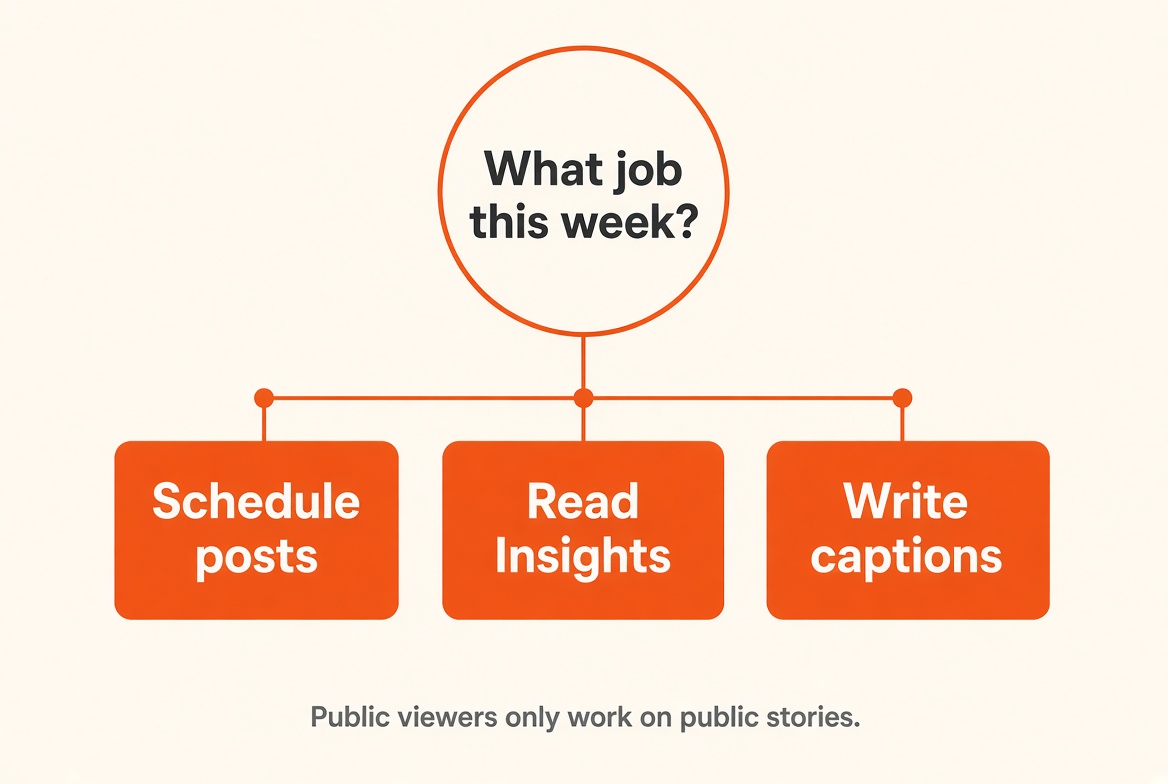
If the job is “schedule two weeks of posts,” a story-viewer feature is noise. If the job is “why did follows drop after that Reel,” a calendar app will not answer it.
I like grouping tools by purpose before I look at brand names. That is the same idea as the category layout on ineedcompare.com: compare schedulers with schedulers, not a scheduler with a downloader.
Feature count lies. Twenty functions do not beat four if you only needed the four. A service that advertises “AI insights + story viewer + hashtag generator + CRM” is often worse at the one thing you opened the tab to do.
Ask this before you open another tab:
- What will I do this week if this tool works?
- Does that task need my Instagram login?
- If it fails, what is the fallback I already have (native app, Insights, a spreadsheet)?
If you cannot answer #1, you are shopping, not solving.
Match the job to the category
| Need | Category | What actually matters | What I would not treat as the “win” |
|---|---|---|---|
| Plan and publish | Scheduling | Calendar, queue, several accounts, reliable publish | Extra “AI growth hacks” |
| See what worked | Analytics | Reach, follows, date ranges, post-level stats | Vanity dashboards with no date control |
| Write faster | Captions/planning | Drafts you can edit, brand voice, reuse | Auto-posting junk |
| Save a public Reel or photo | Downloading | Public links only, file quality | Anything that asks for your password |
| View a public Story | Story viewing | No login, public accounts only | “Anonymous private stories” |
| See follow/unfollow on a public handle | Follower tracking | Weekly public data, no Instagram password | “Who viewed your profile” |
The last two rows are intentionally limited. I rechecked this in 2026. Free story viewers still load Everyone Stories. They do not open Friends-only or private accounts. Follower trackers I have run, including two weeks on Dolphin Radar for a public account, have shown follows, unfollows, and likes.
They did not show DMs, private grids, or a list of who opened the profile. Instagram does not give that list to third-party sites. Details: who viewed your Instagram profile and the Dolphin Radar review.
Required features vs extras
Required = the tool cannot do the job without it.
Extra = nicer, faster, or prettier.
Examples:
- You must hit publish at 11 a.m. → calendar + queue are required. Dark mode is extra.
- You must save a public Reel for a client brief → public URL + file out is required. A built-in caption rewriter is extra.
- You want a weekly public follow/unfollow snapshot → public username only is required. “Who viewed me” in the sales copy is a warning label, not a feature.
If a homepage leads with extras, I assume the required part is weak.
How I would choose in real life
Follows moved after a collaboration.
Use Insights first (profile visits as a number, follows, which Reel sent traffic). A public follower tracker is optional backup. A scheduler is the wrong aisle.
Need a public Reel for a brief.
Downloader that accepts a public link. No login. If the account is private, you do not have a legitimate download path through a random site.
Two weeks of posts for one brand.
Scheduler with a calendar I will actually open. I would not buy a “viewer suite” bundled with scheduling.
Captions take too long.
A caption helper you edit. I keep a free generator on this site for that job. Auto-publishing without your pass is how brands end up sounding like everyone else.
Parent/household phone you are allowed to manage.
That is device access and a parental-control app, or they add your Snapchat/Instagram, and you watch from your login. It is not their password in a story-viewer site. Limits: Snapchat story viewer.
“I just want to see who viewed my profile.”
No tool on this list will do that, honestly. Stop shopping that sentence.
Shortlist, not one trophy
End with two or three options that do the same job and differ on price, login requirements, and limits. The tool that wants your Instagram password for a task that only needs a public URL is a no.
Privacy check before you connect anything:
- Does this job need a login at all?
- If yes, is it official Instagram / Meta, or a random site?
- If it promises private accounts, DMs, or profile-visitor names, skip it.
Privacy check before you connect anything to an Instagram tool
- Does this job need a login at all?
- If yes, is it official Instagram / Meta, or a site you cannot name in a sentence?
- Does the pitch include private accounts, DMs, or profile-visitor names?
- Would you paste a client’s password there? If no, do not paste yours.
More access is not more capability. It has a larger blast radius when the tool is sloppy or sold.
What I would skip in 2026
- Apps that only work if you “who viewed me”.
- Free viewers that demand a Snapchat or Instagram login to see public content.
- Lifetime deals for seven unrelated Instagram jobs in one dashboard.
- Anything that needs you to disable 2FA “so tracking works”.
How to use a comparison grid without getting played
Once the job is named, a side-by-side is useful. That is when a category page helps. It is not useful, as it is the place you go to search for “best Instagram tool” and click the first logo.
Read the column headers. If “private account” and “no login” are both checked for a story viewer, treat the row as marketing.
FAQs
There isn’t one. Best scheduler and best public-story viewer are different products.
Not first. Insights already show follows and a profile-visit count. A tracker is only extra if you want a public-handle follow/unfollow list.
Browser viewers that only ask for a public username are lower-risk than tools that ask for your password. They still only work on public Stories. They are not a way to watch a private account.
Only when the job requires publishing or official analytics, and only to a company you can explain. Never to “unlock” a viewer.
Inside that category, not across every Instagram product. A purpose-first grid is the point of the link above.
Bottom Line of Instagram Tools
Pick the category first. Then compare only tools in that category. A comparison grid is useful after that, not as a hunt for one app that “does Instagram.”
Do you use Instagram tools for your account? I’d love to hear more about it in the comments below. 👇
Disclosure: This Inspire To Thrive blog post contains affiliate links. I may earn a commission from qualifying purchases at no extra cost to you. Some sections were drafted with AI tools and carefully reviewed/edited by me.

- Best Instagram Story Viewers in 2026: Free Tools + Honest Limits - October 22, 2026
- Which Instagram Monitoring App Wins? EyeZy vs Peekviewer - October 20, 2026
- How to Use Social Media for the Best Black Friday Deals of 2026 - October 19, 2026
Enjoy this content? Help me show up more often in Google by adding Inspire To Thrive as a Preferred Source: