Are 90-second Instagram Reels too long? Not necessarily. A 90-second Reel isn’t automatically a problem; the key is whether it holds attention and delivers value to your viewers.
In 2026, Instagram lets you record and edit Reels up to 20 minutes. That is the technical ceiling, not the growth target. Reels over 3 minutes are not recommended to new audiences, so discovery still favors shorter videos. Longer Reels work when the job is a tutorial, a story, or trust-building with people who already follow you.
As a solopreneur creating authentic content for small businesses, I’ve learned that the “best” length depends on your hook, pacing, topic, and what your Insights show.
In this Inspire To Thrive guide, I’ll cover current limits, recommended lengths by content type, how to adjust duration in the app, testing tips, and more, so you can create Reels that actually connect and grow your reach.
Estimated reading time: 7 minutes
Table of Contents
Key Takeaways
- Instagram Reels can now go up to 20 minutes (varies by account; 3 minutes is common when recording in-app).
- Shorter Reels (7-30 seconds) often drive better discovery, but longer ones (30-90+ seconds) work well when the content needs it.
- Focus on completion rate and watch time in Insights, not just views.
- Test different lengths with similar content to find what resonates with your audience.
- Always prioritize value, strong hooks, and clear calls to action over rigid rules
What Is the Instagram Reel Length Limit in 2026?
Instagram has expanded Reel options significantly. Here’s the current picture (verify in your app, as rollouts vary by account, region, and version):
- Record or edit in the app: Up to 20 minutes. Clips can add up to that total.
- Minimum: About 3 seconds.
- Discovery cutoff: Reels over 3 minutes are not recommended to new audiences. They can still publish and reach followers.
- Scheduling tools: Many third-party schedulers still cap uploads around 15 minutes, because they publish through Instagram’s API.
- Music: Licensed tracks often still cap near 90 seconds. Original audio does not.
- Your app may lag: Check the timer in the Reels camera. Rollouts are not always identical on day one.
Reels and feed videos differ; longer uploads can still appear in the Reels tab, but shorter formats generally get broader distribution. Always check Instagram’s official Help Center for the latest.
Is a 90-Second Reel Too Long?
No, if it keeps viewers watching. A Reel feels too long when people drop off before the payoff. The topic, pacing, hook, and retention matter more than the exact seconds.
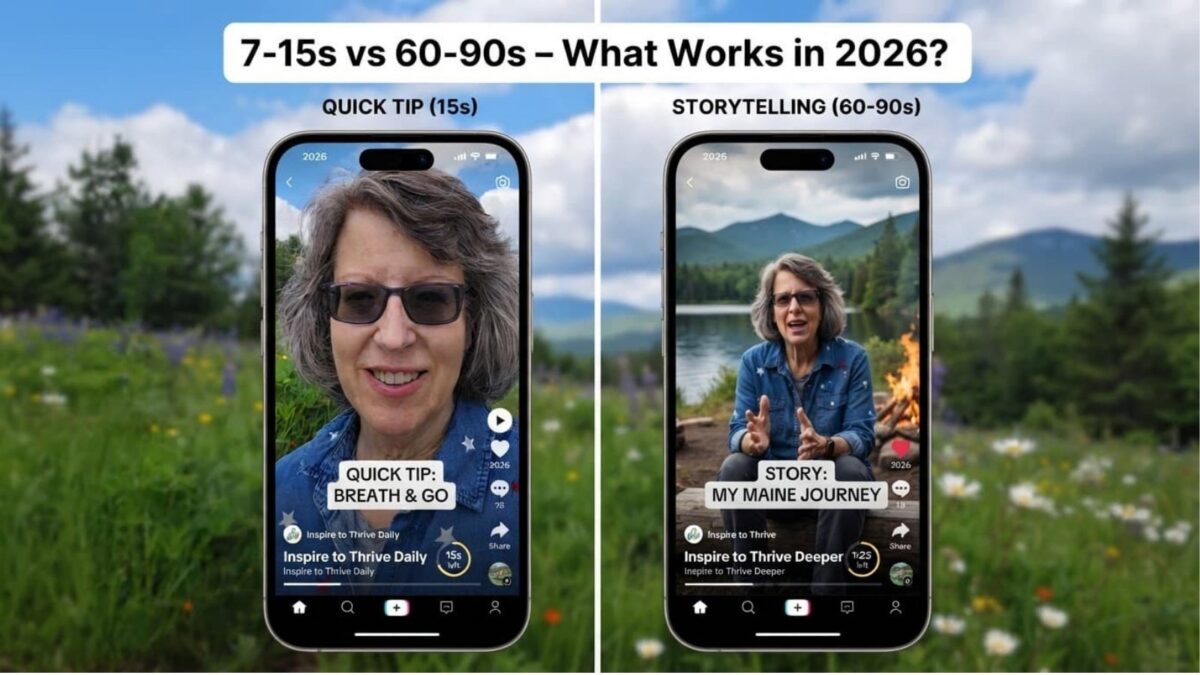
For quick tips or trends, shorter is often better. For storytelling, demos, or educational content (common for small biz creators), 60-90 seconds (or longer for warm audiences) can build stronger connections without losing people.
What Is the Best Instagram Reel Length?
There’s no universal rule; test what works for your niche and goals. Here are practical starting points based on what performs well in 2026:
Recommended Reel Lengths by Content Type
| Reel Type | Suggested Starting Length | Why It Works | Quick Tip for Creators |
|---|---|---|---|
| Quick tip / Reaction / Hook | 6–15 seconds | Fast value; high completion and replays | Grab attention in 1–2 seconds |
| Product highlight / Demo | 10–20 seconds | Shows the benefit before people scroll | Before/after or one key feature |
| List / Mini-tutorial | 20–45 seconds | Room for steps without losing interest | On-screen numbers plus captions |
| Talking-head explanation | 30–60 seconds | Clear delivery and a little context | Cut pauses; add B-roll or text |
| Story / Testimonial / Case Study | 60–90 seconds | Builds emotion and trust | Use a real example, not a script |
| Deeper tutorial for followers | 90 seconds–3 minutes | Enough depth while still eligible for new-audience recommendations | Stay under 3 minutes if reach matters |
| Full workshop/walkthrough | 3–20 minutes | Depth for people who already follow you | Do not expect Explore or new-audience reach |
Reminder: Trim anything that doesn’t support the main idea. A shorter, confusing Reel won’t outperform a well-paced longer one. These are starting points; your audience (e.g., small-biz owners or your followers) may prefer a slightly different pacing.
How to Change or Select Reel Length in the Instagram App
Here’s a current walkthrough (steps can change slightly—update your screenshots accordingly):
- Open Instagram and tap the + icon.
- Select Reel.
- In the camera view, tap the length/timer icon (usually at the bottom or side).
- Choose your desired duration from the options (15s, 30s, 60s, 90s, 3min, etc.).
- Record new clips or upload from your gallery.
- Trim/split clips as needed in the editor.
- Add music, text, captions, effects, and preview the full Reel.
- Post and monitor performance.
👉 Pro tip: For longer videos, upload from the camera roll. Preview on mobile to ensure it looks good vertically (9:16). Instagram may update the interface, so double-check in your app.
Instagram Insights to Check After Posting
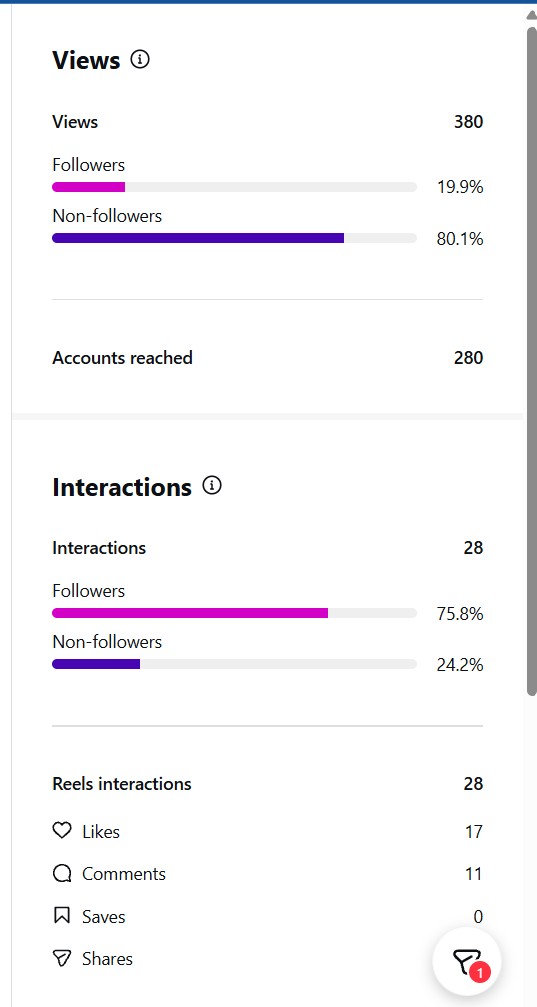
Focus on these metrics to see if your length is working from your insights:
- Average watch time and percentage watched (completion rate).
- Replays, shares, saves.
- Profile visits and follows (strong signs of interest).
A longer Reel with solid retention often outperforms a short one that loses viewers early.
How to Test Reel Lengths (Simple Process for Small Businesses)
Don’t guess; let data guide you:
- Pick a similar topic/hook.
- Create 3 versions: short (7-15s), medium (20-45s), long (60-90s).
- Keep branding, music style, and core message consistent.
- Post over a week or two.
- Compare in Insights.
- Repeat the format that drives retention + actions (shares, saves, follows).
This is especially useful for creators balancing authentic content with growth.
Tips for Keeping Reels Engaging (Any Length)
- Hook fast: Show the result or main idea in the first 1-3 seconds.
- Tight editing: Remove pauses, greetings, and filler. Use captions (most watch without sound), on-screen text, and emojis.
- Pacing: Change visuals when it slows. Keep text away from UI edges.
- Format: Vertical 9:16; choose music that fits the full duration (or use original audio).
- CTA: End with a clear next step (comment, save, visit profile/blog).
Check out Inspire To Thrive’s Guide: How to Edit Instagram Reels Like A Pro.
Instagram Reels Final Takeaway
The power of Instagram Reels comes from delivering value quickly and authentically, not hitting an arbitrary second count. Start with the shortest version that fully shares your message, test variations, and let Insights guide refinements.
For small business owners and creators, this approach builds real engagement over time.
What length are you experimenting with next? Share in the comments!
Frequently Asked Questions
Short-form vertical videos for creativity, education, and discovery, great for your visibility.
Up to 20 minutes (varies); most accounts see 3 minutes in-app.
Yes, but test retention. Over 3 minutes limits new-audience reach.
Quick tips: 7-15s. Educational/tutorials: 15-60s. Stories: 60-90s+.
See steps above; select in the camera before recording.
Often caps at ~90 seconds.
Watch time, % watched, replays, shares, saves.
No, test by topic and goal.
Yes, if it delivers value and hooks viewers.
Enjoy this content? Help me show up more often in Google by adding Inspire To Thrive as a Preferred Source: