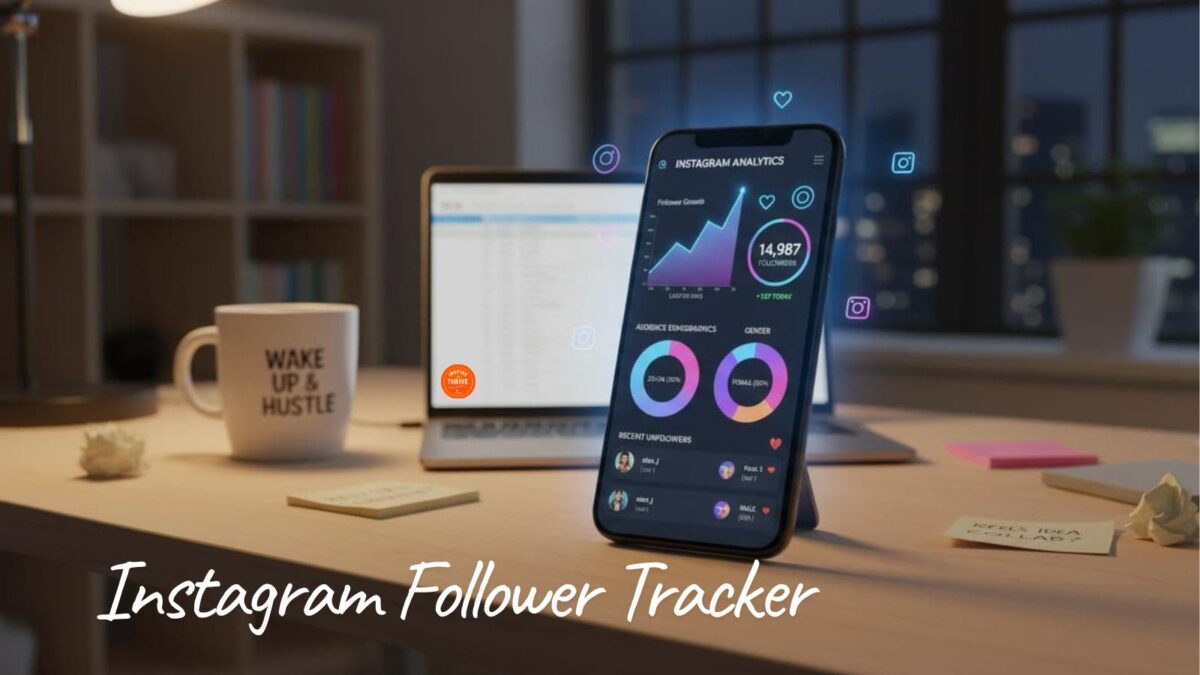
Your follower count shouldn’t feel like a mood ring. One day it’s up, the next day it dips, and you’re left wondering if it was your last Reel, a wave of fake accounts, or just normal churn. Using an Instagram follower tracker can help take the guesswork out of what changed.
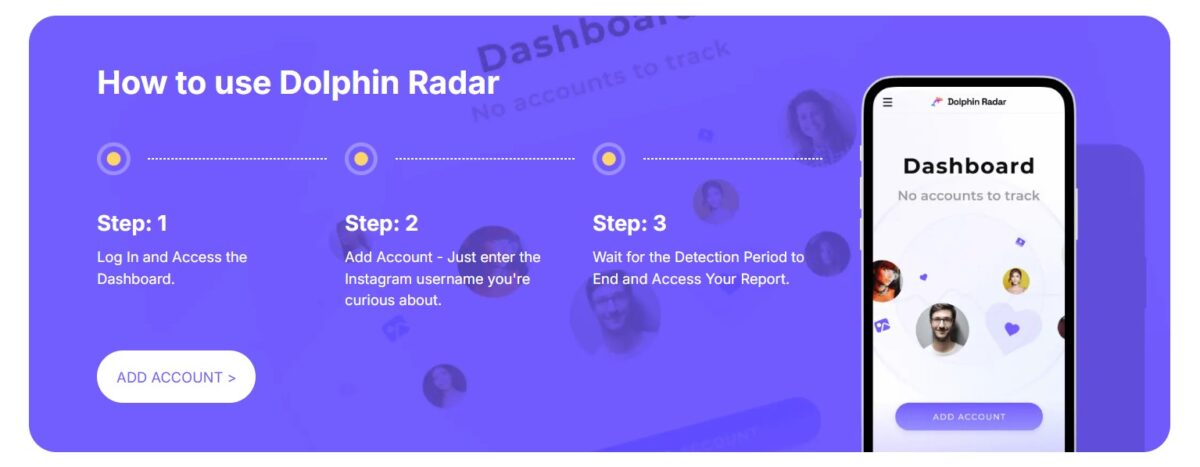
A practical Instagram follower tracker helps you see patterns fast, so you can stay focused on follower growth. Here’s how Dolphin Radar Tracker fits into that everyday workflow, with no login required to ensure account security.
Estimated reading time: 5 minutes
Table of Contents
Key Takeaways
- An Instagram follower tracker like Dolphin Radar Tracker helps you quickly identify follower trends without the hassle of manual checks.
- Key insights include monitoring new followers, unfollowers, and mutual connections to gauge audience engagement.
- Use follower data responsibly by respecting privacy and avoiding harmful practices such as harassing unfollowers or buying followers.
- Set a simple weekly routine to analyze follower shifts and adjust your content strategy accordingly for better results.
- Dolphin Radar Tracker offers clarity and saves time, allowing you to focus on creating engaging content.
What An Instagram Follower Tracker Should Actually Tell You
A tracker is useful when it can answer simple questions using clear Instagram Analytics signals. You want to know what changed, when it changed, and what you posted around that time. That’s how you stop guessing.
The best insights are outcome-based:
- Are you attracting the right people with Audience Insights, or random accounts?
- Are certain posts causing steady follows or quick unfollows?
- Are you building real two-way connections with a solid Engagement Rate, or just collecting numbers?
Dolphin Radar Tracker is built around this kind of Instagram Analytics clarity, including Audience Demographics, so you can check changes in minutes and get back to creating.
The updates that matter most: new followers, unfollowers, and mutuals
Recently followed are accounts that started following you since your last check. Unfollowers are accounts that stopped. Mutuals are people you follow who also follow you back.
Why it matters: If you notice a cluster of Unfollowers after a hard-sell promo, you can soften your next posts with a helpful tip carousel. If Mutual Followers grow after you reply to Stories, you’ve got a clear outreach signal to repeat.
Quality checks: spotting suspicious or low-value accounts fast
Not every follow is a win. Quick quality checks with Bot Detection help you keep your read on growth clean. Watch for patterns like Fake Followers and Ghost Followers: accounts with no profile photo, odd strings in usernames, empty feeds, or bios packed with spammy text.
The point isn’t to chase vanity numbers. It’s to understand whether your content is pulling in real people who might read, reply, and buy later.
How Dolphin Radar Tracker Saves You Time Day to Day
Manual tracking is a slow grind. You end up scrolling, forgetting what you saw last time, or trying to remember if that account was already there.
Dolphin Radar Tracker helps you skip the mental clutter by providing real-time data for a faster snapshot of follower changes in chronological order, including who’s new, who left, and where mutuals stand.
This is especially helpful if you manage multiple Instagram accounts.
That speed matters because consistency beats panic checks. When you spend less time watching the count, you spend more time on posts, comments, and DMs that actually move your account forward.
A simple weekly routine you can stick with (with an Instagram follower tracker)
Pick one day and keep it light:
- Check new followers and unfollowers.
- Note the biggest change day.
- Write down what you posted that day (Reel, carousel, Stories) and review post performance plus story engagement.
- Scan for suspicious accounts, then ignore the noise.
- Choose one small test for next week.
Turn follower changes into smarter content choices
Once you spot spikes, dips, and lost followers, you can make cleaner calls. If Reels bring in new followers but they don’t stick around, tighten your bio and pin a “start here” post.
If carousels lead to steady mutuals through profile interactions, post more how-to slides, and end with a question. If Stories drive replies but not follows, add a simple follow prompt after your best tip.
Use Tracking Data Without Hurting Trust or Your Account
Use follower data like a weather report, not a scoreboard. Look for trends over weeks, not single moments, with API-compliant tools that respect platform Terms of Service.
Don’t call people out for unfollowing, and don’t share private info about individual accounts.
Privacy and permission basics you should follow
Keep it respectful: avoid posting screenshots of follower lists, don’t harass unfollowers, and skip shady automation that follows and unfollows for you. Track Public Profiles ethically while always respecting Private Accounts under privacy rules.
Use anonymous tracking to monitor trends without being detected, and spot secret admirers who interact but don’t follow. Focus on patterns, content types, and timing.
Common mistakes that waste time (and what to do instead)
- Check hourly; check weekly on the same day and time; or shift to competitor analysis.
- Obsessing over one unfollow: Track the weekly net change.
- Buying followers: Improve your content hook and bio instead.
- Changing your niche every week: Test one variable at a time.
Conclusion: Instagram Follower Tracker To Save Time On IG
Follower swings happen, but confusion doesn’t have to. With Dolphin Radar Tracker as your Instagram Follower Tracker, you get clarity, you save time, and you make better content calls based on what people actually do.
Set a weekly check-in on your calendar, review the patterns, export reports, and then run one small test on Hashtag Performance the next week. Over time, your Follower Growth starts to feel less like guesswork and more like a plan.

- 5 Hashtags Per Post on Instagram: What Changes Now - March 31, 2026
- Why Hiring a Business Consultant for Bloggers Can Grow Your Blog Business - March 30, 2026
- X Influencers: How to Find and Connect with Key Players in Your Niche (Formerly Twitter) - March 29, 2026