You know the feeling. You’ve got Reels to plan, Stories to keep warm, comments to answer, DMs to handle, and someone still wants a clean report that proves Instagram is doing more than collecting likes. If you’re doing all that inside the Instagram app, you’re always one notification away from losing an hour. This hubspot vs hootsuite comparison is for Instagram-focused social media management, with a practical goal: save time without losing control.
You’ll see where each tool fits in a real workflow, what the latest Instagram features look like in 2026, and which one makes the most sense based on how you work (solo, small team, agency, or marketing plus sales).
By the end, you’ll have a clear recommendation you can act on this week.
Estimated reading time: 13 minutes
Table of Contents
Key Takeaways
- The article compares HubSpot vs. Hootsuite for Instagram management, highlighting their unique strengths.
- HubSpot integrates CRM and marketing tools but it may feel overwhelming for simple social tasks.
- Hootsuite excels in speed and multi-platform management, making it ideal for high-volume posting.
- Consider your workflow needs: speed and volume favor Hootsuite, while integration and tracking favor HubSpot.
- Ultimately, choose based on whether you prioritize social management or broader marketing integration.
What you actually need to manage Instagram well (and where each tool fits)
Good Instagram management isn’t “post and hope.” It’s a loop you run every week, and it usually has six parts:
- Planning: themes, content pillars, campaign dates, and what you’ll publish as Reels vs carousels vs Stories.
- Scheduling and publishing: getting posts out on time, with the right tags, links, and formatting.
- Approvals: if you work with a client or a boss, you need a simple way to review and sign off.
- Inbox work: comments, mentions, and DMs, plus quick responses that don’t sound copy-pasted.
- Reporting: what performed well, what didn’t, and what you’ll change next week.
- Basic listening: tracking brand mentions, hashtags, and the “why is everyone mad today?” signals.
Here’s the core difference.
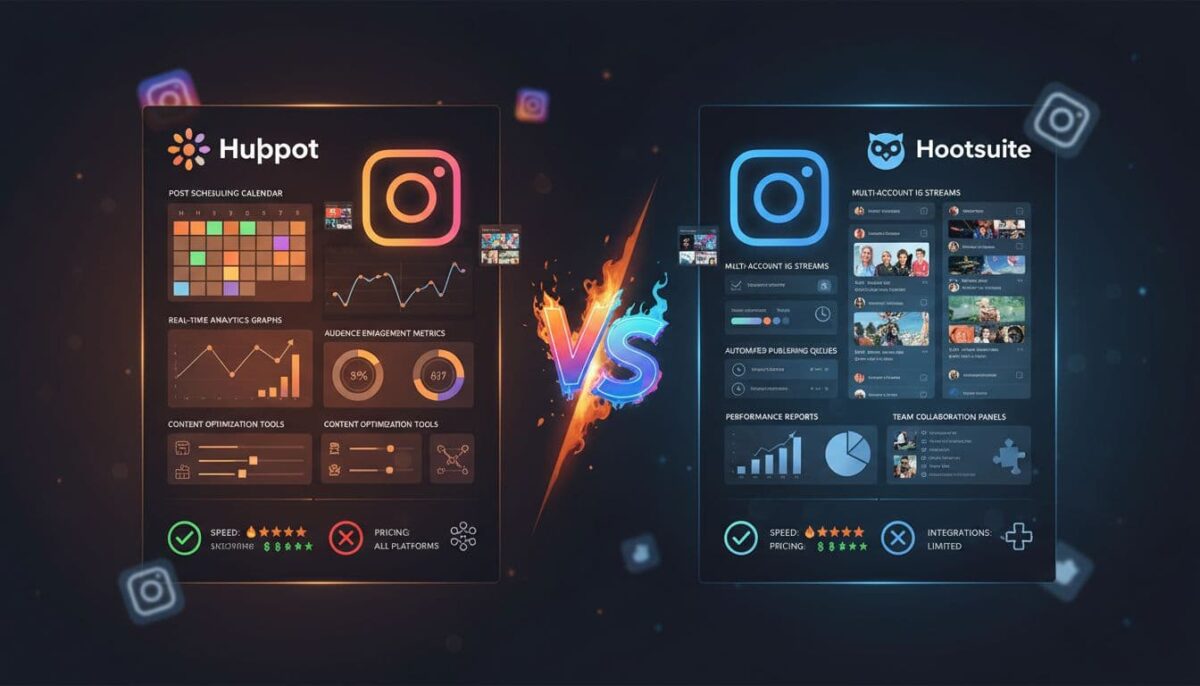
- HubSpot is a broader marketing platform with a built-in CRM. Social tools are part of a bigger system, so your Instagram work can connect to contacts, lead sources, and revenue.
- Hootsuite is a social-first tool. It’s built to publish and manage multiple networks at speed, with workflows that feel made for social teams.
If your Instagram work has to connect directly to email marketing, landing pages, and sales follow-up, HubSpot starts to look attractive. If your job is mostly “keep content flowing and community healthy,” Hootsuite usually feels faster.
Your Instagram workflow checklist before you choose between HubSpot vs. Hootsuite
Before you compare features, self-qualify. Answer these quickly:
- Posting pace: How many Instagram posts and Reels do you publish each week?
- Accounts: Are you managing 1 brand or many (client work, multi-location, multi-brand)?
- Approvals: Do you need formal review steps, or are you the final decision-maker?
- Unified inbox: Do you need comments and DMs in one place so you can reply fast?
- Link tracking and ROI: Do you need to show clicks, leads, or sales from Instagram content?
- Listening: Do you monitor hashtags, brand mentions, competitor chatter, or crisis keywords?
- CRM connection: Do leads from Instagram need to flow into a CRM with a sales handoff?
If you can’t answer a few of these, that’s the real bottleneck. A tool won’t fix fuzzy expectations.
The simplest way to decide: Social-first tool vs marketing suite
A social-first tool usually wins when you care most about speed and volume. You’re publishing frequently across multiple platforms and need a clean workflow for scheduling, monitoring, and reporting.
A marketing suite usually wins when Instagram is only one part of a full funnel. You need to tie content to campaigns, track contacts, and prove downstream results, not just engagement.
Think of it like choosing a backpack. If you’re packing for a day hike, you want lightweight and quick access. If you’re going on a weeklong trip, you need more structure, more pockets, and a system you can live out of.
HubSpot vs. Hootsuite for Instagram features that matter in 2026
Both tools cover the basics, but they feel different in daily use. The gaps show up when you’re juggling Reels, Stories, reporting requests, and “can you post this in 10 minutes?” messages.

One big practical distinction is platform coverage. Hootsuite supports far more social networks overall, while HubSpot focuses on fewer major networks and puts more energy into how social connects to your CRM and marketing assets.
If you manage Instagram, TikTok, YouTube, Pinterest, and more, Hootsuite tends to better match that reality. HubSpot can still fit, but you may need additional tools for the networks it doesn’t support.
Scheduling and content planning: Reels, Stories, and posting at scale
In 2026, Instagram scheduling isn’t just about single images. You’re planning a mix of Reels, carousels, short videos, and Stories to keep your audience warm between bigger posts.
HubSpot scheduling (Instagram)
HubSpot lets you create and schedule Instagram posts, Reels, and Stories inside its social tool. You can schedule far in advance (up to 3 years), and bulk upload up to 200 posts via CSV.
There’s also a “publish like a human” option that spreads posts out over a short window so your feed doesn’t look robotic.
For planning, HubSpot’s calendar makes it easy to drag and drop posts to new dates. That’s helpful when a Reel needs another edit or a product launch slips a week.
The tradeoff is that HubSpot’s social tool is strong when it’s part of a wider marketing plan, but it can feel like “more system than you need” if your main problem is simply getting Instagram content out consistently.
Hootsuite scheduling (Instagram)
Hootsuite supports scheduling for Instagram photos, videos, Reels, carousels, and Stories, and it’s designed for higher-volume publishing. The calendar view is built for viewing your content plan across multiple networks, which matters when you’re trying to keep Instagram aligned with Facebook, TikTok, YouTube, or LinkedIn.
Hootsuite also leans into speed helpers, like caption suggestions and design integrations (including Canva and Adobe Express). If your week includes a lot of “make this into three versions” work, those shortcuts add up.
If you’re managing one brand and posting a few times a week, either tool works. If you’re managing multiple brands, posting daily, or scheduling in batches, Hootsuite usually feels like the quicker option.
Inbox, monitoring, and listening: staying on top of comments and trends
Instagram can turn on you fast. A confusing caption, a delayed order, or one unhappy customer can pull you into a comment spiral. Your tool should help you spot what matters and respond quickly.
HubSpot inbox and listening
HubSpot includes a social inbox that helps you track interactions and monitor mentions and keywords. A standout update is the addition of Instagram DM support for Professional and Enterprise users (rolled out in 2024), which helps when you want conversations tied to contact records.
If your sales team needs visibility into what prospects asked in DMs, this is a real benefit.
HubSpot’s listening is useful, but it’s more “keep tabs on important signals” than deep, social-first monitoring. It’s best to treat listening as one input into a broader marketing and sales workflow.
Hootsuite inbox and listening
Hootsuite’s Inbox pulls messages and comments into one place, and it’s built for rapid response. You can use saved replies, filter conversations by specific posts, and keep your team consistent (especially useful when multiple people handle the same account).
On the listening side, Hootsuite is generally stronger for monitoring and trend tracking. You can watch brand mentions, competitor chatter, and keywords, and some listening features may depend on add-ons and plan levels. The practical win is that it feels made for the “what are people saying right now?” job.
If you’re often managing spikes (launch day, viral Reel, angry thread), Hootsuite tends to keep you calmer.
Analytics and reporting: HubSpot vs. Hootsuite, proving Instagram results to your boss or clients
Instagram reporting isn’t just a scoreboard. It’s your proof that time spent filming, editing, and engaging is producing value.

Hootsuite reporting strengths
Hootsuite is strong for social performance reporting. You can track engagement trends, follower growth, top posts, and content insights, such as which carousel slide received the strongest reaction. It also surfaces Reel engagement details (including the moment in a video when someone hit like), which is useful when you’re trying to tighten hooks and pacing.
If you report to clients, Hootsuite’s social-first reporting tends to feel closer to what stakeholders expect: “What content worked, what should we repeat, what should we stop?”
HubSpot reporting strengths
HubSpot shines when the question changes from “How did the post perform?” to “What did Instagram produce for the business?” HubSpot ties social activity to CRM contacts, so you can track clicks, new contacts, and conversions, not just engagement.
HubSpot also pulls in historical data after you connect accounts (often up to the last 60 days), including posts published outside HubSpot. That helps when you’re switching tools midstream and don’t want a blank dashboard.
If your boss cares about pipeline and revenue, HubSpot’s reporting can end arguments fast.
Integrations that change the game for Instagram teams
Integrations don’t sound exciting until you’re copying links between five tabs at 11:30 pm.
HubSpot’s “one system” advantage
HubSpot’s biggest integration is itself. Social connects to CRM, email marketing, landing pages, forms, and ads. If you run Instagram campaigns that need lead capture and follow-up sequences, HubSpot keeps the whole chain under one roof.
The limitation to keep in mind is network support. HubSpot still doesn’t cover every social platform, so if your content strategy includes networks beyond its supported ones, you may need an extra tool.
Hootsuite’s “connect what you use” advantage
Hootsuite plays well with common social workflows: Canva and Adobe Express for design, Slack for team coordination, and even Shopify for product catalog access. If your stack already includes a CRM, email platform, or analytics setup, Hootsuite often slots in without forcing you to rebuild everything.
If you want a broader look at what social media managers are using in 2026 (and where Hootsuite typically sits in that mix), check Buffer’s list of top social media management tools.
Pricing and value: What you pay for Instagram management, and what you get back
Pricing is where people get burned, because they compare monthly numbers without comparing the work those plans actually cover.
Hootsuite often starts at a lower entry price for social management. Your costs usually rise with the number of users (seats), the number of social media accounts, and the advanced features you need (team workflows, deeper analytics, and listening).
HubSpot usually requires a higher tier before social features feel “complete” for teams. In practice, many businesses end up in Marketing Hub Professional or higher to get the social tools and reporting they want, and pricing varies based on contact volume and add-ons.
HubSpot can be a smart buy if you’ll use the CRM and marketing tools daily. It’s harder to justify when you only want social scheduling and reporting.
A helpful way to evaluate value is to write down what you’re paying for in human terms:
- How many Instagram accounts you manage
- How many people need access
- How many posts you schedule each week
- How often you report (weekly, monthly, per campaign)
- Whether you must tie Instagram activity to leads or sales
When the cheaper tool is not actually cheaper
The sticker price can lie.
A lower-cost social tool gets expensive if you need paid add-ons for listening, or if you end up buying a separate CRM because Instagram is generating leads you can’t track cleanly.

A marketing suite gets expensive when you only use a slice of it. If you’re paying for CRM, email, automation, and landing pages but still planning posts in a spreadsheet because social feels clunky, you’re paying twice, once in money and once in time.
The hidden cost most people miss is workflow friction. If approvals are awkward or reporting takes two hours, you’ll start skipping steps. That’s when mistakes happen, and Instagram is not forgiving.
Which one is best for you, HubSpot vs. Hootsuite? Real scenarios for Instagram creators, small businesses, and agencies
You don’t need a perfect tool. You need the right tool for the way you work.
If you’re a creator or small business managing one Instagram account, your main needs are consistent scheduling, a simple inbox view, and reporting you’ll actually use. If you’re an agency, you care about speed, approvals, multiple accounts, and clean exports.
If you’re a creator or small business managing one Instagram account, your main needs are consistent scheduling, a simple inbox view, and reporting you’ll actually use. If you’re an agency, you prioritize speed, approvals, managing multiple accounts, and clean exports.
If you’re a marketing manager with sales targets, you care about whether Instagram activity creates contacts, opportunities, and revenue you can show in a meeting without hand-waving.
One more outside perspective that matches these real-world use cases is Sprout Social’s guide to social media management tools, which highlights how teams chose tools based on workflow and risk, not just features.
Pick Hootsuite if your job is social media first (especially high-volume Instagram)
Hootsuite is usually the better fit when Instagram management is the main need, and you want to move fast. You’ll feel that advantage if you need:
- Faster scheduling for lots of posts, Reels, and Stories
- A calendar built for cross-posting across many platforms
- Strong publishing workflows for teams (less back-and-forth)
- A unified inbox for comments and DMs, with time-saving reply tools
- Deeper social performance reporting that’s easy to share with clients
- Broader platform support when your strategy goes beyond Instagram
If you’re trying to run social like a newsroom, Hootsuite tends to keep up with you.
Pick HubSpot if Instagram needs to feed your CRM and sales pipeline
HubSpot wins when Instagram is part of a broader growth system, and you want a single place to track marketing and sales outcomes. It’s a strong choice if you want:
- One platform for social, email, landing pages, and reporting
- Lead tracking that connects Instagram activity to CRM contacts
- Lifecycle reporting that shows how social supports a pipeline and revenue
- Better sales handoff, since interactions can be logged to contact records
- Campaign views that connect posts to broader marketing goals
- Fewer tools to manage, even if the tool you choose costs more
The tradeoff is simple: HubSpot can be more than you need (and priced like it) if you only want social scheduling and social reporting.
Conclusion: HubSpot vs. Hootsuite
In one sentence: in the HubSpot vs. Hootsuite decision, Hootsuite is usually best for Instagram management, while HubSpot is best when Instagram needs to prove business results within a CRM.
If you’re publishing often, managing multiple accounts, or reporting on social performance for clients, you’ll likely feel more at home in Hootsuite. If your Instagram content needs to generate trackable leads and revenue, and your team lives in marketing automation and CRM views, HubSpot is the better fit.
Your next step is simple: write your workflow checklist on one page, then test the tool that matches it for a week using a small batch of posts and one reporting goal. Aim for less friction, not more features.

- How to Build a Traffic Pipeline from Instagram to Your Blog or Store - October 1, 2026
- Instagram Tools Aren’t One-Size-Fits-All: Match the Tool to the Job - September 30, 2026
- Porn on X (Twitter): What’s Allowed and How to Block It - September 29, 2026
Enjoy this content? Help me show up more often in Google by adding Inspire To Thrive as a Preferred Source: