
When organic traffic falls, updating a few keywords is rarely enough to revive your SEO strategy. The drop usually comes from indexing problems, technical issues, outdated content, weak search intent match, or poor internal linking.
This Inspire To Thrive guide shows small businesses, bloggers, and creators exactly how to audit the real causes and rebuild their SEO priorities with a clear sequence of actions.
Estimated reading time: 11 minutes
Table of Contents
What a Declining SEO Strategy Looks Like
You may notice:
- Steady drops in organic clicks and impressions over the last 3–6 months.
- Important pages falling from the top 10 into positions 11–20 or lower.
- Lower click-through rates even when rankings hold steady.
- Fewer leads, calls, form submissions, or sales from organic search.
- Pages that used to perform well now losing ground to newer, more complete results.
👉 If this sounds familiar, you’re not alone. I’ve been through major traffic drops myself and recovered by following a structured process (you can see the full story in my Blog Traffic Recovery post).
1. Audit Your Current SEO Performance (Days 1–5)
Do not start rewriting posts yet. First find out why traffic declined.
Google Search Console checklist
- Open the Performance report and compare the last 3–6 months with the previous period.
- Sort by clicks and impressions. Note the pages with the biggest losses.
- Check average position and CTR for those pages. A drop in position usually means ranking loss. A drop in CTR with a stable position often points to weak titles or descriptions.
- Review the Pages and Queries reports. Look for pages ranking between positions 5–20 — these are often the highest-ROI refresh opportunities.
- Go to Indexing → Pages. Confirm your important URLs are indexed. Investigate any “Crawled – currently not indexed,” “Discovered – currently not indexed,” or soft 404 issues.
- Check for manual actions, security issues, and coverage errors.
- Review Crawl Stats for any sudden drop in crawl activity.
Google Analytics (GA4)
- Filter for organic traffic.
- Compare periods and identify pages with the largest drops in sessions or engaged sessions.
- Look at traffic by device, country, and landing page.
- Check conversions or key events tied to organic sessions (form fills, calls, newsletter signups, purchases).
Technical Fixes That Help Revive Your SEO Strategy
- Run a mobile usability test and a Core Web Vitals report (PageSpeed Insights or Search Console).
- Spot-check for broken links, redirect chains, accidental noindex tags, and robots.txt blocks.
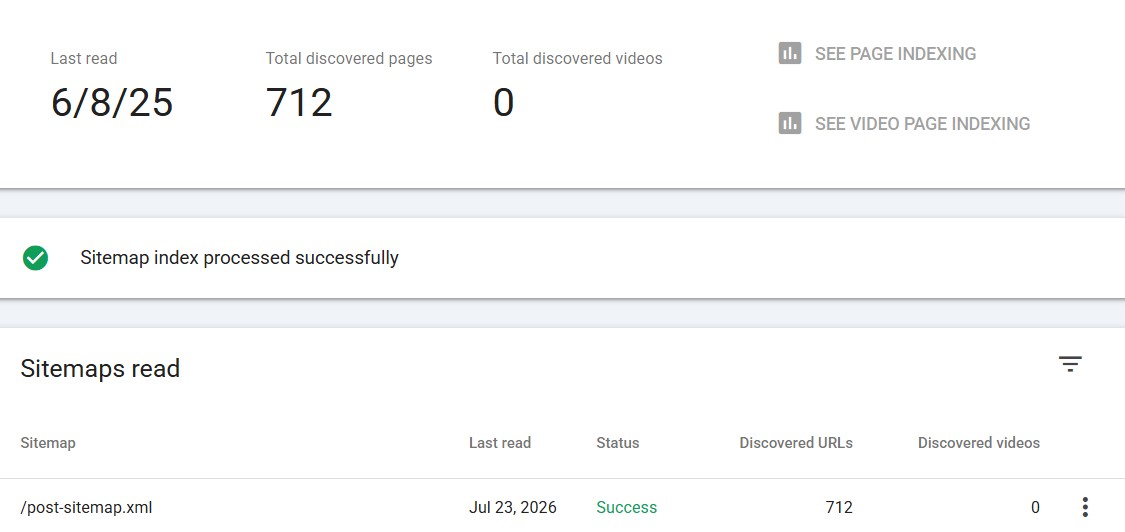
- Confirm your XML sitemap is submitted and only contains important, indexable URLs.
Fixing these technical issues is often the fastest way to revive a struggling SEO strategy.
👉 Write down the top 10–15 pages that lost the most qualified traffic or that sit just outside the top results. These become your priority list. Completing this audit gives you a clear starting point so you can revive your SEO strategy with the right priorities.
2. Fix Crawlability, Indexing, Mobile Usability, and Speed First
Technical problems can suppress even strong content. Address these before spending hours on rewrites.
Priority technical fixes include:
- Mobile responsiveness and usable tap targets.
- Page speed and Core Web Vitals (LCP, INP, CLS).
- Broken links and redirect chains.
- Incorrect or missing canonical tags.
- Accidental noindex or robots.txt restrictions.
- XML sitemap errors or outdated entries.
- HTTP to HTTPS issues and mixed content.
- Orphan pages (pages with no internal links pointing to them); here’s how to find and fix orphaned content.
- Poor site architecture that buries important content.
- JavaScript rendering problems that hide key content from Googlebot.
- 404s and outdated redirects that waste crawl budget.
Understanding how Googlebot crawls and indexes your site makes these fixes much clearer. Google needs to crawl, understand, and serve pages that satisfy users. If crawlers cannot reach or render the page cleanly, ranking improvements will stay limited.
👉 Tracking the right metrics helps you see whether your efforts to revive your SEO strategy are actually working.
3. Refresh or Consolidate Content That Has Lost Demand to Revive SEO Strategy
Not every old post needs a full rewrite. Use this simple decision framework:
| Situation | Recommended Action |
|---|---|
| Topic and URL still match search intent | Update the existing page |
| Several posts target the same or overlapping queries | Merge the strongest content into one comprehensive page and 301 redirect the others |
| A weak page is fully replaced by a better one | Redirect the weak URL |
| Page has zero traffic, no links, and no conversion value | Remove it (or noindex if you want to keep it for historical reasons) |
I learned this the hard way when I deleted 20 underperforming posts and saw traffic jump 27%. Sometimes less really is more.
When you update a page:
- Add current examples, statistics, screenshots, and clearer answers.
- Expand sections that ranking competitors cover more thoroughly.
- Preserve the original URL whenever possible so you keep existing links and ranking signals.
- Only change the publish or last-updated date if the content has meaningfully improved.
This approach recovers link equity and avoids creating competing pages that dilute your own rankings. Refreshing or consolidating content is one of the most effective ways to revive your SEO strategy when rankings have slipped.
4. Match Every Priority Page to Search Intent
Before rewriting, study the current top results for your target queries. Ask yourself:
- Does this query call for a definition, step-by-step tutorial, comparison, product or service page, list of options, local result, or current update?
- What format, depth, and unique angles do the ranking pages use?
- What questions remain unanswered in the top results?
Then rewrite so your page becomes the most complete, clear, and useful answer for that intent.
Keywords still matter, but they are only one signal among many. Rankings also depend on content quality and completeness, topical relevance, firsthand experience, usability, internal and external links, and technical accessibility.
Practical keyword approach for refreshes:
- Place the main topic naturally in the title, H1, introduction, URL, and relevant subheadings.
- Cover related questions and subtopics instead of repeating the same phrase.
- Use Search Console query data to expand on terms the page already earns impressions for.
- Avoid creating separate thin pages for minor keyword variations when one strong page can satisfy them.
(If you want a deeper dive on keyword strategy, my older post on optimizing keywords still has useful foundational tips.)
5. Improve On-Page Elements and Internal Links
Titles
Titles help users and search engines understand the page and influence click-through rate. A keyword in the title does not guarantee higher rankings by itself.
- Write a unique title for every important page.
- Match the title to the actual content.
- Put the main topic near the beginning when it reads naturally.
- Keep titles concise enough to avoid excessive truncation.
- Avoid keyword stuffing or clickbait.
Meta Descriptions
Meta descriptions do not directly improve rankings. Google may rewrite them. Write them to improve click-through rate:
- Accurately summarize the page.
- State the clear benefit of clicking.
- Reflect the searcher’s likely intent.
- Include a natural call to action when appropriate.
- Make each description unique for key pages.
- Monitor CTR in Search Console after changes.
Images and Alt Text
Alt text primarily helps people who use screen readers and provides a text alternative when an image cannot be displayed. It can also help search engines understand the image.
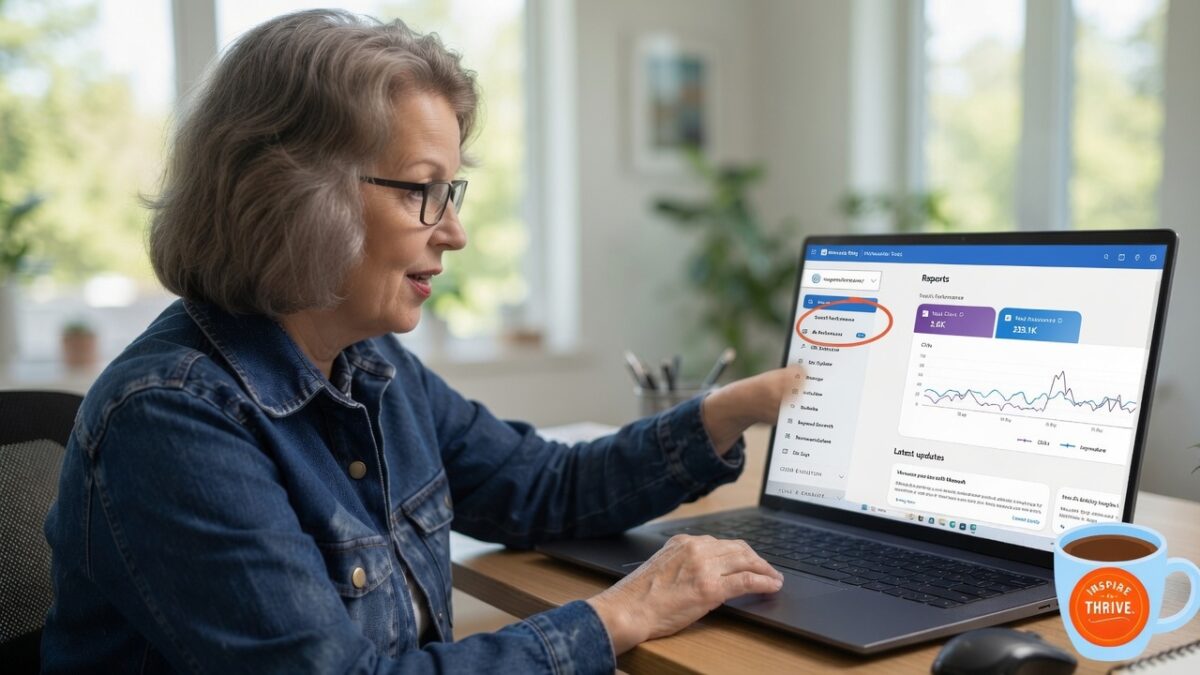
- Write descriptive alt text for meaningful images (example: “Person reviewing Google Search Console performance report on a laptop”).
- Use empty alt text (alt=””) for purely decorative images.
- For linked images, describe the destination or action.
- Avoid keyword stuffing in alt text.
- Use descriptive file names, modern formats, compression, and responsive sizing for better performance.
(For more on this, see my guide on image tagging for SEO.)
Internal linking Internal links help users find related information, guide them to next steps, help search engines discover pages, and distribute authority across your site.
- Link from high-performing or highly relevant pages to your priority recovery pages.
- Use descriptive anchor text that tells the reader what they will find.
- Link early in the content when the related resource helps answer the current question.
- Add links both to and from newly updated pages.
- Fix orphan pages and broken internal links.
- Build simple topic clusters (one central guide + supporting pages).
A good internal linking tool can speed this up dramatically if you manage a larger site.

6. Promote Refreshed Content and Earn Relevant Links
Once priority pages are updated and indexed:
- Share the refreshed posts in relevant industry newsletters, communities, and with past collaborators.
- Add original data, templates, checklists, or expert quotes that make the page worth linking to.
- Consider digital PR or partnerships for your strongest pieces.
- Use content syndication carefully; publish the original first, allow it to be indexed, and work only with partners who link back with proper attribution.
7. Local SEO Notes for Small Businesses and Solopreneurs
If you serve a specific geographic area:
- Keep your Google Business Profile complete and accurate (name, address, phone, hours, categories, photos)
- Maintain consistent NAP details across the web.
- Create location or service pages that offer real local value.
- Encourage and respond to reviews.
- Use LocalBusiness schema where appropriate.
- Earn links from local organizations, chambers, and publications.
- Track calls, direction requests, form submissions, and local pack rankings.
👉 Here’s my full walkthrough on how to use Google Business Profile if you need a step-by-step.
8. Measure What Matters and Prioritize Ruthlessly to Revive Seo Strategy
Track both search metrics and business results as you revive your SEO strategy:
- Organic clicks and impressions
- Ranking changes for priority keywords
- Click-through rate
- Engaged sessions
- Leads, form submissions, calls, newsletter signups
- Revenue or conversion value from organic traffic
A ranking improvement only matters when it brings the right visitors and supports a business goal.
Recommended priority order
- Fix crawl, indexing, security, and mobile/speed problems
- Repair or refresh pages that already have proven search demand
- Improve search-intent alignment and page quality
- Strengthen internal linking and site structure
- Improve titles, descriptions, images, and conversion paths
- Promote the strongest updated content and earn relevant links
- Measure results and repeat
10. 30-Day Plan to Revive Your SEO Strategy
Days 1–5 Complete the full audit in Search Console and Analytics. Fix major technical and indexing issues. Identify your priority page list.
Days 6–12 Map declining pages and pages ranking in positions 5–20. Decide which to update, merge, redirect, or remove.
Days 13–22 Refresh priority pages: improve intent match, update content, titles, descriptions, internal links, and images. Submit updated sitemaps if needed.
Days 23–30 Promote the refreshed content. Monitor indexing and early ranking/CTR changes. Record exactly what you changed so you can evaluate results in the following weeks.
👉 Results rarely appear overnight. Meaningful recovery often shows in 4–12 weeks depending on crawl frequency, competition, and the size of the changes.
Page Refresh Checklist to Revive Your SEO Stragegy
Use this for every priority page:
- Search intent clearly matched
- Information accurate and up to date
- Clear structure with helpful headings
- Unique, benefit-focused title and meta description
- Strong H1 and logical subheadings
- Relevant internal links added
- External sources cited where helpful
- Descriptive image alt text and optimized images
- Acceptable page speed and mobile usability
- Clear calls to action
- Page is indexed
- Conversion tracking in place
Next Step
Start with the pages that lost the most qualified traffic. Confirm Google can crawl and index them. Refresh the information, align each page with the searcher’s intent, improve internal links, and track clicks, rankings, and conversions for the next several weeks.
That process is how you revive your SEO strategy with measurable results.
Frequently Asked Questions
Look for sustained drops in organic clicks, impressions, or rankings over several months, especially on pages that previously performed well, combined with fewer leads or sales from search.
Update the existing URL when the topic still matches the search intent. Create a new page only when the intent or topic is genuinely different. Merging overlapping posts is often better than adding more similar pages. (See my experience with deleting and consolidating content.)
No. They can influence click-through rate, which indirectly affects traffic. Google may rewrite them.
Technical fixes can show effects relatively quickly. Content and ranking recovery often takes 4–12 weeks. Track progress weekly but judge results over longer windows.
Confirm Google can crawl and index your important pages, then refresh the pages that lost the most qualified traffic or that sit just outside the top results.



Resisting any urge to overproducing thin content is huge. The moment I pumped the brakes and began updating all old posts to 1200 to 1500 plus words, and also SEO-optimized many of these posts, I began to rank on page 1 of Google easily for quite a few keywords. Google wants 1500 to 2000 word or longer thorough resources dripping with valued details, being in-depth in nature. All helpful tips here Lisa.
Ryan
Hi Ryan, Yes, updating that old content can really make a difference. I’m not a big believer in word count but a mix with some with a large count can help. You don’t want all thin content. As long as the content is useful and relevant, that’s what is important to readers. Thanks for coming by Ryan with your input! Enjoy the weekend!