Running an online business like InspireToThrive.com means I deal with security threats regularly. After years of managing my site and working with remote team members, I’ve learned how valuable a good content filtering system really is, not just for blocking bad stuff, but for giving me genuine peace of mind.

Estimated reading time: 5 minutes
Table of Contents
Key Takeaways of Content Filtering Systems
- Ease of deployment is the #1 factor when choosing a web content filtering solution in 2026.
- Cloud-based tools offer the fastest setup and lowest maintenance.
- Wordfence is an excellent, easy-to-use option for WordPress site owners.
- Modern solutions combine AI threat detection with strong usability.
- The right tool depends on whether you need network-wide filtering or site-specific protection.
Web content filtering helps block malicious sites, reduce distractions, ensure compliance, and protect users from harmful content. After testing and using several solutions over the years, I’ve found that ease of deployment is often the factor that makes or breaks a tool.
Why Ease of Deployment Is My Top Priority
- Faster setup means quicker protection.
- Less time wasted on complex configurations.
- Easier to maintain as my business grows.
- Better adoption across remote and hybrid teams.
I’ve shifted almost entirely to cloud-based solutions because they require minimal technical overhead and update automatically.
Key Trends Shaping Web Content Filtering in 2026
- AI-powered real-time threat detection.
- Zero Trust security models.
- Hybrid DNS + Secure Web Gateway approaches.
- Stronger focus on mobile and remote worker protection.
- Better compliance reporting tools.

Top Web Content Filtering Solutions in 2026
Here’s a comparison of tools I’ve researched and, in some cases, used personally:
| Solution | Best For | Deployment Time | Key Strengths | Pricing Model | Drawbacks |
|---|---|---|---|---|---|
| Cisco Umbrella | Enterprises & mid-market | Hours | Excellent threat intelligence | Subscription | Higher cost at scale |
| DNSFilter | SMBs & MSPs | < 1 hour | Super easy policies + AI classification | Per user/month | Limited advanced features |
| Cloudflare Gateway | Teams already using Cloudflare | Very fast | Fast performance + zero-trust | Usage-based | Learning curve |
| Zscaler ZIA | Large enterprises | Days | Full-featured SSE platform | Enterprise pricing | Can be overkill for small teams |
| WebTitan | Schools & small businesses | Hours | Simple, strong category filtering | Affordable | Less threat intelligence |
| Control D | Customizable control | Very fast | Great malware blocking | Subscription | Newer on the market |
| NordLayer | Distributed & privacy-focused teams | Fast | Easy setup for remote teams | Per user | Fewer enterprise features |
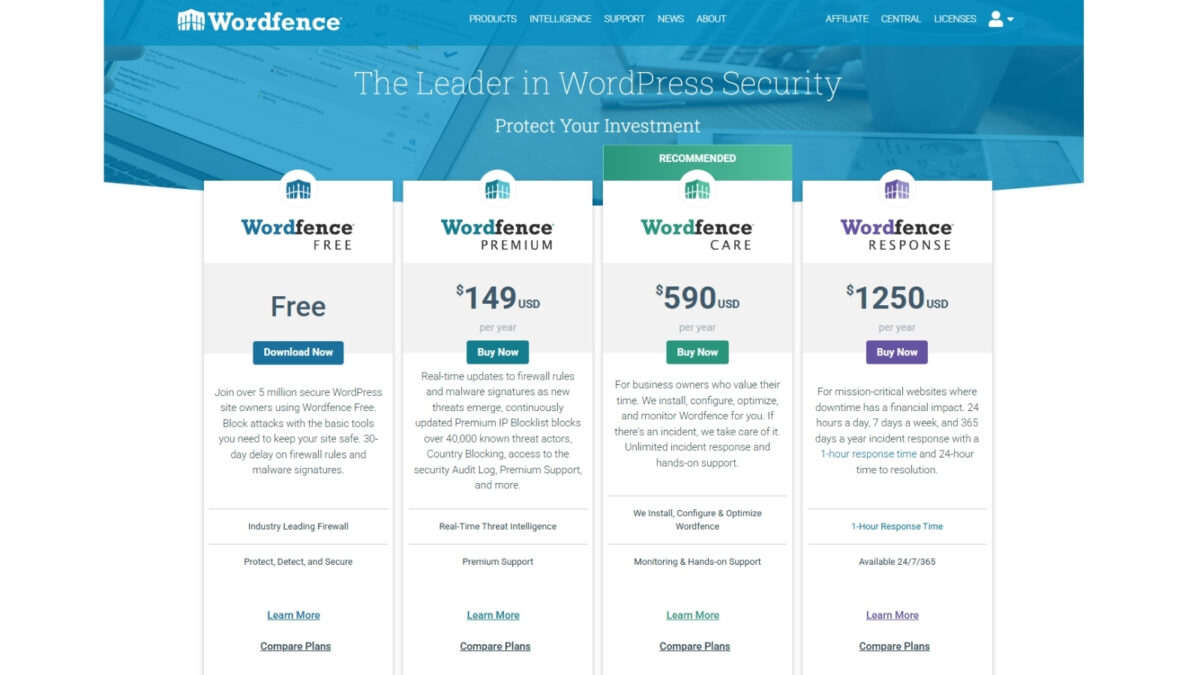
| Wordfence | WordPress websites | Minutes | Easy plugin install, powerful WAF | Freemium (Premium $149/yr) | Site-level, not full network |
My Personal Experience with Wordfence
I’ve been using Wordfence on my site (InspireToThrive.com) for several years now, and it’s been one of the easiest and most effective security tools I’ve implemented. The plugin installs in minutes and immediately starts blocking spam bots, brute-force login attempts, and malicious URLs.
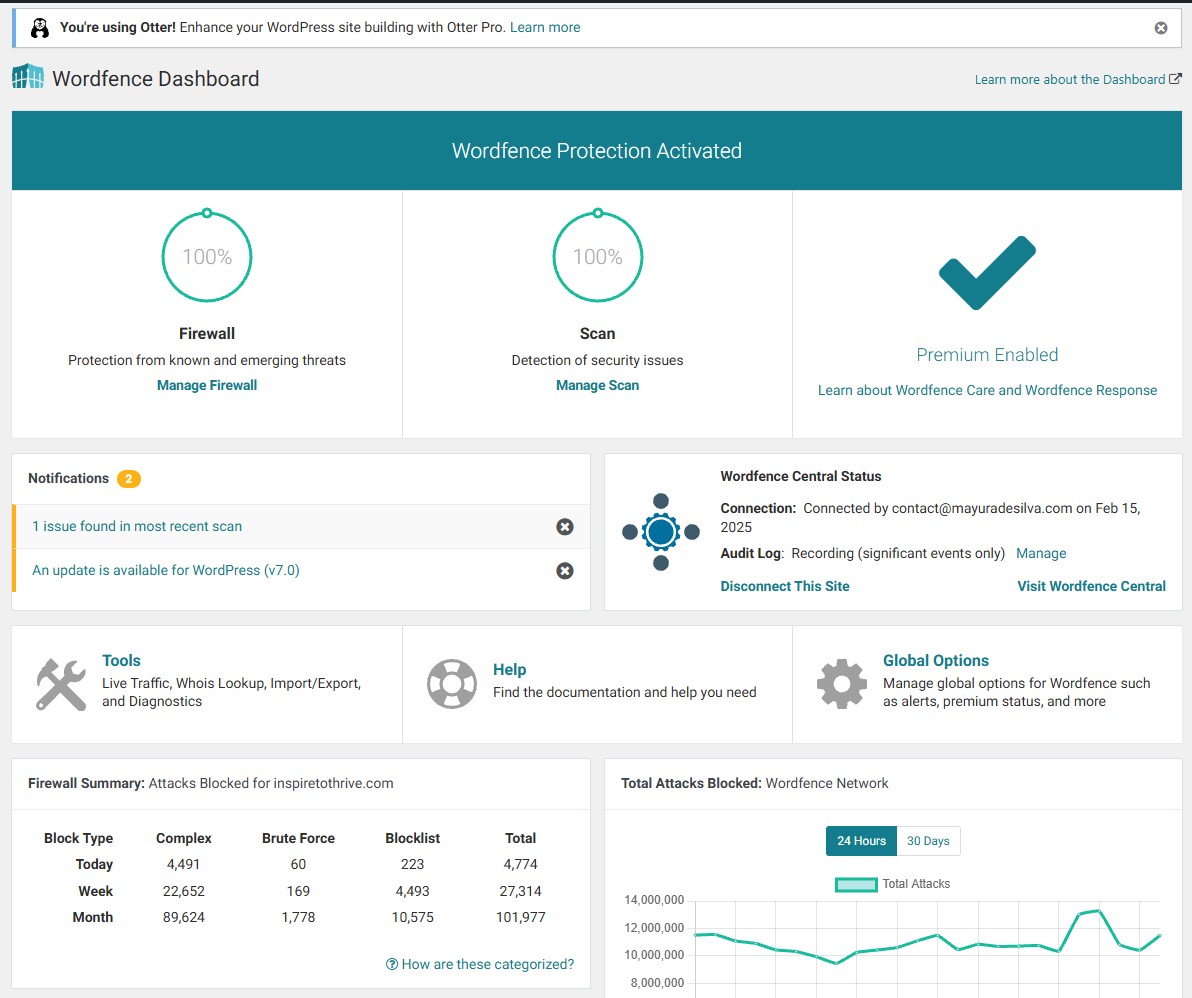
Since activating premium, I’ve seen a dramatic reduction in spam and suspicious traffic. The real-time firewall and malware scanner give me confidence that my site stays protected without constant manual monitoring.
If you run a WordPress site, I highly recommend starting with their free version and upgrading to Premium if you need country blocking and faster updates.
Benefits of Modern Content Filtering System
- Strong protection against ransomware and phishing.
- Improved team productivity.
- Easier regulatory compliance.
- Reduced bandwidth waste.
- Clear visibility into web activity.
How to Choose the Right Solution for Your Needs
- Define your main goals (site security, employee productivity, compliance, etc.)
- Consider your setup — Are you protecting a WordPress site, a remote team, or both?
- Prioritize tools that are simple to deploy and manage.
- Take advantage of free trials.
- Factor in total time and cost, not just the sticker price.
Final Thoughts: Content Filtering Systems
After managing my own online presence for years, I’ve learned that the best web content filtering solution is the one that fits your specific situation and doesn’t create more work. For WordPress users, Wordfence has been a game-changer for me. For broader network filtering, tools like DNSFilter or Cisco Umbrella are excellent.
Ready to strengthen your security? Start by evaluating your current risks and testing a couple of the tools above. I’d love to hear which solution works best for you!
Disclosure: This Inspire To Thrive blog post contains affiliate links. I may earn a commission from qualifying purchases at no extra cost to you. Some sections were drafted with AI tools and carefully reviewed/edited by me.
Enjoy this content? Help me show up more often in Google by adding Inspire To Thrive as a Preferred Source: