Have you ever clicked a YouTube video only to see “This content is not available in your country” or to sit through endless buffering? For many people, that happens not because of their device, but because of how their connection reaches YouTube. That’s where the best proxy server for YouTube comes in.
The right proxy can help you access more videos, keep your activity private, and make streaming smoother – without turning your setup into a complicated tech project.
In this guide, you’ll learn how YouTube proxies work, what types exist, which features really matter, and how to choose the best proxy server for YouTube in 2026.
Estimated reading time: 10 minutes
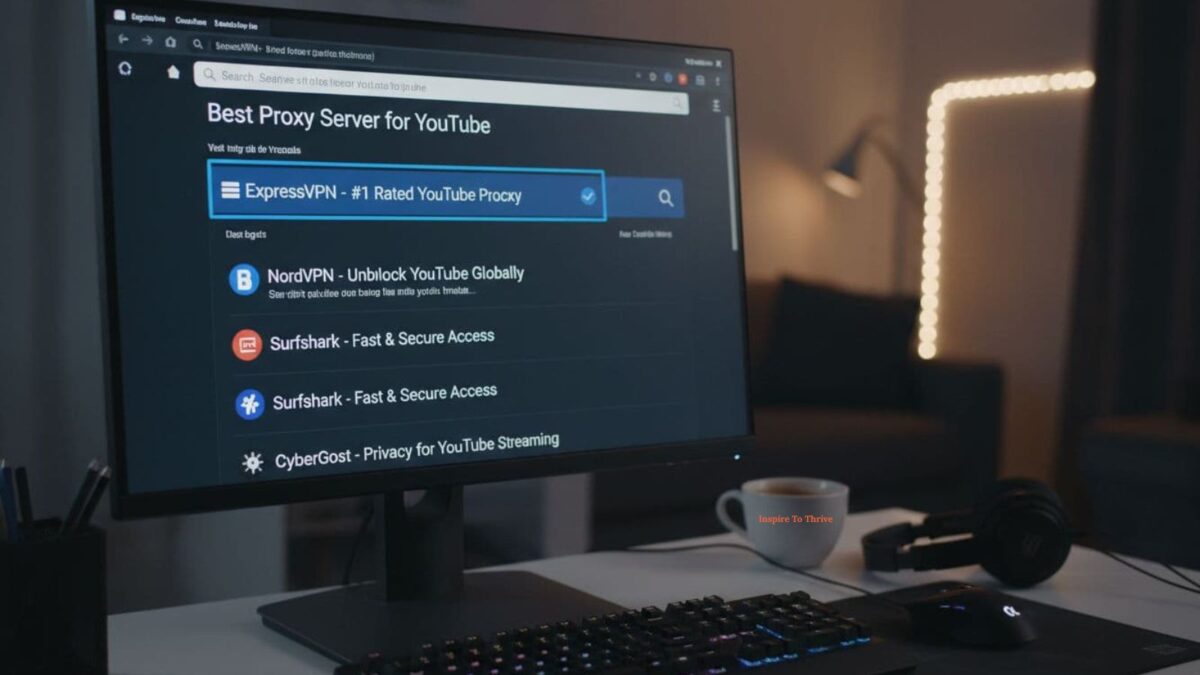
Table of Contents
Why You Might Need a Proxy for YouTube
You don’t have to be a “power user” to benefit from a YouTube proxy. A few everyday situations:
- Region-based limits
Some channels or videos are only available in specific countries. With a proxy that has IPs in different regions, you can watch content as if you were there. - Network restrictions at work or school
Office and campus networks often limit streaming or slow it down during busy hours. A proxy can route your traffic differently, helping you watch during lunch breaks without constant interruptions. - Privacy and a “clean” YouTube experience
YouTube builds a profile based on what you watch and where you watch it from. A proxy helps mask your real IP, so your viewing activity is less tied to your physical location or device. - Testing and managing multiple channels
Creators, agencies, and brands sometimes manage several channels, run experiments, or check how content appears in other countries. A proxy makes this easier and more consistent.
If one or more of these scenarios sounds familiar, a dedicated YouTube proxy may be worth it.
How a YouTube Proxy Works (Explained Simply)
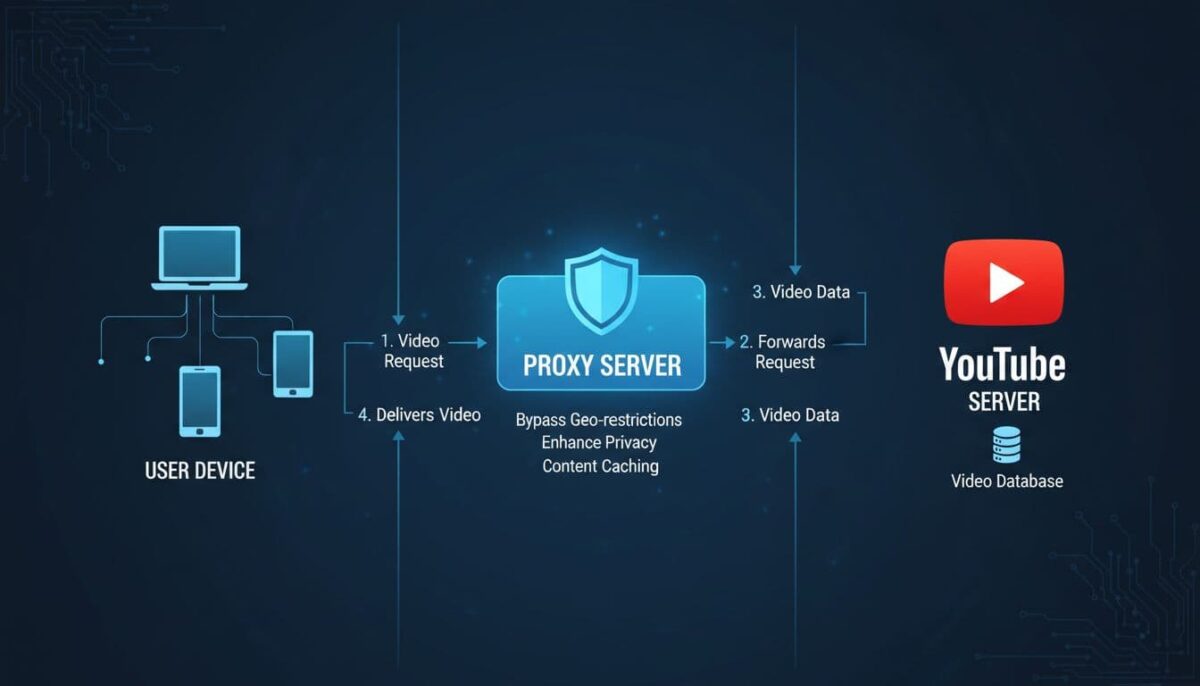
Think of a proxy as a smart middleman between you and YouTube.
Without a proxy:
You → Your ISP → YouTube
With a proxy:
You → Proxy Server → YouTube
Here’s what changes:
- YouTube sees the proxy’s IP, not yours.
So if the proxy is in another country, YouTube treats you like a viewer from that country. - Your ISP sees traffic to the proxy, not directly to YouTube.
That makes it harder to profile exactly what you’re watching. - Some proxies optimize routing.
Well-run proxy networks can choose faster paths to YouTube’s infrastructure, which sometimes reduces buffering.
In practice, you configure the proxy once in your browser or app, and then browse YouTube as usual. The magic happens in the background.
Types of Proxy Servers for YouTube
Not all proxies are equal when it comes to YouTube. The main types you’ll encounter are:
Residential proxies
Residential proxies use IP addresses that belong to real internet connections at home. To YouTube, they look like ordinary viewers:
Pros:
- Very hard to distinguish from real users
- Excellent for region-specific content
- Great for creators or brands that want to behave like real local audiences
Cons:
- Typically more expensive than datacenter IPs
- Sometimes slightly slower if the residential network is congested
Datacenter proxies
Datacenter proxies come from servers in professional data centers rather than home connections.
Pros:
- High speed and low latency (great for HD/4K)
- Cost-effective, especially for many IPs
- Good for routine streaming, analytics, and general browsing
Cons:
- Easier for platforms to recognize as “server traffic”
- On stricter platforms, over-aggressive usage can lead to temporary limits
Mobile proxies
Mobile proxies use IPs from 3G/4G/5G connections.

Pros:
- Extremely realistic traffic (from mobile networks)
- Good for mobile-specific testing and ad checks
Cons:
- Usually the most expensive type
- Overkill for casual streaming if you don’t specifically need mobile traffic
For most viewers, datacenter or residential proxies are more than enough. Power users and agencies may mix all three.
Key Features to Look For in the Best YouTube Proxy
When choosing the best proxy server for YouTube, focus less on marketing buzzwords and more on these practical features:
- Speed and stability
You want consistent HD or 4K streaming without stuttering. Look for providers that emphasize bandwidth and uptime, not just “cheap IPs.” - Relevant locations
If your goal is watching content from the US and EU, your provider should have strong IP pools in those regions. More locations = more video libraries to access. - Clean, trusted IPs
“Dirty” IPs that were abused in the past may trigger captchas or limits. A good provider rotates and refreshes IPs to keep them clean. - IP rotation options
Sometimes you want a fixed IP (for a specific account), sometimes you want your IP to change regularly. Flexible rotation settings matter for creators and agencies. - Easy setup
Ideally, you log in, copy proxy details, paste them into your browser or tool, and you’re done. A confusing control panel is a red flag. - Transparent pricing and support
Clear plans, no hidden fees, and responsive support if something breaks on a Sunday night.
Providers like Proxys.io tick many of these boxes by offering both residential and datacenter options with flexible rotation and global locations. For example, their datacenter proxies are built for high-speed, always-on tasks like streaming, monitoring, and automation.
Best Proxy Server for YouTube in 2026 (Top Picks)
Every viewer has slightly different needs, but broadly speaking, you can group “best” YouTube proxies into a few profiles.
Proxys.io – Best Overall Balance for YouTube
If you want a single provider that covers most YouTube use cases – casual streaming, analytics, checking content in other regions, managing multiple channels – Proxys.io is a solid all-round choice.
What makes it stand out:
- Both residential and datacenter options
You can use high-speed datacenter IPs for everyday streaming and switch to residential IPs when authenticity and geo-sensitivity matter. - Large global coverage
Multiple countries and regions, which is ideal if you need to see how videos appear to viewers in different locations. - Flexible IP rotation
Stick to one IP when managing a channel, or rotate through many IPs when you just need variety and privacy. - Support for common protocols
HTTP(S) and SOCKS5 support means you can plug the service into most browsers, video tools, or automation software.
If you care about appearing like a regular home viewer, their residential proxies are particularly well-suited to YouTube and other streaming platforms.
Other Reliable Options to Consider
Depending on your goals, you might also look at:
- Providers focused solely on datacenter IPs for maximum speed at low cost
- Services that specialize in mobile proxies if you’re testing mobile ad campaigns
- Niche providers with a strong presence in specific countries you target
However, if you want to avoid juggling multiple vendors and dashboards, going with a one-stop provider that covers different proxy types is usually easier to manage.
How to Set Up a YouTube Proxy (Step-by-Step)
The exact steps vary by device and browser, but the general process is simple:
- Get your proxy details
After signing up with a provider, you’ll receive:- Proxy IP or hostname
- Port
- Username and password (if authentication is required)
- Proxy IP or hostname
- Open your browser or system network settings
- On desktop, this is usually under Settings → Network → Proxy
- Many browsers also allow manual proxy configuration under advanced settings
- On desktop, this is usually under Settings → Network → Proxy
- Enter the proxy IP and port
Paste the details exactly as given by your provider. - Enable authentication (if needed)
If the proxy is protected (which is recommended), you’ll be prompted for username and password. Save them if you trust the device. - Apply and restart the browser
Close all tabs and reopen the browser so the new settings take effect. - Check your IP and region
Before heading to YouTube, visit any “What’s my IP” site to confirm that your visible IP and location match your proxy. - Open YouTube and test a few videos
Try watching content that was previously unavailable in your region, and test different resolutions to gauge performance.
If something doesn’t work – e.g., videos won’t play, or locations don’t match – double-check the IP, port, and authentication, or contact your provider’s support.
YouTube Proxy vs. Smart DNS vs. Browser Extensions
There are several tools that change how you connect to YouTube. They’re not all the same.
- YouTube proxy
Routes your traffic through another server, hides your original IP, and can be used across many tools and browsers. Offers strong privacy and flexible configuration. - Smart DNS
Alters DNS queries to make it look like you’re in another region. Good for some streaming services, but doesn’t usually offer the same level of anonymity as a full proxy setup. - Browser extensions
Lightweight add-ons that route traffic from that browser only. They can be handy, but are often limited in locations, transparency, and reliability.
If privacy, control, and flexibility are priorities, a full-featured proxy service is usually the more robust long-term option.
Safety Tips When Using a YouTube Proxy
A proxy should improve your experience, not create new risks. Keep these best practices in mind:
- Avoid random free proxies
Free lists are often slow, unstable, and may log or resell your data. If you care about privacy, this is the worst compromise. - Use HTTPS wherever possible
Make sure you’re accessing YouTube over HTTPS so your traffic is encrypted between you and the proxy. - Don’t share credentials
Treat your proxy login like any other sensitive password. Only use it on trusted devices. - Rotate IPs sensibly
Constantly jumping between countries while logged into personal accounts can look suspicious. Use more stable IPs for accounts, and rotation for general browsing. - Respect platform policies
Proxies don’t make you invisible. Always follow YouTube’s rules to keep your account and channels safe.

Final Verdict: Which Proxy Server Is Best for YouTube?
There’s no universal “one-size-fits-all” proxy, but you can narrow it down:
- If you’re casually streaming and just want better consistency and some privacy, high-quality datacenter proxies are often enough.
- If you’re a creator, marketer, or agency testing content in multiple countries or managing several channels, residential proxies give you more realistic traffic and fewer headaches.
- If you need both speed and authenticity, choosing a provider that offers both types in one place, like Proxys.io, simplifies your toolkit and reduces the risk of misconfigurations.
The best proxy server for YouTube is ultimately the one that keeps videos playing smoothly, protects your data, and fits your workflow without constantly demanding your attention.
FAQS: Choose the Best Proxy For YouTube For Your Needs
Not necessarily. A good provider with strong bandwidth and routing can actually make YouTube feel smoother than on a congested local network.
Using a proxy is generally legal in most countries, but you should always follow local laws and YouTube’s terms of service.
Yes, as long as the proxy has enough bandwidth and low latency. This is where premium datacenter or well-optimized residential proxies shine.
Not always. Residential IPs are more realistic, but datacenter IPs can be faster and cheaper. The right choice depends on your goals and budget.

- How to Use Grok AI to Write Better X Posts That Get Seen - March 14, 2026
- How to Use Google My Business To Grow Your Small Business - March 11, 2026
- Peekviewer App Pricing: Plans, Features, and What You Actually Get - March 11, 2026