User-friendly websites that genuinely connect with visitors are built on a user-centric foundation. This strategy necessitates an in-depth understanding of your audience’s behaviors, preferences, and challenges.
By leveraging research, analytics, and direct feedback, you can design an interface that not only appears attractive but feels intuitive and welcoming.
Working with a team like a San Diego website design agency can make a significant difference in achieving a balanced, user-friendly website design that engages and converts visitors.
User experience (UX) is the heart of user-friendly website design. Every aspect—from color schemes to button placements—should reflect the needs of real people.
Thoughtful UX ensures your content is digestible, navigation is straightforward, and every interaction adds value for the user.
Estimated reading time: 5 minutes
Table of Contents
Key Takeaways
- Prioritize mobile-first design to cater to the majority of users.
- Ensure fast loading times to reduce bounce rates and improve user experience.
- Implement straightforward and intuitive navigation to guide users effectively.
- Utilize visual hierarchy to highlight important content and calls-to-action.
- Incorporate user feedback to continuously refine and improve the website.
Prioritizing Mobile-First Design for Designing User-Friendly Websites
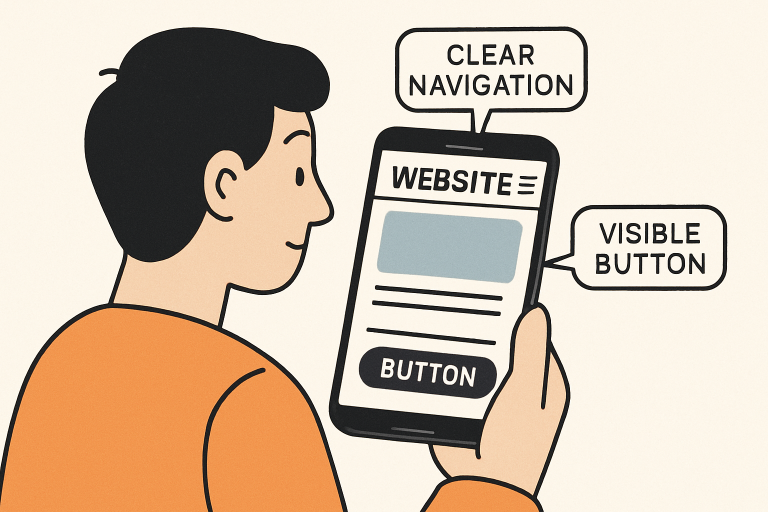
The explosion of smartphone usage means that people today expect websites to function perfectly on their mobile devices. Over 60% of all web traffic comes from mobile devices, so a mobile-first approach is not just recommended—it’s essential.
Designing websites for smaller screens first guarantees accessibility, fast responsiveness, and a streamlined visual hierarchy. From navigation elements to touch-friendly forms, mobile-first design prioritizes user engagement across devices.
Mobile-first is not just about shrinking content to fit smaller screens. It’s about reimagining user interactions within tighter constraints, ensuring that every key action is available without excessive scrolling or zooming.
This foundational strategy maximizes your website’s reach and effectiveness, especially in today’s multi-device world.
Optimizing Website Performance
Speed directly influences how users perceive your website. A delay of just one second can significantly increase bounce rates. Performance optimization should be a continuous process that involves image compression, browser caching, and the prudent use of scripts or plugins.
By reducing file sizes and eliminating unnecessary code, load times drop, and visitors remain engaged longer.
- Compress media files for faster downloads.
- Implement caching strategies to speed up repeat visits.
- Limit third-party scripts to avoid slowing site performance.
Fast, seamless sites enjoy higher user retention and more conversions.
Implementing Clear Navigation
Navigation acts as the roadmap for your website. Well-designed navigation systems empower visitors to explore your site confidently, find important information quickly, and engage with your core offerings.
Descriptive menu labels, logical groupings, and clear hierarchies ensure users never feel lost. Resist the urge to overcomplicate navigation—fewer, purposeful menu items reduce cognitive overload.
- Use straightforward, familiar menu terms.
- Minimize menu options for clarity.
- Incorporate search functionality for rapid information discovery.
When users can find what they need in moments, satisfaction rates rise, and so does the time they spend on your site.
Utilizing Visual Hierarchy in User-Friendly Websites
Visual hierarchy is the artful arrangement of elements to highlight what matters most when designing a user-friendly website. Strategic use of headings, contrasting colors, and white space all work to direct the user’s attention.
Headlines should stand out with larger, bolder fonts, while primary calls to action are best showcased through sharp color contrasts and prominent placement.
- Highlight headlines with size and weight differences.
- Use color contrast to draw focus to key elements.
- Make generous use of whitespace for organization and clarity.
Good visual hierarchy leads users naturally through your site’s narrative, ensuring vital information and actions never go unnoticed.
Incorporating User Feedback
Iterative website improvement hinges on authentic user input. Engaging with your audience through surveys, live chat, or analytics tools uncovers pain points you may have overlooked.
A/B testing lets you compare design versions in real-world scenarios to determine what works best.
Regularly reviewing these insights empowers you to refine and update your design so it continually aligns with evolving user needs.
- Distribute surveys to gather direct user perspectives.
- Dive into analytics to track visitor behaviors and preferences.
- Employ A/B testing to validate design decisions empirically.
Ensuring Accessibility for User-Friendly Websites
An accessible website broadens your reach by ensuring everyone, including users with disabilities, can fully interact with your content. Accessibility involves technical details such as alt text for images, keyboard-navigable interfaces, and meeting minimum color contrast ratios.
Building with accessibility in mind is both socially responsible and beneficial for business, as it increases potential site engagement and helps avoid legal issues.
- Use descriptive alt text for all graphics and non-text elements.
- Test for adequate color contrast for readability.
- Allow complete site use via keyboard for those with mobility challenges.
Conclusion: User-Friendly Websites That Bring You Results
Elevating your website’s easy to use friendliness goes beyond aesthetics—it’s an ongoing process rooted in research, empathy, and continuous repetition.
By prioritizing mobile-first strategies, robust performance, enlightened navigation, clear visual hierarchy, thoughtful feedback loops, and universal accessibility, you create a platform that not only delights users but drives meaningful results for your business.