If you post on LinkedIn between client calls, meetings, and actual work, you know the pain: one tab for a scheduler, another for a spreadsheet, then a third for analytics. That setup doesn’t just waste time; it also makes you inconsistent. With Fedica for LinkedIn, the LinkedIn post scheduler professionals rely on, you can plan posts, schedule LinkedIn posts, reuse proven ideas, and check results without stacking extra tools.
You’re not trying to post more, you’re trying to post smarter, build thought leadership, and keep your momentum when life gets busy.
Estimated reading time: 7 minutes
Table of Contents
Key Takeaways
- Fedica for LinkedIn helps professionals schedule, plan, and analyze posts without using multiple tools.
- It suits solo creators and small businesses by centralizing content management for LinkedIn.
- Users can recycle top posts by updating their format and timing while avoiding redundancy.
- The tool provides insights through analytics, allowing users to tweak strategies based on performance data.
- A weekly check-up routine helps adjust future posts based on what works well.
What you can do with Fedica for LinkedIn (and when it makes sense)

Fedica for LinkedIn is built for the day-to-day jobs that keep your content moving:
- Scheduling posts
- A unified content calendar
- Re-queuing evergreen updates
- Tracking what gets seen and clicked
➡️ The biggest win is simple: you stop bouncing between tools just to stay on track.
It fits best if you’re a solo creator, a small business owner, or a small agency managing a handful of LinkedIn Personal Profiles or Company Pages. You’ll still use LinkedIn itself for some native admin tasks (like certain page settings or inbox work), but your planning and performance loop can live in one place.
Scheduling that fits how you actually post on LinkedIn
You can build a queue, pick posting times, and line up a week of content before Monday hits. That means fewer missed days and fewer last-minute “what do I say?” moments.
You can also plan common post types at a practical level, like text updates, links, images, LinkedIn carousels, LinkedIn polls, and LinkedIn threads, without turning your process into a project.
A simple workflow for batching content in under an hour
Think of your content like meal prep. You’re not cooking every night, you’re setting yourself up.
- Write down a few topic buckets.
- Draft 5 to 10 short posts.
- Or use RSS feed automation to fill your content pipeline.
- Load them into your queue.
- Set your times.
- Do a quick review for tone and typos.
After that, you’re mostly in “check and adjust” mode, not “start from zero” mode.
How to recycle your best LinkedIn posts without sounding repetitive
Recycling works on LinkedIn as part of your social media strategy because your audience doesn’t see everything. People scroll fast, time zones vary, and your followers aren’t online on the same day.
Reposting a strong idea is often more helpful than forcing a brand-new one.
The key is to recycle with care. Space out the posts, refresh the opening line with The Best Words for high-quality copy, update the examples, and rotate the format so it feels new.
Use LinkedIn analytics to spot good candidates, such as evergreen tips, FAQs, simple frameworks, and checklists.
Skip time-sensitive news, event promos, or personal milestones that only made sense once.
Set safe reuse rules so your audience does not get tired of your content
Use guardrails you can stick to:
- Wait 30 to 90 days before repeating a post
- Cap repeats (for example, no more than a few recycled posts per month)
- Create 2 to 3 variations so the idea stays fresh
- Pause recycling if comments mention they’ve seen it
- Rotate by labels or categories using content pipelines (tips, stories, client lessons)
Turn one strong idea into a mini series you can rotate
One tip can become three posts: a question version, a short story with a lesson, and a checklist. Same core idea, different wrapper.
➡️ You save time, and your audience gets multiple entry points.
Track what is working, then adjust your next week of posts with Fedica
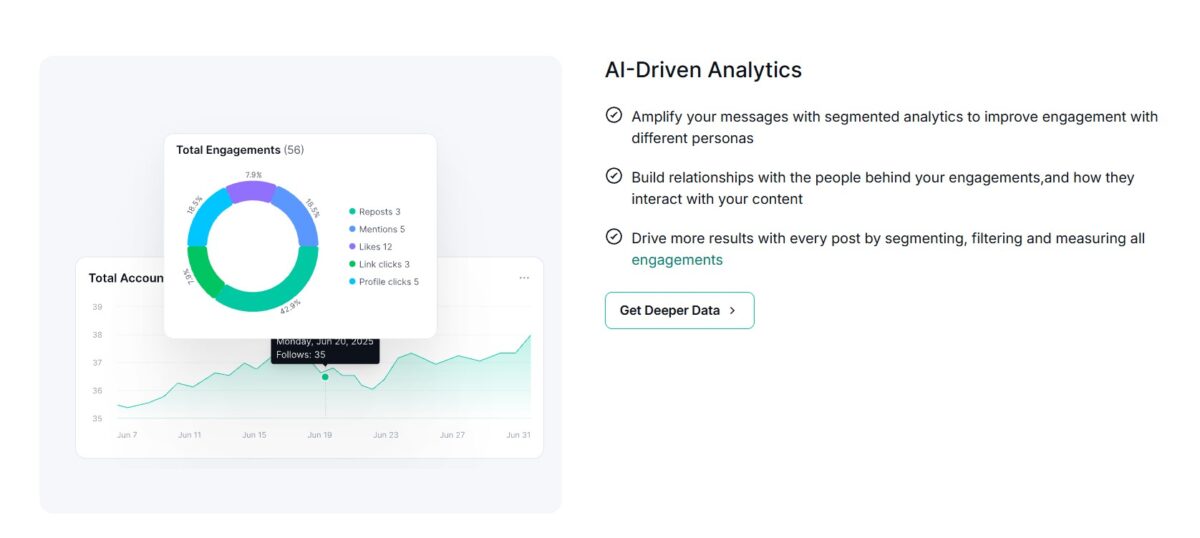
Tracking inside the same tool you use to schedule keeps you honest. Go beyond native LinkedIn analytics to access historical data and cross-platform analytics.
Instead of guessing, you look at engagement rate, follower count, sentiment analysis, and then you plan around patterns.
When Fedica for LinkedIn keeps posting and performance close together, with features like multi-platform performance and engagement overview, it’s easier to decide what to recycle, what to drop, and what deserves a longer follow-up post.
This LinkedIn analytics integration supports performance tracking to improve results.
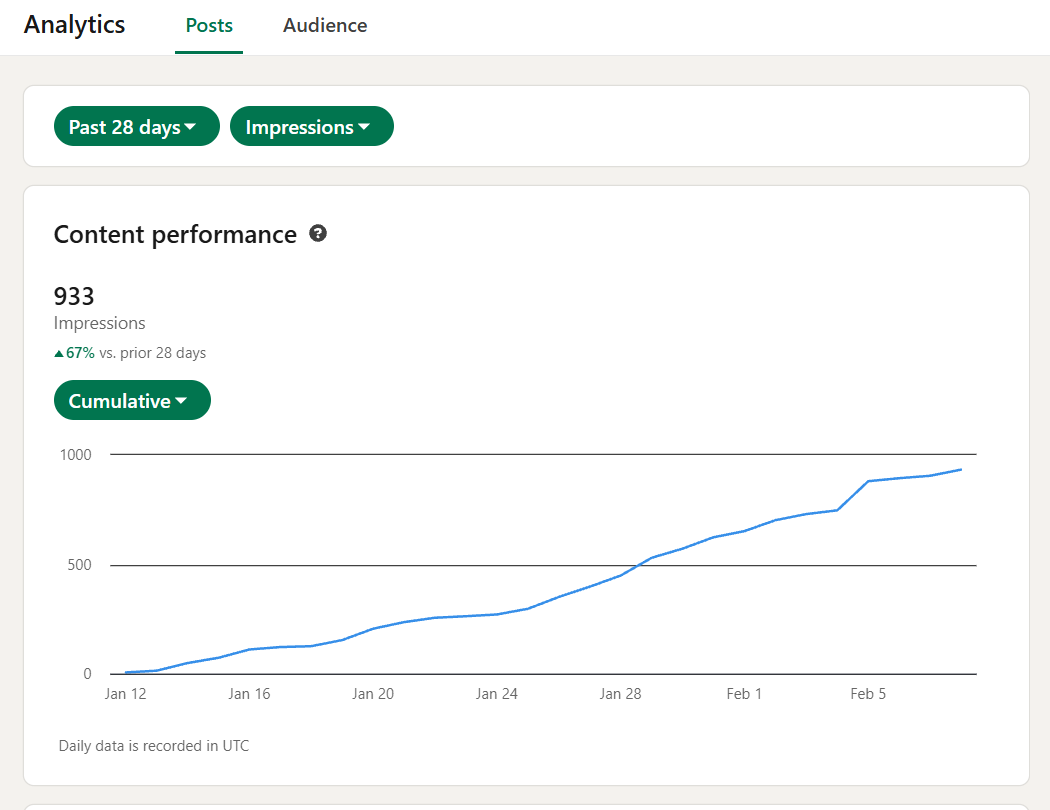
A quick weekly check you can do in 10 minutes with Fedica for LinkedIn Management
- Open your analytics and review the breakdown of your top posts.
- Spot what they share (hook style, topic, format).
- Schedule 1 a new post that matches that pattern.
- Re-queue 1 evergreen winner with a new opening line.
This routine leads to data-driven decisions, uncovering audience insights through social media reporting and filtering capabilities.
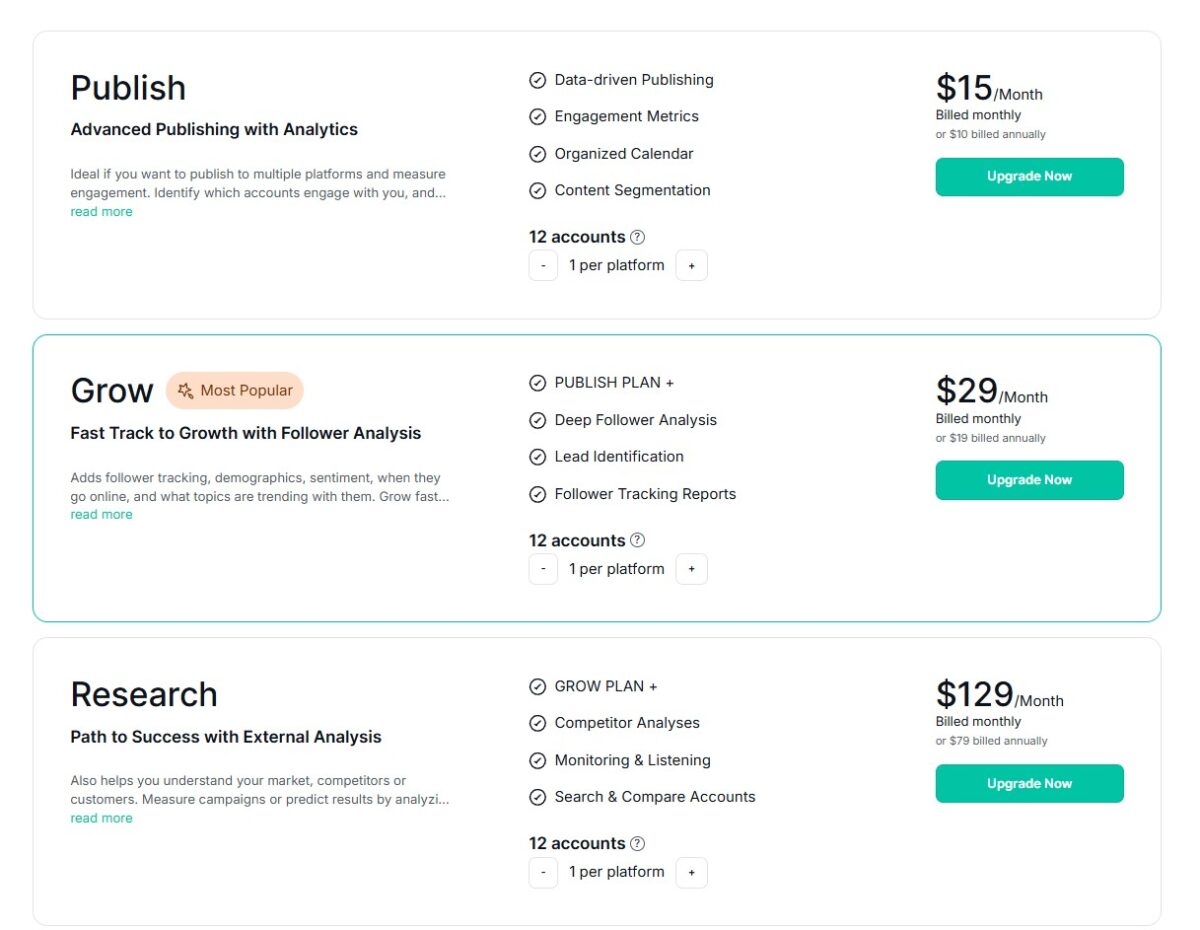
Pricing for Fedica
Fedica offers 3 premium options for you. If you are a larger company, you can contact them for an individual plan.
Conclusion: Fedica for LinkedIn
If LinkedIn growth feels messy, you don’t need more tabs; you need a tighter social media management routine. With Fedica for LinkedIn, you can schedule ahead, recycle smart, and track results in one place, skipping the manual effort of checking native LinkedIn analytics.
Set up your queue today, load five posts, then pick one evergreen post to recycle with a fresh first line. Consistency gets easier when your system is simple.
Frequently Asked Questions About Fedica for LinkedIn: Schedule, Recycle, and Track Posts in One Place
Yes, you can schedule LinkedIn posts in Fedica, so they publish later without you needing to log in at the right time. This is most useful when you want a consistent posting rhythm, you work across time zones, or you’re batching content for the week (or month) in one sitting.
Recycling means you can reuse your best-performing (or still-relevant) posts again later, instead of rewriting everything from scratch each time. It’s a practical way to keep sharing evergreen ideas, especially as your audience grows over time, and many people may not have seen the original.
You’d use recycling when you have posts that stay useful month after month, like how-to tips, common mistakes, checklists, case study lessons, or short stories that show a clear business takeaway. It’s also a smart option when you publish long-form content elsewhere (like a blog post or newsletter) and want to promote it more than once without spamming your feed back-to-back.
Tracking in Fedica is about seeing how your posts perform over time so you can make better decisions, not just post more often. When you review performance data, you’re looking for patterns: which topics get replies, which formats hold attention, and which times tend to lead to stronger engagement for your audience.
The most useful tracking focuses on outcomes you can act on. For example, if your goal is conversation, you’ll care more about comments and quality replies than raw impressions. If your goal is awareness, impressions, and reach matter more, but you still want enough engagement to show the post connected with real people.
Fedica can handle planned publishing, recycling, and performance tracking, but it won’t replace every reason you might post live. You’ll still want to post manually when timing and context matter, like reacting to industry news, sharing a behind-the-scenes moment, commenting on an event you’re attending, or responding quickly to a conversation trend in your niche.