
Are you looking for a free paraphrasing tool to help you create content faster to save time? If so, my guide on the 5 best free paraphrasing tools (for 2026 and beyond) has the answers you need.
I guarantee that one of these free apps will be the tool for you, so without wasting time, let’s get started.
Estimated reading time: 14 minutes
Table of Contents
#1 AnswerThis AI Paraphraser
AnswerThis AI Paraphraser
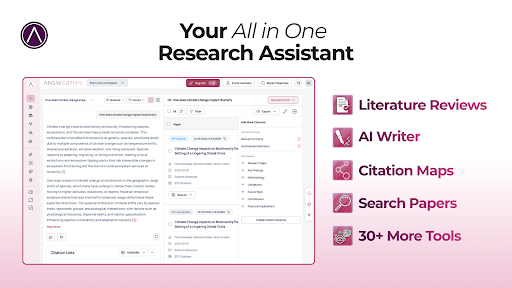
AnswerThis This is a research-driven AI platform built for academics, students, and professionals who need accurate, citation-safe rewriting. Unlike typical paraphrasing tools that simply swap synonyms, AnswerThis understands academic structure, preserves meaning, and produces polished, human-like text that is ready for essays, literature reviews, and thesis chapters.
You can use AnswerThis’ AI Paraphrasing tool here.
What AnswerThis Actually Does
AnswerThis is more than an AI paraphraser; it’s a complete research ecosystem. You can generate full literature reviews, send them into Canvas to build drafts, save important insights to your Notebook, analyse research gaps, explore citation maps, and refine everything using the AI paraphraser as the final polishing layer.
This means your paraphrasing isn’t done in isolation, but connected to the logic, citations, and structure of your actual research.
How the Paraphraser Works
Using the AnswerThis paraphraser is simple. Open Add New Step → Paraphrase, paste your text, and choose your tone: scientific, formal, technical, or fluent. You can shorten or expand your writing, smooth complex sentences, clarify arguments, and strengthen your academic voice without losing meaning.
The variation slider lets you choose between subtle rewriting and a deeper transformation, giving you precision most tools can’t offer.
Frequently Asked Questions and Concerns About AI Paraphrasing Tools
AnswerThis is distinguished by its academic accuracy, ensuring citations remain intact and claims are preserved. Unlike many other AI paraphrasing tools or AI rephraser tools, AnswerThis maintains precise terminology and upholds the integrity of your research.
Even when your paragraph is reworded, the original scholarship is never altered. With its deep understanding of your work through Notebook, Canvas, and literature reviews, AnswerThis delivers context-aware paraphrasing that goes beyond simple automation.
Whether you need a citation generator, free summarizer, or are concerned about cost, paraphrasing, plagiarizing, or rephrasing, AnswerThis addresses these key concerns with reliability and precision.
Best For
AnswerThis is ideal for researchers refining manuscripts, students rewriting thesis sections, professionals preparing evidence-based reports, and anyone who needs accurate rewriting without losing the depth of the original meaning.
Its ability to produce clean, coherent, academically aligned prose makes it one of the most trustworthy AI paraphrasers available today.
Pricing
You can try AnswerThis for free, with five literature reviews included. For full access, Pro costs $30/month or $144/year, which is competitive considering it replaces multiple tools at once: a paraphraser, summarizer, citation tool, literature review generator, research gap analyzer, and more.
Final Verdict
If you need an AI paraphraser that understands academic writing instead of simply rewriting sentences, AnswerThis is the best option in 2026. It refines your work with clarity, preserves citations perfectly, and integrates with your research workflow, something no standalone paraphrasing tool can match.
#2 Quillbot AI
Quillbot Pros
- Unlimited free usage for this paraphrasing tool
- Free grammar checker
- Accurate, reliable, and fast
- Huge thesaurus and interactive synonym finder;
- 2 different paraphrasing modes are available on a free plan;
Some Quillbot Cons
- Only paraphrase 125 words per one go;
- 5 paraphrasing modes locked to free users;
- No free plagiarism checker;
- Loses coherence with many paragraphs at once; you must paraphrase paragraphs one by one for best results.
Quillbot Is The Best Paraphrasing Tool On This List
I’ve been using this paraphrase generator for some time and the output has always been excellent, fluent, logical, and above all faithful to the text that’s being paraphrased.
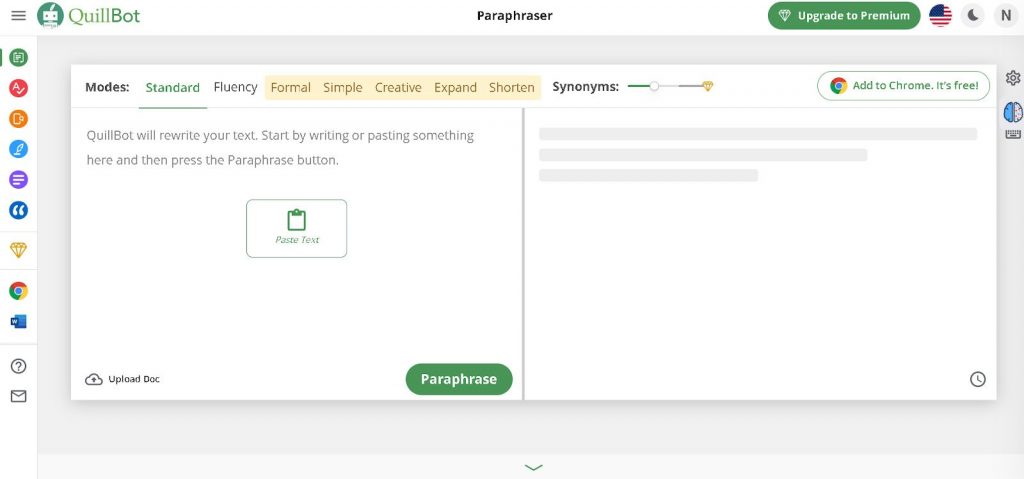
Quillbot’s free version is an excellent start to this tool. You get 2 paraphrasing modes (Standard and Fluency) and you can use them as much as you want.
The only 2 limitations are that you can only paraphrase up to 125 words at once, and you have limited access to the Thesaurus.
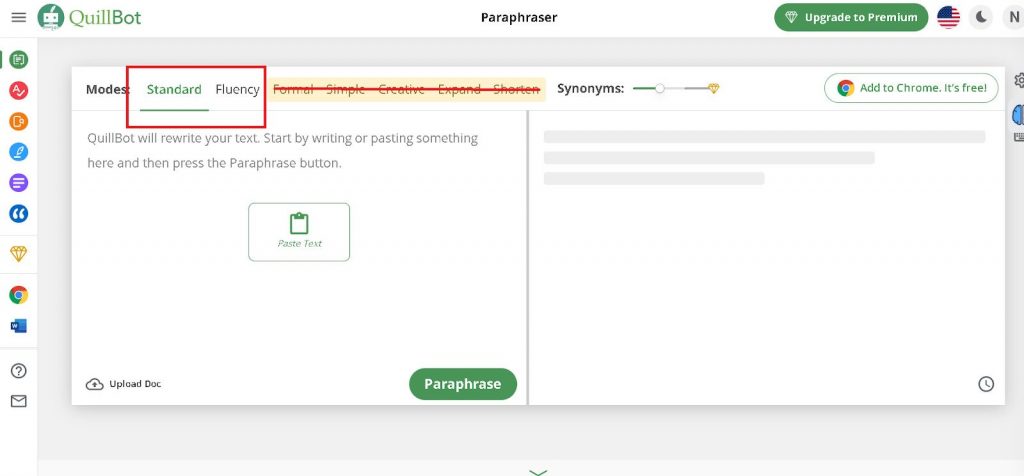
One other thing that’s slightly annoying about Quillbot Free is that occasionally the output Quillbot gives is too verbose and you end up having to manually paraphrase what Quillbot rewrote.
Different Modes
That’s why there’s a “shorten” paraphrasing mode in Quillbot Premium.
The output Quillbot gives you is always grammatically correct, but just in case you also have access to a free grammar checker with unlimited usage. Quillbot Grammar Checker is available via an online app and also via Quillbot’s Chrome extension.
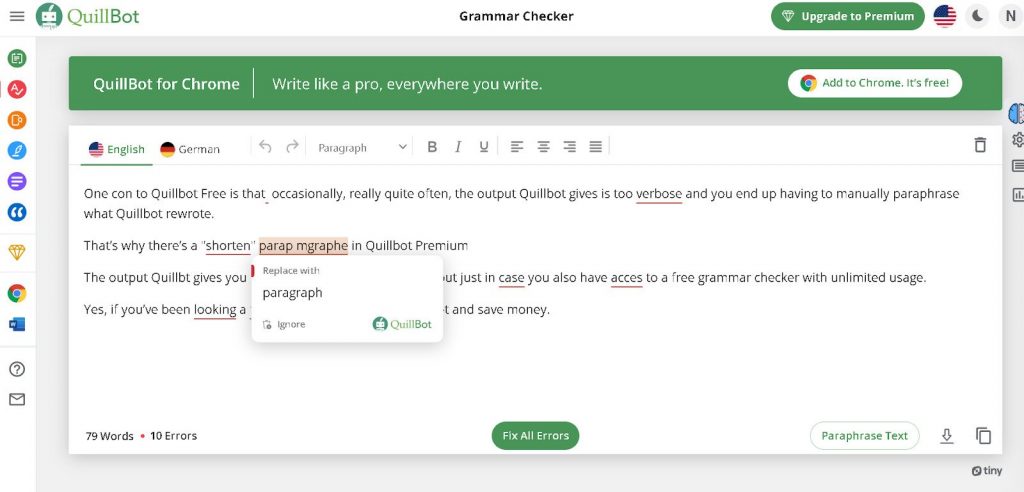
Yes, if you’ve been looking for a free grammar checker you can go with Quillbot and save money.
Quillbot is free to use forever, and if you want to get access to the premium version, the paid plan starts at $9.95/mo. If you’re a student, the Quillbot student discount exists for you to take advantage of.
It doesn’t matter if you’re trying to promote your business or write a personal blog. Quillbot can be a great tool at your disposal. Start with the free version and take it from there. You can always upgrade to the high quality premium version of Quillbot at any time.
#3- Paraphrase Tool
Paraphrase Tool Pros
- Free
- Standard mode is excellent for zero money you pay for it.
Some Paraphrase Tool Cons
- Changes not visually labeled in the text
- Some paraphrasing modes write additional content and change the meaning.
- However, some of the modes are wrongly labeled (they do the opposite).
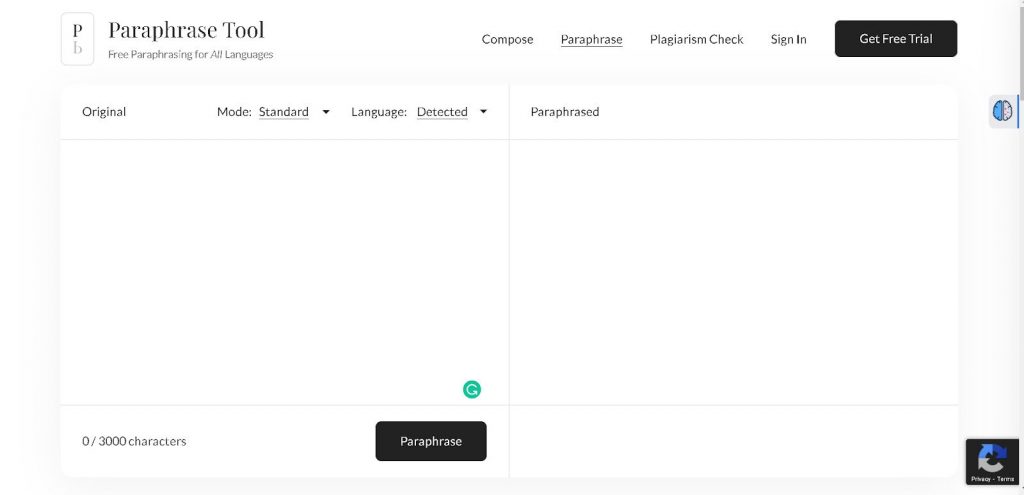
The Paraphrase Tool is an excellent free online paraphraser that has more paraphrasing modes than you can count. These are divided into free and paid paraphrasing modes.
Free or Paid?
Free: shorten, expand, smooth, standard, summary, grammar, diplomatic, informal, literary
Paid: academic, simple, clear, elaborate, creative, formal, cohesive, emphatic, confident, smart, thoughtful.
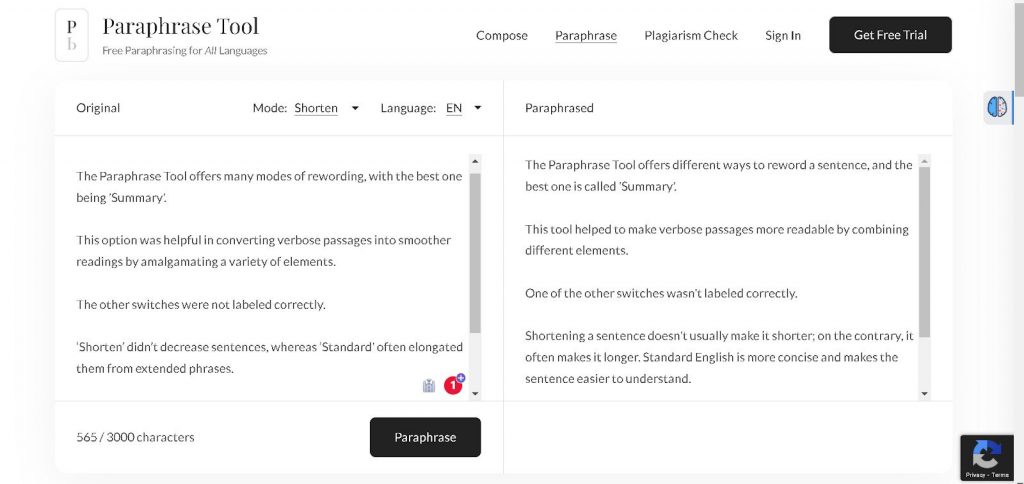
The best free paraphrasing mode is Standard which does produce standard output that is unique and with meaning preserved.
As for Shorten and Expand modes (these are also free), they’re quite disappointing as they almost seem to do the opposite.
When you tell the tool to shorten a paragraph it’ll often come out more verbose. However, when you tell it to expand, it’ll often come out too short and you’ll need to manually bulk it up.
Up To 3000 Characters With Paraphrasing Tools Free
The good news is that you can use Paraphrase Tool as much as you want with no limit and you can paraphrase up to 3000 characters at once.
That’s very handy and generous, especially when compared to a tool like Wordtune which gives you a 10-sentence limit per day. You can save time with that amount of characters.
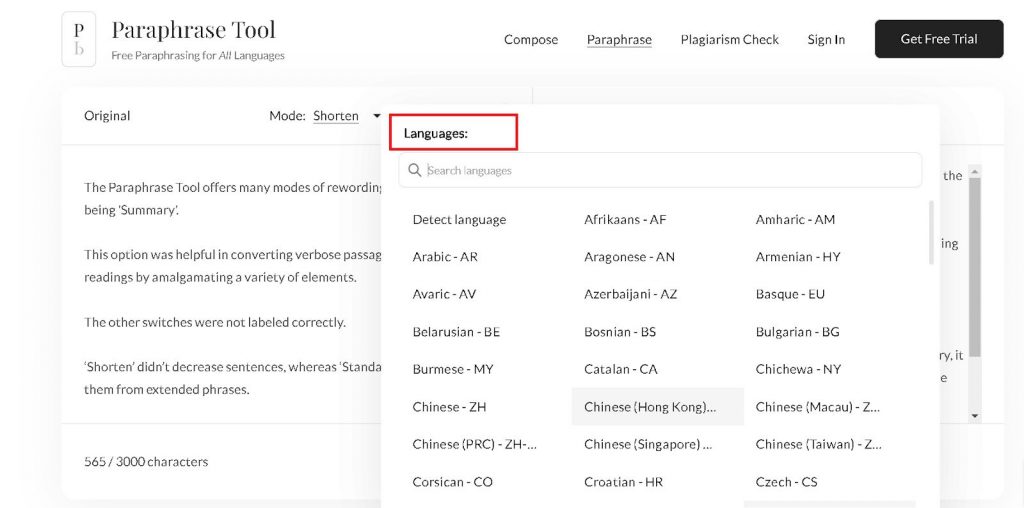
Paraphrase Tool is also unique on this list as it allows you to paraphrase in many of the world’s biggest languages, and for free too.
If you decide to buy a premium version it’ll cost you $7.99/mo or $4.99/mo if you buy a yearly plan.
#4- Wordtune
Some Wordtune Pros
- Free;
- Intuitive interface;
- 10 available paraphrasing modes;
- Affordable premium version;
- Free Chrome extension available.
- The interface is sometimes buggy;
- A 280-character limit for free paraphrases;
- 10-sentence paraphrasing limit per 24h;
- Shorten mode often produces longer content than the input;
- Lacking paragraph rephrase mode;
More on Wordtune
Wordtune Cons
The Wordtune tool is a great paraphrasing tool comparable to Quillbot in quality. However, free Quillbot gives you unlimited usage of its free version, while Wordtune limits you to just 10 paraphrased sentences per 24h.
This severe limitation makes Wordtune suitable only if you have a small amount of content in need of paraphrasing.
But for that small amount, Wordtune will provide you with fluent, logical, and fateful content that will read well and that you’ll be able to use immediately without any further editing.
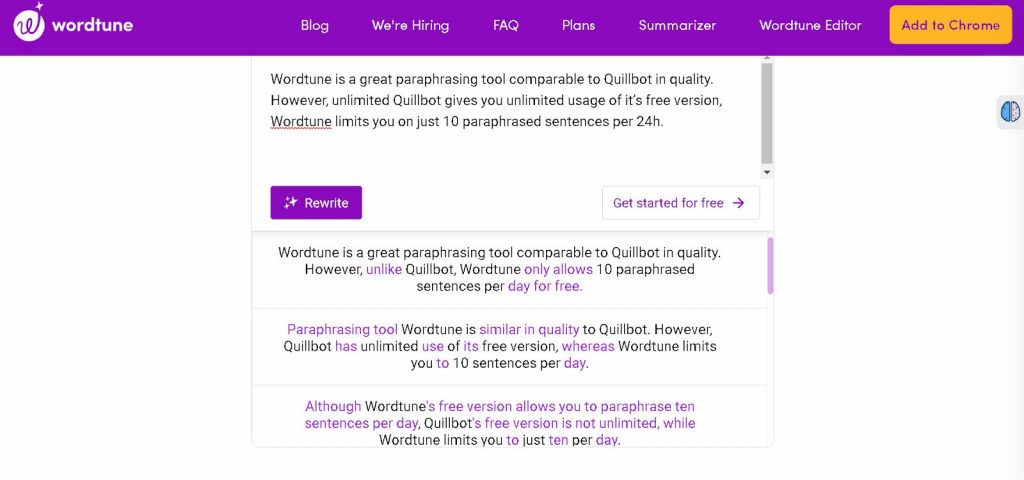
If you go for Wordtune Premium you’ll be able to paraphrase unlimited text and unlimited text length meaning whole paragraphs and even entire articles.
Pricing starts at $9.99/mo which makes Wordtune really affordable compared to the value you get with it.
#5- Paraphraser.io
Paraphraser.io Pros
- Free
- Output grammatically correct
The Paraphraser.io Cons
- Buggy and very slow.
- Basic rephrasing only.
- Output is often wrong and very different from the input (i.e., unusable)
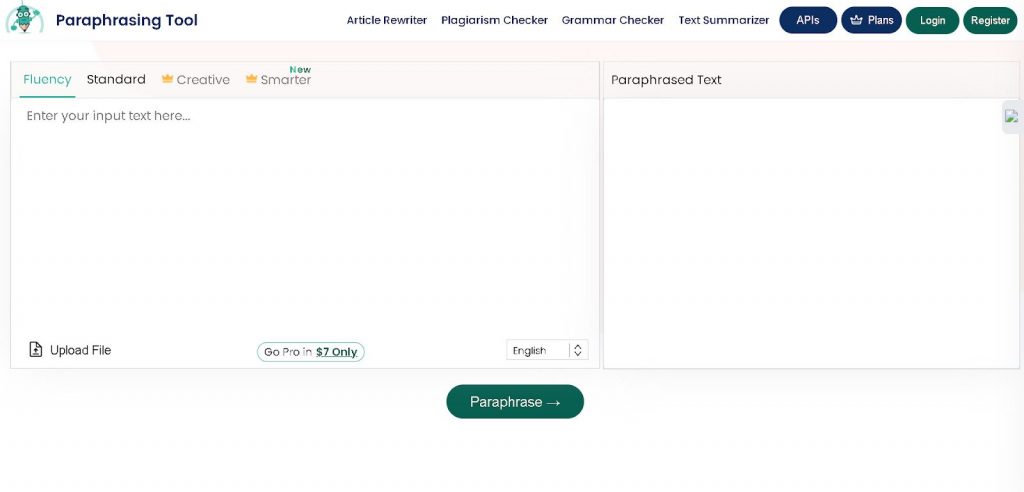
Paraphraser.io visually looks similar to Quilbot, but really that’s where the similarities end.
While Quillbot is fast and gives excellent output, Paraphraser.io is the opposite.
First, it takes them like the 20s to paraphrase a paragraph, and the output you get almost always needs to be touched by your human hand before it becomes usable.
Is The Paraphrasing Tools Free Version Good?
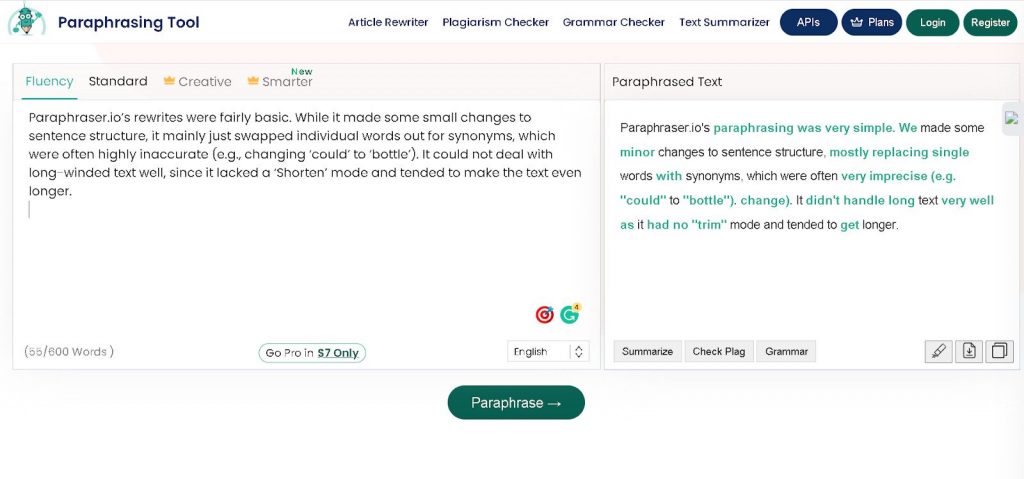
The free version of this tool gives you one mode to work with (Standard) and there are 2 more modes you can unlock if you decide to pay (Creative, and Smarter).
Paraphrase.io is an average paraphraser at best, but it’s free, and it also comes with free tools to help you write better.
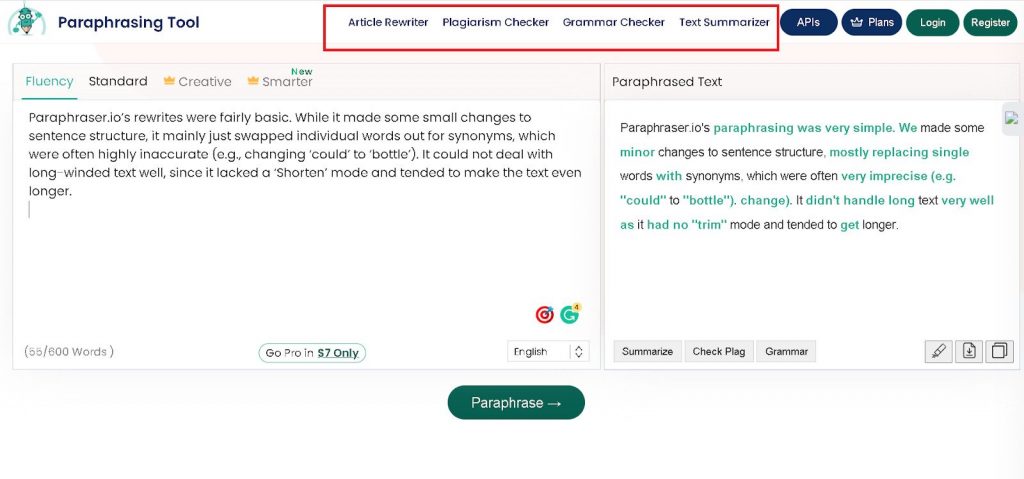
These are article rewriter, plagiarism checker, grammar checker, and text summarizer and that’s why the tool has its place on this list.
The paid version of this tool cost $23/mo but you can also get it for $13.75mo if you pick a yearly plan.
#6- Rephrase.info
Rephrase.info Pros
- Free
- Good quality paraphrasing
The Rephrase.info Cons
- Some changes distort the meaning
- Full of adverts
- Slow and inconvenient to use
Reword Your Content
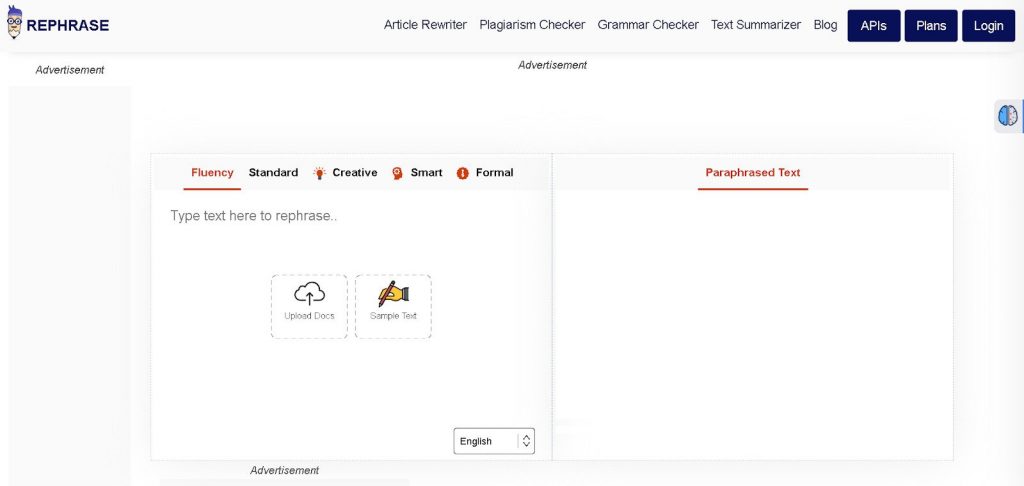
Rephrase is a good paraphraser generator that can reword your content effectively. And if you feed it text that’s riddled with grammar errors and ask it to paraphrase it, it’ll do it by first fixing the errors and then rewriting the content while preserving meaning.
Honestly, I was impressed as I expected it to get bogged down with silly grammar errors and misspellings. Instead, it saved me time with the sentence rephraser.
So good job, Rephrase!
On the other hand, this website lives off advertising, so in order to use it you need to disable your ad blocker, and then it gets annoying fast.
Look how many advertisements are on this page!
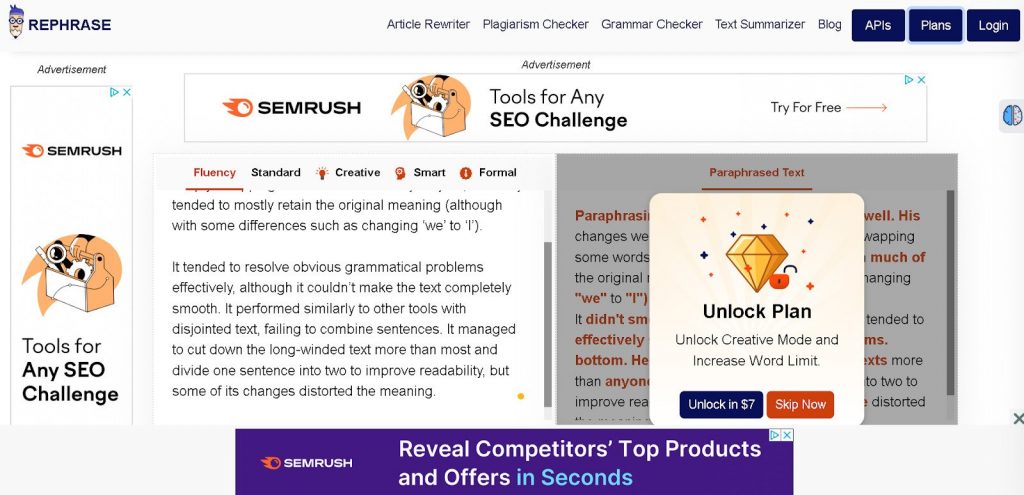
Also, besides the ads slowing down the page, this tool is reasonably fast, much faster than Paraphrase.io though it also occasionally fails to load and that should be noted (probably because of the excess of ads).
Rephrase Add-ons
Overall, I recommend it especially since Rephrase also offers free add-ons like plagiarism checker, grammar checker, article rewriter, and text summarizer.
I don’t recommend buying a premium version of this tool as it’s very expensive compared to others on this list.
For example, Rephrase has a weekly plan which costs $9/mo. Don’t know about you, but weekly pricing is new to me.
Rephrase monthly is $22/mo and yearly is $165.
That’s too expensive, especially since another tool on this list, Qillbot, is free and paraphrases better than Rephrase.
Best Paraphrasing Tools FREE For 2026 FAQ
#1- What is a Paraphrasing Tool?
A paraphrasing tool is an online app (hosted on the cloud) that can rewrite or rephrase text, or any sentence or paragraph while preserving its inherent meaning.
Since many people are lazy and would rather paraphrase someone else’s thoughts than come up with their own, plenty of high-quality paraphrasing tools have cropped up on the market.
Some of these are free, and some are premium. The premium ones are better, but often unnecessary, especially for casual bloggers.
#2- Is Using a Paraphrasing Tool Cheating? Can Paraphrased Content Be Detected?
Using a paraphrasing tool can be cheating if all you do is paraphrase someone else’s content and pass it off as yours.
However, using online paraphrasers is not cheating if you use them to enhance and improve your writing process. For example, this guide teaches you how to use AI (ChatGPT) to assist you to write content. And that’s fine, even by Google’s standards which say AI content is fine as long as it’s heavily guided by a human hand and the output is edited by a human before being published.
(Note: take Google’s advice seriously. There are already AI content detectors online, and you can bet Google has a much more serious technology to detect and handle AI content).
#3- Is Content Spinning the Same as Content Paraphrasing?
Content spinning is a basic form of rewriting/paraphrasing content. However, content spinning is just switching words for their close synonyms while having the sentences still make sense.
Content paraphrasing is more advanced as you’re changing the words, changing sentences, and mixing their order while preserving meaning.
You can do this manually, but of course, content tools do a much better and above all, faster job.
#4- Can Grammarly Paraphrase?
Grammarly Premium can rewrite sentences when the tool detects a sloppy sentence within a paragraph.
However, Grammarly or even their similar alternatives is not a proper paraphrasing tool and there’s no built-in button you can click to order Grammarly to paraphrase something.
#5- Are Free Paraphrasing Tools Good Enough?
Free paraphrasing tools are good enough for general and occasional use. Yes, they have serious limitations on how much you can paraphrase in 24h, but the output they deliver is on par with what premium paraphrasing tools can do.
I recommend free paraphrasing tools to casual bloggers, while the pros would do well to get a paid tool.
#6- Can AI Tools Paraphrase Content?
Most AI tools can paraphrase as paraphrasing is a lower-level activity than generating content from scratch.
For example, Jasper AI, one of the best AI writing tools, has a paraphraser mode that can paraphrase content with a push of a button.
So does Writesonic.
Not only that but so does ChatGPT.
Even Canva has recently come out with its own AI text generator which, you guessed it, can paraphrase content you feed into it.
Best Paraphrasing Tools for 2026 (Conclusion)
Look, free paraphrasing tools are not as good as paid ones. But they are good enough to help you paraphrase almost any content you need, as long as you understand the limitations that come with a free tool you pick.
I personally love Quillbot, however, any tool on this list is helpful and worth checking out.
So, which one are you going to try first? Let me know in the comment section below.

- Why Making A Personal Connection Is Marketing Gold Dust - September 19, 2026
- What Is My Instagram URL? How to Find and Copy Your Profile Link - September 19, 2026
- 5 Types of Instagram Posts Users Want to View Anonymously - September 18, 2026
Enjoy this content? Help me show up more often in Google by adding Inspire To Thrive as a Preferred Source:



Really useful and practical roundup. I especially appreciate the explanation that paraphrasing should preserve the original meaning rather than simply replace words with synonyms. The comparison of tools based on their free limitations, output quality, and different use cases is helpful for bloggers and content creators choosing a tool for their workflow.
The reminder to review and edit AI-assisted or paraphrased content manually is also important. These tools can save significant time, but maintaining accuracy, originality, context, and the writer’s own voice still requires human judgment.
Thanks for putting together such a detailed guide for content creators.
Thanks so much — I’m glad the “keep the original meaning” part landed. That’s the piece a lot of tools skip when they just swap synonyms. You’re also right that the free limits and use-case differences matter more than a long feature list. And yes: the tool can draft it, but the final pass still has to sound like you. Appreciate you reading it so closely.
Really good post. Quillbot is a great paraphrasing tool without any doubt.
Thanks Jatin, welcome to Inspire To Thrive. How long have you been using it? Thanks for coming by and have a great day.
Lisa: Is paraphrasing when you take someone’s text and make it a new version of it? How do add credit to the original source?
Hi Martin, I usually link to the source when paragraphing. Very similar to quoting someone online. You put it in your own words with paraphrase but source it to the place you got the idea or fact from. I hope that helps Martin. Thanks for coming by!